
Introduction
Thank you for purchasing the WINGBO 54 Inch Flush Mount DC Ceiling Fan. This manual provides essential information for the safe installation, operation, and maintenance of your new ceiling fan. Please read all instructions carefully before beginning installation and retain this manual for future reference.
Safety Information
- Always disconnect power at the circuit breaker before installation or servicing.
- Ensure all electrical connections comply with local codes and ordinances, as well as the National Electrical Code (NEC).
- Consult a qualified electrician if you are unfamiliar with electrical wiring.
- The fan must be mounted to a structurally sound ceiling joist or outlet box capable of supporting the fan's weight (minimum 35 lbs).
- Do not operate the fan with damaged blades or housing.
- Keep hands, clothing, and other objects clear of the fan blades when in operation.
Package Contents
Verify that all components are present and undamaged before proceeding with installation.
- Fan Motor Housing
- 5 Carved Wood Blades
- LED Light Kit
- Remote Control with Wall Mount
- Mounting Bracket and Hardware
- Instruction Manual
Setup and Installation
This section outlines the steps for installing your WINGBO flush mount ceiling fan. Ensure power is OFF at the circuit breaker before starting.
1. Prepare for Installation
- Turn off power at the main circuit breaker.
- Ensure the mounting location is suitable for a flush mount fan and can support its weight.
2. Mount the Bracket
- Secure the mounting bracket to the ceiling outlet box using the provided screws. Ensure it is firmly attached.
3. Wiring Connections
- Connect the fan's electrical wires to the household wiring according to the wiring diagram in the detailed manual. Typically, this involves connecting live, neutral, and ground wires.
Video: WINGBO Flush Mount Ceiling Fan with Lights Installation. This video demonstrates the wiring and mounting process for the ceiling fan.
4. Attach Fan Housing and Blades
- Carefully lift the fan motor housing and attach it to the mounting bracket.
- Secure each of the 5 carved wood blades to the motor housing using the provided screws.

Image: Dimensions and Mounting Options. This diagram illustrates the fan's dimensions and how it appears when flush mounted to the ceiling.
5. Install LED Light Kit
- Connect the LED light kit wires to the fan's light wires.
- Secure the light kit to the bottom of the fan housing.
6. Remote Control Pairing
- Install batteries into the remote control.
- Follow the specific pairing instructions in the detailed manual to synchronize the remote with the fan.
Operating Instructions
Your WINGBO ceiling fan is operated using the included remote control.
Remote Control Functions

Image: Handy Remote Control. This image displays the remote control with its various buttons for fan and light operation.
- Fan Speed: Adjusts between 6 forward speeds.
- Light Control: Turns the LED light on/off and cycles through 3 color temperatures (3000K Warm Light, 4500K Natural Light, 6000K Day Light).
- Follow/Reverse: Changes the direction of blade rotation for summer or winter mode.
- Nature Mode: Simulates natural breeze by varying fan speed.
- Timer: Sets the fan to turn off automatically after 1, 2, 4, or 8 hours.

Image: 6-Speeds Reversible. This image explains the fan's reversible function for different seasons.
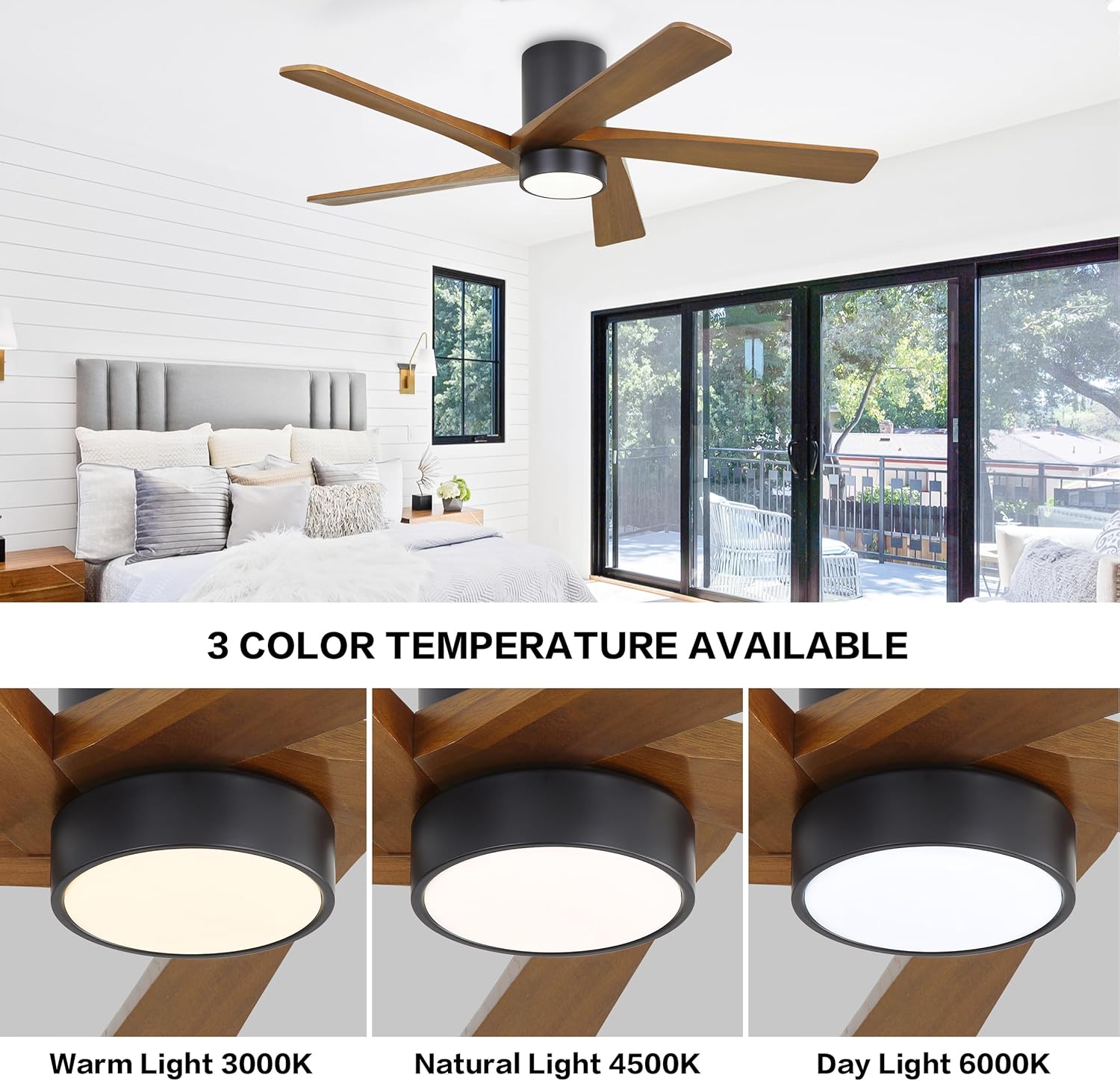
Image: 3 Color Temperature Available. This image demonstrates the different light color temperature options.
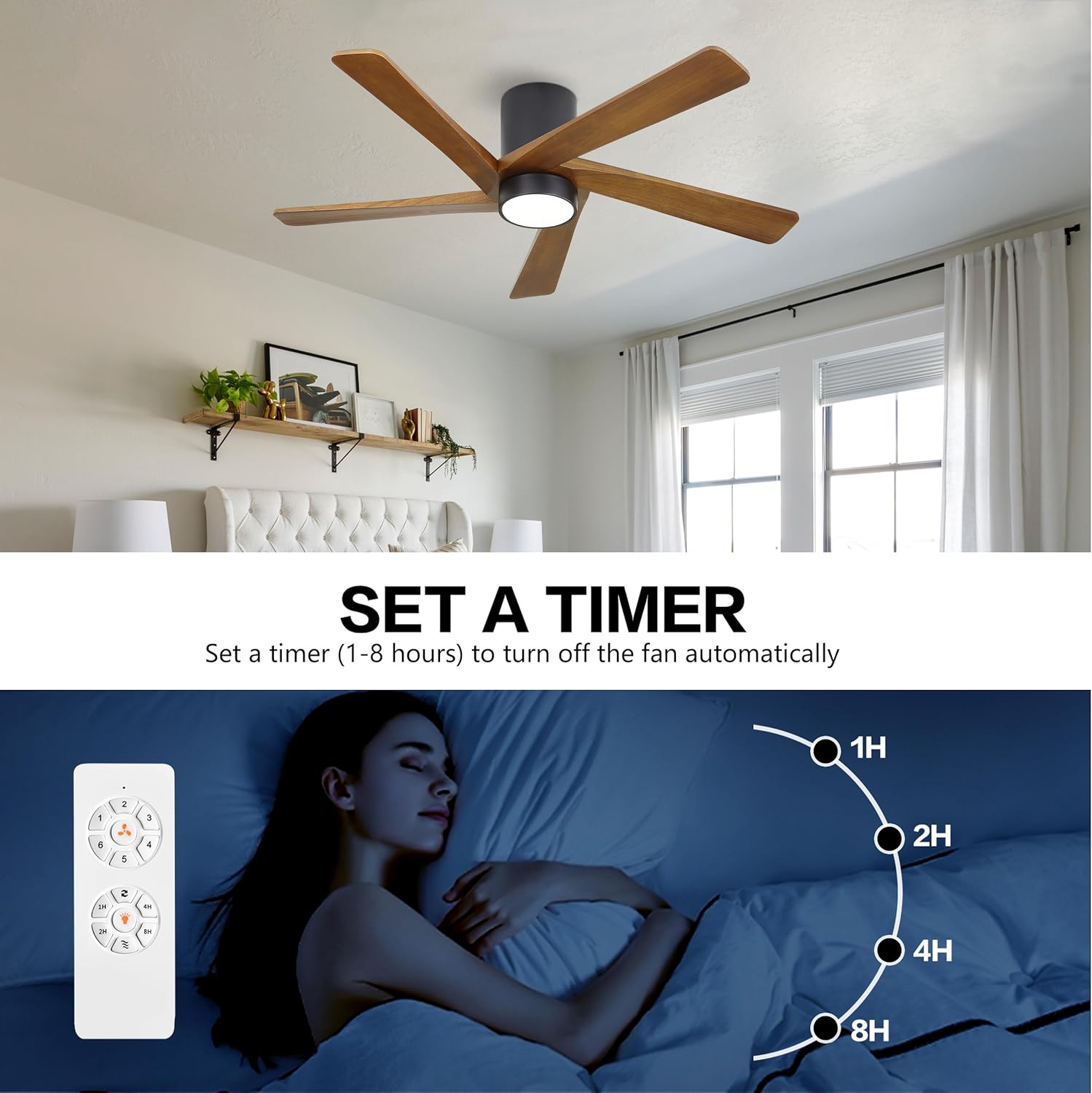
Image: Set a Timer. This image illustrates the fan's timer function for automatic shut-off.
Maintenance
Regular maintenance ensures optimal performance and longevity of your ceiling fan.
- Cleaning: Periodically wipe the fan blades and motor housing with a soft, damp cloth. Do not use abrasive cleaners or solvents.
- Blade Inspection: Check blade screws for tightness annually. Loose screws can cause wobbling and noise.
- Light Kit: The integrated LED light module is designed for long life and typically does not require replacement. If issues arise, contact customer support.
Troubleshooting
If you experience issues with your fan, refer to the following common problems and solutions:
| Problem | Possible Cause | Solution |
|---|---|---|
| Fan does not start | No power to the fan; Loose wire connections; Remote not paired. | Check circuit breaker; Verify all wiring connections are secure; Re-pair remote control. |
| Light does not work | Loose wire connection; Faulty LED module. | Check light kit wiring; Contact customer support for LED module replacement. |
| Fan wobbles | Loose blade screws; Unbalanced blades; Loose mounting bracket. | Tighten all blade screws; Ensure blades are correctly installed; Verify mounting bracket is secure. |
| Remote not responding | Dead batteries; Remote not paired. | Replace remote batteries; Re-pair remote control with the fan. |
Specifications
| Feature | Detail |
|---|---|
| Brand | WINGBO |
| Model Name | SYCF5407 |
| Product Dimensions | 54"D x 54"W x 12"H |
| Electric Fan Design | Ceiling Fan |
| Power Source | DC |
| Style | Modern |
| Room Type | Bedroom, Living Room, Dining Room (Indoor) |
| Special Feature | LED Light, Reversible Motor, Remote Control |
| Mounting Type | Flush Mount |
| Controller Type | Remote Control |
| Number of Speeds | 6 |
| Wattage | 50 watts |
| Number of Blades | 5 |
| Indoor Outdoor Usage | Indoor |
| Material | Wood |
| Blade Material | Wood |
| Specification Met | ETL Listed |
| Recommended Room Size | 12'x12' to 18'x18' |
Warranty and Support
For warranty information or technical support, please refer to the warranty card included with your product or contact WINGBO customer service directly. Contact details can typically be found on the WINGBO official website or through your retailer.
You can also visit the official WINGBO store for more information: WINGBO Store on Amazon


