
GoodBaby 792332952439
GoodBaby Forehead Thermometer
User Manual
Product Overview
The GoodBaby Forehead Thermometer is a digital infrared thermometer designed for quick, accurate, and contactless temperature readings for adults, children, and babies. Its advanced sensor technology and smart chip ensure reliable performance, making it an essential tool for monitoring health at home.

Image: GoodBaby Forehead Thermometer, a non-contact infrared device with a clear digital display.
What's in the Box
- 1x GoodBaby Forehead Thermometer
- 2x AAA Batteries
- 1x Instruction Manual
- 1x Quick Start Guide
Setup
- Install Batteries: Open the battery compartment located at the bottom of the handle. Insert the 2 AAA batteries, ensuring correct polarity (+/-). Close the compartment securely.
- Power On: Press the measurement trigger button to turn on the thermometer. The LCD screen will light up, indicating it's ready for use.
Operating Instructions
Taking a Forehead Temperature
- Ensure the thermometer is in Forehead Mode (indicated by a head icon on the display). If not, press the 'Mode' button to switch.
- Hold the thermometer approximately 0.2-1.5 inches (0.5-3.8 cm) from the center of the forehead.
- Press the measurement trigger button. The temperature reading will appear on the LCD screen within 1 second.
- The screen color will indicate the temperature range:
- Green: Normal temperature (e.g., 89.6°F - 99.2°F)
- Orange: Low fever (e.g., 99.3°F - 100.3°F)
- Red: High fever (e.g., 100.4°F - 109.2°F)
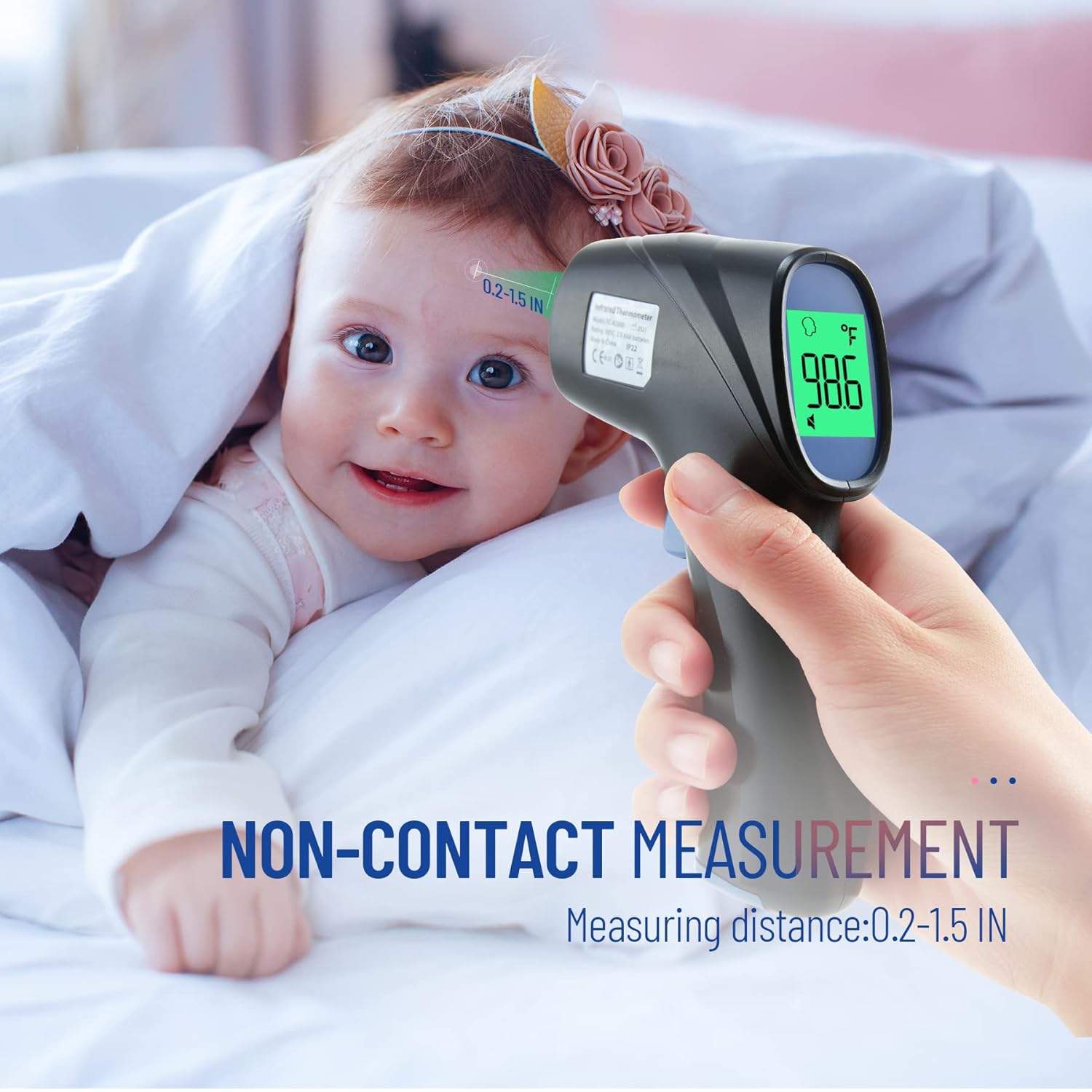
Image: Non-contact measurement for forehead temperature, recommended distance 0.2-1.5 inches.
Measuring Object/Room Temperature
- Press the 'Mode' button until the display shows the object/room icon.
- Point the thermometer at the object or area you wish to measure.
- Press the measurement trigger button to get the reading.

Image: The thermometer supports both forehead and object temperature measurement modes.
Switching Temperature Units (°F/°C)
Press the 'F/°C' button on the side of the thermometer to toggle between Fahrenheit and Celsius units.
Silent Mode
Press the 'Mute/Unmute' button to turn the sound on or off. This is useful for taking temperatures without disturbing sleeping individuals.

Image: The silent mode allows for clear temperature readings at night without waking children.
Memory Recall
The thermometer stores up to 35 sets of data readings. Press the 'Mem' button to cycle through previous measurements, allowing you to track temperature changes over time.

Image: The thermometer stores up to 35 temperature readings for easy tracking.
Features
- No-Contact Measurement: Provides hygienic temperature readings, reducing the risk of cross-infection.
- Fast and Accurate Results: Equipped with ultra-sensitive sensors and the latest smart chip for reliable readings in just 1 second.
- Easy to Use: Simple one-button control and ergonomic design make it suitable for all ages.
- Fever Alarm with 3-Color LCD: The large LCD screen changes color (Green, Orange, Red) to visually indicate temperature levels, making it easy to interpret readings day or night.
- 35 Set Memory Recalls: Stores historical temperature data for convenient tracking of health trends.
- Dual Mode: Capable of measuring both human body temperature and object/room temperature.

Image: Large display with 3-color intelligent fever alarm for easy temperature interpretation.
Specifications
| Brand | GoodBaby |
| Model Number | 792332952439 |
| Package Dimensions | 5.98 x 4.65 x 1.73 inches |
| Item Weight | 5.93 ounces |
| Batteries | 2 AAA batteries (included) |
| Display Type | LCD |
| Connectivity Technology | Infrared |
| Age Range (Description) | Adult & Kid & Baby |
| Outer Material | Plastic |
| Product Care Instructions | Wipe Clean |
Maintenance
- Cleaning: Wipe the thermometer's surface with a soft, dry cloth. For disinfection, use an alcohol swab (70% isopropyl alcohol) and gently wipe the probe and body. Do not immerse the thermometer in water or any cleaning solution.
- Storage: Store the thermometer in a cool, dry place away from direct sunlight, extreme temperatures, and humidity. Keep it out of reach of children.
- Battery Replacement: Replace batteries when the low battery indicator appears on the display. Always use new AAA batteries and dispose of old batteries responsibly.
Troubleshooting
- Device Not Turning On: Check if batteries are inserted correctly and have sufficient charge. Replace batteries if necessary.
- Inaccurate Readings: Ensure the thermometer is held at the correct distance from the forehead (0.2-1.5 inches). Avoid taking measurements immediately after physical activity or in extreme environmental conditions. Ensure the probe is clean.
- "Lo" or "Hi" Display: "Lo" indicates a temperature below the measurable range, and "Hi" indicates a temperature above the measurable range. Ensure proper usage and environmental conditions.
- Display Issues: If the display is dim or flickering, replace the batteries. If the issue persists, contact customer support.
Warranty & Support
For warranty information or technical support, please refer to the contact details provided in the Quick Start Guide included with your product. You may also visit the official GoodBaby website for further assistance.
GoodBaby Store: Visit the GoodBaby Store on Amazon
Related documents792332952439


Ask a question about this manual
Ask about setup, troubleshooting, compatibility, parts, safety, or missing instructions. Manuals+ will review the question and use this page’s manual context to help answer it.