
1. Introduction
Thank you for purchasing the advwin Bladeless Tower Fan RUXI-20. This manual provides important information regarding the safe operation, installation, maintenance, and troubleshooting of your new fan. Please read this manual thoroughly before use and retain it for future reference.
The advwin Bladeless Tower Fan is designed to provide efficient and quiet cooling with its innovative bladeless technology, offering 24 adjustable speeds, 120° oscillation, and a 12-hour timer for enhanced comfort in your home or office environment.
2. Important Safety Instructions
READ ALL INSTRUCTIONS BEFORE USING THIS APPLIANCE.
- Ensure the power supply voltage matches the rating label on the fan.
- Do not operate any fan with a damaged cord or plug. Discard fan or return to an authorized service facility for examination and/or repair.
- Do not run cord under carpeting. Do not cover cord with throw rugs, runners, or similar coverings. Arrange cord away from traffic area and where it will not be tripped over.
- To disconnect the fan, turn controls to OFF, then remove plug from outlet.
- Do not use the fan in wet or damp locations such as bathrooms or laundry areas.
- This appliance is not intended for use by persons (including children) with reduced physical, sensory or mental capabilities, or lack of experience and knowledge, unless they have been given supervision or instruction concerning use of the appliance by a person responsible for their safety.
- Children should be supervised to ensure that they do not play with the appliance.
- Always unplug the fan before cleaning or performing any maintenance.
- Do not insert fingers or foreign objects into any openings on the fan.
- Place the fan on a stable, flat surface to prevent it from tipping over.
3. Package Contents
Please check the package contents upon opening. If any items are missing or damaged, contact customer support.
- advwin Bladeless Tower Fan Unit
- Remote Control (AAA batteries not included)
- User Manual
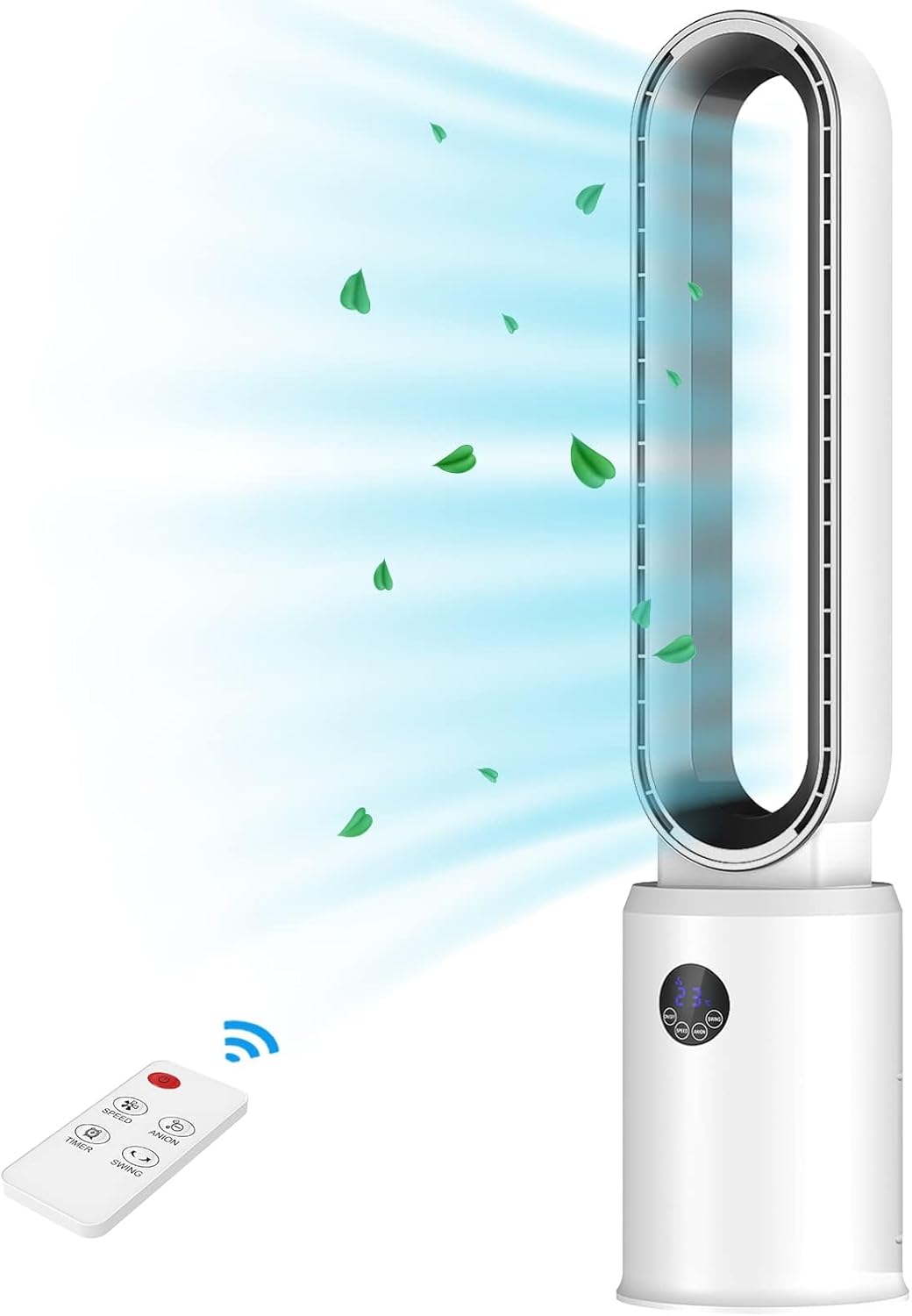
Image 1: The advwin Bladeless Tower Fan unit and its remote control.
4. Setup
The advwin Bladeless Tower Fan comes fully assembled, requiring no complex installation.
- Unpacking: Carefully remove the fan from its packaging.
- Placement: Place the fan on a firm, level surface. Ensure there is adequate space around the fan for optimal airflow and oscillation. Avoid placing it near curtains or other objects that could obstruct air intake or output.
- Power Connection: Plug the power cord into a standard 120V AC electrical outlet.
- Remote Control Batteries: Open the battery compartment on the remote control and insert two AAA batteries (not included), ensuring correct polarity.

Image 2: The fan's stable base ensures it remains upright during operation.
5. Operating Instructions
The fan can be operated using the touch control panel on the unit or the included remote control.
5.1. Control Panel
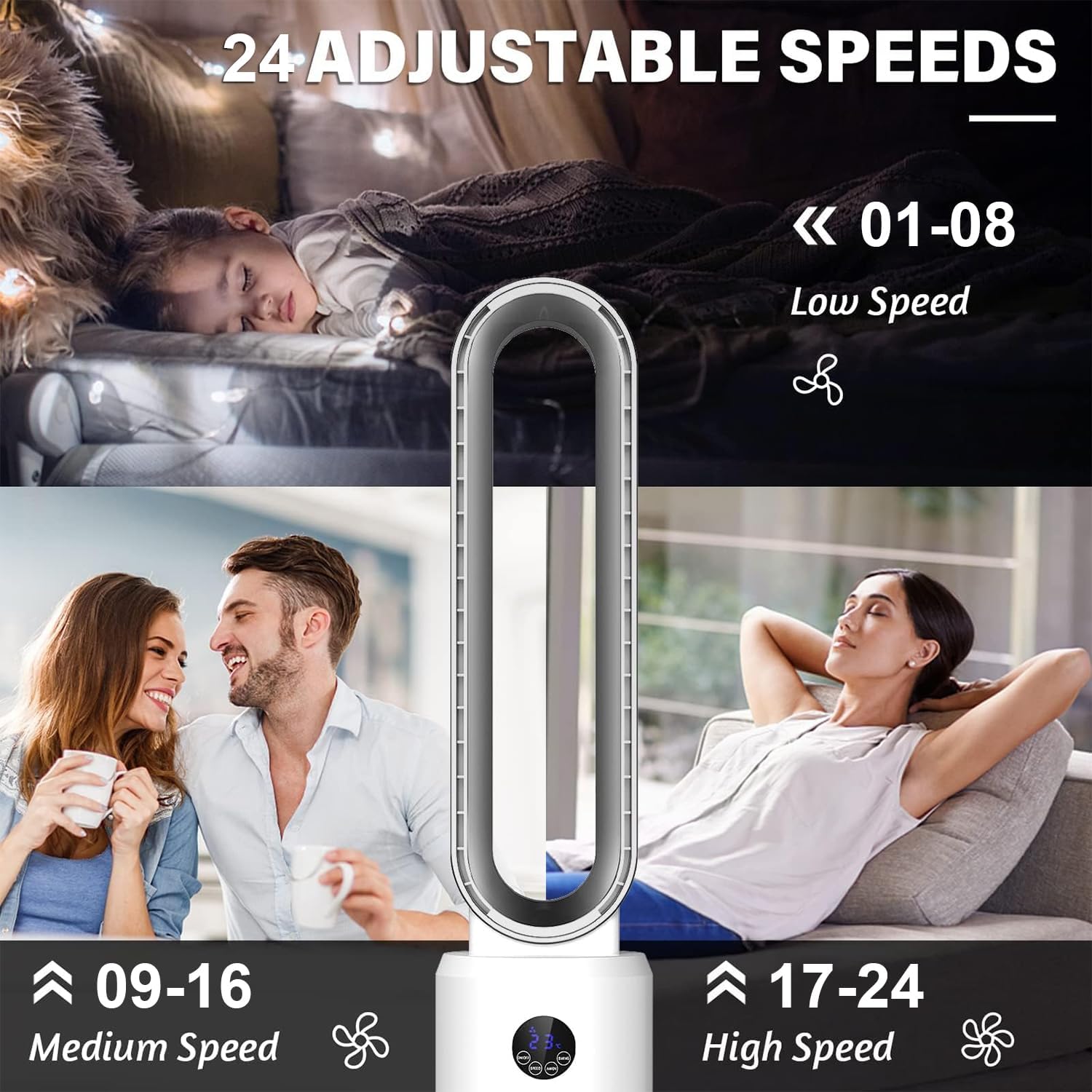
Image 3: The LED display and touch buttons on the fan unit.
- Power Button (ON/OFF): Press to turn the fan on or off.
- Speed Button (SPEED): Press to cycle through the 24 available wind speeds. The current speed will be displayed on the LED screen.
- Oscillation Button (SWING): Press to activate or deactivate the 120° oscillation function.
- Timer Button (TIMER): Press to set the auto-off timer from 1 to 12 hours. Each press increases the timer by one hour.
- Anion Button (ANION): Press to activate or deactivate the air purifying (anion) function.
5.2. Remote Control
The remote control allows you to operate all fan functions from a distance of up to 20 feet.

Image 4: Layout of the remote control buttons.
- Power Button: Turns the fan on or off.
- Speed Button: Adjusts the wind speed.
- Timer Button: Sets the auto-off timer.
- Swing Button: Activates or deactivates oscillation.
- Anion Button: Activates or deactivates the air purifying function.
- Sound/Sleep Mode Button: Toggles between normal operation and a quieter sleep mode.

Image 5: The fan's 120° oscillation feature provides wide air distribution.

Image 6: The fan's quiet operation and timer function are suitable for nighttime use.
6. Maintenance and Cleaning
Regular cleaning and maintenance will ensure optimal performance and extend the lifespan of your fan.
- Always unplug the fan from the power outlet before cleaning.
- Exterior Cleaning: Wipe the exterior surfaces of the fan with a soft, damp cloth. Do not use abrasive cleaners or solvents, as these may damage the surface.
- Bladeless Design: The bladeless design makes cleaning simple. Use a soft cloth or brush to gently remove dust from the air outlet and inlet areas.
- Storage: If storing the fan for an extended period, cover it to protect it from dust and store it in a cool, dry place.
Image 7: The bladeless design allows for easy cleaning with a simple wipe, as shown in the bottom left of this composite image.
7. Troubleshooting
If you encounter issues with your fan, please refer to the following common problems and solutions:
| Problem | Possible Cause | Solution |
|---|---|---|
| Fan does not turn on. | No power supply. Power cord not securely plugged in. | Ensure the fan is plugged into a working electrical outlet. Check the power cord connection. |
| Weak airflow. | Fan speed set too low. Air inlets/outlets obstructed. | Increase the fan speed setting. Ensure no objects are blocking the air intake or outlet. Clean any dust accumulation. |
| Fan is noisy. | Fan not on a level surface. Internal components loose. | Place the fan on a stable, flat surface. If noise persists, contact customer support. |
| Remote control not working. | Batteries are dead or incorrectly inserted. Obstruction between remote and fan. | Replace batteries with new AAA batteries, ensuring correct polarity. Remove any obstructions and ensure you are within range (20ft). |
| Oscillation not working. | Oscillation function is off. | Press the "SWING" button on the control panel or remote to activate oscillation. |
8. Specifications
| Feature | Detail |
|---|---|
| Model Name | Bladeless Tower Fan |
| Model Number | RUXI-20 |
| Brand | advwin |
| Color | Silver |
| Electric Fan Design | Floor Fan |
| Power Source | Electric |
| Product Dimensions (D x W x H) | 8.66"D x 8.66"W x 38.2"H |
| Item Weight | 6.2 Pounds (approx. 2.8 kg) |
| Special Feature | Bladeless, Oscillation, Timer, Remote Control, 24 Speeds, Quiet Operation, Anion Function |
| Noise Level | Less than 55 Decibels |
| Wattage | 35 watts |
| Voltage | 120 Volts |
| Control Method | Touch, Remote |
| Timer | 1-12 Hours |
| Oscillation Angle | 120° |
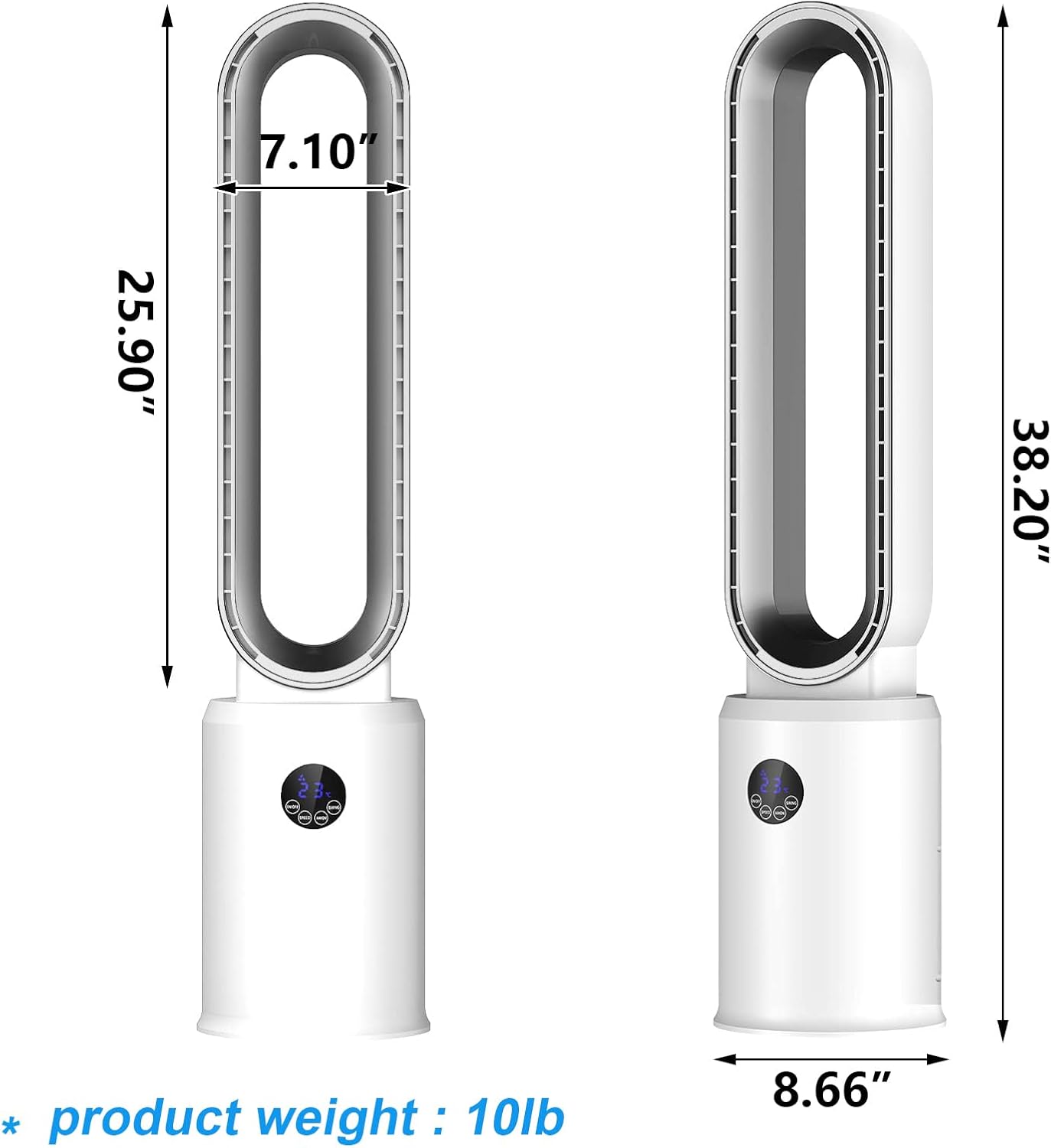
Image 8: Detailed dimensions of the advwin Bladeless Tower Fan.
9. Warranty and Support
advwin products are manufactured to high-quality standards. For specific warranty information, please refer to the warranty card included with your purchase or contact advwin customer support directly. Keep your purchase receipt as proof of purchase.
For technical support, troubleshooting assistance, or to inquire about replacement parts, please contact advwin customer service through the retailer where the product was purchased or visit the official advwin website.
