
1. Introduction
This manual provides detailed instructions for the safe and efficient use of your Waterdrop Electric Water Filter Pitcher, Model WD-ED01B. Please read this manual thoroughly before operating the device and retain it for future reference. This system is designed to provide filtered water by reducing various contaminants while retaining beneficial minerals.

Image 1.1: The Waterdrop Electric Water Filter Pitcher (Model WD-ED01B) with its filter cartridge.
2. Safety Information
- Do not immerse the electrical components of the pitcher in water.
- Use only the provided USB Type-C cable for charging. Ensure the charging adapter (not included) meets standard safety requirements.
- Keep out of reach of children.
- Do not use with water that is microbiologically unsafe or of unknown quality without adequate disinfection before or after the system.
- Operating temperature range: 41-100°F (5-38°C). Do not use with hot water.
3. Product Overview
3.1 Components
- Water Filter Pitcher Body
- Filter Cartridge (Model WD-EDF)
- USB Type-C Charging Cable
3.2 Key Features
- Electric Dispensing: One-key control for instant water delivery.
- Advanced Filtration: 5 µm premium carbon block filter material for 10X filtration efficiency.
- Certified Performance: Certified by IAPMO against NSF/ANSI 401, 53, 42, and 372 standards for reduction of over 45 contaminants including PFAS, lead, and chlorine.
- Long Filter Lifespan: Up to 200 gallons or 3 months, depending on usage and water quality.
- Rechargeable Battery: Inbuilt battery provides up to 30 days of standby time on a single charge.
- Smart Indicators: Power and filter life indicators for convenient monitoring.
4. Setup
4.1 Unpacking and Initial Cleaning
- Remove all components from the packaging.
- Wash the pitcher body and lid with mild detergent and rinse thoroughly with water. Do not wash the filter cartridge with detergent.
- Dry all parts completely before assembly.
4.2 Filter Installation
- Unscrew the filter cartridge from its packaging.
- Align the filter cartridge with the designated slot inside the pitcher's water reservoir.
- Gently push and twist the filter clockwise until it is securely locked in place.

Image 4.1: Illustration of how to install the filter cartridge into the pitcher.

Image 4.2: The filter cartridge shown securely in place within the pitcher.
4.3 Initial Charging
- Locate the USB Type-C charging port on the pitcher.
- Connect the provided USB Type-C cable to the pitcher and to a compatible USB power adapter (not included).
- Charge the pitcher fully before first use. The power indicator light will show charging status.
5. Operation
5.1 Filling the Pitcher
- Remove the lid of the pitcher.
- Fill the reservoir with cold tap water. Do not exceed the maximum fill line.
- Replace the lid securely.
5.2 Dispensing Water
- Place a cup or container under the dispenser spout.
- Press the power button (water drop icon) once to activate the dispenser.
- Press the button again to start dispensing filtered water.
- Press the button a third time to stop the water flow.

Image 5.1: The electric water filter pitcher dispensing filtered water into a glass.
5.3 Indicator Lights
The pitcher features two indicator lights: a Power Indicator and a Filter Life Indicator. Refer to the table below for their meanings.

Image 5.2: Close-up view of the power and filter life indicators on the pitcher.
| Indicator | Status | Meaning |
|---|---|---|
| Power Indicator | Red light flashes | Charge the device now. |
| Filter Life Indicator | Red light flashes | Replace filter soon. |
| Filter Life Indicator | Stays red | Replace filter now. |
6. Maintenance
6.1 Filter Replacement
The filter cartridge (Model WD-EDF) should be replaced every 3 months or after filtering 200 gallons of water, whichever comes first. The filter life indicator will alert you when replacement is needed.
- Remove the lid and empty any remaining water from the pitcher.
- Twist the old filter cartridge counter-clockwise to unlock and remove it.
- Dispose of the old filter responsibly.
- Install a new Waterdrop WD-EDF filter cartridge as described in Section 4.2.
- After installing a new filter, fill the pitcher and dispense the first full pitcher of water to flush the new filter. Discard this water.
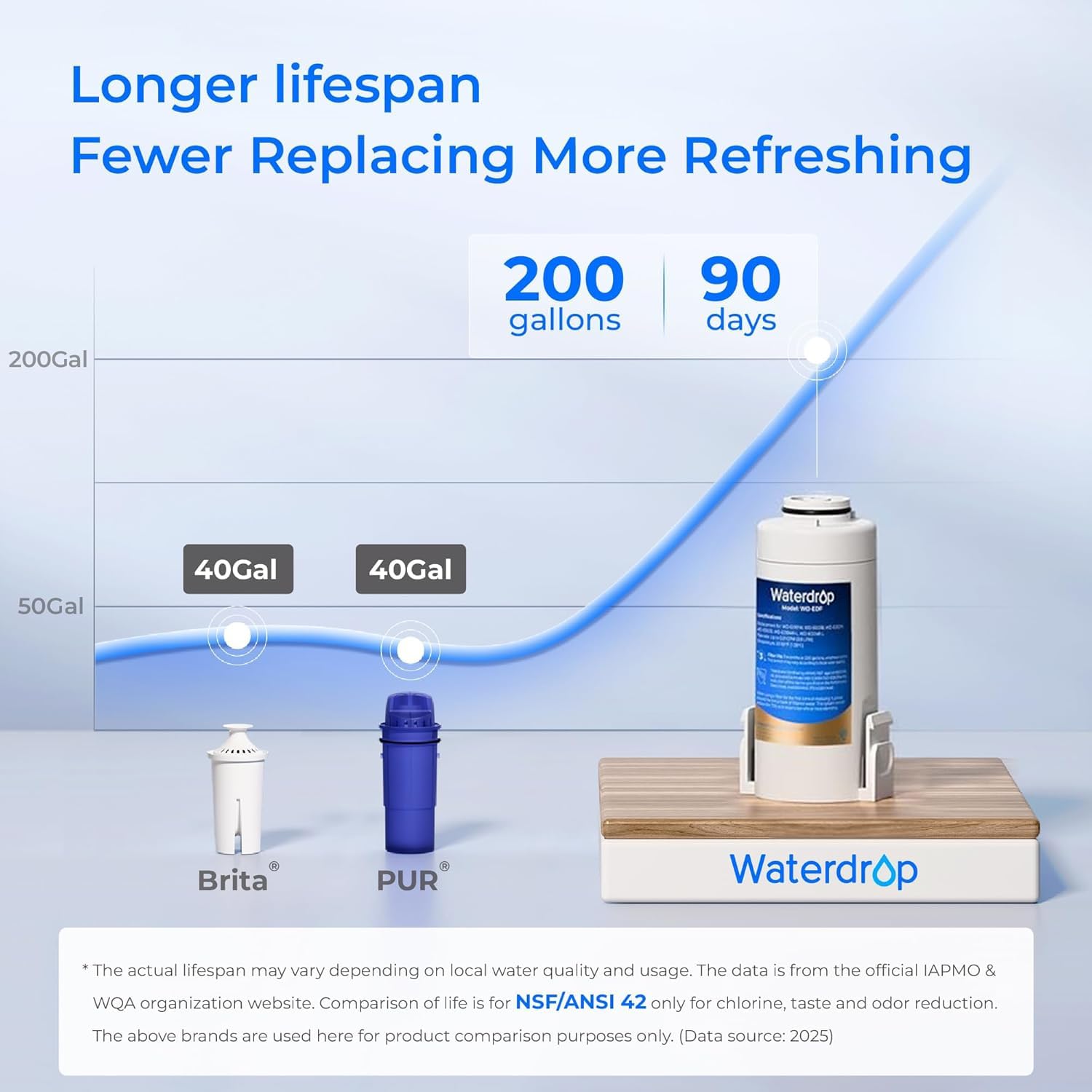
Image 6.1: Visual guide for the vertical filter cartridge replacement process.
6.2 Cleaning the Pitcher
- Regularly clean the pitcher body and lid with mild soap and water.
- Do not use abrasive cleaners or scrubbers that could scratch the surface.
- Ensure all parts are dry before reassembly.
6.3 Charging the Battery
When the power indicator flashes red, recharge the pitcher using the provided USB Type-C cable. A full charge provides approximately 30 days of standby time, depending on usage.

Image 6.2: The pitcher highlighting its 30-day battery life on a single charge.
7. Troubleshooting
- No water dispenses: Check if the pitcher is charged. Refer to the Power Indicator status. Ensure the filter is correctly installed.
- Slow water flow: The filter may be nearing the end of its lifespan or is clogged. Check the Filter Life Indicator and replace the filter if necessary.
- Unusual taste or odor: Ensure the filter is properly installed and has been flushed. If the issue persists after replacing the filter, contact customer support.
- TDS reading is high: This system is designed to retain beneficial minerals, which contribute to TDS. A high TDS reading is not an indication of a poor filter for this model. If you require low TDS water, please consider Waterdrop 0 TDS electric water filter pitchers (e.g., models WD-ED05TW, WD-ED05TP, WD-ED05TB, WD-ED10TW).
8. Specifications
| Feature | Specification |
|---|---|
| Model Number | WD-ED01B |
| Product Dimensions | 6.7"L x 9.5"W x 10.2"H |
| Item Weight | 4.3 Pounds |
| Filter Lifespan | 200 Gallons or 3 Months |
| Battery Type | Lithium Ion (included) |
| Battery Standby Time | Up to 30 Days |
| Installation Type | Countertop |
| Maximum Flow Rate | 0.21 Gallons Per Minute |
| Upper Temperature Rating | 101 Degrees Fahrenheit (38°C) |
| Certifications | NSF/ANSI 401, 53, 42, 372 |

Image 8.1: Diagram illustrating the dimensions of the Waterdrop Electric Water Filter Pitcher.
9. Warranty and Support
Waterdrop products are manufactured to high-quality standards. For warranty information, product registration, or technical support, please visit the official Waterdrop website or contact their customer service directly. Please have your model number (WD-ED01B) and purchase details ready when contacting support.
You can find more information and replacement filters at the Waterdrop Store.
10. Important Note on Videos
This manual does not include embedded videos as no relevant official product videos with 'Seller' as creator type were provided in the product data. For visual guides, please refer to the official Waterdrop website or YouTube channel.


