
1. Introduction
This manual provides essential information for the safe and efficient operation, installation, and maintenance of your SBONNI 150mm P206E Two-Way Exhaust Fan. This fan is designed for effective air circulation and ventilation in various indoor environments such as bathrooms, kitchens, garages, basements, and toilets. It features two-way ventilation, two speed settings, remote control operation, and a memory function for convenience.
2. Safety Instructions
- Always disconnect the power supply before installation, maintenance, or cleaning.
- Installation should be performed by a qualified electrician in accordance with local electrical codes.
- Ensure the power supply voltage matches the fan's requirements.
- Do not operate the fan with a damaged power cord or plug.
- Keep hands and foreign objects away from the fan blades during operation.
- Do not obstruct the airflow openings of the fan.
- This appliance is rated IPX4, making it suitable for humid environments. However, avoid direct water spray.
- This product is not intended for use by persons (including children) with reduced physical, sensory, or mental capabilities, or lack of experience and knowledge, unless they have been given supervision or instruction concerning use of the appliance by a person responsible for their safety.
3. Setup and Installation
The SBONNI P206E exhaust fan is designed for straightforward installation on walls, ceilings, or glass. It comes with a 1-meter power cable and plug for convenience.
3.1 Installation Steps (General Guidance)
- Prepare the Mounting Location: Choose a suitable location on a wall, ceiling, or glass panel. Ensure there is adequate space for the fan's dimensions (approximately 20 x 20 x 13 cm) and that the surface can support its weight (730 grams).
- Create Opening: Cut an appropriate circular opening for the fan duct, typically 150mm in diameter, according to the fan's specifications.
- Mount the Fan: Secure the fan body into the opening using appropriate fasteners for your mounting surface. Ensure it is firmly fixed to prevent vibration.
- Connect Power: Plug the 1-meter power cable into a suitable electrical outlet. Ensure the outlet is easily accessible and meets safety standards.
- Test Operation: Once installed, briefly connect power and test the fan's basic functions to ensure proper installation.

Figure 3.1: Dimensions of the SBONNI P206E exhaust fan. The fan measures approximately 150mm in diameter for the duct, with overall dimensions of 20cm x 20cm x 13cm. It includes a 1000mm (1 meter) power cable.
4. Operating Instructions
The SBONNI P206E exhaust fan is controlled via a 433MHz wireless remote control, allowing operation through walls and offering flexible control.
4.1 Remote Control Functions

Figure 4.1: The 433MHz wireless remote control for the SBONNI exhaust fan. The remote features buttons for ON/OFF, fan direction (IN/OUT), and speed control.
- ON/OFF: Press the 'ON' button to turn the fan on. Press the 'OFF' button to turn the fan off.
- Direction Control (Two-Way Ventilation):
- OUT (Exhaust): Press the 'OUT' button to set the fan to extract stale air from the room.
- IN (Intake): Press the 'IN' button to set the fan to draw fresh air into the room.
- Speed Settings: The fan offers two speed settings.
- Speed 1 (Low/Quiet Mode): Provides quieter operation, suitable for continuous background ventilation.
- Speed 2 (High/Performance Mode): Offers maximum airflow for rapid ventilation.
- Memory Function: The fan retains the last used settings (direction and speed) when turned off and on again, eliminating the need to reset preferences.

Figure 4.2: Illustration of the two-way ventilation capability. The fan can either bring fresh air into a room or exhaust stale air out, indicated by directional arrows.
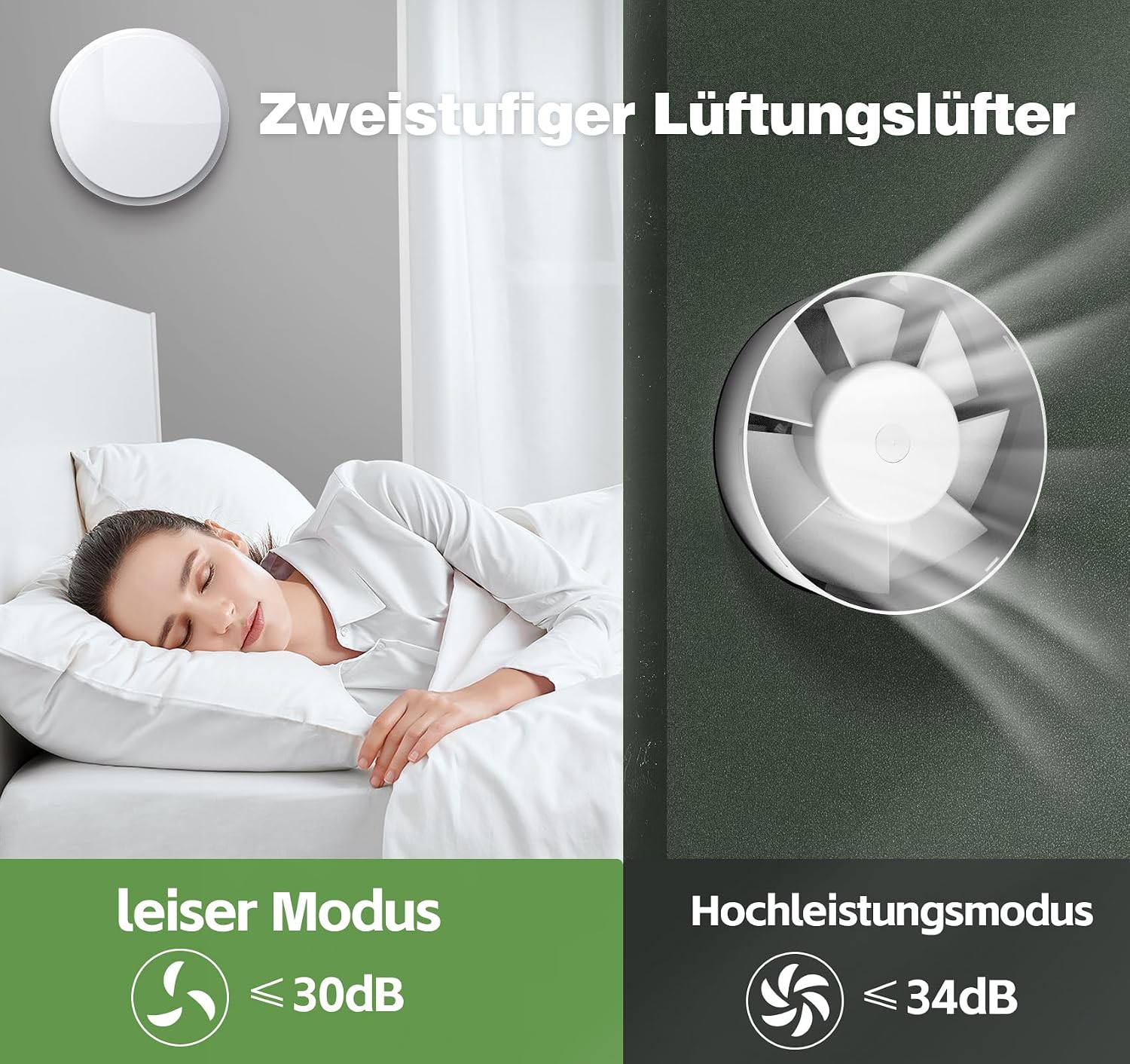
Figure 4.3: Comparison of the fan's two speed modes. Quiet mode operates at approximately 30dB, while high-performance mode operates at approximately 34dB, providing efficient ventilation with minimal noise.
5. Maintenance
Regular maintenance ensures optimal performance and extends the lifespan of your SBONNI exhaust fan. The pure copper DC brushless motor is designed for a long operational life of up to 30,000 hours.
5.1 Cleaning
- Disconnect Power: Always ensure the fan is disconnected from the power supply before cleaning.
- Exterior Cleaning: Wipe the exterior surfaces of the fan with a soft, damp cloth. A mild detergent can be used if necessary. Avoid abrasive cleaners, solvents, or harsh chemicals, as these can damage the PC+ABS material.
- Fan Blade Cleaning: Carefully remove any accumulated dust or debris from the fan blades using a soft brush or cloth. Ensure the blades are clean and free from obstructions to maintain efficient airflow.
- Drying: Allow all parts to dry completely before reconnecting power and resuming operation.

Figure 5.1: Internal components of the SBONNI exhaust fan, showcasing the durable pure copper DC brushless motor and the robust PC+ABS housing materials, designed for longevity and high-temperature resistance.
6. Troubleshooting
If you encounter issues with your SBONNI exhaust fan, refer to the following troubleshooting guide:
| Problem | Possible Cause | Solution |
|---|---|---|
| Fan does not turn on. | No power supply. Remote control batteries are depleted. | Check if the fan is properly plugged into a working outlet. Replace the 2 AAA batteries in the remote control. |
| Fan does not respond to remote control. | Remote control batteries are low or depleted. Remote control is out of effective range. Interference. | Replace remote control batteries. Ensure you are within the effective operating range of the remote. Minimize potential sources of interference. |
| Reduced airflow. | Fan blades or grille are obstructed by dust/debris. | Disconnect power and clean the fan blades and grille as described in the Maintenance section. |
| Unusual noise during operation. | Loose components. Obstruction in the fan. | Disconnect power and inspect the fan for any loose parts or foreign objects. Ensure the fan is securely mounted. |
If the problem persists after attempting these solutions, please contact the retailer or manufacturer for further assistance.
7. Specifications
| Feature | Specification |
|---|---|
| Model Number | P206E |
| Brand | SBONNI |
| Dimensions (L x W x H) | 20 x 20 x 13 cm |
| Weight | 730 grams |
| Power | 8 Watts |
| Noise Level | 30 Decibels |
| Airflow | 310 Cubic meters per hour |
| Number of Speeds | 2 |
| Material | PC+ABS (Polycarbonate + Acrylonitrile Butadiene Styrene) |
| Motor Type | Pure Copper DC Brushless Motor |
| IP Rating | IPX4 (Splash-proof) |
| Control Type | 433MHz Wireless Remote Control |
| Power Source | Electric Cable (1 meter length) |
| Remote Control Batteries | 2 x AAA (included) |
| Number of Blades | 7 |
| Efficiency | Energy Star Compliant |
8. Warranty and Support
For warranty information, please refer to the documentation provided at the time of purchase or contact your retailer. Specific warranty terms may vary by region and retailer.
For technical support or further inquiries, please contact the SBONNI customer service department or your product retailer. Please have your model number (P206E) and purchase details ready when seeking support.