
1. Product Overview
The UBeesize 12-inch Ring Light with Overhead Phone Mount is designed to provide professional-grade lighting for various content creation needs. Its versatile design includes an adjustable arm, a secure desk clamp, and a universal phone holder, making it ideal for video recording, live streaming, photography, and more.

Image: UBeesize 12-inch Ring Light with Overhead Phone Mount, showcasing the ring light, flexible arm, and desk clamp.
2. What's in the Box
- 12-inch Ring Light
- Overhead Mount
- Phone Holder
- Remote
- Ball Head
3. Setup Instructions
3.1 Assembly Steps
- Secure the Desk Clamp: Tighten the screws to firmly attach the desk clamp onto a table surface. The upgraded desk clamp can accommodate tabletops up to 2.5 inches thick.
- Insert Tripod Arm: Insert the tripod arm into the hole in the middle of the desk clamp. Rotate the knob to tighten it securely.
- Attach Ring Light: Rotate the ring light and mount it onto the articulated arm. The flexible metal arm allows for free positioning at any angle.
- Install Phone Holder: Insert the L-shaped phone holder into the ring light. The 360-degree rotatable 1/4" ball head provides versatile compatibility for smartphones, webcams, compact cameras, GoPros, and microphones.

Image: Visual guide showing the four-step assembly process for the ring light and its components.
3.2 Initial Power-On
Connect the USB cable to a compatible power source. The ring light will illuminate, ready for use.
Video: Official UBeesize overview of the 12-inch Ring Light with Overhead Phone Mount, demonstrating its features and setup.
4. Operating Instructions
4.1 Adjusting Light Settings
The LED ring light offers three color temperatures: crisp white, natural daylight, and warm yellow. It also features 10 adjustable brightness levels. Use the inline remote control to customize the color tone and luminance to suit your specific shooting requirements.

Image: Demonstrates the ring light's ability to switch between different color temperatures and brightness levels.
4.2 Positioning the Flexible Arm and Phone Mount
The adjustable metal gooseneck stand is durable and allows you to freely position the ring light and phone holder at any angle. The ring light is securely mounted on the arm and can be easily repositioned with a simple pull. The 360-degree rotatable 1/4" ball head on the phone mount provides greater flexibility for capturing various shots, including overhead photography.

Image: Close-up of the flexible metal arm and upgraded desk clamp, highlighting its adjustability and stability.
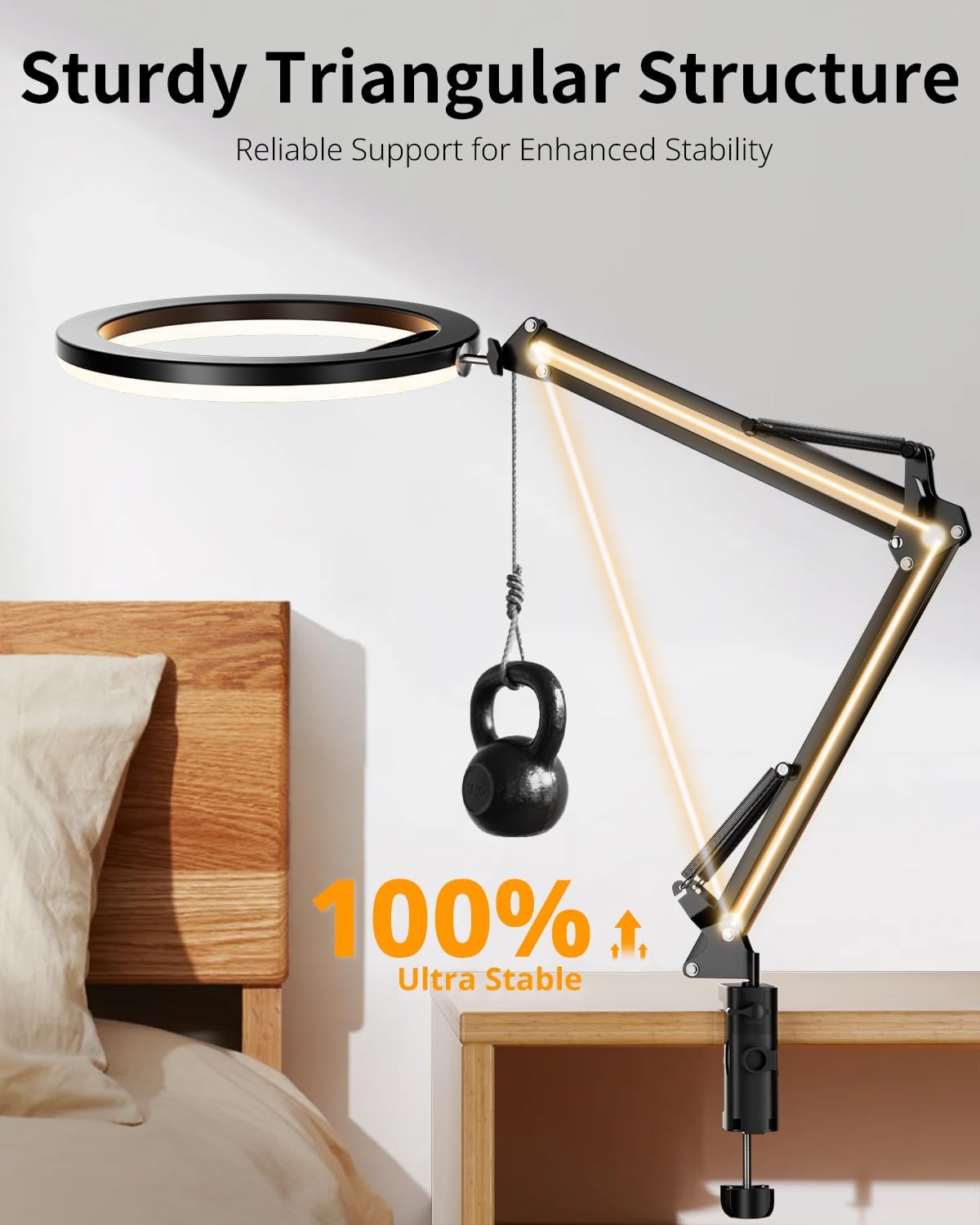
Image: Illustrates the wide compatibility of the phone holder with various devices like smartphones, webcams, and GoPros.
4.3 Using the Wireless Remote
The kit includes a wireless remote control for convenient operation. Pair it with your smartphone via Bluetooth to remotely trigger photos or start/stop video recordings, enhancing your content creation workflow.

Image: Shows the wireless remote control paired with a smartphone, indicating its function for remote capture.
5. Maintenance
To ensure the longevity and optimal performance of your UBeesize Ring Light, follow these maintenance guidelines:
- Cleaning: Gently wipe the ring light and stand with a soft, dry cloth. Avoid using abrasive cleaners or solvents that could damage the finish or electronic components.
- Storage: When not in use, collapse the flexible arm and store the ring light in a dry, cool place away from direct sunlight and excessive moisture.
- Cable Care: Avoid sharp bends or kinks in the USB power cable to prevent internal damage.
6. Troubleshooting
If you encounter any issues with your UBeesize Ring Light, please refer to the following common troubleshooting steps:
- Light Not Turning On: Ensure the USB cable is securely connected to both the ring light and a functional power source. Try a different USB port or power adapter.
- Remote Control Not Connecting: Make sure Bluetooth is enabled on your smartphone and the remote control is in pairing mode. Refer to your phone's Bluetooth settings for pairing instructions.
- Unstable Mount: Double-check that all knobs and screws on the desk clamp and articulated arm are tightened firmly. Ensure the tabletop thickness is within the supported range (up to 2.5 inches).
- Phone Not Holding Securely: Verify that your phone is properly seated in the phone holder and the holder is adjusted to the correct width for your device.
7. Specifications
| Feature | Detail |
|---|---|
| Brand | UBeesize |
| Model Number | TBC001 |
| Product Dimensions | 12"L x 5"W x 20"H |
| Screen Size (Ring Light) | 12 Inches |
| Connectivity Technology | USB |
| Hardware Interface | USB |
| Compatible Devices | Smartphones, Webcams, Compact Cameras, GoPros, Microphones, iPhones, Laptops |
| Color Temperatures | Crisp White, Natural Daylight, Warm Yellow |
| Brightness Levels | 10 Adjustable Levels |
| Desk Clamp Thickness | Up to 2.5 inches |
8. Warranty & Support
UBeesize products are backed by a hassle-free 1-year manufacturer warranty, guaranteeing replacements and continuous support. Your satisfaction is our top priority. We welcome your suggestions and feedback at any time.
For any inquiries or support needs, please reach out to us 24/7. Our dedicated customer service team is ready to enhance your photography experience with reliable products and assistance.
For further assistance, please visit the UBeesize Store on Amazon.


