
Ajazz AK680
AJAZZ AK680 Mechanical Gaming Keyboard and Mouse Combo User Manual
Model: AK680 | Brand: Ajazz
1. Introduction and Overview
The AJAZZ AK680 Mechanical Gaming Keyboard and Mouse Combo offers a high-performance solution for both gaming and daily productivity. This ultra-compact 60% layout keyboard features 68 keys, hot-swappable switches, vibrant RGB backlighting, and full anti-ghosting capabilities. Paired with a programmable gaming mouse, this combo is designed for precision, comfort, and customization.
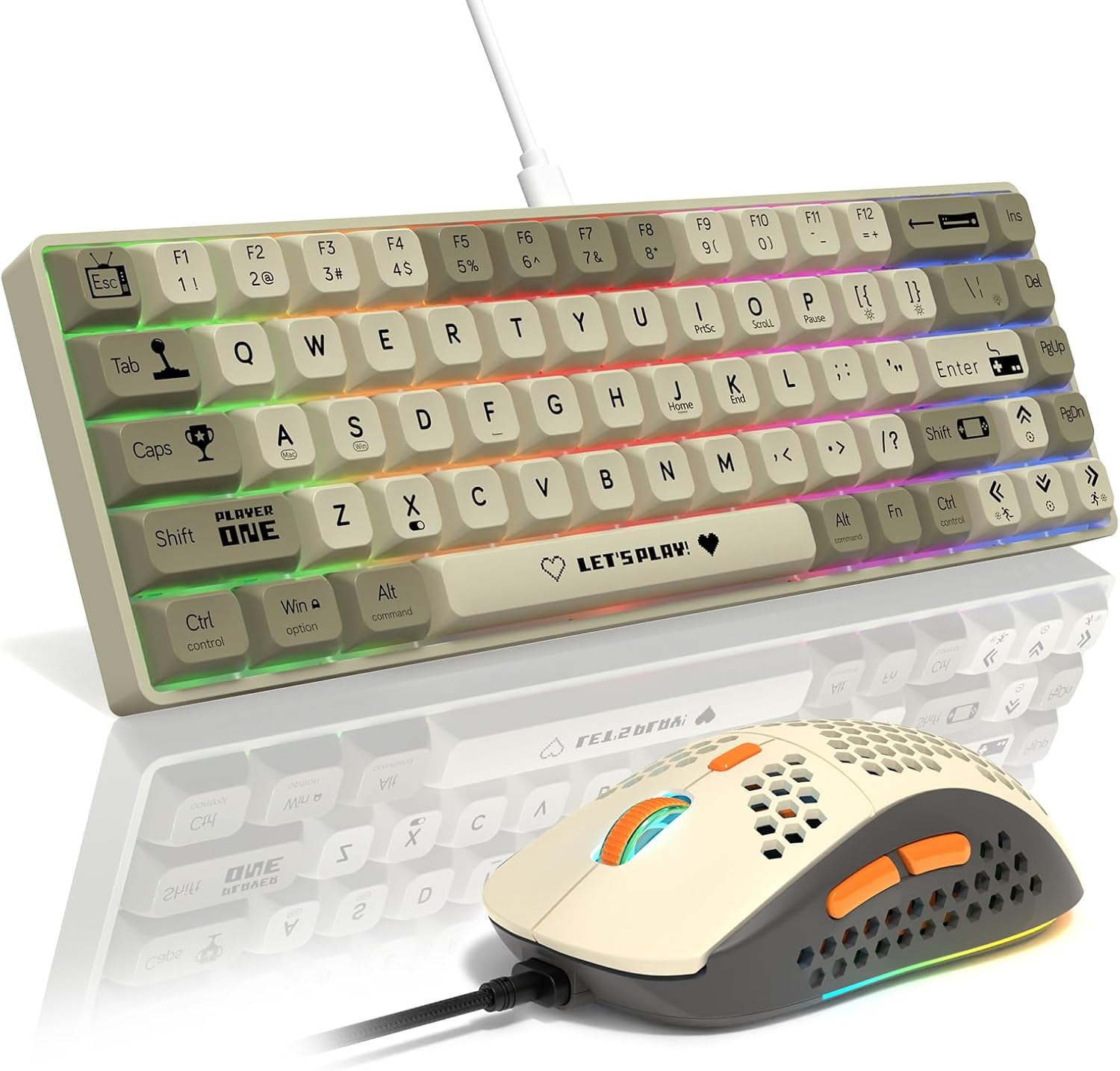
Figure 1.1: AJAZZ AK680 Mechanical Gaming Keyboard and Mouse Combo
2. Package Contents
Please ensure all items are present in your package:
- AJAZZ AK680 Mechanical Gaming Keyboard
- Gaming Mouse
- USB-C to USB-A Cable (Detachable)
- Keycap Puller
- Switch Puller
- Spare Mechanical Switches (Red Switch type)
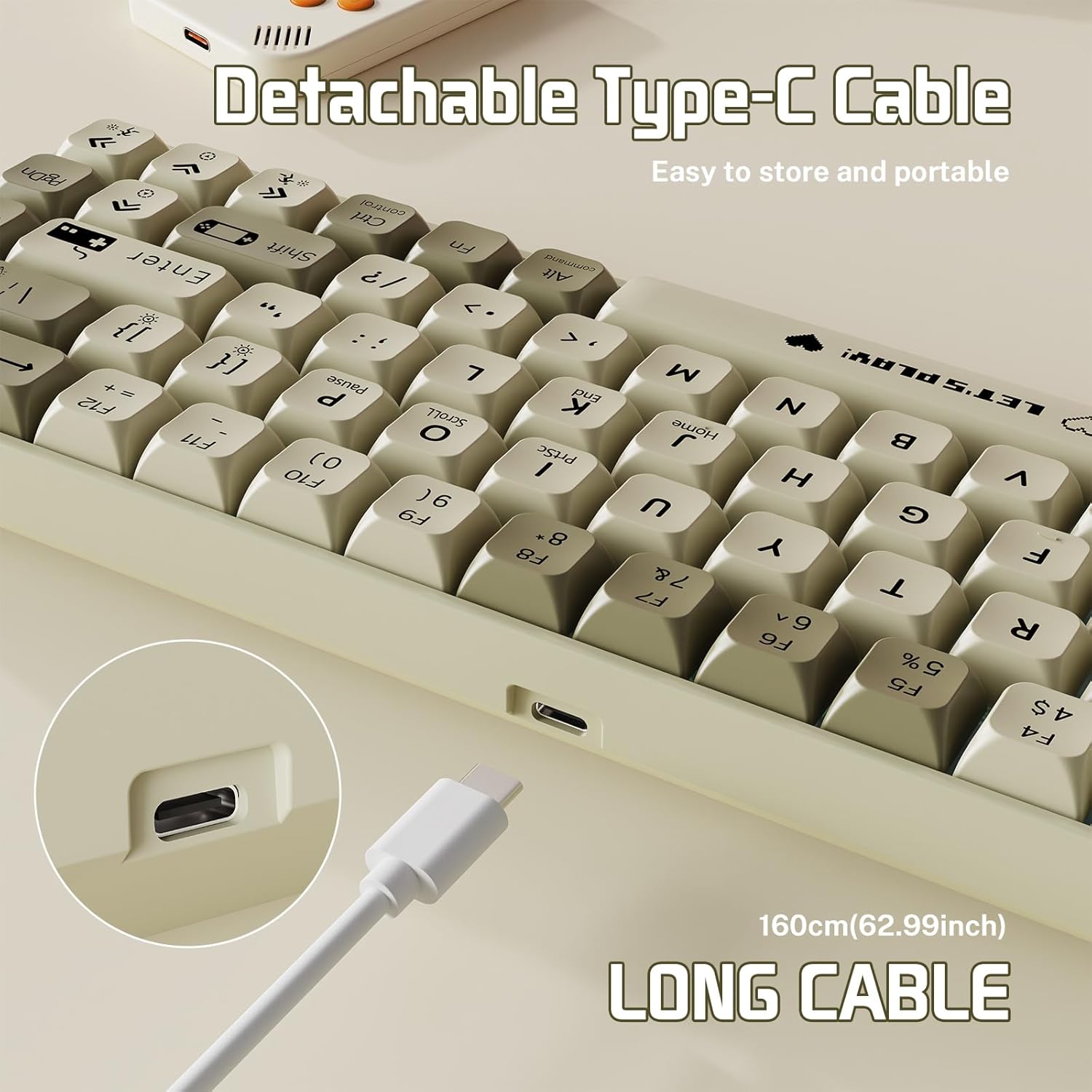
Figure 2.1: Detachable Type-C Cable for easy storage and portability.
3. Setup
- Connect the Keyboard: Insert the USB-C end of the provided cable into the port on the keyboard and the USB-A end into an available USB port on your computer.
- Connect the Mouse: The mouse is typically connected via a standard USB-A cable. Plug it into an available USB port on your computer.
- Driver Installation: The keyboard and mouse are plug-and-play for basic functionality. For advanced features like custom RGB lighting and macro programming, download the dedicated software from the official Ajazz website.

Figure 3.1: Keyboard and mouse ready for use with a computer.
4. Operating Instructions
4.1 Keyboard Features
- 60% Ultra-Compact Layout: Designed for portability and desktop space saving, featuring 68 keys.
- Hot-Swappable Switches: Easily change mechanical switches without soldering. The keyboard supports 3-pin switches.
- RGB Backlighting: Customize your typing and gaming experience with various lighting effects.
- Full Anti-Ghosting: All 68 keys are conflict-free, ensuring every keystroke is registered accurately, even during simultaneous presses.
4.2 Keyboard Function Keys (Fn Combinations)
Utilize the Fn key in combination with other keys for extended functionality:
- Fn + |: Switch between 19 different light effects.
- Fn + Spacebar: Restore factory default lighting settings.
- Fn + X: Toggle backlight on/off.
- Fn + ↑ / ↓: Adjust backlight brightness.
- Fn + ← / →: Adjust lighting direction.
- Fn + [ { / ] }: Adjust lighting speed.
- Other Fn combinations for multimedia and system functions are typically marked on the keycaps.
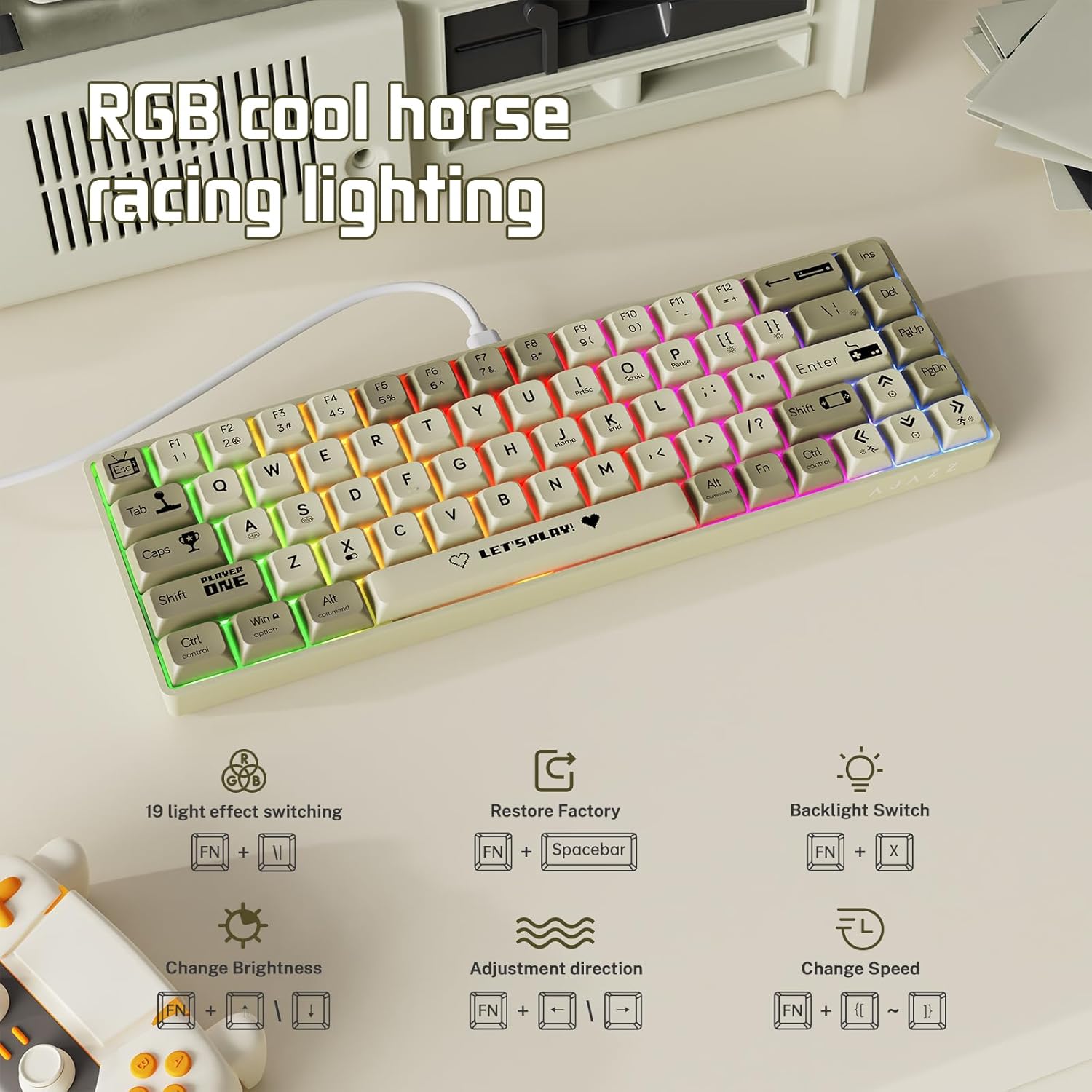
Figure 4.1: RGB lighting controls and Fn key functions.
4.3 Mouse Features
- Programmable Buttons: The mouse features 6 programmable buttons for custom keybindings and macros via the dedicated software.
- Adjustable DPI Levels: Cycle through up to 6400 DPI settings to match your precision needs.
- Ergonomic Design: Contoured shape and honeycomb shell for comfortable and secure grip, reducing hand fatigue.

Figure 4.2: Overview of the mouse's programmable buttons.

Figure 4.3: Mouse with adjustable DPI settings.
4.4 Official Product Videos
Watch these official videos for a visual guide on product features and usage:
Video 4.4.1: AL680 Wire Keyboard - This video demonstrates the keyboard's wired connection and general appearance.
Video 4.4.2: AK680 Keyboard Showcase - A detailed showcase of the AK680 keyboard's design and features.
Video 4.4.3: AK680 Wire Keyboard Showcase - Another showcase highlighting the wired functionality and overall aesthetics of the AK680 keyboard.
5. Maintenance
- Cleaning: Regularly clean the keyboard and mouse with a soft, dry cloth. For deeper cleaning, use a can of compressed air to remove dust and debris from between keycaps.
- Keycap and Switch Replacement:
- Use the provided keycap puller to gently remove keycaps.
- Use the provided switch puller to carefully remove mechanical switches.
- Align new switches with the pins and press firmly until they click into place.
- Re-attach keycaps by aligning them with the switch stem and pressing down.

Figure 5.1: Hot-swappable design allows for easy switch replacement.
6. Troubleshooting
- Device Not Responding:
- Ensure the USB cable is securely connected to both the device and the computer.
- Try connecting to a different USB port.
- Restart your computer.
- Backlight Issues:
- Press Fn + X to ensure the backlight is not turned off.
- Adjust brightness using Fn + ↑ / ↓.
- Reset to factory defaults using Fn + Spacebar.
- Keys Not Registering / Double Typing:
- This keyboard features full anti-ghosting, but if issues persist, ensure switches are properly seated.
- Consider replacing the affected switch using the provided tools and spare switches.
- Software Not Recognizing Device:
- Ensure the software is the correct version for your operating system and product model.
- Reinstall the software.
- Temporarily disable antivirus/firewall if it interferes with software installation or operation.
7. Specifications
| Feature | Detail |
|---|---|
| Model | AK680 |
| Layout | 60% (68 Keys) |
| Switch Type | Custom Linear Mechanical Red Switch (Hot-Swappable 3-pin) |
| Backlight | RGB (19 effects) |
| Connectivity | USB-C Wired |
| Anti-Ghosting | Full Key Anti-Ghosting |
| Mouse DPI | Up to 6400 DPI (Adjustable) |
| Compatible Devices | Gaming Console, Personal Computer (Windows PC, Mac) |
| Item Weight | 2.03 pounds |
| Package Dimensions | 16.97 x 6.54 x 2.4 inches |
| Manufacturer | AJAZZ |
| Country of Origin | China |
8. Warranty and Support
For warranty information, technical support, or any product-related inquiries, please contact the manufacturer, Ajazz, or the seller, LEAVEN US, through their official support channels. Please retain your proof of purchase for warranty claims.
Related documentsAK680


Ask a question about this manual
Ask about setup, troubleshooting, compatibility, parts, safety, or missing instructions. Manuals+ will review the question and use this page’s manual context to help answer it.