
1. Introduction
Welcome to your new Redkey MGC500 Robot Lawn Mower. This manual provides essential information for the safe and efficient operation, setup, and maintenance of your device. Please read this manual thoroughly before using the product to ensure optimal performance and longevity.
2. Safety Information
Always adhere to the following safety guidelines to prevent injury or damage to the product:
- Read the entire user manual before operation.
- Keep hands, feet, and clothing away from moving parts, especially the blades.
- Ensure children and pets are kept at a safe distance from the robot lawn mower during operation.
- Use only the specified power supply and charging station provided with the device.
- Do not operate the mower in heavy rain or extreme weather conditions. The device has an IPX6 waterproof rating, allowing for use in light rain and cleaning with a hose, but avoid submersion.
- Turn off the mower and disconnect from power before performing any maintenance or cleaning.
- Do not lift or carry the mower while it is operating.
3. Package Contents
Verify that all items listed below are included in your package:

Image: All components included in the Redkey MGC500 Robot Lawn Mower package, including the mower, charging station, power supply, boundary wire, and tools.
- Redkey MGC500 Robot Lawn Mower (Main Unit)
- Charging Station
- Power Adapter
- Low Voltage Cable (10m)
- Boundary Wire (120m)
- Wire Connectors (2 pcs)
- Extra Blades (6 pcs)
- Screws (6 pcs)
- Stakes (160 pcs)
- Ruler (1 pc)
- User Manual (this document)
4. Setup Guide
4.1. Charging Station Placement
Select a flat, level area for the charging station, preferably in a shaded spot. Ensure there is at least 1.5 meters of clear space in front of and behind the charging station for the robot to dock properly.

Image: The Redkey MGC500 Robot Lawn Mower docked at its charging station, with a smartphone displaying the companion app.
4.2. Boundary Wire Installation
The Redkey MGC500 requires a boundary wire to define its mowing area. Lay the included boundary wire around the perimeter of your lawn, securing it with the provided stakes. Ensure the wire is taut and free from kinks. The robot features a Cable Break Detection system that can identify the exact location of a break via the app, simplifying repairs.

Image: The Redkey MGC500 Robot Lawn Mower indicating a detected cable break in the boundary wire, with the location shown on a smartphone app.
4.3. Initial Charging
Before first use, ensure the robot lawn mower is fully charged. Place the mower onto the charging station. The robot will automatically begin charging. A full charge provides approximately 70 minutes of mowing time.

Image: The Redkey MGC500 Robot Lawn Mower automatically returning to its charging station when the battery is low, and then resuming mowing after recharging.
4.4. App Connection
Download the Redkey app from your smartphone's app store. Follow the in-app instructions to connect your MGC500. The app allows for real-time monitoring, mapping, and adjustment of settings.

Image: A smartphone screen displaying the Redkey app, showing the real-time mapping and progress of the robot lawn mower.
5. Operating Your Redkey MGC500
5.1. Mowing Modes and Path Planning
The Redkey MGC500 utilizes advanced C-TOF technology for precise positioning and intelligent path planning. It can mow in parallel or perpendicular patterns, ensuring comprehensive coverage of your lawn. After recharging or relocation, the robot resumes its previous path, preventing repetitive cuts and missed spots. A quick mode is available for smaller lawn areas (e.g., 7 square meters).

Image: The Redkey MGC500 Robot Lawn Mower illustrating its C-TOF trajectory planning, showing an efficient mowing pattern on a lawn.
5.2. Adjusting Cutting Height
The cutting height of the robot lawn mower can be flexibly adjusted between 3 cm and 7 cm using the companion app. The smart blades automatically adjust when encountering tall or dense grass to ensure successful mowing.
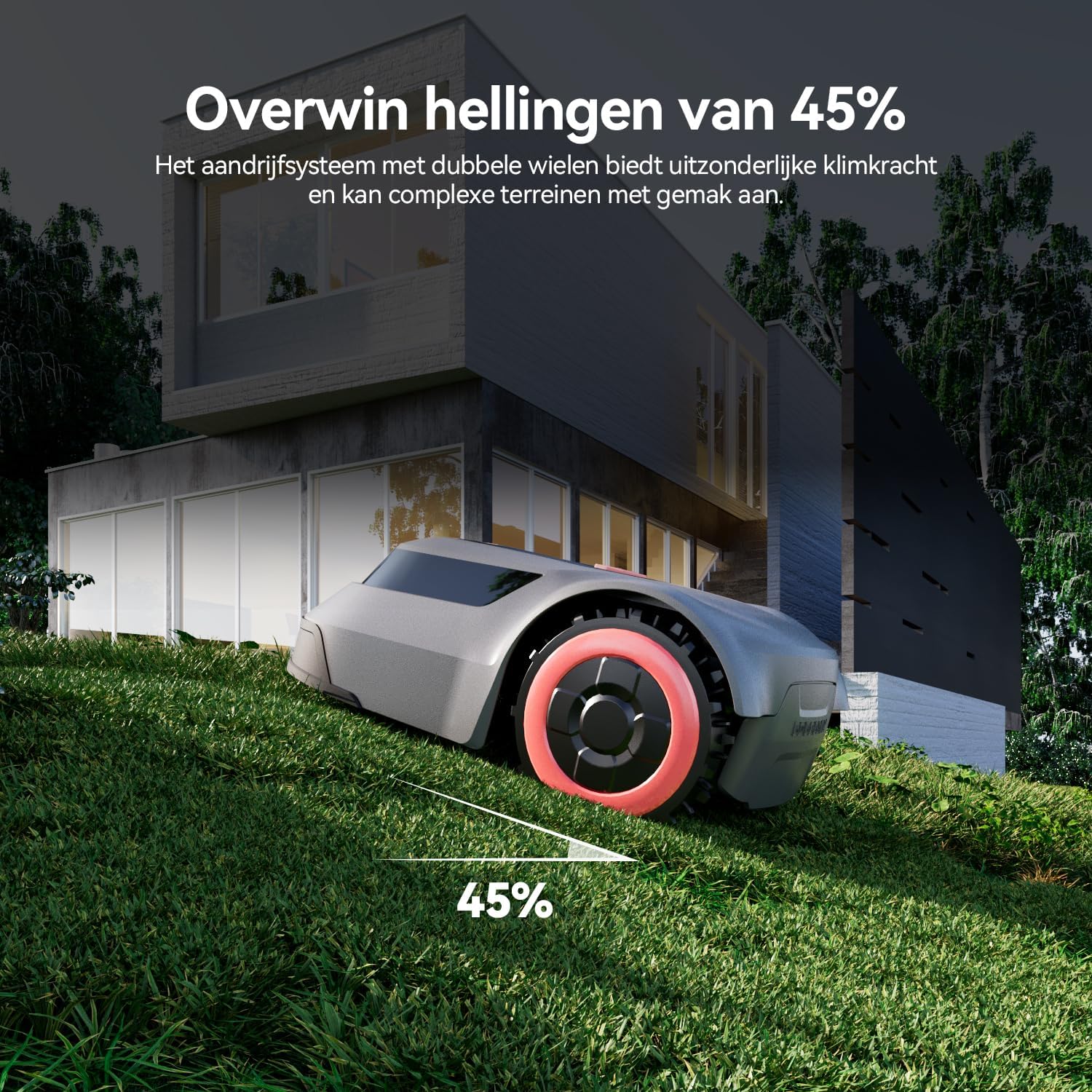
Image: The Redkey MGC500 Robot Lawn Mower with an overlay of the smartphone app interface, demonstrating how to adjust the cutting height from 30mm to 70mm.
5.3. Automatic Charging and Resumption
When the battery level drops below 15%, the MGC500 automatically returns to its charging station. Once it reaches 90% charge, it will resume mowing from where it left off. This ensures continuous operation without manual intervention.
5.4. Obstacle Avoidance and Slope Handling
Equipped with collision sensors, the robot adjusts its direction to avoid obstacles and protect your lawn. Its two-wheel drive system allows it to handle slopes up to 45% (24 degrees) with ease.

Image: The Redkey MGC500 Robot Lawn Mower demonstrating its ability to climb a steep incline, indicating its 45% slope handling capability.
6. Maintenance
6.1. Blade Replacement
Regularly inspect the blades for wear and tear. Replace dull or damaged blades with the included extra blades to maintain optimal cutting performance. Always turn off the mower and wear protective gloves when handling blades.
6.2. Cleaning
Thanks to its IPX6 waterproof rating, the Redkey MGC500 can be easily cleaned with a garden hose. Ensure the mower is turned off and disconnected from power before cleaning. Remove any grass clippings or debris from the cutting deck and wheels.
6.3. Storage
For long-term storage, especially during off-season, clean the mower thoroughly, fully charge the battery, and store it in a dry, protected area away from extreme temperatures.
7. Troubleshooting
This section addresses common issues you might encounter with your Redkey MGC500.
7.1. Robot Not Mowing
- Check Battery Level: Ensure the robot is sufficiently charged. It will return to the charging station if the battery is low.
- Verify Boundary Wire: Confirm the boundary wire is properly installed and intact. Use the app's cable break detection feature if you suspect a break.
- Review App Schedule: Check the mowing schedule in the app to ensure it's set correctly.
7.2. Poor Mowing Performance
- Inspect Blades: Dull or damaged blades can lead to uneven cutting. Replace them as needed.
- Adjust Cutting Height: Ensure the cutting height is appropriate for your grass type and length via the app.
- Clear Obstacles: Remove any debris or objects from the lawn that might impede the mower's path.
7.3. Alarm Sounds
Refer to the specific alarm codes or indicators in the app for detailed information on the issue. Common alarms may relate to being stuck, lifted, or boundary wire issues.
8. Technical Specifications
| Feature | Specification |
|---|---|
| Model Number | MGC500-1 |
| Dimensions (L x W x H) | 60 x 42 x 25 cm |
| Weight | 10.7 Kilograms |
| Battery Type | Lithium-polymer (1 included) |
| Mowing Time per Charge | Approx. 70 minutes |
| Cutting Width | 20 cm (7.87 inches) |
| Adjustable Cutting Height | 3 - 7 cm |
| Max. Slope Capability | 45% (24°) |
| Waterproof Rating | IPX6 |
| Material | Acrylonitrile Butadiene Styrene |
| Power Source | Battery Powered |
9. Warranty and Support
9.1. Warranty
The Redkey MGC500 Robot Lawn Mower comes with a two-year worry-free warranty from the date of purchase. Please retain your proof of purchase for warranty claims.
9.2. Customer Support
Should you encounter any issues during use, please do not hesitate to contact our customer support team. We are committed to providing prompt assistance and aim to respond to your inquiries within 24 hours.
Customer Service Email: redkeyservice@163.com


