
Introduction
Thank you for choosing the Surtime 92CM Low Profile Ceiling Fan with Dimmable LED Light. This modern ceiling fan is designed to provide comfort and illumination to your living spaces, featuring convenient remote and app control, a reversible DC motor for year-round use, and adjustable LED lighting. Please read this manual thoroughly before installation and operation to ensure safe and efficient use of your new ceiling fan.
Important Safety Information
WARNING: To reduce the risk of fire, electric shock, or personal injury, always follow these instructions:
- Read all instructions and safety information before installing your new fan.
- All wiring must be in accordance with national and local electrical codes. If you are unfamiliar with wiring, consult a qualified electrician.
- Before installation, disconnect power by turning off the circuit breakers at the main fuse box.
- Ensure the installation site can support the fan's weight.
- Do not operate the fan with damaged parts. Replace any damaged components immediately.
- Do not insert objects into the path of the fan blades.
- This fan is suitable for indoor use and covered outdoor areas like terraces or verandas. It is not waterproof.
What's in the Box
Your Surtime Ceiling Fan package includes the following components:
- Ceiling Fan Kit
- Remote Control
- Installation Instructions Manual
Specifications
| Feature | Detail |
|---|---|
| Brand | Surtime |
| Model Number | 36IN-6666 |
| Size | 92CM (36 inches) |
| Color | Black |
| Material | Acrylic |
| Style | Modern |
| Room Type | Bedroom, Living Room, Office, Study, Kitchen, Covered Outdoor Areas |
| Indoor/Outdoor Use | Indoor (Covered Outdoor Areas - Not Waterproof) |
| Power Source | AC_DC |
| Fixture Features | App Control, Dimmable, Strong Airflow, Light Memory Function, Timer |
| Control Method | App, Remote Control |
| Bulb Type | LED |
| Number of Lights | 36 (LEDs) |
| Voltage | 110 Volt (90-265V range) |
| Light Color | Warm White to Cool White (3000K-6000K) |
| Wattage | 36 Watts |
| Mounting Type | Ceiling Mount, Flush Mount |
| Assembly Required | Yes |
| Smart Home Compatibility | Yes |
Setup and Installation
The Surtime 92CM Ceiling Fan features an innovative snap-on design for easier installation. Detailed instructions and an installation video are provided to guide you through the process. Always ensure power is disconnected at the circuit breaker before beginning installation.
Installation Steps Overview:
- Prepare the Installation Site: Ensure the ceiling junction box is securely mounted and capable of supporting the fan's weight.
- Mount the Bracket: Attach the mounting bracket to the ceiling junction box.
- Wire the Fan: Connect the fan's electrical wires to the household wiring according to the provided wiring diagram.
- Attach the Fan Body: Secure the fan motor housing to the mounting bracket.
- Install Fan Blades: Attach the wing-shaped fan blades to the motor housing.
- Install LED Light Kit: Connect and secure the replaceable LED light kit.
- Restore Power: Once installation is complete and all connections are secure, restore power at the circuit breaker.

Image: Close-up of the replaceable LED light kit and fan blades, illustrating the components for installation.

Image: Product dimensions and key specifications, useful for planning installation space.
Operating Instructions
Your Surtime ceiling fan can be controlled via the included remote control or a dedicated smartphone application.
Remote Control Functions:

Image: The remote control highlighting its various functions for fan speed, light settings, and timer.
- Power ON/OFF: Turn the fan and light on or off.
- Fan Speed: Select from 6 adjustable wind speeds (Gear 1-2 for comfortable wind, Gear 3-4 for stronger wind, Gear 5-6 for powerful airflow).
- Light Color Temperature: Cycle through three color temperatures: 3000K (Warm Light), 4500K (Natural Light), and 6000K (White Light).
- Brightness Adjustment: Dimmable from 10% to 100%. Use the '+' and '-' buttons to adjust.
- Forward/Reverse Function: Change the direction of the fan blades.
- Timer: Set the fan to turn off automatically after 2 or 4 hours.

Image: Visual representation of the 6-speed settings and their corresponding comfort levels.

Image: Demonstrates the three available light color temperatures to suit different preferences.
App Control:
The fan can also be controlled via a smartphone application. Download the Surtime app (refer to the full installation guide for app details) to access all remote control functions and potentially additional smart features.
Reversible DC Motor:
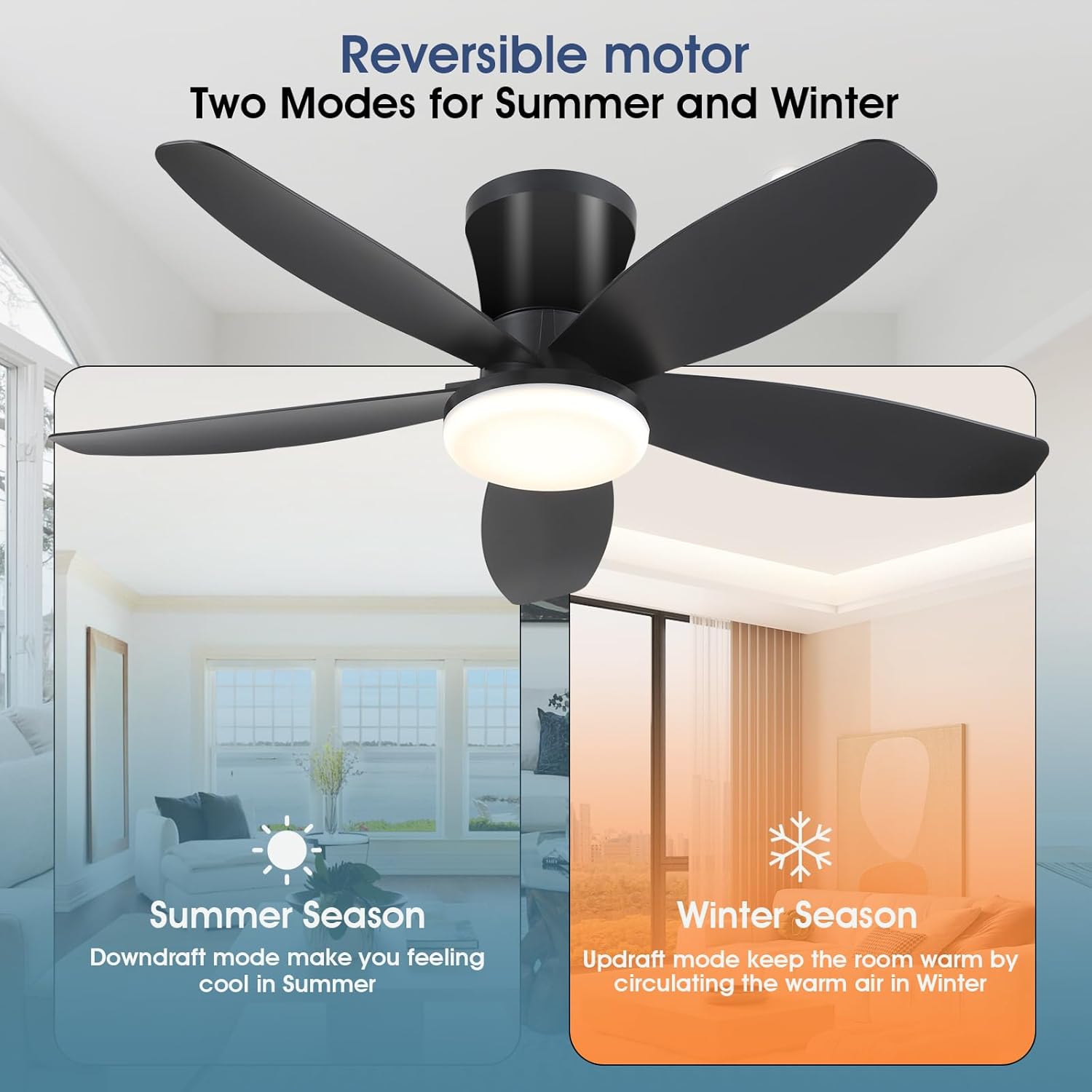
Image: Explanation of the reversible motor, showing how it creates downdraft for cooling in summer and updraft for air circulation in winter.
- Summer Season (Downdraft Mode): The fan blades rotate counter-clockwise, pushing cool air downwards to create a cooling effect.
- Winter Season (Updraft Mode): The fan blades rotate clockwise, drawing air upwards to circulate warm air trapped near the ceiling, helping to warm the room.
Smart Memory Function:
The fan's light features a smart memory function. If you turn off the light for at least ten seconds, it will remember your last brightness and color temperature settings when turned back on. If the light is turned on within ten seconds of being turned off, the color temperature may change to the default setting.
Maintenance
Regular maintenance ensures the longevity and optimal performance of your Surtime ceiling fan.
- Cleaning: To clean the fan, wipe with a soft, damp cloth. Do not use abrasive cleaners or solvents, as these can damage the finish or electrical components.
- Blade Cleaning: Dust the fan blades regularly to prevent dust buildup, which can affect performance and balance.
- Tighten Fasteners: Periodically check all screws and fasteners on the fan and mounting bracket to ensure they are secure.
- No Lubrication Required: The DC motor is permanently lubricated and does not require additional oiling.
CAUTION: Always disconnect power to the fan at the circuit breaker before cleaning or performing any maintenance.
Troubleshooting
If you encounter issues with your Surtime ceiling fan, refer to the following common problems and solutions:
| Problem | Possible Cause | Solution |
|---|---|---|
| Fan does not start | No power to the fan; Loose wire connections; Remote control battery low or not paired. | Check circuit breaker and wall switch; Verify all wire connections are secure; Replace remote battery or re-pair remote. |
| Light does not work | Loose wire connection; LED light kit faulty; Remote control battery low or not paired. | Check light wire connections; Contact customer support for LED kit replacement; Replace remote battery or re-pair remote. |
| Fan wobbles | Loose fan blades; Uneven blade balance; Loose mounting bracket. | Ensure all blade screws are tight; Use a balancing kit (not included) if necessary; Tighten mounting bracket screws. |
| Remote control not responding | Low or dead battery; Remote not paired with fan; Obstruction between remote and receiver. | Replace remote battery; Follow pairing instructions in the full manual; Ensure clear line of sight to the fan. |
If the problem persists after attempting these solutions, please contact Surtime customer support.
Warranty Information
Surtime provides a 1-year worry-free warranty on quality issues for this ceiling fan. This warranty covers defects in materials and workmanship under normal use. Please retain your proof of purchase for warranty claims.
The warranty does not cover damage caused by improper installation, misuse, accidents, unauthorized repairs, or normal wear and tear.
Customer Support
For any questions, technical assistance, or warranty claims, please do not hesitate to contact Surtime customer support. Refer to the contact information provided in your product packaging or visit the official Surtime website for the most up-to-date support details.
We are committed to ensuring your satisfaction with our products.


