
1. Introduction
The BoxWave ClearTouch Crystal Screen Protector is designed to provide a protective layer for your Xgody S21 device screen. This high-quality film offers 99% visual transparency, ensuring vibrant colors and uninhibited clarity while shielding your screen from scratches and dust. It is precision-cut to fit the exact dimensions of your device.

Image: BoxWave ClearTouch Crystal Screen Protector packaging showing a 2-pack and key features.
2. Package Contents
Each BoxWave ClearTouch Crystal Screen Protector package includes the following items:
- Two (2) ClearTouch Crystal Screen Protectors
- One (1) ClearTouch Applicator Card
- One (1) Microfiber Cleaning Cloth
- One (1) Dust Removing Sticker (not explicitly listed in feature bullets but commonly included with applicator card and cleaning cloth)

Image: Contents of the BoxWave ClearTouch Crystal Screen Protector package, including two screen protectors, an applicator card, and a microfiber cleaning cloth.
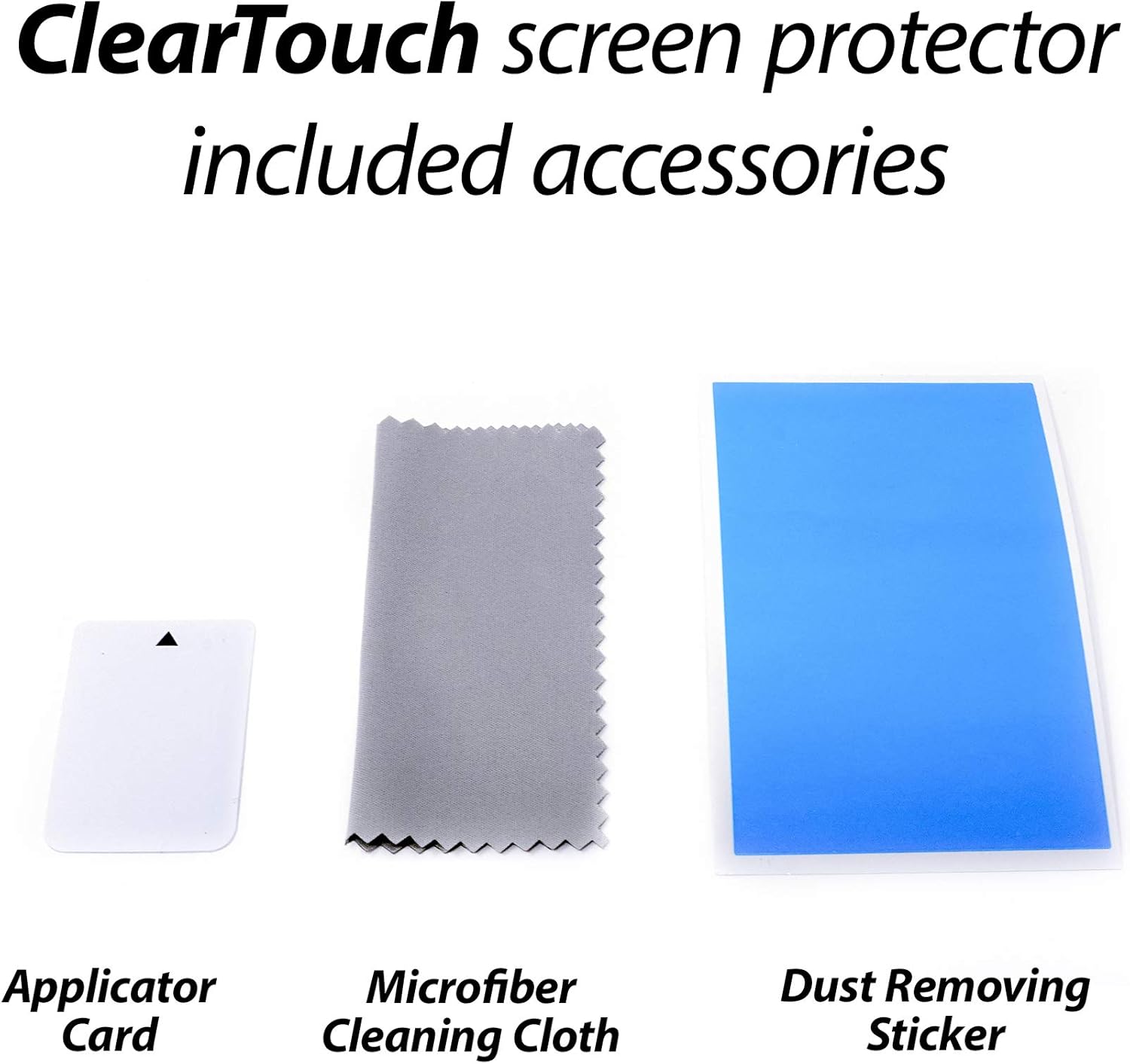
Image: Close-up of the included accessories: an applicator card, a microfiber cleaning cloth, and a dust removing sticker.
3. Installation Guide
Follow these steps for optimal installation of your screen protector:
- Prepare Your Workspace: Ensure you are in a clean, dust-free environment. Wash your hands thoroughly to avoid transferring oils to the screen or protector.
- Clean the Device Screen: Use the provided microfiber cleaning cloth to thoroughly clean the Xgody S21 screen. Remove all dust, smudges, and fingerprints. For stubborn marks, a screen cleaner (not included) can be used, followed by drying with the microfiber cloth.
- Remove Dust: Use the dust removing sticker (if included) to gently dab the screen and lift any remaining dust particles. Inspect the screen carefully under good lighting to ensure it is perfectly clean.
- Peel Back Layer 1: Carefully peel back a small portion of the protective film labeled 'Layer 1' (or similar) from one end of the screen protector. Avoid touching the adhesive side.
- Align the Protector: Align the exposed adhesive edge of the screen protector with one edge of your Xgody S21 screen. Pay close attention to cutouts for the camera, speaker, and sensors to ensure precise placement.
- Apply and Smooth: Slowly and steadily lower the rest of the screen protector onto the device screen while simultaneously using the applicator card to smooth it down. Apply gentle, even pressure from the aligned edge towards the opposite end, pushing out any air bubbles as you go.
- Remove Remaining Bubbles: If small air bubbles remain, use the applicator card to gently push them towards the nearest edge of the screen. For persistent bubbles, you may carefully lift a corner of the protector slightly and re-apply, smoothing it down again.
- Remove Layer 2: Once the screen protector is fully applied and smoothed, carefully peel off the top protective film, often labeled 'Layer 2' (or similar).
- Final Adhesion: The special low-tack adhesive may take some time to fully adhere around the edges. Small air gaps may be visible initially. These gaps will typically clear out within approximately 2 days of regular use as the adhesive settles.
4. Usage
Once installed, the BoxWave ClearTouch Crystal Screen Protector provides a clear and responsive surface for your Xgody S21. You can expect:
- High Clarity: Enjoy 99% visual transparency, preserving the original display quality and vibrant colors of your device.
- Touch Sensitivity: The protector is designed to maintain the full touch sensitivity of your screen, ensuring smooth and accurate interactions.
- Scratch Protection: The durable thermoplastic material helps protect your screen from daily scratches and minor abrasions.

Image: A visual representation of the screen protector's high definition clarity, showing a phone screen overlayed on a vibrant landscape.
5. Care and Maintenance
To keep your BoxWave ClearTouch Crystal Screen Protector in optimal condition:
- Cleaning: Use the included microfiber cleaning cloth to gently wipe away smudges, fingerprints, and dust. For more persistent marks, lightly dampen the cloth with water or a screen-safe cleaning solution. Avoid harsh chemicals or abrasive materials.
- Avoid Sharp Objects: While the protector offers scratch resistance, extreme pressure or sharp objects can still damage it.
- Reusability: The ClearTouch Crystal is equipped with a glueless adhesive that allows for reusability. If removal is necessary, carefully peel it off and store it on its original backing film in a clean environment for potential reinstallation.
6. Troubleshooting
Here are solutions to common issues you might encounter:
- Air Bubbles:
- Small Bubbles: Use the applicator card to gently push them towards the nearest edge.
- Persistent Bubbles/Air Gaps at Edges: As noted in the installation guide, the low-tack adhesive requires time to fully settle. Small air gaps, especially around the edges, are normal and should disappear within approximately 2 days of regular use. Avoid repeatedly lifting the protector if this is the case.
- Dust Under Protector: If dust particles are trapped, carefully lift the nearest corner of the screen protector using a piece of tape. Use another piece of tape to gently dab the dust off the screen or the adhesive side of the protector. Re-apply the protector, smoothing it down with the applicator card.
- Misalignment: If the protector is significantly misaligned, carefully peel it off entirely. Clean the screen and the adhesive side of the protector (if necessary) and attempt reinstallation, paying close attention to alignment.
- Reduced Touch Sensitivity: Ensure the screen protector is applied smoothly without large air pockets. If issues persist, ensure your device's touch sensitivity settings are not altered.
7. Specifications
| Brand | BoxWave |
| Model Compatibility | Xgody S21 |
| Material | Polyethylene Terephthalate (PET) |
| Screen Surface Description | Glossy |
| Transparency | 99% Visual Transparency |
| Item Weight | 0.7 ounces |
8. Warranty and Support
BoxWave products are designed for quality and durability. For any questions, concerns, or support regarding your ClearTouch Crystal Screen Protector, please contact BoxWave Corporation directly. Refer to your purchase documentation or the official BoxWave website for specific warranty details and contact information.
This product is from a small business brand. Your support is appreciated.