
Introduction
This instruction manual provides detailed guidance for the proper installation and use of the Generic Wall Mount Bracket, designed specifically for T31P and T31G phone models. Please read this manual thoroughly before installation to ensure correct setup and safe operation.
Package Contents
Verify that all items listed below are present in your package:
- Wall Mount Bracket (1 unit)
- (Mounting hardware such as screws and anchors may be included or sold separately. Please check your specific packaging.)
Safety Information
Please observe the following safety precautions during installation and use:
- Ensure the mounting surface is structurally sound and can support the weight of the bracket and the phone.
- Use appropriate tools and hardware for your wall type (e.g., drywall anchors, wood screws, masonry anchors).
- Avoid installing the bracket near heat sources, direct sunlight, or in areas with excessive moisture.
- Keep small parts out of reach of children to prevent choking hazards.
- If you are unsure about any step, consult a qualified professional.
Setup and Installation
Follow these steps to properly install your wall mount bracket:
- Identify Mounting Location: Choose a suitable location on a wall where the phone will be easily accessible and visible. Ensure there are no electrical wires or pipes behind the wall at the chosen drilling points.
- Mark Drilling Points: Hold the wall mount bracket against the wall at the desired height and use a pencil to mark the positions for the mounting screws through the bracket's holes.
- Drill Pilot Holes: Using an appropriate drill bit size for your chosen screws and wall anchors (if applicable), drill pilot holes at the marked locations.
- Install Anchors (if needed): If using wall anchors, insert them into the drilled pilot holes until flush with the wall surface.
- Secure the Bracket: Align the bracket with the drilled holes (and anchors) and secure it to the wall using the appropriate screws. Tighten the screws firmly but do not overtighten.
- Attach the Phone: Once the bracket is securely mounted, carefully slide or clip your T31P or T31G phone onto the bracket. Ensure it is seated firmly and does not wobble.
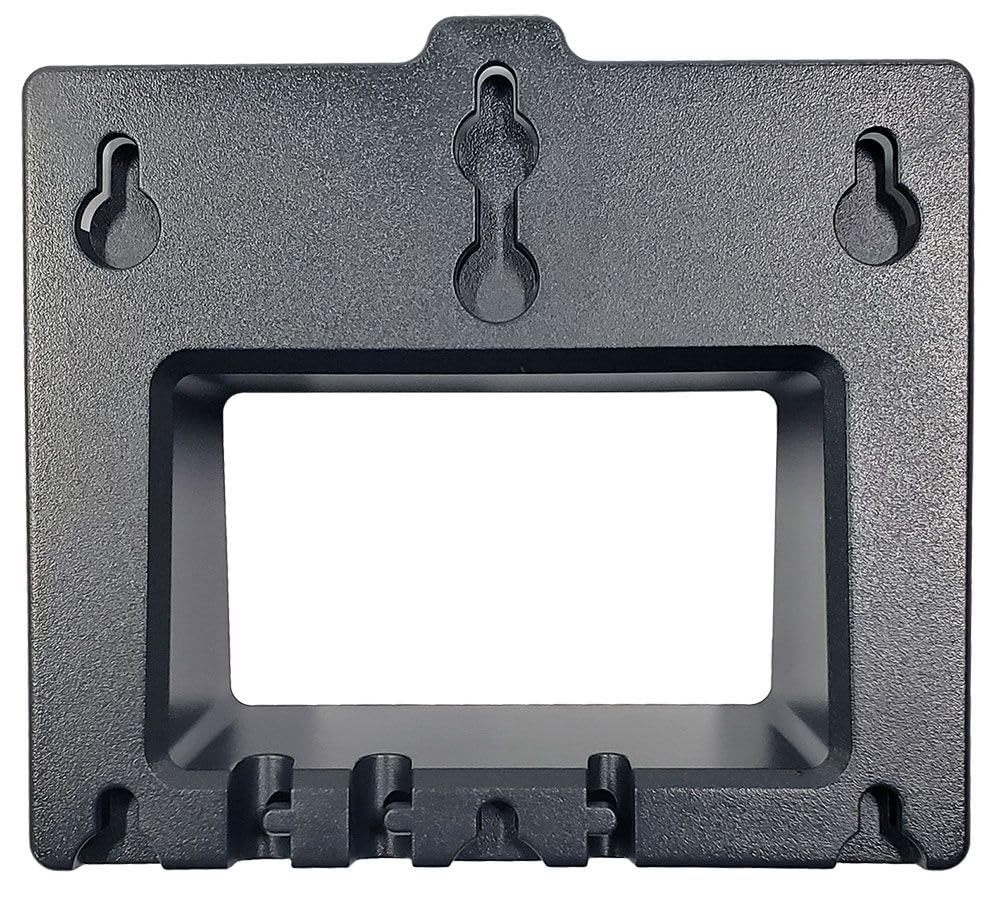
Image: The Generic Wall Mount Bracket, a black rectangular component designed to securely hold T31P and T31G phones on a wall. It features pre-drilled holes for easy installation.
Operating Instructions
Once installed, the wall mount bracket provides a stable and accessible location for your T31P or T31G phone. Simply place your phone onto the bracket's designated slots or clips. To remove the phone, gently lift it from the bracket.
Maintenance
To maintain the appearance and functionality of your wall mount bracket:
- Wipe the bracket periodically with a soft, dry cloth to remove dust.
- For stubborn marks, use a slightly damp cloth with mild soap, then dry thoroughly.
- Do not use abrasive cleaners or solvents, as these can damage the finish.
- Periodically check the mounting screws to ensure they remain tight and secure.
Troubleshooting
If you encounter any issues, refer to the following common solutions:
- Bracket feels loose: Re-tighten the mounting screws. If the wall anchors are failing, consider using larger anchors or relocating the bracket to a more secure part of the wall.
- Phone does not fit: Ensure you have the correct model bracket for your T31P or T31G phone. This bracket is specifically designed for these models.
- Scratches on phone: Ensure the phone is placed and removed gently. Check for any burrs or sharp edges on the bracket (though unlikely with proper manufacturing).
Specifications
| Brand | Generic |
| Model Name | YEA-WMB |
| Model Number | YEA-WMB-T31G |
| Compatible Phone Models | T31P, T31G |
| Mounting Type | Wall Mount |
| Color | Black |
| Included Components | Wall Mount Bracket |
| Shape | Rectangular |
| Water Resistance Level | Not Water Resistant |
Warranty and Support
This product comes with a 1-Year Manufacturer Warranty. For warranty claims or technical support, please contact your retailer or the manufacturer directly. Keep your purchase receipt as proof of purchase.
For further assistance, please refer to the contact information provided with your purchase or visit the official website of the manufacturer.