
Baseus Bowie E20
Baseus Bowie E20 True Wireless Earbuds User Manual
Model: Bowie E20 | Brand: Baseus
Introduction
Thank you for choosing the Baseus Bowie E20 True Wireless Earbuds. This manual will guide you through the features, setup, and operation of your new earbuds, ensuring you get the best possible audio experience. Please read this manual carefully before use and retain it for future reference.
Product Overview
The Baseus Bowie E20 earbuds are designed for superior sound quality, comfort, and durability. Key features include:
- Advanced Bluetooth 5.3 Connectivity: For stable and reliable wireless connection.
- Crystal Clear Calls with 2-Mics ENC: Environmental Noise Cancellation for clear voice transmission.
- 33 Hours of Playtime & Fast Charging: Extended battery life with quick charge capability.
- IPX5 Waterproof: Resistant to sweat and rain, ideal for active lifestyles.
- Immersive Sound with 12mm Driver: Powerful bass and crisp audio.

Image: Baseus Bowie E20 True Wireless Earbuds shown inside their open charging case. The earbuds are black with silver accents, and the case is also black.
Package Contents
Please check the package for the following items:
- Baseus Bowie E20 True Wireless Earbuds (Left and Right)
- Charging Case
- USB-C Charging Cable
- Multiple sizes of Ear Tips (S, M, L)
- User Manual (This document)

Image: The complete package contents of the Baseus Bowie E20, including the charging case with earbuds, a USB-C charging cable, and various sizes of ear tips.
Setup Guide
1. Initial Charge
Before first use, fully charge the earbuds and the charging case.
- Place both earbuds into the charging case.
- Connect the USB-C charging cable to the charging port on the case and the other end to a USB power source (e.g., wall adapter, computer USB port).
- The indicator light on the charging case will show charging status. Once fully charged, the light will change or turn off.

Image: The Baseus Bowie E20 charging case connected to a USB-C charging cable, illustrating the charging process.
2. Pairing with Your Device
The earbuds will automatically enter pairing mode when taken out of the case.
- Open the charging case and take out both earbuds. They will automatically power on and enter pairing mode.
- On your device (smartphone, tablet, computer), enable Bluetooth.
- Search for "Baseus Bowie E20" in the list of available Bluetooth devices.
- Select "Baseus Bowie E20" to connect. Once connected, you will hear a confirmation tone.
Note: If pairing fails, place the earbuds back into the case, close the lid, wait a few seconds, then repeat the steps.

Image: A close-up illustration highlighting the Bluetooth 5.3 chip within the Baseus Bowie E20 earbud, emphasizing its advanced connectivity.
Operating Instructions
Touch Controls
The Baseus Bowie E20 features intuitive touch controls on each earbud. The capacitive touch technology ensures responsiveness and durability.
| Action | Left Earbud (L) | Right Earbud (R) |
|---|---|---|
| Play/Pause | Single Tap | Single Tap |
| Next Track | Double Tap | Double Tap |
| Previous Track | Triple Tap | Triple Tap |
| Answer/End Call | Single Tap | Single Tap |
| Reject Call | Press and Hold (2s) | Press and Hold (2s) |
| Activate Voice Assistant | Press and Hold (3s) | Press and Hold (3s) |
| Noise Cancellation Mode Cycle | (L or R) Cycle through Noise Cancellation (default) > Normal > Transparency | (L or R) Cycle through Noise Cancellation (default) > Normal > Transparency |
| Spatial Audio Mode Cycle | (L or R) Cycle through Music Mode > Theater Mode > Normal (default) | (L or R) Cycle through Music Mode > Theater Mode > Normal (default) |

Image: A diagram illustrating the touch control areas and functions on the Baseus Bowie E20 earbuds, showing various tap and hold gestures for playback, calls, and mode switching.
Wearing the Earbuds
For optimal sound quality and comfort, choose the ear tips that best fit your ears. Gently insert the earbuds into your ear canal and rotate them slightly to secure a snug fit.
Maintenance and Care
- Cleaning: Regularly clean the earbuds and charging case with a soft, dry, lint-free cloth. Do not use harsh chemicals or abrasive materials.
- Ear Tips: Remove and clean the ear tips periodically with mild soap and water. Ensure they are completely dry before reattaching.
- Charging Contacts: If charging issues occur, gently clean the charging contacts on both the earbuds and the case with a cotton swab.
- Water Resistance: The earbuds are IPX5 waterproof, meaning they are resistant to sweat and light splashes. Do not submerge them in water or expose them to heavy rain. Ensure the charging port is dry before charging.
- Storage: When not in use, store the earbuds in their charging case to protect them and keep them charged. Store in a cool, dry place away from extreme temperatures.

Image: An illustration demonstrating the IPX5 waterproof rating of the Baseus Bowie E20 earbuds, showing them resistant to water splashes, suitable for workouts and outdoor activities.
Troubleshooting
If you encounter any issues with your Baseus Bowie E20 earbuds, please refer to the following common solutions:
| Problem | Possible Solution |
|---|---|
| Earbuds not pairing/connecting |
|
| Only one earbud playing sound |
|
| Low volume or poor sound quality |
|
| Earbuds not charging |
|
| Touch controls not responding |
|
Specifications
| Feature | Detail |
|---|---|
| Model Name | Bowie E20 |
| Model Number | A00069700113-00 |
| Bluetooth Version | 5.3 |
| Driver Size | 12mm |
| Noise Cancellation | 2-Mics ENC (Environmental Noise Cancellation) |
| Playtime (Total with Case) | Up to 33 Hours |
| Waterproof Rating | IPX5 |
| Battery (Earbuds) | Lithium Ion (included) |
| Ear Placement | In Ear |
| Impedance | 2 Ohm |
| Manufacturer | Baseus |
| Country of Origin | China |
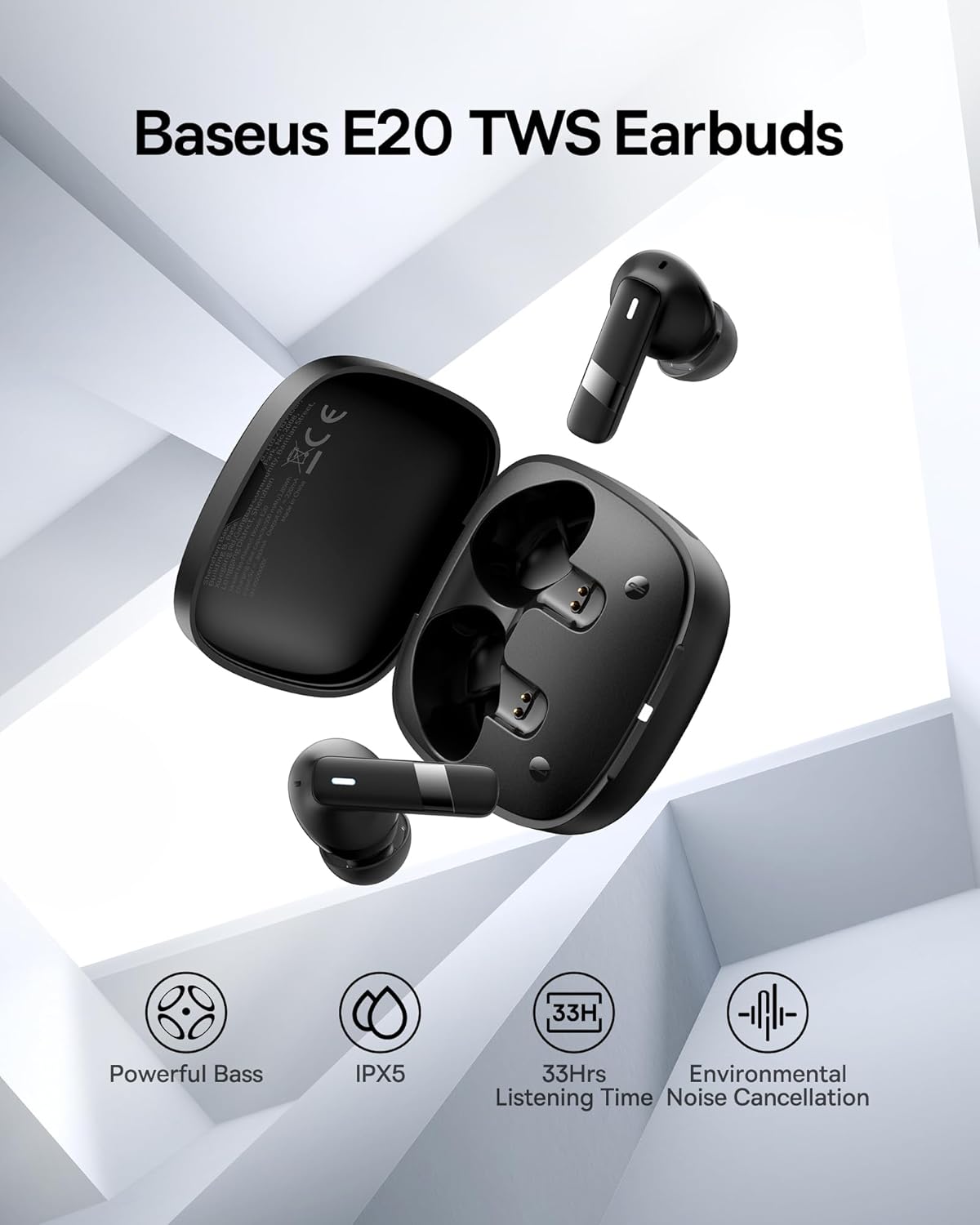
Image: An overview image of the Baseus E20 TWS Earbuds highlighting key features such as Powerful Bass, IPX5 waterproof rating, 33 hours listening time, and Environmental Noise Cancellation.

Image: A detailed cutaway view of the 12mm PU diaphragm driver inside the Baseus Bowie E20 earbud, illustrating its design for strong and accurate ultra-low frequencies.
Warranty Information
Baseus products are designed and manufactured to the highest quality standards. For specific warranty details and terms, please refer to the warranty card included in your product packaging or visit the official Baseus website. Keep your purchase receipt as proof of purchase for warranty claims.
A 2-Year Extended Warranty by Salama Care is also available for purchase, providing additional coverage. (Note: This is a separate purchase and not included with the standard product.)
Customer Support
For further assistance, technical support, or inquiries, please contact Baseus customer service through their official website or the retailer from whom you purchased the product. You can also visit the Baseus Store on Amazon for more information and product updates.
Safety Information
- Do not disassemble or modify the product.
- Keep away from extreme temperatures, direct sunlight, and open flames.
- Do not expose to strong magnetic fields.
- Avoid dropping or subjecting the product to strong impacts.
- Keep out of reach of children and pets.
- Dispose of the product responsibly according to local regulations.
Related documentsBowie E20


Ask a question about this manual
Ask about setup, troubleshooting, compatibility, parts, safety, or missing instructions. Manuals+ will review the question and use this page’s manual context to help answer it.