
1. Introduction
Thank you for choosing the ZEBRONICS Zeb-Blast Wireless Over-Ear Headphones. This manual provides essential information for the proper setup, operation, and maintenance of your headphones. Please read it carefully before use and retain it for future reference.
2. Package Contents
Ensure all items listed below are present in your package:
- Headphone (1 Unit)
- QR Code Guide (1 Unit)
- Charging Cable (1 Unit)
3. Key Features
- Bluetooth v5.1: For stable and efficient wireless connectivity.
- AUX Function: Allows wired connection for versatile use.
- Soft & Comfortable Cushions: Designed for extended listening comfort.
- Adjustable Headband: Ensures a secure and personalized fit.
- Media/Volume Control: Convenient buttons for audio management.
- Call Function: Integrated microphone for hands-free calls.
- Built-in Rechargeable Battery: Long-lasting power for uninterrupted audio.
- Voice Assistant Support: Access your device's voice assistant with ease.
- Type-C Charging: Modern and reversible charging port.
- Foldable Design: For enhanced portability and storage.
4. Setup and Operation
4.1 Charging the Headphones
Before initial use, fully charge your headphones. Use the provided Type-C charging cable.
- Connect the Type-C end of the charging cable to the charging port on the headphone.
- Connect the USB-A end of the charging cable to a compatible USB power adapter (not included) or a computer's USB port.
- The LED indicator will show charging status (refer to the QR Code Guide for specific LED behavior).
- Charging time is approximately 3 hours. Once fully charged, the LED indicator will change or turn off.
A full charge provides approximately 40 hours of playback time (at 50% volume) and up to 400 hours of standby time.
4.2 Bluetooth Pairing
To connect your headphones wirelessly to a device:
- Ensure the headphones are charged and powered off.
- Press and hold the power button until the LED indicator flashes blue and red alternately, indicating pairing mode.
- On your device (smartphone, tablet, laptop), enable Bluetooth and search for available devices.
- Select "ZEB-BLAST" from the list of found devices.
- Once connected, the LED indicator will typically show a solid blue light or flash blue periodically.
The wireless range is up to 10 meters without obstacles.
4.3 Media and Volume Control
Use the integrated buttons on the headphone for media playback and volume adjustments:
- Play/Pause: Press the multi-function button once.
- Volume Up: Press the '+' button.
- Volume Down: Press the '-' button.
- Next Track: Press and hold the '+' button.
- Previous Track: Press and hold the '-' button.
4.4 Call Function
When connected to a smartphone, you can manage calls directly from your headphones:
- Answer/End Call: Press the multi-function button once.
- Reject Call: Press and hold the multi-function button.
- Redial Last Number: Double-press the multi-function button.
4.5 AUX Function
For wired listening, use the AUX port:
- Connect one end of a 3.5mm audio cable (not included) to the AUX port on the headphone.
- Connect the other end to the 3.5mm audio output of your device.
- The headphones will automatically switch to AUX mode.
4.6 Voice Assistant Support
Activate your device's voice assistant (e.g., Hey Siri, Google Assistant) by pressing the dedicated voice assistant button (refer to the QR Code Guide for button location).
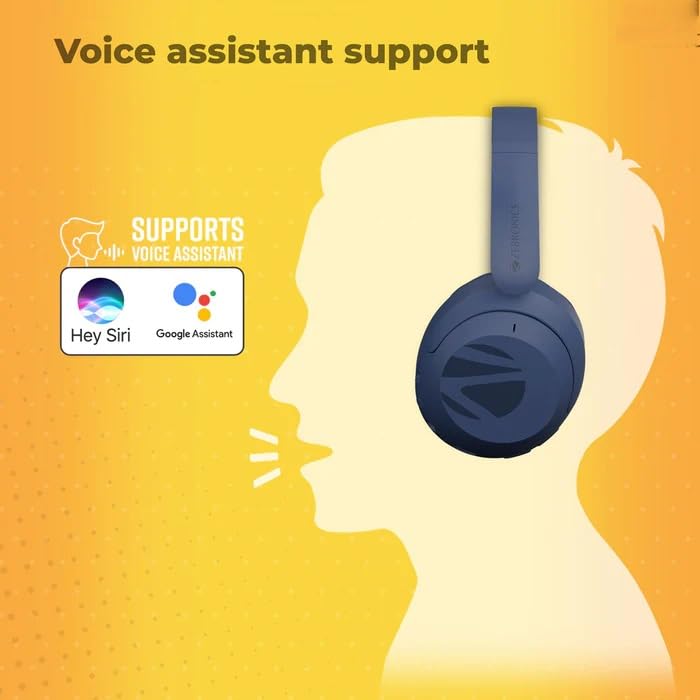
Image: The headphones are compatible with popular voice assistants like Siri and Google Assistant, allowing for hands-free control.
5. Design and Comfort
The Zeb-Blast headphones feature a foldable design for easy portability and storage. The soft and comfortable cushions, along with an adjustable headband, ensure a pleasant listening experience even during extended use.
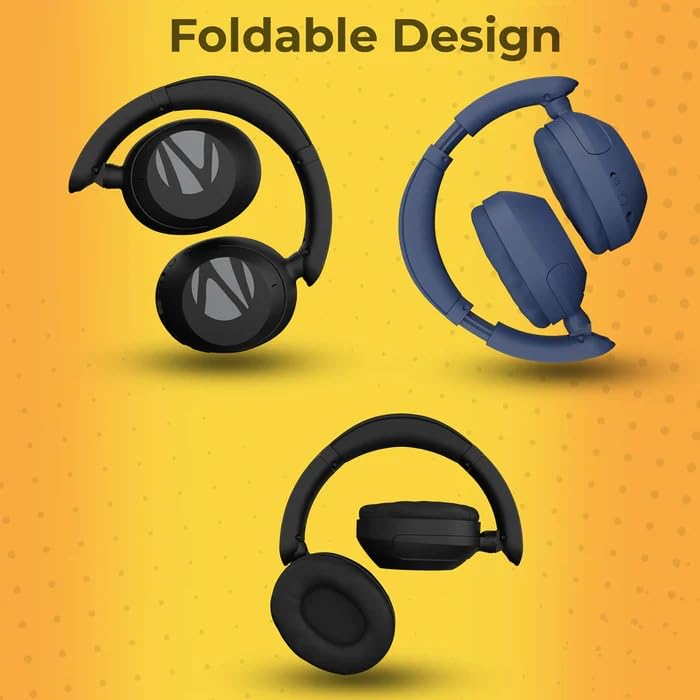
Image: The headphones can be folded for compact storage and portability, as shown in three different folded configurations.
Image: An illustration highlighting the impressive audio quality of the headphones, designed for an immersive listening experience.
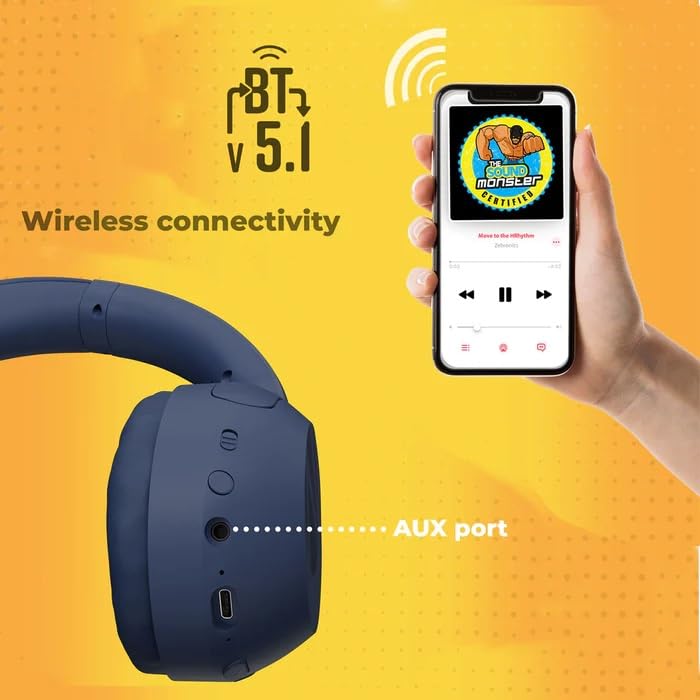
Image: A detailed view of the headphone's ear cup, indicating Bluetooth v5.1 for wireless connectivity and the presence of an AUX port for wired connections.
6. Specifications
| Feature | Detail |
|---|---|
| Model Name | ZEB-BLAST |
| Model Number | ZEB-WHP 1 |
| Bluetooth Version | 5.1 |
| Wireless Range | 10 meters (Without obstacles) |
| Driver Size | 40mm |
| Speaker Impedance | 32Ω |
| Frequency Response | 20Hz - 20kHz |
| Sensitivity | 118db |
| Charging Time | 3 hours |
| Playback Time | 40 hours (at 50% Volume) |
| Standby Time | 400 hours |
| Talk Time | 40 hours |
| Control Type | Volume Control |
| Control Method | Touch |
| Noise Control | Hybrid Noise Cancellation |
| Compatible Devices | Cellphones, Laptops, Tablets, Smart Speakers, Televisions |
| Water Resistance Level | Not Water Resistant |
| Product Features | Fast Charging, Foldable, Sweatproof |
| Headphone Jack | 3.5 mm Jack |
| Net Weight | 220 g |
| Country of Origin | India |
7. Maintenance
To ensure the longevity and optimal performance of your headphones:
- Keep the headphones dry. Avoid exposure to moisture or liquids.
- Clean the ear cushions and headband regularly with a soft, dry cloth.
- Store the headphones in a cool, dry place when not in use. Utilize the foldable design for compact storage.
- Avoid extreme temperatures.
- Do not attempt to disassemble or modify the headphones, as this will void the warranty.
8. Troubleshooting
If you encounter issues with your headphones, refer to the following common solutions:
- No Power: Ensure the headphones are fully charged.
- Cannot Pair: Make sure the headphones are in pairing mode (LED flashing blue and red). Turn off Bluetooth on other nearby devices to avoid interference.
- No Sound: Check the volume level on both the headphones and your connected device. Ensure the headphones are correctly paired or the AUX cable is fully inserted.
- Poor Sound Quality: Move closer to your connected device to reduce interference. Try another audio source or device.
- Call Issues: Ensure the headphones are connected and selected as the audio output for calls on your device.
For further assistance, please refer to the QR Code Guide or contact customer support.
9. Warranty and Support
The ZEBRONICS Zeb-Blast Wireless Over-Ear Headphones come with a 6-month warranty from the date of purchase. Please retain your purchase receipt for warranty claims.
For technical support, service, or warranty inquiries, please contact:
- Manufacturer: ZEBRONICS INDIA PVT.LTD
- Contact Information: 044 4000 0004
10. Product Overview Video
Watch this video for a visual overview of the ZEBRONICS Zeb-Blast Wireless Over-Ear Headphones, highlighting its key features and benefits.
Video: An official product overview of the ZEBRONICS Zeb-Blast Wireless Over-Ear Headphones, detailing features like impressive audio, battery life, foldable design, and device compatibility.

