
Introduction
This manual provides detailed instructions for the Silvergear Digital High-Precision Weight Scale, Model 2969. This compact and lightweight scale is designed to accurately measure and display your body weight on its clear LCD screen. It also features an ambient temperature display and offers unit conversion between kilograms (KG) and pounds (LB). Please read this manual thoroughly before using the device to ensure proper operation and maintenance.
Product Features
- High-Precision Measurement: Measures body weight with a precision of 0.01 kg.
- Automatic On/Off Function: The scale activates automatically when stepped on and turns off after use to conserve energy.
- Clear LCD Display: Features bright white digits on a black background for easy readability, even in various lighting conditions.
- Ambient Temperature Display: In addition to weight, the scale also displays the current room temperature.
- Wide Weight Capacity: Supports weights from 2.5 kg up to 180 kg.
- Durable and Hygienic Surface: Constructed with a sleek tempered glass surface that is robust, completely flat, waterproof, and easy to clean.
- Unit Conversion: Easily switch between kilograms (KG) and pounds (LB) for weight measurement.
Package Contents
- 1 x Silvergear Digital High-Precision Weight Scale (Model 2969)
- 1 x User Manual
Setup
- Battery Installation: The scale requires 3 x AAA batteries (not always included). Open the battery compartment on the underside of the scale, insert the batteries according to the polarity indicators (+/-), and close the compartment securely.
- Placement: Place the scale on a hard, flat, and stable surface. Avoid carpets or uneven flooring, as this can affect measurement accuracy.
- Initial Calibration: For the first use or after moving the scale, gently tap the scale with your foot to turn it on, then allow it to display '0.0' and turn off automatically. This calibrates the scale for accurate readings.
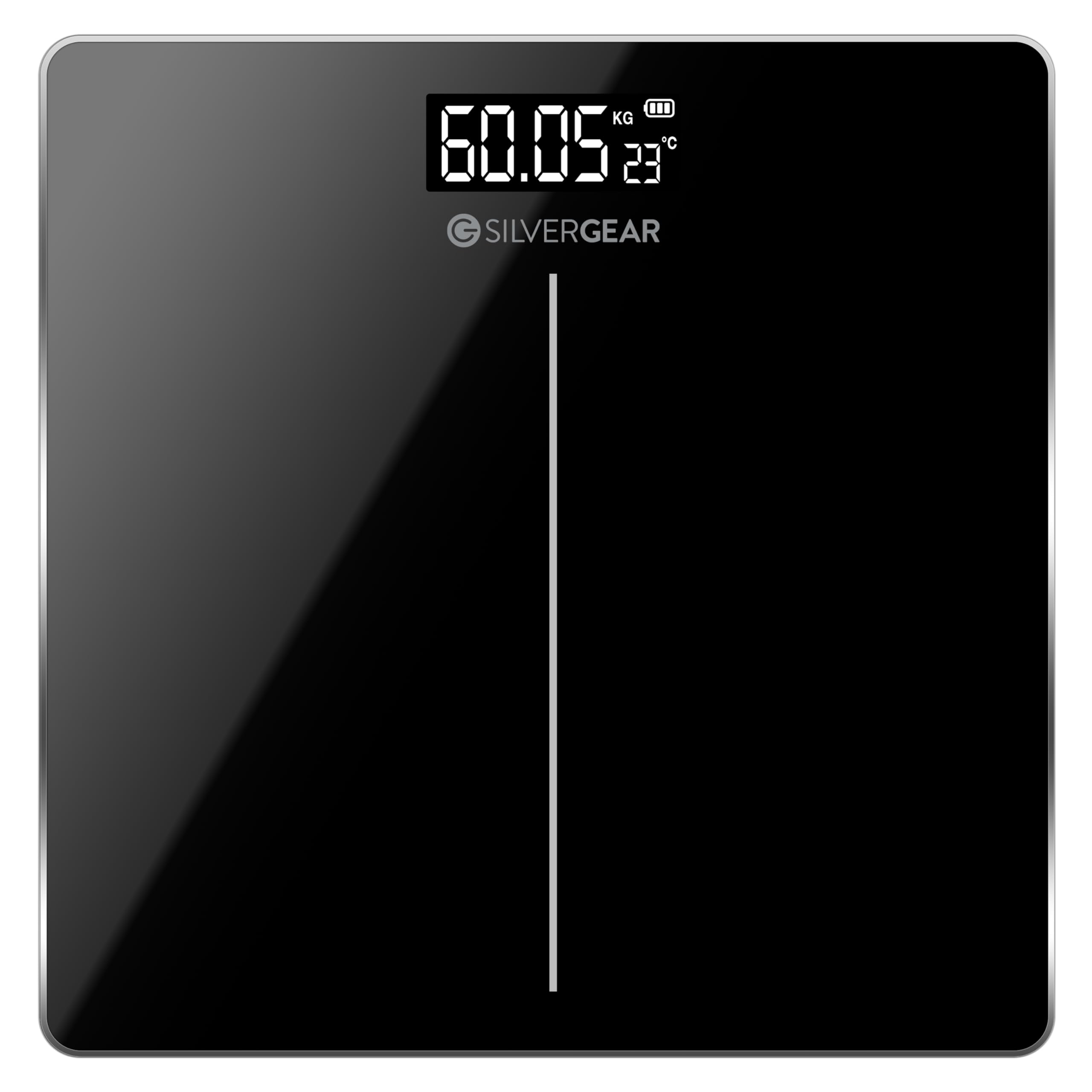
Image of the Silvergear Digital High-Precision Weight Scale, featuring its sleek black tempered glass surface and illuminated LCD display. The display shows a weight reading and the ambient temperature.
Operating Instructions
- Turning On: Gently tap the scale with your foot or step directly onto the platform. The display will light up and show '0.0' or '0.00'.
- Weighing: Once '0.0' or '0.00' is displayed, step onto the scale with bare feet, standing still and centered. Your weight will be displayed and flash a few times before settling on the final reading.
- Unit Conversion: To switch between kilograms (KG) and pounds (LB), locate the unit button or switch on the underside of the scale. Press or slide it to select your desired unit.
- Ambient Temperature Display: When the scale is not in use, the LCD display will typically show the current ambient room temperature.
- Automatic Shut-off: The scale will automatically turn off after a few seconds of inactivity to save battery life.
Maintenance
- Cleaning: The tempered glass surface is easy to clean. Wipe the scale with a soft, damp cloth. Do not use abrasive cleaners or immerse the scale in water.
- Battery Replacement: If the display shows a 'Lo' indicator, it means the batteries are low and need to be replaced. Open the battery compartment and replace all 3 x AAA batteries with new ones.
- Storage: Store the scale in a cool, dry place. Avoid extreme temperatures and direct sunlight. Do not place heavy objects on the scale when not in use.
Troubleshooting
- No Display / 'Lo' Indicator: Check battery installation. Replace batteries if they are low.
- Inaccurate Readings: Ensure the scale is on a hard, flat surface. Recalibrate by tapping it on, letting it turn off, then weighing again. Ensure you stand still and centered.
- 'Err' or Overload Indicator: The weight capacity of the scale is 180 kg. If 'Err' is displayed, the weight exceeds the maximum capacity.
- No Temperature Display: Ensure the scale has been activated recently or is in standby mode. If the issue persists, check batteries.
If you encounter persistent issues not covered here, please contact customer support.
Specifications
| Brand | Silvergear |
| Model Number | 2969 |
| Power Source | 3 x AAA Batteries |
| Maximum Weight Capacity | 180 Kilograms |
| Measurement Precision | 0.01 kg |
| Display Type | LCD |
| Special Features | Precise measurement, Automatic shut-off, Ambient temperature display |
| Material | Tempered Glass |
| Recommended Use | Personal body weight monitoring |
Warranty and Support
For warranty information or technical support, please refer to the product packaging or contact your retailer or the manufacturer directly. Information regarding spare parts availability is not provided in this manual.