
1. Introduction
Thank you for choosing the DB Drive NEO5v2 5-Channel Marine Amplifier. This amplifier is engineered to deliver powerful and clear audio performance in marine environments. Its Class D design ensures efficient and reliable operation, built to withstand humid and saline conditions. This manual provides essential information for proper installation, operation, and maintenance of your amplifier.
2. Safety Information
- Professional Installation Recommended: Due to the complexity of marine electrical systems, professional installation is highly recommended to prevent damage to the amplifier, vehicle, or personal injury.
- Power Disconnection: Always disconnect the vehicle's battery negative terminal before starting any installation or wiring procedures.
- Proper Wiring: Ensure all wiring is correctly routed and secured to prevent shorts, pinches, or damage. Use appropriate gauge wires for power and ground connections.
- Ventilation: Mount the amplifier in a location that allows for adequate air circulation to prevent overheating. Do not block cooling fins or vents.
- Water Exposure: While designed for marine use, avoid direct submersion or high-pressure water spray. Ensure all connections are secure and protected from excessive moisture.
- Volume Levels: Prolonged exposure to high volume levels can cause hearing damage. Adjust audio levels responsibly.
3. Package Contents
Verify that all items are present in the package:
- 1 x DB Drive NEO5v2 Marine Amplifier
- 1 x Remote Bass Control
- Mounting Hardware (screws, washers)
- User Manual (this document)
4. Features
- Unmatched Power: This 5-channel amplifier delivers a maximum power of 2750 Watts for intense and vibrant sound.
- Compact and Robust Design: Its robust and compact construction makes it ideal for marine sound systems, resisting humidity and salinity.
- Customizable Configuration: Variable high/low pass crossovers allow precise adjustment of bass and treble for optimal sound.
- Bass Boost: Features a bass boost of up to 12 dB at 45 Hz for deep and powerful bass.
- Energy Efficiency: As a Class D amplifier, it offers efficient and reliable performance with low power consumption.
- Speaker Compatibility: Compatible with 4 and 2 Ohm speakers.
- Remote Bass Control: Included for convenient, on-the-fly bass adjustments.
5. Setup & Installation
Proper installation is crucial for optimal performance and safety. If you are unsure about any steps, consult a professional installer.
5.1 Mounting Location
- Choose a dry, well-ventilated location away from direct sunlight and heat sources.
- Ensure sufficient airflow around the amplifier's heatsink.
- Mount the amplifier securely to a solid surface using the provided hardware.
5.2 Wiring Connections
Refer to the diagrams below for proper wiring. Use appropriate gauge wiring for all connections.

Image: Power and Speaker Output Terminals. This image shows the power input terminals (+12V, Remote, Ground) and the 5-channel speaker output terminals (CH1+ to CH5+ and CH1- to CH5-).
- Power Connection (+12V): Connect a heavy-gauge power cable from the positive terminal of your battery to the +12V terminal on the amplifier. Install an appropriate fuse (not included) within 18 inches of the battery.
- Ground Connection (GND): Connect a heavy-gauge ground cable from the GND terminal on the amplifier to a clean, solid metal point on the boat's chassis or a dedicated ground bus. Ensure a good electrical connection.
- Remote Turn-On (REM): Connect a remote turn-on wire from your head unit's remote output to the REM terminal on the amplifier. This wire turns the amplifier on and off with your head unit.
- Speaker Outputs: Connect your speakers to the corresponding speaker output terminals (CH1-CH5). Pay attention to polarity (+ and -) for each speaker. The amplifier supports 4 and 2 Ohm loads.

Image: Input and Control Panel. This image displays the RCA input jacks, input mode switch (2CH, 4CH, 5CH), gain controls (Level 1/2, Level 3/4, Level 5), crossover switches (HP, Full, LP), and Bass Boost control for Channel 5.
- RCA Inputs: Connect RCA cables from your head unit's pre-amp outputs to the INPUT RCA jacks on the amplifier.
- Input Mode Switch: Set the input mode switch (2CH, 4CH, 5CH) according to the number of RCA input channels you are using from your head unit.
- Remote Bass Control: Connect the remote bass control cable to the 'REMOTE' port on the amplifier.
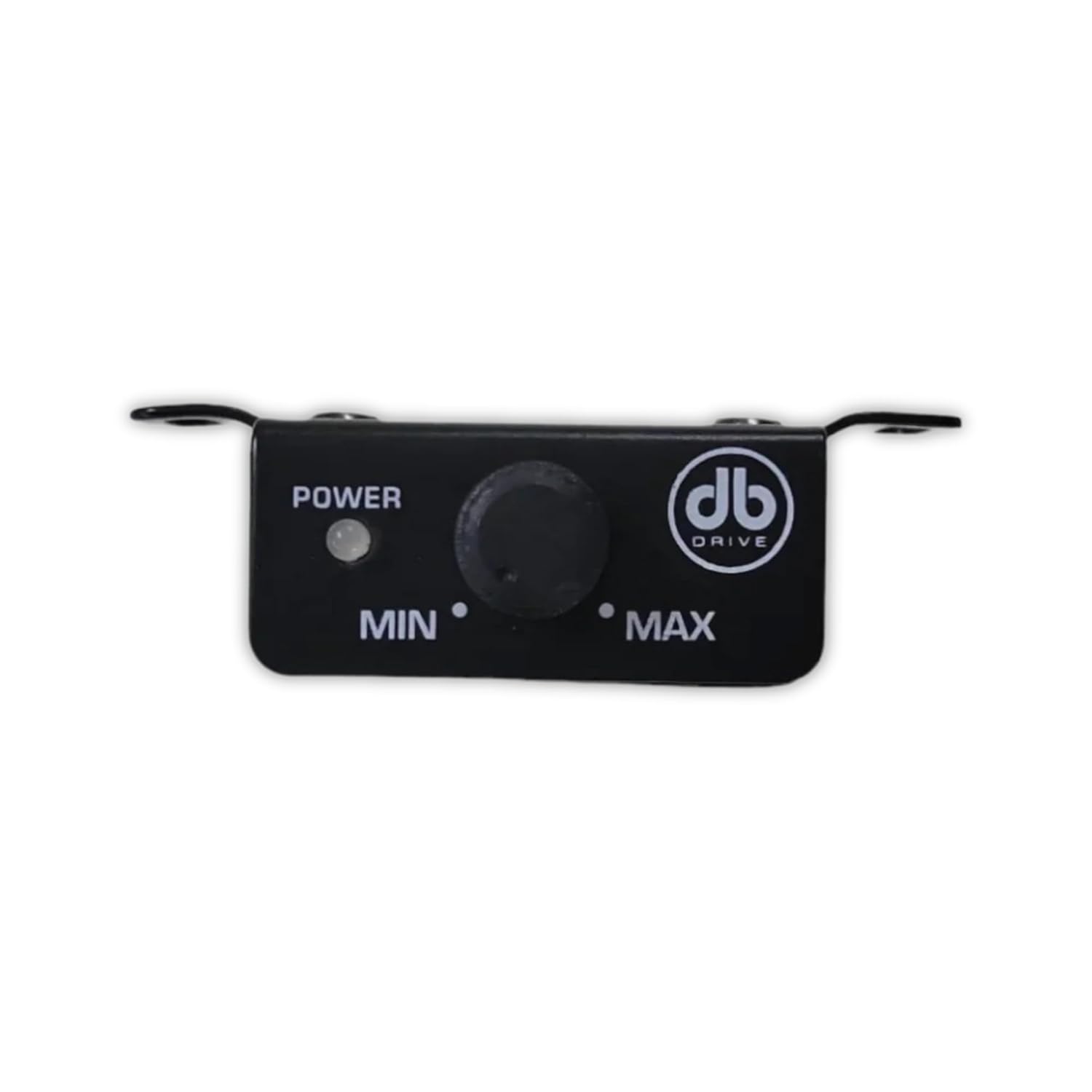
Image: Remote Bass Control. This small unit features a rotary knob to adjust the bass level (Min to Max) and a 'POWER' indicator.
6. Operating Instructions
Once installed, follow these steps to configure and operate your amplifier:
6.1 Initial Power-Up
- After all connections are made and verified, reconnect the vehicle's battery.
- Turn on your head unit. The amplifier's 'PWR' indicator should illuminate green. If the 'PROTECT' indicator illuminates red, refer to the Troubleshooting section.
6.2 Adjusting Gain (Level)
The gain controls (Level 1/2, Level 3/4, Level 5) match the amplifier's input sensitivity to your head unit's output voltage. This is not a volume control.
- Set all amplifier gain controls to minimum (0.2V).
- Set your head unit's volume to about 75% of its maximum.
- Slowly increase the amplifier's gain control for each channel group until you hear slight distortion, then back off slightly.
6.3 Crossover Settings
The NEO5v2 features variable high-pass (HP) and low-pass (LP) crossovers for channels 1/2, 3/4, and channel 5 (subwoofer). The 'Full' setting bypasses the crossover.
- High-Pass (HP): Allows frequencies above the set point to pass. Typically used for full-range speakers to prevent them from playing low bass.
- Low-Pass (LP): Allows frequencies below the set point to pass. Typically used for subwoofers.
- Adjust the crossover frequency knobs (40Hz-400Hz for HP/LP on CH1/2 and CH3/4; 40Hz-600Hz for LP on CH5) to blend your speakers and subwoofer smoothly.
6.4 Bass Boost (Channel 5)
Channel 5 (subwoofer channel) includes a variable bass boost up to 12dB at 45Hz. Use this feature to enhance low-frequency output.
- Adjust the 'Bass Boost' knob on the amplifier or use the remote bass control to fine-tune the bass level to your preference.
7. Specifications
| Manufacturer | Db Drive |
| Model | NEO5v2 |
| Mounting Type | Standalone Mount |
| Number of Channels | 5 |
| Maximum Output Power | 2750 Watts |
| Input Sensitivity | 0.2V - 5V |
| Crossover Frequencies (CH1/2, CH3/4) | HP/LP: 40Hz - 400Hz |
| Crossover Frequencies (CH5) | LP: 40Hz - 600Hz |
| Bass Boost (CH5) | 0-12dB @ 45Hz |
| GTIN / UPC | 00811536033345 / 811536033345 |
8. Troubleshooting
If you experience issues with your amplifier, consult the following troubleshooting guide:
- No Power / Amplifier Not Turning On:
- Check the main fuse near the battery.
- Verify +12V, Ground, and Remote connections are secure and have proper voltage.
- Ensure the head unit is on and sending a remote signal.
- Protect Light On (Red LED):
- Overheating: Ensure adequate ventilation. Allow the amplifier to cool down.
- Speaker Short Circuit: Check speaker wiring for shorts to ground or between positive and negative terminals.
- Low Impedance: Ensure speaker impedance is within the amplifier's supported range (2-4 Ohms).
- DC Offset: Disconnect RCA inputs and speakers. If the protect light remains, the amplifier may require service.
- No Sound:
- Check RCA input connections from the head unit.
- Verify speaker connections and polarity.
- Ensure head unit volume is up and not muted.
- Adjust gain (level) controls on the amplifier.
- Distorted Sound:
- Reduce gain (level) controls on the amplifier.
- Check for proper crossover settings.
- Ensure speaker impedance is correct.
- Verify RCA cables are not damaged or picking up interference.
9. Maintenance
The DB Drive NEO5v2 amplifier requires minimal maintenance to ensure long-lasting performance:
- Cleaning: Periodically wipe the amplifier's exterior with a soft, dry cloth. Avoid using harsh chemicals or abrasive cleaners.
- Connections: Regularly check all power, ground, remote, and speaker connections to ensure they are tight and free from corrosion.
- Ventilation: Ensure that the amplifier's cooling fins remain free of dust and debris to maintain proper heat dissipation.
10. Warranty and Support
For warranty information and technical support, please refer to the documentation provided with your purchase or visit the official Db Drive website. Keep your proof of purchase for warranty claims.
Manufacturer: Db Drive
Model: NEO5v2
GTIN/UPC: 00811536033345


