
Introduction
This manual provides essential information for the safe and effective use of your Dyson Purifier Hot + Cool Gen1 (Model HP10 WW). This appliance functions as an air purifier, a heater, and a cooling fan, designed to improve your indoor air quality and comfort. Please read all instructions carefully before first use and retain this manual for future reference.
Important Safety Instructions
- Always unplug the appliance before cleaning or performing any maintenance.
- Do not use the appliance near water or in wet environments.
- Keep the appliance out of reach of children and pets.
- Ensure the power cord is not damaged and is placed where it cannot be tripped over.
- Do not block any ventilation openings.
- Use only Dyson-recommended accessories and replacement parts.
Product Components
The Dyson Purifier Hot + Cool Gen1 consists of the main unit, a remote control, and a filter system.
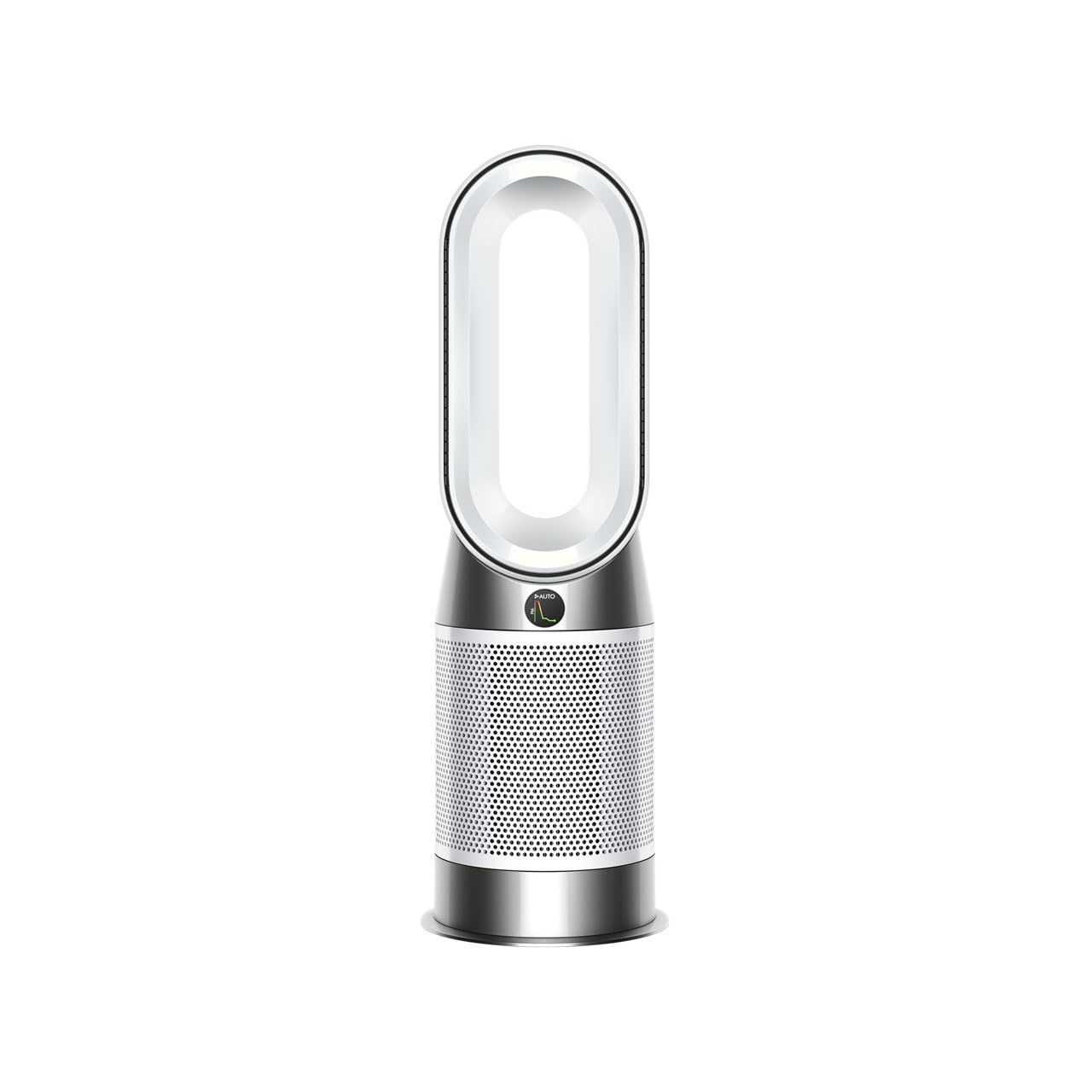
Image: The Dyson Purifier Hot + Cool Gen1 unit. This image displays the sleek, bladeless design of the purifier, featuring a cylindrical base and an oval-shaped loop amplifier. The unit is white/white, indicating its color variant. The remote control is typically magnetic and attaches to the top of the unit.
Setup
1. Unpacking
- Carefully remove all packaging materials from the box.
- Ensure all components are present: main unit, remote control, and filters.
2. Filter Installation
- Locate the filter cover on the base of the unit.
- Twist or press the release buttons to open the filter cover.
- Insert the HEPA and activated carbon filters into the designated slots, ensuring they click into place.
- Close the filter cover securely.
3. Placement
- Place the appliance on a firm, level surface.
- Ensure there is at least 1 meter (3 feet) of clear space around the unit for optimal airflow.
- Plug the power cord into a suitable mains socket.
Operation
1. Power On/Off
- Press the power button on the remote control or on the base of the unit to turn the appliance on or off.
2. Mode Selection
- Purification Mode: The appliance continuously monitors air quality and purifies the air.
- Heating Mode: Press the red button on the remote to activate heating. Adjust the target temperature using the '+' and '-' buttons.
- Cooling Mode: Press the blue button on the remote to activate cooling fan mode.
3. Adjusting Settings
- Fan Speed: Use the fan speed button on the remote to increase or decrease airflow intensity (levels 1-10).
- Oscillation: Press the oscillation button to enable or disable the unit's rotation, distributing air across the room.
- Night Mode: Activates quietest settings and dims the display.
4. Remote Control
The remote control allows full functionality of the unit. It is magnetic and can be stored on top of the appliance.
5. Display Information
The integrated LCD screen displays real-time air quality, temperature, humidity, and filter life.
Maintenance
1. Filter Replacement
The appliance will indicate when filters need replacement on its display. Filter life varies based on usage and air quality.
- Unplug the appliance.
- Open the filter cover as described in the Setup section.
- Remove the old filters and dispose of them according to local regulations.
- Install new Dyson-approved filters.
- Close the filter cover securely.
- Reset the filter life indicator by holding the 'Night Mode' button on the remote for 5 seconds.
2. Cleaning the Unit
- Unplug the appliance before cleaning.
- Wipe the exterior surfaces with a soft, damp cloth. Do not use detergents or polishing agents.
- Ensure no water enters the motor housing.
Troubleshooting
| Problem | Possible Cause | Solution |
|---|---|---|
| Appliance does not turn on | No power supply; Power cord not fully inserted | Check power connection; Ensure plug is fully inserted into socket |
| No airflow or weak airflow | Filters blocked or incorrectly installed; Air inlet/outlet blocked | Check and replace filters if necessary; Clear any obstructions |
| Heating function not working | Temperature setting too low; Overheat protection activated | Increase target temperature; Unplug and allow to cool for 30 minutes before restarting |
| Remote control not working | Batteries depleted; Obstruction between remote and unit | Replace remote control batteries; Ensure clear line of sight |
If the problem persists after attempting these solutions, please contact Dyson customer support.
Specifications
| Feature | Detail |
|---|---|
| Model Number | HP10 WW |
| Brand | Dyson |
| Functions | Air Purifier, Heater, Cooling Fan |
| Color | White/White |
| Wattage | 1400 W |
| Noise Level | 49 dB |
| Product Dimensions | 24.8 cm (Depth) x 24.8 cm (Width) x 76.4 cm (Height) |
| Product Weight | 5.29 kg |
| Power Source | Corded Electric |
Warranty and Support
Your Dyson Purifier Hot + Cool Gen1 comes with a manufacturer's warranty. Please refer to the warranty card included with your product or visit the official Dyson website for detailed warranty terms and conditions specific to your region.
For technical support, replacement parts, or further assistance, please contact Dyson customer service through their official website or the contact information provided in your product packaging.
Dyson Official Website: www.dyson.com


