
UPERFECT M156J03
UPERFECT 15.6-inch Portable Monitor User Manual
Model: M156J03
Brand: UPERFECT
1. Introduction
Thank you for choosing the UPERFECT 15.6-inch Portable Monitor. This manual provides detailed instructions for setting up, operating, and maintaining your new portable display. Designed for versatility and performance, this monitor enhances productivity and entertainment on the go.
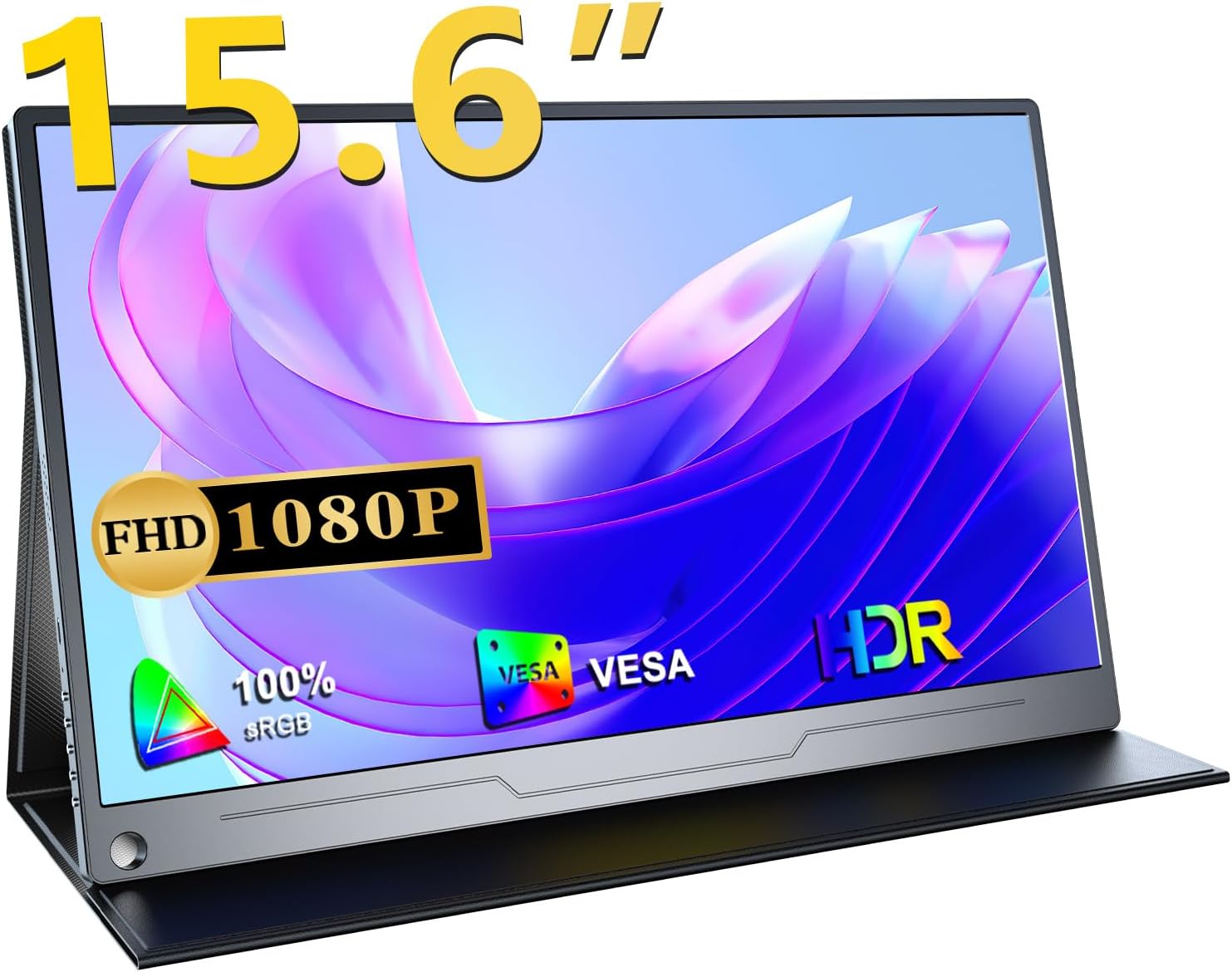
This portable monitor features a Full HD 1080p IPS panel with 100% wide color gamut, HDR support, and a 178° ultra-wide viewing angle, ensuring vivid and consistent visuals from almost any perspective. Its lightweight and ultra-thin design, combined with versatile connectivity options, make it an ideal companion for laptops, smartphones, gaming consoles, and more.
2. Setup and Connections
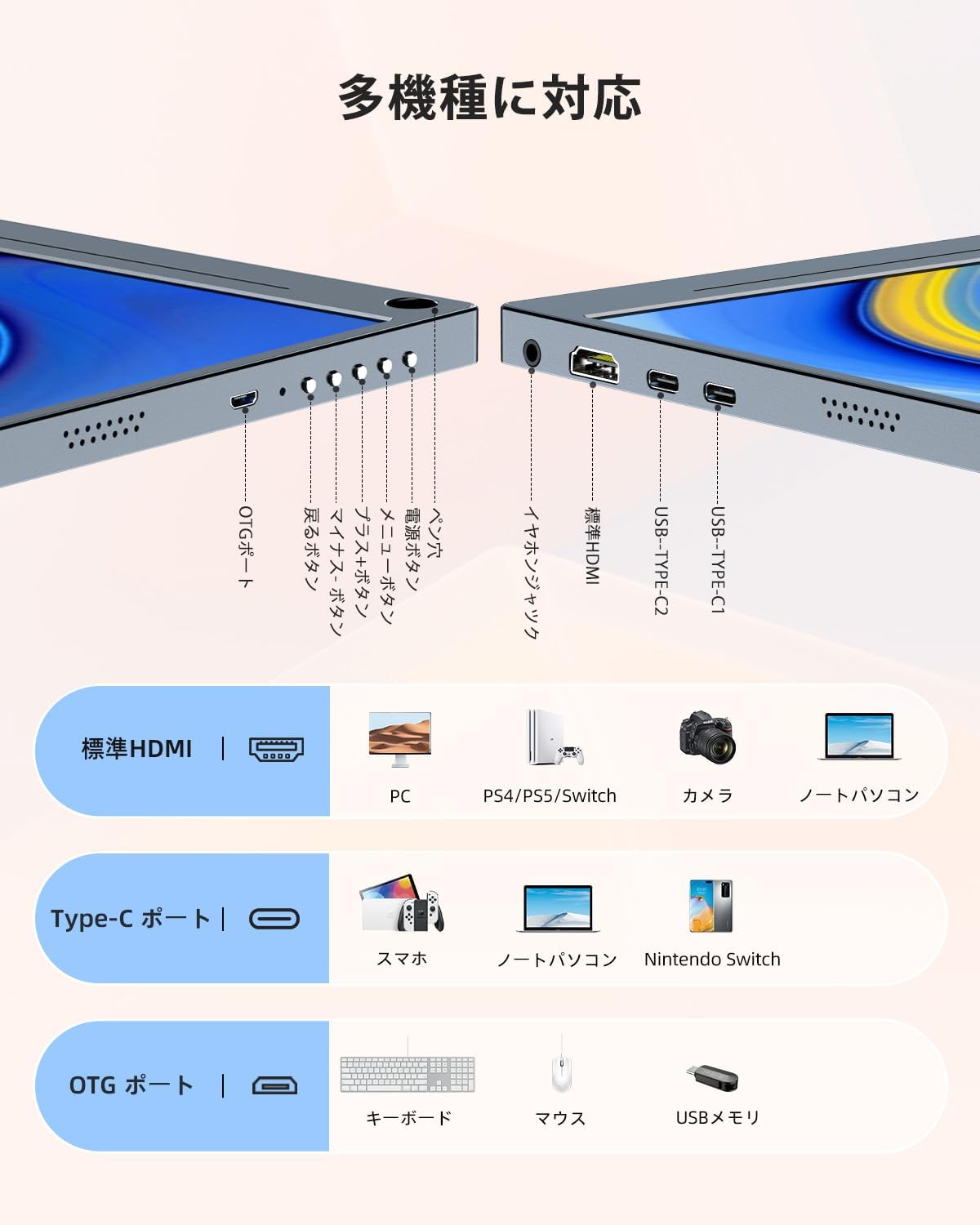
Your UPERFECT portable monitor offers flexible connectivity to a wide range of devices. Please ensure your device supports video output via USB-C (DisplayPort Alternate Mode) or HDMI.
2.1 Package Contents
- UPERFECT 15.6-inch Portable Monitor
- Protective Cover / Stand
- USB-C to USB-C Cable (Full-featured)
- HDMI to Mini HDMI Cable
- USB-A to USB-C Power Cable
- Power Adapter (18W or higher recommended)
2.2 Connecting to Your Device
The monitor supports two primary connection methods:
- USB Type-C Connection (Single Cable Solution):
If your device (laptop, smartphone, Nintendo Switch) has a full-featured USB Type-C port that supports video output and power delivery, you can connect the monitor using a single USB-C to USB-C cable. This cable will transmit both video signal and power to the monitor.

Connect your device with a single USB-C cable for video and power. - HDMI Connection:
For devices with an HDMI output (e.g., PC, PS4/PS5, Xbox, Camera), use the provided HDMI to Mini HDMI cable for video transmission. In this setup, you will also need to connect the monitor to a power source using the USB-A to USB-C power cable and the power adapter (18W or higher recommended for optimal brightness and sound).
2.3 Power Supply
For stable operation and optimal performance, especially when using HDMI or if the USB-C connection from your device does not provide sufficient power, connect the monitor to an external power source using the provided power adapter and USB-A to USB-C power cable. A power adapter of 18W or higher is recommended to ensure full brightness and sound volume.
3. Operating the Monitor
3.1 Display Modes
The UPERFECT portable monitor supports various display modes to suit your needs:
- Duplicate Mode: Duplicates your primary screen's content on the portable monitor.
- Extend Mode: Extends your desktop, allowing you to have more screen real estate for multitasking.
- Second Screen Only Mode: Displays content only on the portable monitor, turning off your primary screen.
These modes can typically be configured through your connected device's display settings (e.g., Windows Display Settings, macOS System Preferences).

3.2 On-Screen Display (OSD) Menu
The monitor features an OSD menu for adjusting settings such as brightness, contrast, color temperature, and input source. Use the control buttons on the side of the monitor to navigate the OSD menu.
3.3 Built-in Speakers and Audio Output
The monitor includes built-in 1W stereo speakers for audio playback. For a more immersive audio experience or private listening, you can connect headphones or external speakers to the 3.5mm audio jack.
4. Key Features
4.1 High-Quality IPS Panel
The 15.6-inch IPS LCD panel delivers vibrant colors and consistent image quality with a 178° ultra-wide viewing angle. This ensures that the display remains clear and accurate from almost any perspective.

4.2 Full HD 1080p Resolution & HDR Support
Enjoy crisp and clear visuals with a native resolution of 1920x1080 pixels. The monitor also supports HDR (High Dynamic Range), providing enhanced contrast and color accuracy for a more lifelike viewing experience, especially with compatible content.
4.3 Blue Light Reduction Technology
Equipped with advanced blue light reduction technology, the monitor helps minimize eye strain during prolonged use by filtering out harmful blue light emissions. This feature contributes to a more comfortable viewing experience.

4.4 FreeSync Technology
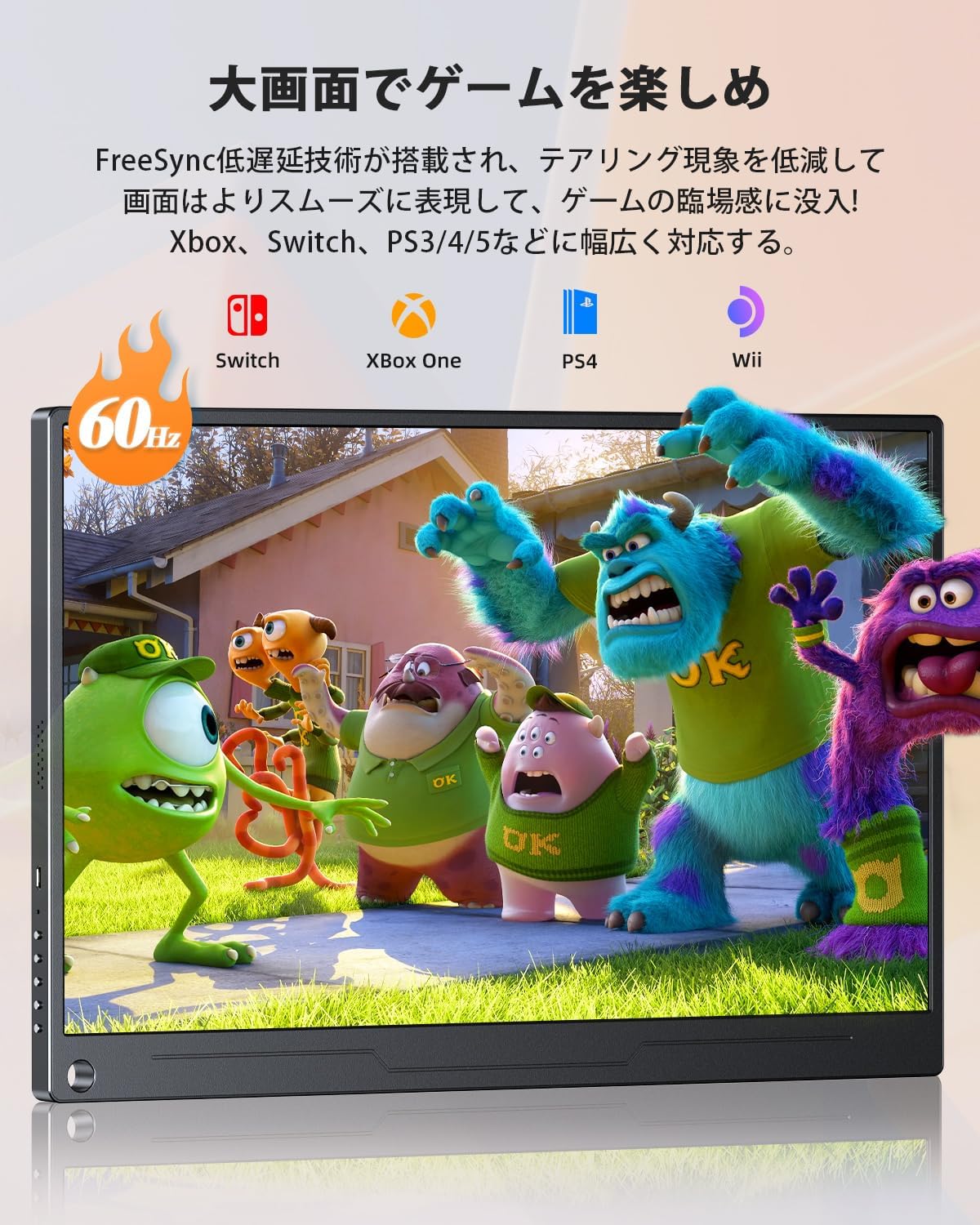
For a smoother gaming experience, the monitor incorporates FreeSync technology. This feature synchronizes the monitor's refresh rate with your graphics card's frame rate, reducing screen tearing and stuttering for fluid gameplay.
4.5 Ultra-Thin and Lightweight Design
With an ultra-thin bezel and a thickness of approximately 10mm, weighing only about 658g, this portable monitor is designed for maximum portability. It easily fits into bags, making it perfect for travel, remote work, and presentations.

4.6 Versatile Protective Cover and VESA Mount
The included protective cover not only safeguards the monitor from dust and scratches but also folds into a versatile stand, allowing for adjustable viewing angles. Additionally, the monitor features standard VESA 75x75mm screw holes, enabling easy mounting on monitor arms or wall mounts for a more permanent setup.

5. Maintenance
Proper maintenance ensures the longevity and optimal performance of your UPERFECT portable monitor.
5.1 Cleaning the Screen
- Always power off the monitor before cleaning.
- Use a soft, lint-free cloth (microfiber cloth recommended) to gently wipe the screen.
- For stubborn smudges, lightly dampen the cloth with water or a screen-specific cleaning solution. Do not spray liquid directly onto the screen.
- Avoid using abrasive cleaners, alcohol, or ammonia-based solutions, as they can damage the screen surface.
5.2 Cleaning the Casing
- Use a soft, dry cloth to wipe the monitor's casing.
- If necessary, a slightly damp cloth can be used, followed by a dry cloth to remove any moisture.
5.3 Storage
- When not in use, store the monitor in its protective cover to prevent scratches and dust accumulation.
- Store in a cool, dry place away from direct sunlight and extreme temperatures.
6. Troubleshooting
If you encounter issues with your monitor, please refer to the following common solutions:
| Problem | Possible Cause | Solution |
|---|---|---|
| No signal / Black screen | Incorrect input source selected Loose or faulty cable connection Device not outputting video signal | Check OSD menu to ensure correct input source is selected. Ensure cables are securely connected at both ends. Restart your connected device. Try a different cable or port. |
| No power / Monitor does not turn on | Insufficient power supply Faulty power adapter/cable | Ensure the monitor is connected to a power source (18W+ adapter recommended). Try a different power outlet. Check if the power adapter and cable are working correctly. |
| Low brightness or volume | Insufficient power supply from device Brightness/volume settings too low | Connect the monitor to an external power adapter (18W or higher) to ensure sufficient power. Adjust brightness and volume settings via the OSD menu. |
| Screen flickering or distortion | Cable interference Graphics driver issues Resolution/refresh rate mismatch | Ensure cables are not near strong electromagnetic sources. Update your device's graphics drivers. Adjust resolution and refresh rate settings on your connected device. |
| Smartphone vertical display not working | Feature limitation | Please note that smartphone vertical display is not supported by this monitor. |
If the problem persists after trying these solutions, please contact UPERFECT customer support for further assistance.
7. Specifications
| Feature | Specification |
|---|---|
| Brand | UPERFECT |
| Model Number | M156J03 |
| Screen Size | 15.6 inches |
| Panel Type | IPS LCD |
| Resolution | 1920 x 1080 (Full HD) |
| Aspect Ratio | 16:9 |
| Screen Surface | Non-glare |
| Viewing Angle | 178° (Horizontal/Vertical) |
| Color Gamut | 100% sRGB |
| HDR Support | Yes |
| Connectivity | 2x Full-featured USB Type-C, 1x Mini HDMI, 1x OTG Port, 1x 3.5mm Audio Jack |
| Speakers | Built-in 1W Stereo Speakers |
| Dimensions (approx.) | 350 x 220 x 10 mm (Width x Height x Thickness) |
| Weight (approx.) | 658g |
| VESA Mount | 75x75mm |
8. Warranty and Support
UPERFECT is committed to providing high-quality products and excellent customer service.
8.1 Warranty Information
This UPERFECT portable monitor comes with a 2-year warranty from the date of purchase. This warranty covers manufacturing defects and ensures that your product meets our quality standards. Please retain your proof of purchase for warranty claims.
8.2 Customer Support
If you have any questions about the product, require technical assistance, or need to make a warranty claim, please do not hesitate to contact UPERFECT customer support. Our team is dedicated to providing prompt and helpful assistance.
You can typically find contact information on the UPERFECT official website or through your purchase platform's order history.

8.3 Certifications
This product is PSE certified, ensuring compliance with safety standards.

Related documentsM156J03


Ask a question about this manual
Ask about setup, troubleshooting, compatibility, parts, safety, or missing instructions. Manuals+ will review the question and use this page’s manual context to help answer it.