
Bnegynng WP-03A
Bnegynng Bluetooth Speaker User Manual
Model: WP-03A
Introduction
Thank you for choosing the Bnegynng Portable Wireless Bluetooth Speaker. This manual provides essential information for setting up, operating, and maintaining your speaker to ensure optimal performance and longevity. Please read this manual thoroughly before using the product and retain it for future reference.

Image: The Bnegynng Portable Bluetooth Speaker, a compact black device with a colorful lanyard and blue light accent.
Safety Information
To prevent damage or injury, observe the following safety precautions:
- Do not expose the speaker to extreme temperatures, direct sunlight, or high humidity.
- Avoid dropping or subjecting the speaker to strong impacts.
- Do not disassemble, repair, or modify the speaker. This will void the warranty.
- Keep the speaker away from medical devices, as it may interfere with their operation.
- Ensure the charging port is dry before connecting the charging cable.
- Dispose of the battery responsibly according to local regulations.
Package Contents
Verify that all items are present in the package:
- Bnegynng Bluetooth Speaker
- Type-C Charging Cable
- Silicone Lanyard
- Instruction Manual
Product Overview
Familiarize yourself with the speaker's components and controls.

Image: Close-up view of the speaker's side panel showing the function buttons: Next Song, Previous Song, Pause Button, and ON/OFF button.
Controls:
- Power Button (ON/OFF): Press and hold to power on/off. Short press to toggle LED modes or switch to Radio mode (if supported).
- Play/Pause Button: Short press to play or pause audio. In Radio mode, short press to scan.
- Previous Song Button: Short press for previous track. In Radio mode, short press for volume down.
- Next Song Button: Short press for next track. In Radio mode, short press for volume up.
Features:
- Bluetooth 5.3: For stable wireless connection.
- IPX5 Waterproof: Protected against low-pressure water jets from any angle.
- RGB Colorful Lights: Dynamic lighting modes.
- TWS Pairing: Connect two speakers for stereo sound.
- Built-in Microphone: For hands-free calls.
Setup
1. Charging the Speaker
Before first use, fully charge the speaker. Connect the supplied Type-C charging cable to the speaker's charging port and the other end to a USB power adapter (not included) or a computer's USB port. The charging indicator light will illuminate during charging and turn off when fully charged. A full charge takes approximately 2 hours.
2. Powering On/Off
To power on, press and hold the Power button until you hear an audible prompt and the indicator light turns on. To power off, press and hold the Power button again until the indicator light turns off.
Operating Instructions
1. Bluetooth Pairing
- Ensure the speaker is powered on and in Bluetooth pairing mode (indicator light will flash).
- On your device (smartphone, tablet, laptop), enable Bluetooth.
- Search for "Bnegynng Speaker" or "WP-03A" in the list of available Bluetooth devices.
- Select the speaker to connect. Once connected, you will hear a confirmation sound, and the indicator light will stop flashing.
- The speaker will automatically attempt to reconnect to the last paired device when powered on.

Image: The Bnegynng speaker connected wirelessly to a smartphone, demonstrating its portable use.
2. True Wireless Stereo (TWS) Pairing
To achieve a stereo sound experience, you can pair two Bnegynng speakers together:
- Ensure both speakers are powered on and not connected to any Bluetooth device.
- On one speaker (this will be the primary speaker), double-press the Power button. It will enter TWS pairing mode.
- The two speakers will automatically search for and connect to each other. Once connected, you will hear a confirmation sound.
- Now, connect your device to the primary speaker via Bluetooth as described in the "Bluetooth Pairing" section. Both speakers will play audio in stereo.

Image: Two Bnegynng speakers positioned on a nightstand, illustrating the True Wireless Stereo (TWS) pairing capability for enhanced sound.
3. RGB Colorful Lights
The speaker features dynamic RGB lighting. Short press the Power button to cycle through different light modes or to turn the lights off. The lights can react to the music's rhythm.
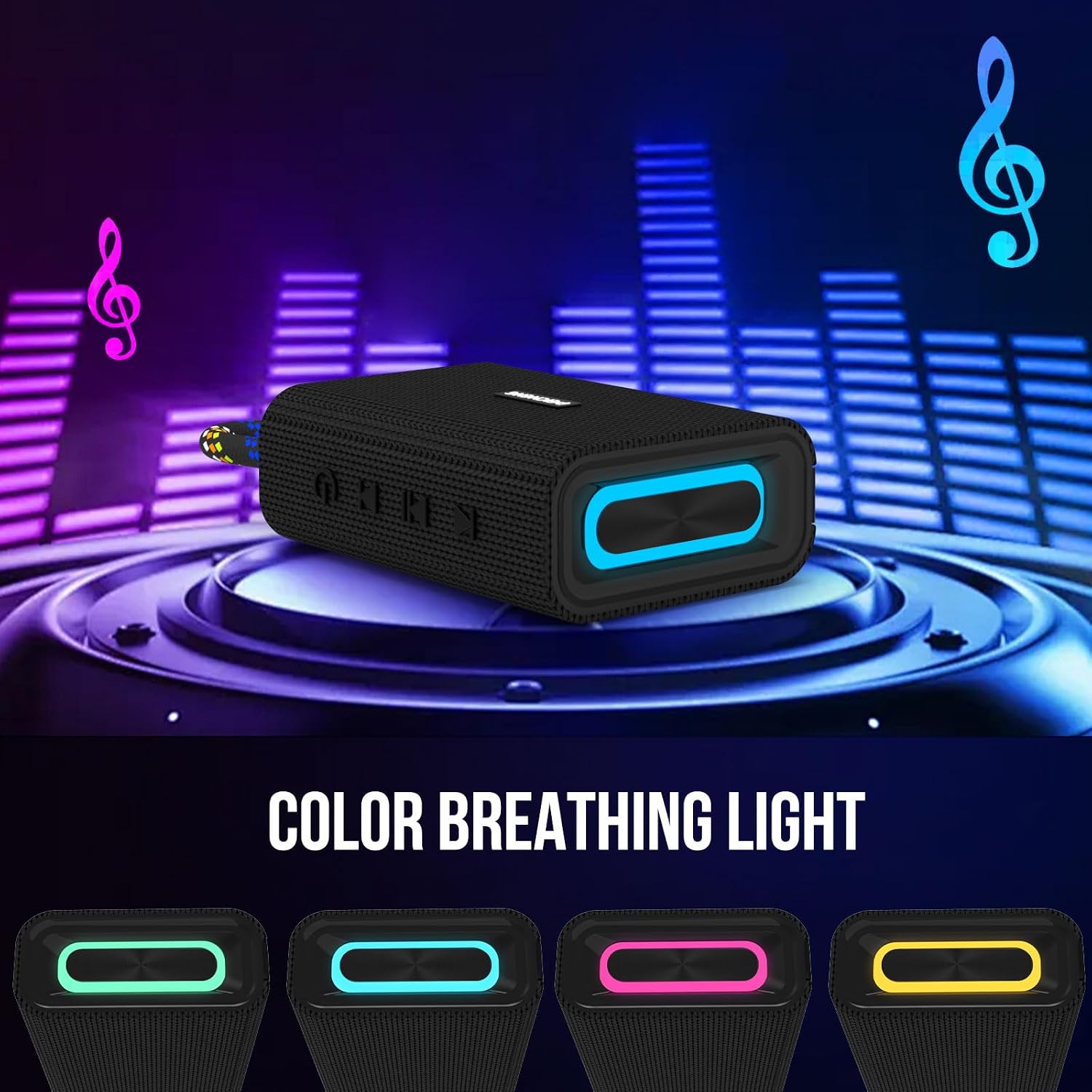
Image: The Bnegynng speaker displaying its vibrant RGB lighting effects, with various color options shown below.
4. Audio Playback
- Play/Pause: Short press the Play/Pause button.
- Next Track: Short press the Next Song button.
- Previous Track: Short press the Previous Song button.
- Volume Control: Volume is primarily controlled via your connected Bluetooth device. The speaker's "Previous Song" and "Next Song" buttons may adjust volume in certain modes (e.g., Radio mode).
5. Water Resistance (IPX5)
The speaker is IPX5 rated, meaning it is protected from low-pressure water jets from any direction. It is suitable for use in environments where it might encounter splashes, such as by a pool or during light rain. Do not submerge the speaker in water. Ensure the charging port cover is securely closed before exposure to water.

Image: The Bnegynng speaker being splashed with water, demonstrating its IPX5 water resistance feature.
Maintenance
- Clean the speaker with a soft, dry cloth. Do not use abrasive cleaners or solvents.
- If the speaker gets wet, wipe it dry thoroughly before charging.
- Store the speaker in a cool, dry place when not in use for extended periods.
- Charge the speaker at least once every three months to maintain battery health.
Troubleshooting
| Problem | Possible Cause | Solution |
|---|---|---|
| Speaker does not power on. | Low battery. | Charge the speaker fully. |
| Cannot pair with Bluetooth device. | Speaker not in pairing mode; device Bluetooth off; too far from speaker. | Ensure speaker is in pairing mode. Turn device Bluetooth on/off. Move device closer to speaker (within 33 feet). |
| No sound or distorted sound. | Volume too low; speaker not connected; audio source issue. | Increase volume on both speaker and device. Reconnect Bluetooth. Check audio source. |
| TWS pairing fails. | Speakers already connected to other devices; incorrect pairing procedure. | Disconnect both speakers from any devices. Follow TWS pairing steps carefully. |
Specifications
| Feature | Detail |
|---|---|
| Model Name | WP-03A |
| Bluetooth Version | 5.3 |
| Wireless Range | Up to 33 feet (10 meters) |
| Water Resistance Rating | IPX5 |
| Battery Capacity | 1000 mAh |
| Battery Life | Up to 6 hours (varies with volume and light usage) |
| Charging Time | Approximately 2 hours |
| Speaker Maximum Output Power | 5 Watts |
| Product Dimensions | 5.78"D x 3.46"W x 2.04"H |
| Item Weight | 7 ounces (0.2 Kilograms) |
Warranty and Support
The Bnegynng Bluetooth Speaker comes with a limited warranty. Please refer to the warranty information provided in your package for details on coverage and duration. For technical support, troubleshooting assistance, or warranty claims, please contact Bnegynng customer service through the retailer where you purchased the product or visit the official Bnegynng website (if available).
Please retain your proof of purchase for warranty purposes.
Ask a question about this manual
Ask about setup, troubleshooting, compatibility, parts, safety, or missing instructions. Manuals+ will review the question and use this page’s manual context to help answer it.