
Baseus Baseus Bass 30 Max
Baseus Bass 30 Max Bluetooth Headphones User Manual
Model: Baseus Bass 30 Max | Brand: Baseus
Introduction
This manual provides comprehensive instructions for the Baseus Bass 30 Max Bluetooth Headphones. Please read this manual carefully before using the product to ensure proper operation and to maximize your listening experience. These headphones are designed for powerful bass, extended playtime, and clear call quality, offering a comfortable and lightweight over-ear design.
Key Features
Powerful Bass

Equipped with 40mm oversized drivers and Baseus bass enhancement technology, these headphones deliver rich and powerful bass, enhancing your audio experience.
Extended Playtime

Enjoy up to 50 hours of listening time on a single charge, ensuring your music lasts through long journeys and daily use without frequent recharging.
Enhanced Call Clarity
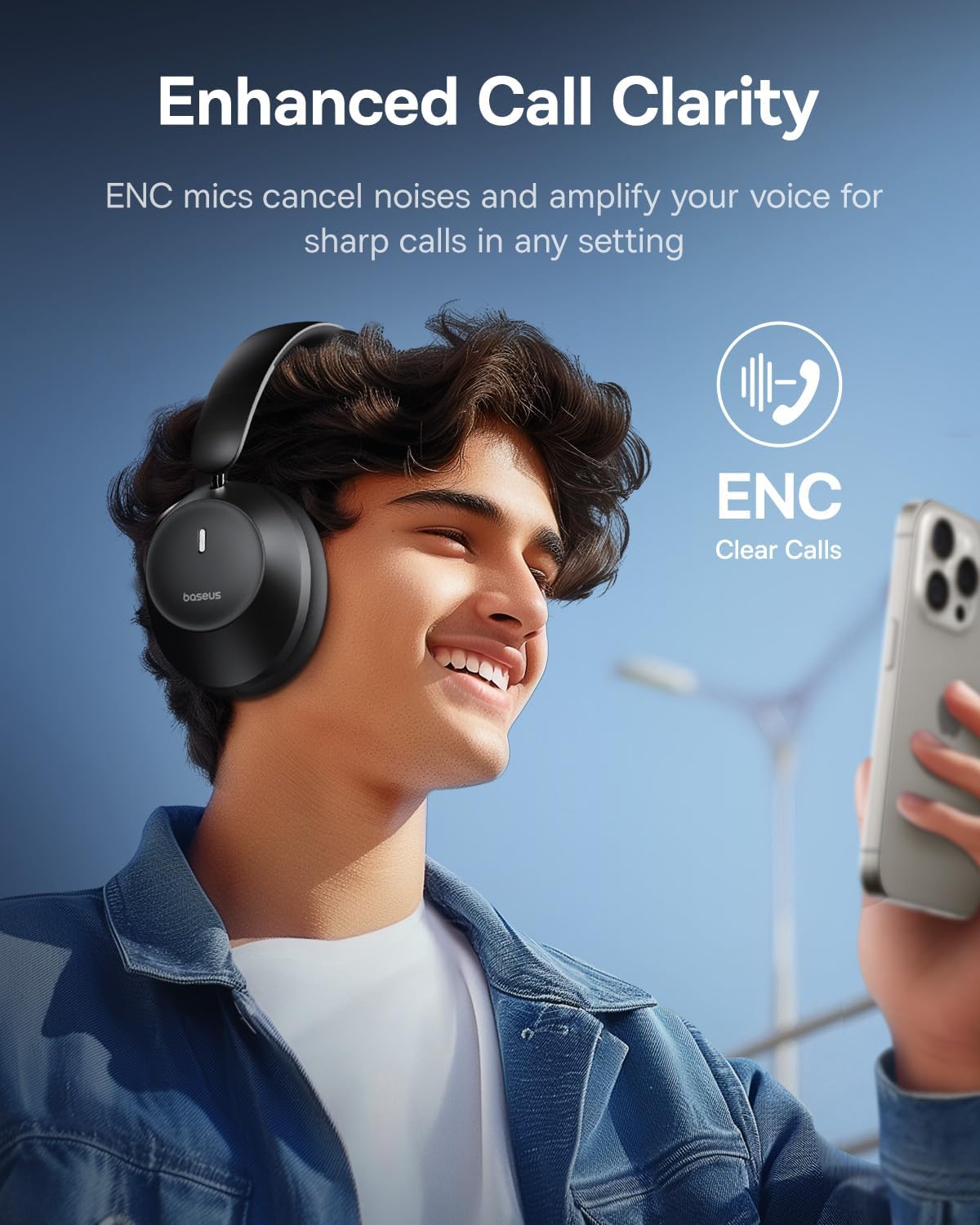
Integrated ENC (Environmental Noise Cancellation) microphones reduce ambient noise and amplify your voice, providing crisp and clear calls in various environments.
Comfortable and Foldable Design

The headphones feature adjustable earcups with ultra-soft noise isolation padding for a snug and comfortable fit during extended listening sessions. Their foldable design allows for easy portability.
Bluetooth 5.3 Connectivity

Advanced Bluetooth 5.3 technology ensures a stable connection, low latency, and reduced power consumption, keeping audio in perfect sync across compatible devices.
What's in the Box
- Baseus Bass 30 Max Bluetooth Headphones Over Ear
- USB-C Charging Cable
- 3.5mm Audio Cable
- User Manual (this document)
- Warranty Card
Product Overview
Familiarize yourself with the various components and controls of your Baseus Bass 30 Max headphones.
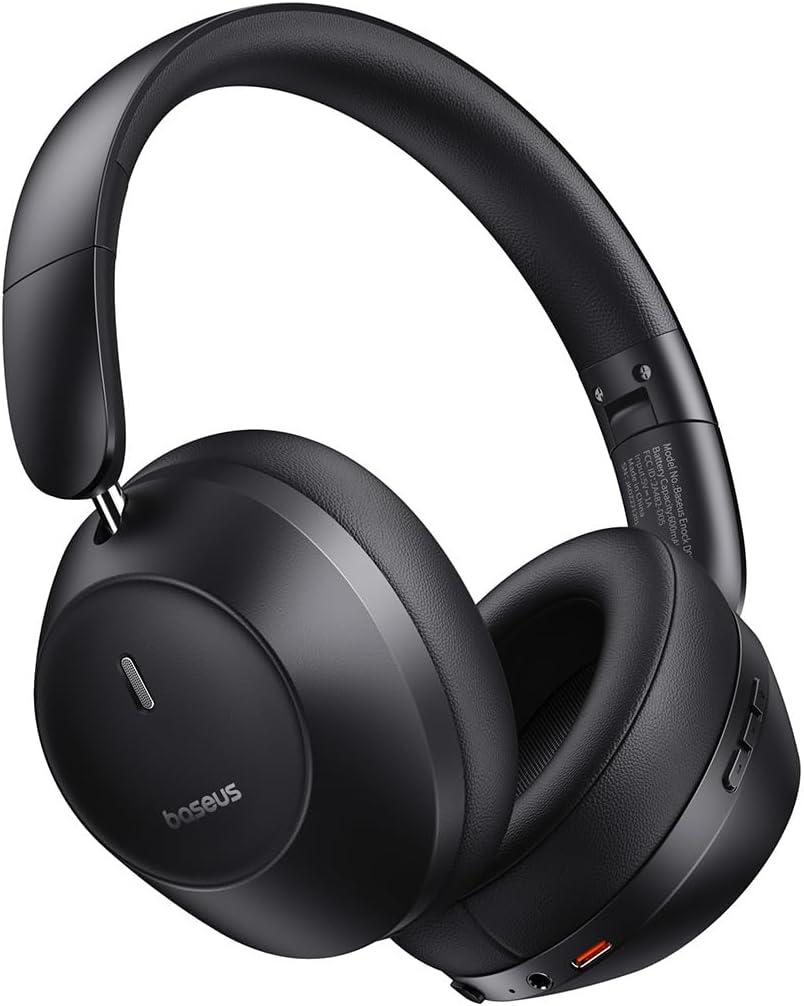
Figure 1: Baseus Bass 30 Max Headphones
Button Controls
Figure 2: Headphone Button Layout and Functions
- Power Button/Switch: Used to power the headphones on or off.
- Volume +/- Buttons: Adjusts the listening volume. Long press for previous/next track.
- Multifunction Button: Controls playback (play/pause), answers/ends calls, rejects calls, and activates voice assistant.
- 3.5mm Audio Jack: For wired connection using the included audio cable.
- USB-C Charging Port: For charging the headphones.
Setup
Initial Charging
Before first use, fully charge your headphones. Connect the included USB-C charging cable to the headphone's charging port and the other end to a USB power adapter (not included) or a computer's USB port. The indicator light will show charging status and turn off when fully charged.
Bluetooth Pairing
- Ensure the headphones are powered off.
- Slide the Power Switch to the "ON" position. The headphones will enter pairing mode automatically, indicated by a flashing LED light.
- On your device (smartphone, tablet, laptop), enable Bluetooth and search for available devices.
- Select "Baseus Bass 30 Max" from the list of found devices.
- Once connected, the LED indicator on the headphones will turn solid blue, and you will hear an audible confirmation.
The headphones will automatically reconnect to the last paired device when powered on, if the device's Bluetooth is enabled and within range.
Operating Instructions
Power On/Off
- Power On: Slide the Power Switch to "ON".
- Power Off: Slide the Power Switch to "OFF".
Music Playback
- Play/Pause: Press the Multifunction Button once.
- Volume Up: Press the "+" button.
- Volume Down: Press the "-" button.
- Next Track: Long press the "+" button for 1.5 seconds.
- Previous Track: Long press the "-" button for 1.5 seconds.
Call Management
- Answer/End Call: Press the Multifunction Button once.
- Reject Call: Long press the Multifunction Button for 1.5 seconds.
Voice Assistant
- Activate Voice Assistant: Double-press the Multifunction Button.
Wired Connection
To use the headphones with a wired connection, plug the 3.5mm audio cable into the headphone's audio jack and the other end into your audio source. The headphones will automatically switch to wired mode, and Bluetooth will be disabled.
Maintenance
- Clean the headphones regularly with a soft, dry cloth. Do not use abrasive cleaners or solvents.
- Avoid exposing the headphones to extreme temperatures, humidity, or direct sunlight.
- Store the headphones in a cool, dry place when not in use, preferably in their original packaging or a protective case.
- Do not attempt to disassemble or modify the headphones, as this will void the warranty and may cause damage.
Troubleshooting
| Problem | Possible Solution |
|---|---|
| Headphones do not power on. | Ensure the battery is charged. Connect to a power source using the USB-C cable. |
| Cannot pair with device. |
|
| No sound or low volume. |
|
| Poor call quality. |
|
Specifications

Figure 3: Headphone Dimensions
| Feature | Detail |
|---|---|
| Model Name | Baseus Bass 30 Max |
| Brand | Baseus |
| Connectivity Technology | Wireless (Bluetooth), Wired (3.5mm Jack) |
| Wireless Communication Technology | Bluetooth 5.3 |
| Headphones Jack | 3.5 mm Jack |
| Battery Life | Up to 50 Hours |
| Audio Driver Type | Dynamic Driver (40mm) |
| Frequency Range | 20 Hz - 20,000 Hz |
| Noise Control | Sound Isolation (Passive Noise Cancellation) |
| Material | Silicone (earcups), ABS, PC, Metal (frame) |
| Item Weight | 15.8 ounces (approx. 448 grams) |
| Color | Black |
| UPC | 850060076701 |
Official Product Video
This video provides a visual overview of the Baseus Bass 30 Max headphones, highlighting their design, comfort, and key features.
Warranty and Support
Baseus products come with a standard warranty. Please refer to the included Warranty Card for detailed terms and conditions regarding your Baseus Bass 30 Max headphones. For technical support, troubleshooting assistance, or warranty claims, please contact Baseus customer service through their official website or the contact information provided on the warranty card.
You can also visit the official Baseus store for more information and product updates: Baseus Store on Amazon.
Related documentsBaseus Bass 30 Max


Ask a question about this manual
Ask about setup, troubleshooting, compatibility, parts, safety, or missing instructions. Manuals+ will review the question and use this page’s manual context to help answer it.