
1. Introduction
Thank you for purchasing the UPERFECT 15.6-inch Portable Monitor. This manual provides essential information for setting up, operating, and maintaining your new monitor. Please read it carefully before use to ensure optimal performance and longevity of the product.
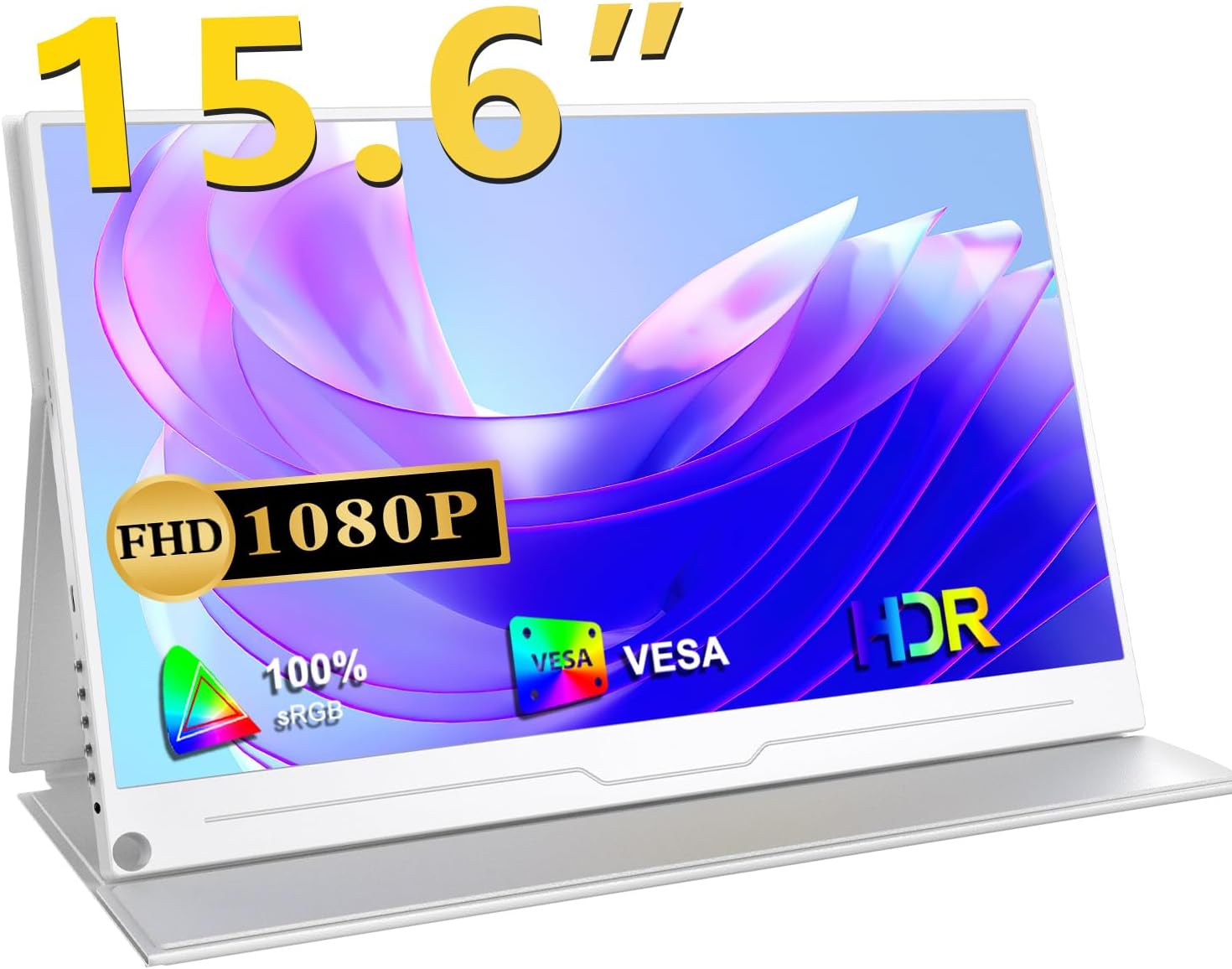
Front view of the UPERFECT 15.6-inch portable monitor, highlighting its key features like 15.6-inch size, Full HD 1080P resolution, 100% sRGB color gamut, VESA mount compatibility, and HDR support.
2. Product Overview
2.1 Key Features
- Display Quality: 15.6-inch Full HD (1920x1080) IPS panel with 100% sRGB wide color gamut and 16.7 million colors, offering vibrant and accurate visuals.
- Wide Viewing Angle: 178° ultra-wide viewing angle ensures consistent image quality from various perspectives.
- Eye Protection: Features blue light reduction technology to minimize eye strain during prolonged use.
- Gaming Performance: Supports HDR and FreeSync technology for smooth, tear-free gaming experiences at 60Hz.
- Connectivity: Equipped with standard HDMI and two full-function USB Type-C ports for versatile connection options.
- Portability: Ultra-thin design (approx. 10mm) and lightweight (approx. 658g) for easy transport.
- Versatile Stand: Includes a protective cover that doubles as a foldable stand, and VESA mount compatibility (75x75mm) for flexible setup.
- Audio: Built-in 1W stereo speakers and a 3.5mm audio jack for external audio devices.

A banner highlighting the monitor's features: 1080P resolution, 1000:1 contrast, HDR, IPS panel, and 178-degree viewing angle.
2.2 Physical Features and Ports

A collage of images highlighting the monitor's ultra-thin profile (approx. 10mm), narrow bezels (4mm), lightweight design (approx. 658g), and VESA mount compatibility (75mm).

A detailed view of the monitor's ports (USB-Type C, HDMI, OTG) and examples of compatible devices such as PCs, PS4/PS5/Switch, cameras, smartphones, keyboards, mice, and USB drives.
The monitor features a sleek, frameless design made from high-quality aluminum alloy, ensuring both durability and a premium feel. It is equipped with the following ports:
- USB Type-C (Full Function): Two ports for video signal, power delivery, and data transfer with compatible devices.
- Standard HDMI: For video input from various devices.
- OTG Port: For connecting USB peripherals like keyboards and mice.
- 3.5mm Audio Jack: For connecting headphones or external speakers.
- Control Buttons: Power button, menu button, and navigation buttons for OSD control.
3. Setup
3.1 Initial Placement
Place the monitor on a stable, flat surface. The included protective cover can be folded to act as a stand, allowing you to adjust the viewing angle. For a more permanent setup, the monitor is VESA compatible (75x75mm) and can be mounted on a compatible arm or wall mount (sold separately).
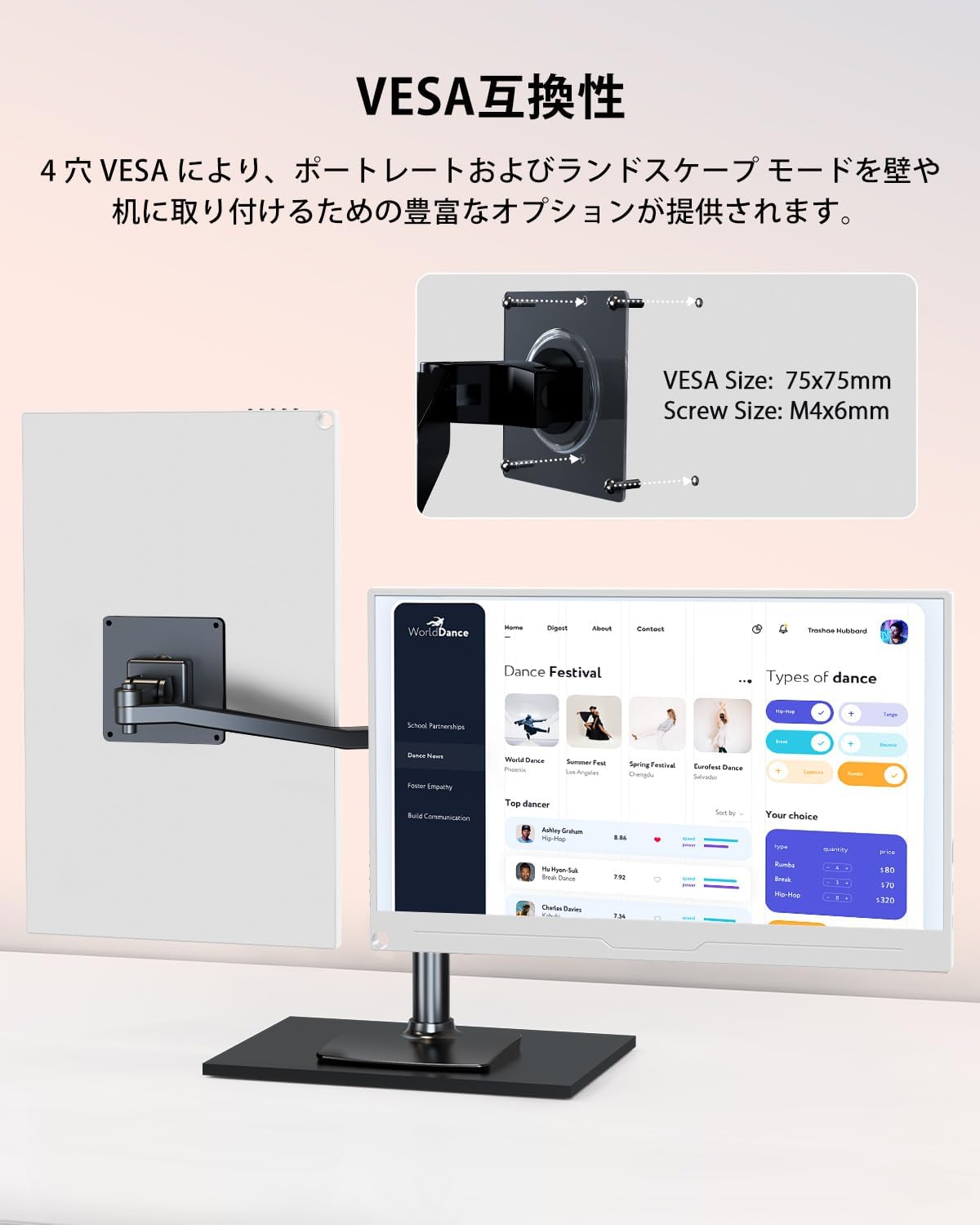
The portable monitor mounted on a VESA arm, showcasing its 75x75mm VESA compatibility for flexible mounting options in both landscape and portrait orientations.
3.2 Power Connection
To ensure stable performance, especially when adjusting brightness, contrast, or volume, it is recommended to power the monitor using the provided power adapter and cable. Connect the power adapter to a power outlet and then to one of the USB Type-C ports on the monitor.
3.3 Connecting to Devices
The monitor offers flexible connectivity options:
- USB Type-C Connection (Single Cable): If your device (laptop, smartphone, etc.) has a full-function USB Type-C port that supports DisplayPort Alternate Mode (DP Alt Mode), you can connect it to the monitor using a single USB Type-C cable. This cable will transmit both video signal and power to the monitor. Some devices may also receive power from the monitor via this connection.
- HDMI Connection: Connect your device to the monitor using an HDMI cable for video transmission. If using HDMI, you will also need to connect a power source to the monitor via a USB Type-C cable for power.
Note:
- If your device does not support DP Alt Mode via its Type-C port, a Type-C connection for video will not work. Please refer to your device's specifications.
- Always ensure the monitor receives adequate power for optimal display and audio performance.

The UPERFECT portable monitor connected to a laptop via a single USB Type-C cable, demonstrating its ability to extend a desktop for increased productivity. It also shows an option for USB-A & HDMI connection.
4. Operating Instructions
4.1 Power On/Off
Press the power button located on the side of the monitor to turn it on or off.
4.2 Display Modes
The monitor supports various display modes to enhance your workflow or entertainment:
- Duplicate Mode: Mirrors the content of your primary screen.
- Extend Mode: Extends your desktop, providing more screen real estate for multitasking.
- Vertical Display Mode: Allows the monitor to be used in portrait orientation, ideal for coding, document viewing, or social media feeds.
Note: Smartphone vertical display may not be supported depending on the device.

The portable monitor demonstrating its versatile display modes: duplicate, extend, and vertical display, allowing for various multi-screen setups.
4.3 On-Screen Display (OSD) Menu
Use the menu and navigation buttons on the side of the monitor to access and adjust settings via the OSD menu. Common adjustable settings include:
- Brightness and Contrast
- Color Settings (Temperature, Hue, Saturation)
- Input Source Selection
- Volume Control
- HDR Mode
- Blue Light Filter
- Aspect Ratio
5. Troubleshooting
If you encounter issues with your UPERFECT portable monitor, please refer to the following common troubleshooting steps:
- No Signal:
- Ensure all cables (video and power) are securely connected.
- Verify that your source device is powered on and outputting a signal.
- Check if your device's USB Type-C port supports DP Alt Mode if using a single Type-C cable.
- Try selecting the input source manually via the OSD menu.
- No Power:
- Confirm the power adapter is correctly plugged into a working outlet and the monitor.
- If using a single Type-C cable for power, ensure your device can supply sufficient power. Try connecting the dedicated power adapter.
- Flickering Screen or Unstable Display:
- Ensure the monitor is receiving stable and sufficient power, preferably from the dedicated power adapter.
- Check the video cable for damage or loose connections.
- Adjust the refresh rate or resolution on your source device.
- No Sound or Low Volume:
- Increase the volume on both the monitor and your source device.
- Ensure the correct audio output is selected on your source device.
- If using external speakers/headphones, ensure they are properly connected to the 3.5mm audio jack.
- Image Quality Issues (e.g., incorrect colors):
- Reset display settings to factory defaults via the OSD menu.
- Adjust color temperature, contrast, and brightness settings.
If the problem persists after trying these steps, please contact customer support for further assistance.
6. Specifications
| Feature | Specification |
|---|---|
| Brand | UPERFECT |
| Model Number | M156T04-S |
| Screen Size | 15.6 inches |
| Panel Type | IPS |
| Resolution | 1920 x 1080 (Full HD) |
| Aspect Ratio | 16:9 |
| Color Gamut | 100% sRGB |
| Viewing Angle | 178° |
| HDR Support | Yes |
| FreeSync Support | Yes |
| Response Time | 3ms (implied from A+ content) |
| Surface Treatment | Non-glare |
| Connectivity | 2x USB Type-C (Full Function), 1x Standard HDMI, 1x OTG Port, 1x 3.5mm Audio Jack |
| Speakers | Built-in 1W Stereo Speakers |
| Dimensions (W x H x D) | Approx. 358 x 226 x 10 mm |
| Weight | Approx. 658g (monitor only) |
| VESA Compatibility | 75x75mm |
| Certifications | PSE Certified |
7. Maintenance
To ensure the longevity and optimal performance of your monitor, follow these maintenance guidelines:
- Cleaning: Use a soft, lint-free cloth to gently wipe the screen and exterior. For stubborn marks, slightly dampen the cloth with water or a screen-cleaning solution. Avoid harsh chemicals, abrasive cleaners, or direct spraying onto the screen.
- Storage: When not in use, store the monitor in a cool, dry place. Use the protective cover to shield it from dust and scratches.
- Handling: Handle the monitor with care. Avoid dropping it or subjecting it to strong impacts. Do not place heavy objects on top of the monitor.
- Ventilation: Ensure proper ventilation around the monitor to prevent overheating. Do not block the ventilation openings.
- Power: Always use the provided power adapter or a compatible, certified power source. Disconnect power during electrical storms or when not in use for extended periods.
8. Warranty and Support
The UPERFECT 15.6-inch Portable Monitor comes with a 1-year warranty from the date of purchase. This warranty covers manufacturing defects under normal use.
If you have any questions regarding the use of your product, or if you encounter any initial defects within the warranty period, please do not hesitate to contact our customer support team. We are committed to providing the best possible service and will assist you with warranty claims.
Please have your order history or proof of purchase ready when contacting support.
The product is PSE certified, ensuring compliance with safety standards.
