
1. Product Overview
The Beyution RC860 is a replacement voice remote control designed for Casper 2020 TV models. It features a built-in microphone for voice control functionality, enhancing your television viewing experience. This remote utilizes Bluetooth connectivity for reliable operation.

Image 1.1: Front view of the Beyution RC860 Voice Remote Control. This image displays the remote's layout, including the power button, navigation pad, volume controls, and dedicated buttons for streaming services like Netflix and YouTube, along with the microphone icon indicating voice control capability.
2. Specifications
- Model: RC860
- Connectivity: Bluetooth
- Maximum Control Distance: Approximately 10 meters (30 feet)
- Material: ABS Plastic and soft rubber
- Color: Black
- Special Feature: Voice search function, Ergonomic design
- Power Source: 2 x AAA batteries (not included)
- Product Dimensions: 6.3 x 1.57 x 0.39 inches (16 x 4 x 1 cm)
- Item Weight: 2.12 ounces (60 grams)

Image 2.1: Diagram showing the dimensions of the Beyution RC860 remote control. The image indicates a length of 15.6 cm (6.14 inches) and a width of 4 cm (1.57 inches), providing a clear understanding of its physical size.
3. Setup and Pairing
Before using the voice control features, the RC860 remote must be paired with your TV. Ensure your TV is powered on and a stable internet connection is available for voice recognition functions.
3.1 Battery Installation
- Locate the battery compartment on the back of the remote control.
- Open the battery compartment cover.
- Insert two (2) AAA batteries, ensuring correct polarity (+/-).
- Close the battery compartment cover securely.
3.2 Bluetooth Pairing
- Turn on your Casper 2020 TV.
- Navigate to the TV's settings menu. The exact path may vary, but typically involves going to Settings > Remotes & Accessories > Add Accessory or similar.
- Follow the on-screen instructions to put your TV into pairing mode.
- On the RC860 remote, press and hold the designated pairing button (refer to your TV's manual if specific remote pairing instructions are provided, otherwise, the remote may automatically enter pairing mode upon battery insertion).
- Once the remote appears on your TV's screen, select it to complete the pairing process.
- A confirmation message should appear on your TV, indicating successful pairing.
Note: If pairing fails, ensure the remote is within 10 meters of the TV and try the process again.
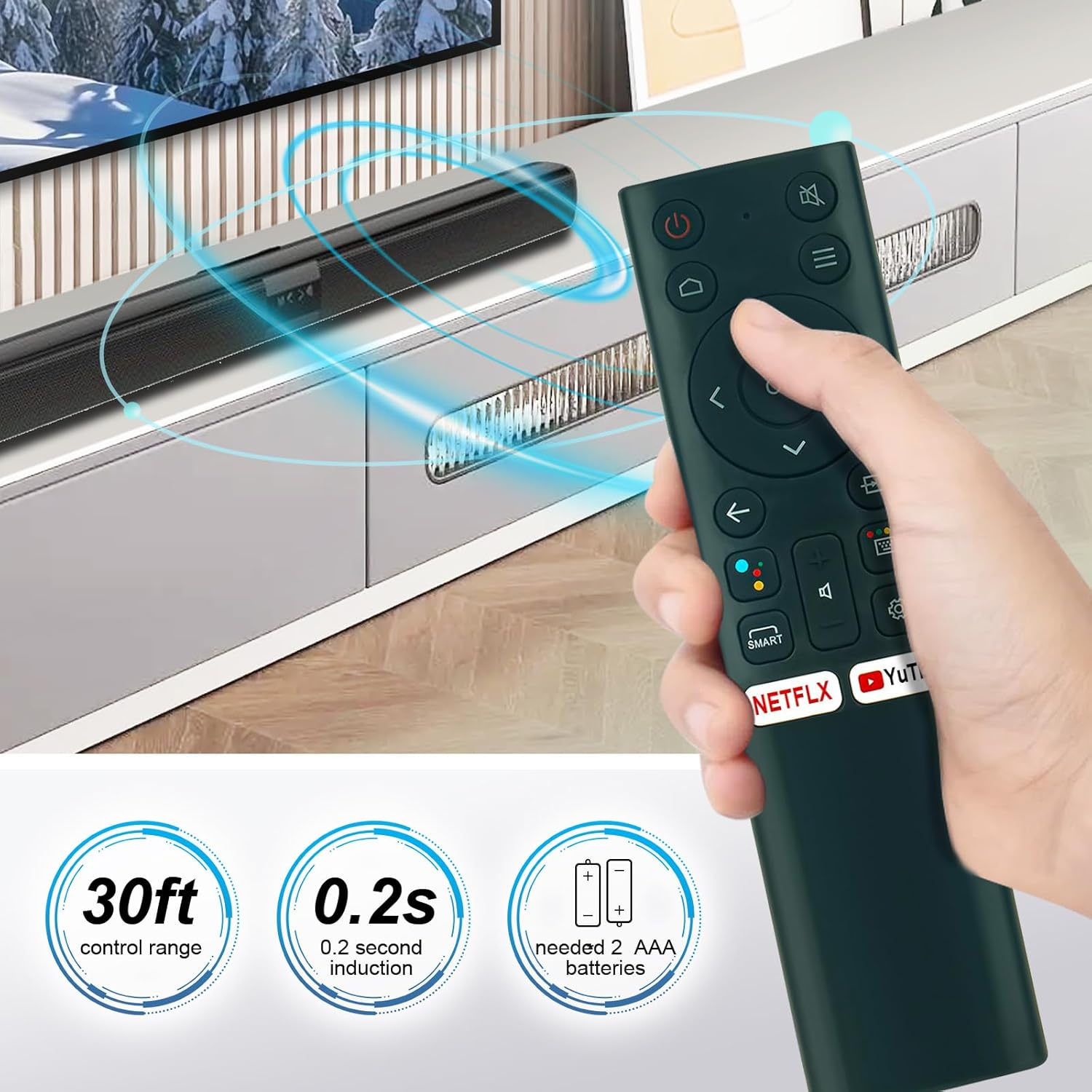
Image 3.1: This image illustrates the operational range of the Beyution RC860 remote control, indicating a 30ft control range and a 0.2-second induction time. It also specifies the requirement for 2 AAA batteries for power.
4. Operating Instructions
Once paired, your Beyution RC860 remote control is ready for use.
4.1 Basic Functions
- Power Button: Turns the TV on or off.
- Navigation Pad (Up/Down/Left/Right/OK): Used to navigate menus and select items.
- Volume Up/Down: Adjusts the TV's volume.
- Mute Button: Mutes or unmutes the TV's audio.
- Back Button: Returns to the previous screen or menu.
- Home Button: Returns to the TV's main home screen.
- Quick Access Buttons (Netflix, YouTube, etc.): Provides direct access to specified streaming applications.
4.2 Voice Control Function
The RC860 remote features a voice search function. To use it:
- Press and hold the dedicated Voice Control / Microphone button on the remote.
- Speak clearly into the microphone located on the remote.
- Release the button when you have finished speaking.
- Your TV will process the voice command and perform the requested action (e.g., search for content, open an app, change settings).
Note: A stable internet connection is required for the voice recognition function to operate correctly.

Image 4.1: A user operating the Beyution RC860 remote control while watching television. This demonstrates the remote's ergonomic design and ease of use in a typical home entertainment setting.
5. Maintenance
To ensure the longevity and optimal performance of your remote control, follow these maintenance guidelines:
- Cleaning: Wipe the remote control with a soft, dry cloth. Do not use liquid cleaners or abrasive materials, as they may damage the surface or internal components.
- Battery Replacement: Replace batteries when the remote's response becomes sluggish or it stops functioning. Always replace both batteries at the same time with new AAA batteries.
- Storage: Store the remote in a cool, dry place away from direct sunlight and extreme temperatures.
- Avoid Drops: While designed to be durable, avoid dropping the remote control to prevent internal damage.
6. Troubleshooting
If you encounter issues with your Beyution RC860 remote control, refer to the following common solutions:
6.1 Remote Not Responding
- Check Batteries: Ensure batteries are inserted correctly and are not depleted. Replace with fresh AAA batteries if necessary.
- Range: Make sure the remote is within the operational range (up to 10 meters) of your TV.
- Obstructions: Remove any objects that might be blocking the signal between the remote and the TV.
- Re-pair: Attempt to re-pair the remote control with your TV following the steps in Section 3.2.
6.2 Voice Control Not Working
- Network Connection: Verify that your TV has a stable internet connection. Voice recognition requires network access.
- Pairing: Ensure the remote is successfully paired via Bluetooth. Voice functionality relies on this connection.
- Microphone Usage: Make sure you are pressing and holding the voice control button while speaking and releasing it afterward. Speak clearly and at a normal volume.
- TV Settings: Check your TV's settings to ensure voice control features are enabled.
7. Compatibility
The Beyution RC860 remote control is specifically designed to be compatible with Casper 2020 TV models. While it may function with other devices, full functionality, especially voice control, is guaranteed for the specified models.
If your TV model is not a Casper 2020 TV, or if you are unsure about compatibility, please contact customer support for assistance before purchasing or if you experience issues.
8. Warranty and Support
This Beyution RC860 remote control comes with a 3-month warranty period from the date of purchase.
If you receive a damaged or non-functional remote control, or if you encounter any issues that cannot be resolved using the troubleshooting guide, please contact Beyution customer support. Provide your purchase details and a description of the problem for prompt assistance.
Customer Support Contact: Refer to your purchase documentation or the seller's contact information for support.