
1. Introduction
The Baseus Bowie 30 Hybrid Active Noise Cancelling Wireless Earbuds are designed to provide an immersive audio experience with advanced noise reduction capabilities and crystal-clear call quality. Featuring a comfortable, lightweight design and extended battery life, these earbuds are suitable for various activities, from commuting to gaming.
Key Features:
- Hybrid Active Noise Cancellation (ANC) up to -50dB.
- Environmental Noise Cancellation (ENC) with 6 microphones for clear calls.
- Enhanced Bass with 10mm composite drivers and Baseus AudioUp algorithm.
- Up to 65 hours total playtime with charging case.
- Multipoint connection for seamless switching between devices.
- Bluetooth 5.3 for stable and low-latency connection.
- IPX4 sweatproof and waterproof rating.
- Customizable settings via the Baseus App.
2. Package Contents
Please ensure all items are present in the package:
- Baseus Bowie 30 True Wireless Earbuds (x1 pair)
- Charging Case (x1)
- Optional Ear Tips (S, M, L sizes - 3 pairs total)
- USB-A to USB-C Charging Cable (1ft) (x1)
- User Manual (x1)
3. Setup
3.1 Charging the Earbuds and Case
Before first use, fully charge the earbuds and charging case. Connect the provided USB-A to USB-C cable to the charging port on the case and a power source. The digital LED display on the case will show the battery percentage of the case and individual earbuds.

Figure 3.1: Digital LED Power Display on Charging Case
A quick 10-minute charge provides approximately 2 hours of playtime. A full charge of the earbuds offers up to 8 hours of playback, and the charging case provides multiple additional charges for a total of up to 65 hours.
3.2 Ear Tip Selection
For optimal sound quality and comfort, choose the ear tips that best fit your ears. Experiment with the included S, M, and L sizes to find the most secure and comfortable seal.

Figure 3.2: Selecting the Correct Ear Tip Size
3.3 Pairing with Your Device
Initial Pairing:
- Open the charging case. The earbuds will automatically enter pairing mode.
- On your device (smartphone, tablet, laptop), enable Bluetooth.
- Search for "Baseus Bowie 30" in the list of available Bluetooth devices and select it to connect.
- Once connected, a voice prompt will confirm successful pairing.

Figure 3.3: One-Step Bluetooth Pairing
Multipoint Connection:
The Baseus Bowie 30 supports simultaneous connection to two devices. After connecting to the first device, disable Bluetooth on that device. Then, connect the earbuds to the second device. Re-enable Bluetooth on the first device, and the earbuds will automatically connect to both, allowing seamless switching between audio sources.
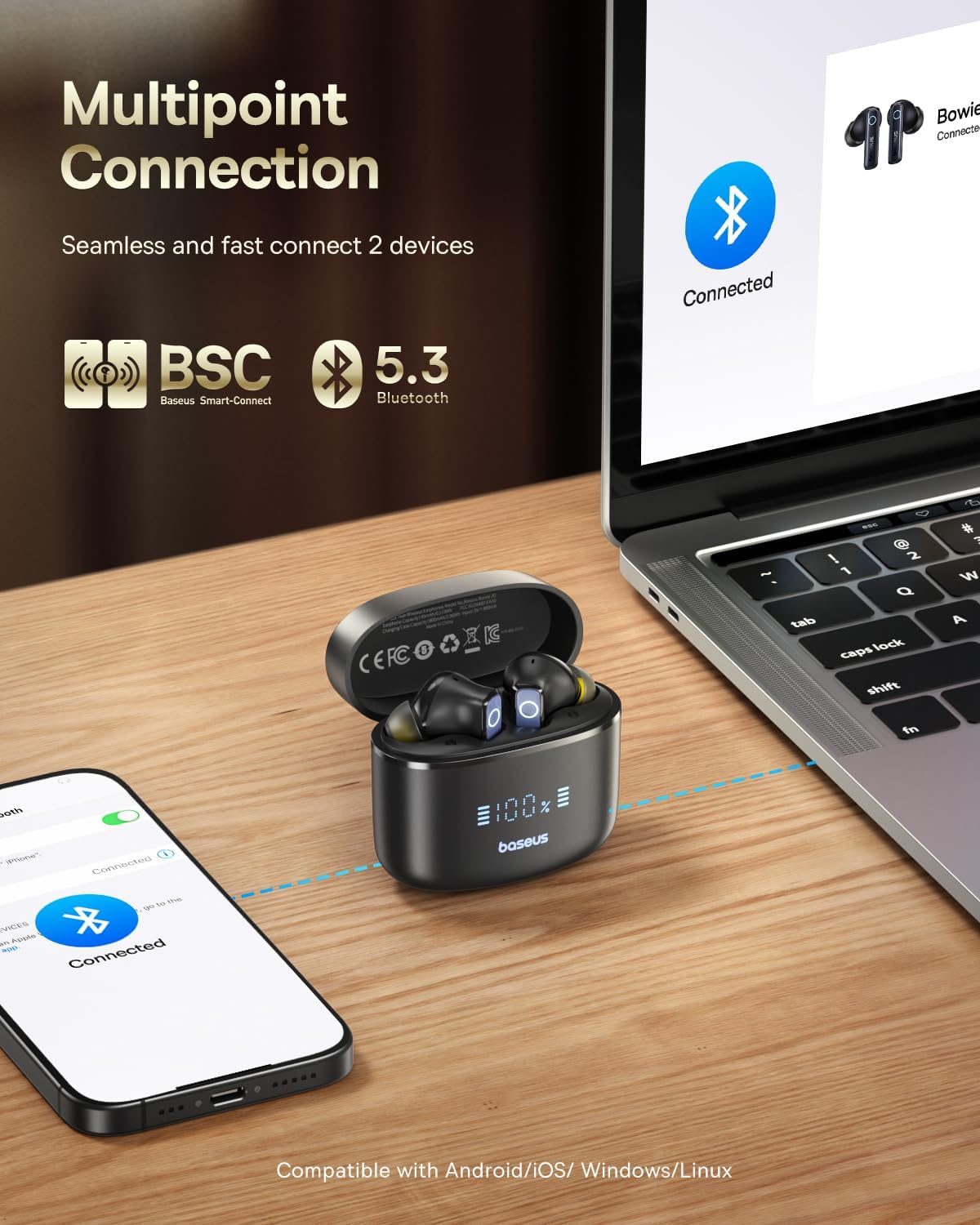
Figure 3.4: Multipoint Connection Feature
4. Operating Instructions
4.1 Touch Controls
The earbuds feature intuitive touch controls on the stem of each earbud. The Baseus App allows for customization of these gestures.
Video 4.1: How to Use Touch Controls on Baseus Bowie 30 Earbuds
| Action | Control |
|---|---|
| Play/Pause | Double-tap either earbud's touch area. |
| Volume Up | Swipe up the earphone touch area. |
| Volume Down | Swipe down the earphone touch area. |
| Activate Voice Assistant | Triple-tap the left or right earbud's touch area. |
| Answer/Hang Up Call | Double-tap the left or right earbud's touch area. |
| Reject Call | Press and hold the left or right earbud's touch area for 1.5 seconds. |
| Switch ANC/Transparency Mode | Long-press the touch area for 1.5 seconds. (Sequence: ANC OFF > ANC ON > Transparency Mode) |
4.2 Active Noise Cancellation (ANC) and Transparency Mode
The earbuds feature Hybrid ANC technology, reducing ambient noise by up to 98% (-50dB). Transparency Mode allows you to hear your surroundings without removing the earbuds, useful for announcements or conversations.

Figure 4.2: Hybrid Active Noise Cancellation in Use
Switch between modes by long-pressing the touch area for 1.5 seconds. The sequence is typically ANC OFF, ANC ON, and Transparency Mode.
4.3 Crystal Clear Calls
Equipped with 6 microphones and Environmental Noise Cancellation (ENC) technology, the earbuds reduce background noise by up to 98%, ensuring your voice is picked up clearly during calls or video chats.

Figure 4.3: 6-Mics ENC for Clear Calls
4.4 Baseus App Customization
Download the Baseus App from your device's app store to unlock full customization options for your Bowie 30 earbuds. The app allows you to:
- Adjust Ambient Sound settings (ANC on/off, noise reduction depth).
- Select from default EQ modes or create custom equalizer settings.
- Customize Gesture Settings for touch controls.
- Enable/disable Bass Boost.
- Activate Low Latency Mode for improved audio-video synchronization (ideal for gaming).
- Use 'Find My Earbuds' feature to locate a lost earbud.
Video 4.4: Baseus Bowie 30 Features Overview (includes app functionality)
5. Maintenance
5.1 Cleaning
Regularly clean your earbuds and charging case to maintain optimal performance and hygiene. Use a soft, dry, lint-free cloth. For ear tips, remove them and clean with mild soap and water, then dry thoroughly before reattaching.
5.2 Storage
When not in use, always store the earbuds in their charging case to protect them from dust, damage, and to keep them charged.
5.3 Water Resistance
The earbuds are IPX4 rated, meaning they are resistant to splashes of water and sweat. They are not designed for submersion in water. Avoid exposing them to heavy rain or showering.

Figure 5.1: IPX4 Water Resistance
6. Troubleshooting
If you encounter issues with your Baseus Bowie 30 earbuds, try the following solutions:
- No Sound/Connection Issues: Ensure Bluetooth is enabled on your device and the earbuds are selected. Check if the earbuds are charged. Try re-pairing the earbuds.
- Earbuds Not Charging: Ensure the charging cable is securely connected to both the case and the power source. Check the charging contacts on the earbuds and inside the case for any debris.
- ANC Not Working Effectively: Ensure ear tips provide a good seal. Check ANC settings in the Baseus App.
- Poor Call Quality: Ensure microphones are not obstructed. Check for excessive background noise.
- Earbuds Not Responding to Touch: Ensure your fingers are clean and dry. Try restarting the earbuds by placing them in the case and closing it for a few seconds.
7. Specifications
| Feature | Specification |
|---|---|
| Model Name | Baseus Bowie 30 |
| Noise Control | Hybrid Noise Cancellation (-50dB) |
| Microphones | 6 Mics (ENC for calls) |
| Audio Driver Size | 10mm Dynamic Driver |
| Frequency Response | 20 Hz - 20,000 Hz |
| Bluetooth Version | 5.3 |
| Battery Life (Earbuds) | Up to 8 hours (single charge) |
| Total Playtime (with Case) | Up to 65 hours |
| Charging Time (Case) | 1.5 hours |
| Water Resistance | IPX4 (Sweatproof and Water Resistant) |
| Control Type | App Control & Touch Control |
| Item Weight | 0.17 Ounces (each earbud) |
8. Warranty and Support
Baseus products typically come with a standard manufacturer's warranty. Please refer to the warranty card included in your package or visit the official Baseus website for detailed warranty terms and conditions.
For technical support, product inquiries, or warranty claims, please contact Baseus customer service through their official website or the contact information provided in your product packaging. Ensure you have your product model and purchase details ready when contacting support.


