
POPETPOP C10PO2Q1B1VWL144H51MUKPZ
POPETPOP LED Aquarium Light Clip-on Fish Tank Lamp User Manual
Model: C10PO2Q1B1VWL144H51MUKPZ
Introduction
Thank you for choosing the POPETPOP LED Aquarium Light. This manual provides essential information for the safe and effective use of your new aquarium lamp. Please read these instructions carefully before installation and operation, and retain them for future reference.

Image: The POPETPOP LED Aquarium Light, featuring a flexible gooseneck, a circular LED head, an inline power switch, and a USB power cable with a clip for attachment.
Safety Information
- Ensure the power source is compatible with the device's USB input (3W).
- Do not immerse the light head or USB connector in water. This product is not submersible.
- Keep out of reach of children.
- Disconnect power before performing any maintenance or cleaning.
- Do not attempt to disassemble or repair the unit yourself. Contact qualified personnel for service.
- Ensure the clip is securely attached to the aquarium wall to prevent accidental detachment.
Package Contents
Verify that all items are present in the package:
- 1 x POPETPOP LED Aquarium Lamp

Image: A detailed view of the light's components, showing the LED array, the USB plug, and the inline power switch.
Product Features
- Durable Construction: Made of plastic material, designed for wear resistance and safety in an aquatic environment.
- Flexible Neck: Allows for easy adjustment of light angle and position.
- Secure Clip: Designed for stable attachment to aquarium walls with a thickness between 2-5mm (0.08-0.2 inches).
- Colorful LED Light: Provides illumination that enhances fish colors and supports aquatic plant growth through comprehensive photosynthesis.
- Compact Design: Small and lightweight, minimizing space usage.

Image: Close-up views highlighting the safety of the materials and the practical design of the inline switch and LED light panel.
Setup Instructions
- Unpack the Light: Carefully remove the LED aquarium light from its packaging.
- Identify Mounting Location: Choose a suitable location on the edge of your aquarium where the light can be securely clipped. Ensure the aquarium wall thickness is between 2-5mm.
- Attach the Clip: Align the light's clip with the aquarium wall and press down firmly to secure it in place. Ensure it is stable and does not wobble.
- Position the Light: Adjust the flexible neck to direct the light over your desired area of the aquarium.
- Connect Power: Plug the USB connector into a compatible USB power adapter (not included) or a USB port on another device.
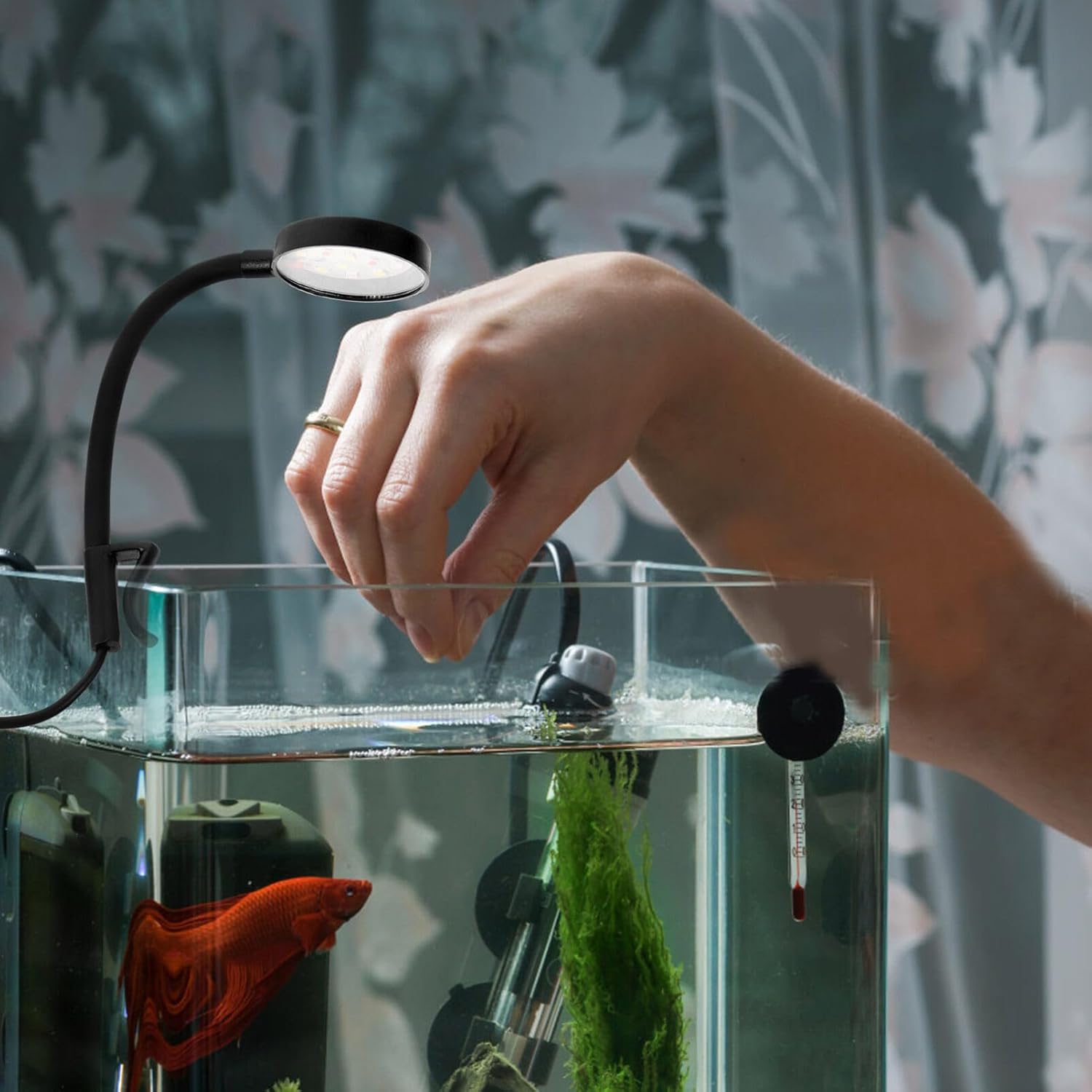
Image: The LED aquarium light securely clipped to the edge of a fish tank, demonstrating proper installation and illumination.
Operating Instructions
- Power On: Once the USB cable is connected to a power source, press the inline switch located on the cable to turn the light on.
- Adjust Position: If needed, gently adjust the flexible neck to fine-tune the light's direction.
- Power Off: Press the inline switch again to turn the light off.
Maintenance
- Cleaning: Disconnect the power before cleaning. Use a soft, dry cloth to wipe the light head and flexible neck. Do not use abrasive cleaners or immerse any part of the light in water.
- Regular Inspection: Periodically check the USB cable for any signs of damage or wear. Ensure the clip remains securely attached to the aquarium.
- Storage: If storing the light for an extended period, ensure it is clean and dry. Store in a cool, dry place away from direct sunlight.
Troubleshooting
| Problem | Possible Cause | Solution |
|---|---|---|
| Light does not turn on. | No power supply, loose USB connection, faulty switch. |
|
| Light flickers. | Unstable power supply, loose connection. |
|
| Light falls off the aquarium. | Improper clip attachment, aquarium wall too thick/thin. |
|
Specifications
| Feature | Detail |
|---|---|
| Model Number | C10PO2Q1B1VWL144H51MUKPZ |
| Brand | POPETPOP |
| Power | 3W |
| Light Type | Colorful LED Light |
| Cable Length | 1 meter (39.37 inches) |
| Material | Plastic |
| Product Dimensions | 18.00cm L x 4.00cm W x 2.00cm H (7.09"L x 1.57"W x 0.79"H) |
| Suitable Aquarium Thickness | 2-5mm (0.08-0.2 inches) |
| Item Weight | 1.76 ounces (0.11 Pounds) |

Image: A diagram illustrating the dimensions of the light, showing a length of 18cm (7.07in) and a head width of 4cm (1.57in).
Warranty and Support
For warranty information or technical support, please refer to the retailer's policy or contact POPETPOP customer service through their official channels. Keep your purchase receipt as proof of purchase.
For further assistance, you may visit the POPETPOP Store on Amazon.
Ask a question about this manual
Ask about setup, troubleshooting, compatibility, parts, safety, or missing instructions. Manuals+ will review the question and use this page’s manual context to help answer it.