
1. Introduction
Thank you for purchasing the BRUNO Slim 2-Way Cordless Stick Cleaner BOE124-IV. This lightweight and versatile vacuum cleaner is designed for easy and efficient cleaning in various environments. It features a 2-way design, allowing it to be used as a stick cleaner for floors or a handheld cleaner for smaller areas, and is conveniently charged via Type-C USB.

Image 1.1: The BRUNO Slim 2-Way Cordless Stick Cleaner in its full stick configuration.
2. Package Contents
Before use, please ensure all items are present in the package:
- Main Unit
- Floor Head Set
- Mini Head
- Crevice Nozzle
- Filter Cover
- HEPA Filter (pre-installed)
- Dust Cup
- USB Type-C Charging Cable
- Storage Bag

Image 2.1: All included components and the product packaging.
3. Setup
3.1 Assembly
- Attach the desired cleaning head (Floor Head, Mini Head, or Crevice Nozzle) to the main unit. For stick cleaner use, connect the extension pipe before attaching the floor head.
- Ensure all connections are secure before operation.
3.2 Initial Charging
Before first use, fully charge the vacuum cleaner.
- Connect the provided USB Type-C charging cable to the charging port on the main unit.
- Connect the other end of the USB cable to a 5V2A USB power adapter (not included).
- The charging indicator light will show the charging status. A full charge takes approximately 4 hours.
- When charging is complete, the indicator light will turn blue.

Image 3.1: Battery indicator lights: Red (below 50%), White (above 50%), Blue (fully charged).
4. Operating Instructions
4.1 Power On/Off and Mode Selection
- To turn on the vacuum in Weak Mode, press and hold the power button for 1 second.
- To switch to Strong Mode, press the power button again briefly.
- To turn off the vacuum, press the power button once more.

Image 4.1: The vacuum cleaner effectively picking up debris with its powerful suction (Max 12,000pa in Strong Mode, fully charged).
4.2 2-Way Functionality
The BRUNO Slim 2-Way Cordless Stick Cleaner can be used in two configurations:
- Stick Type: For cleaning floors and larger surfaces. Attach the extension pipe and floor head.
- Handheld Type: For cleaning furniture, car interiors, stairs, and hard-to-reach areas. Use the main unit with the mini head or crevice nozzle directly.
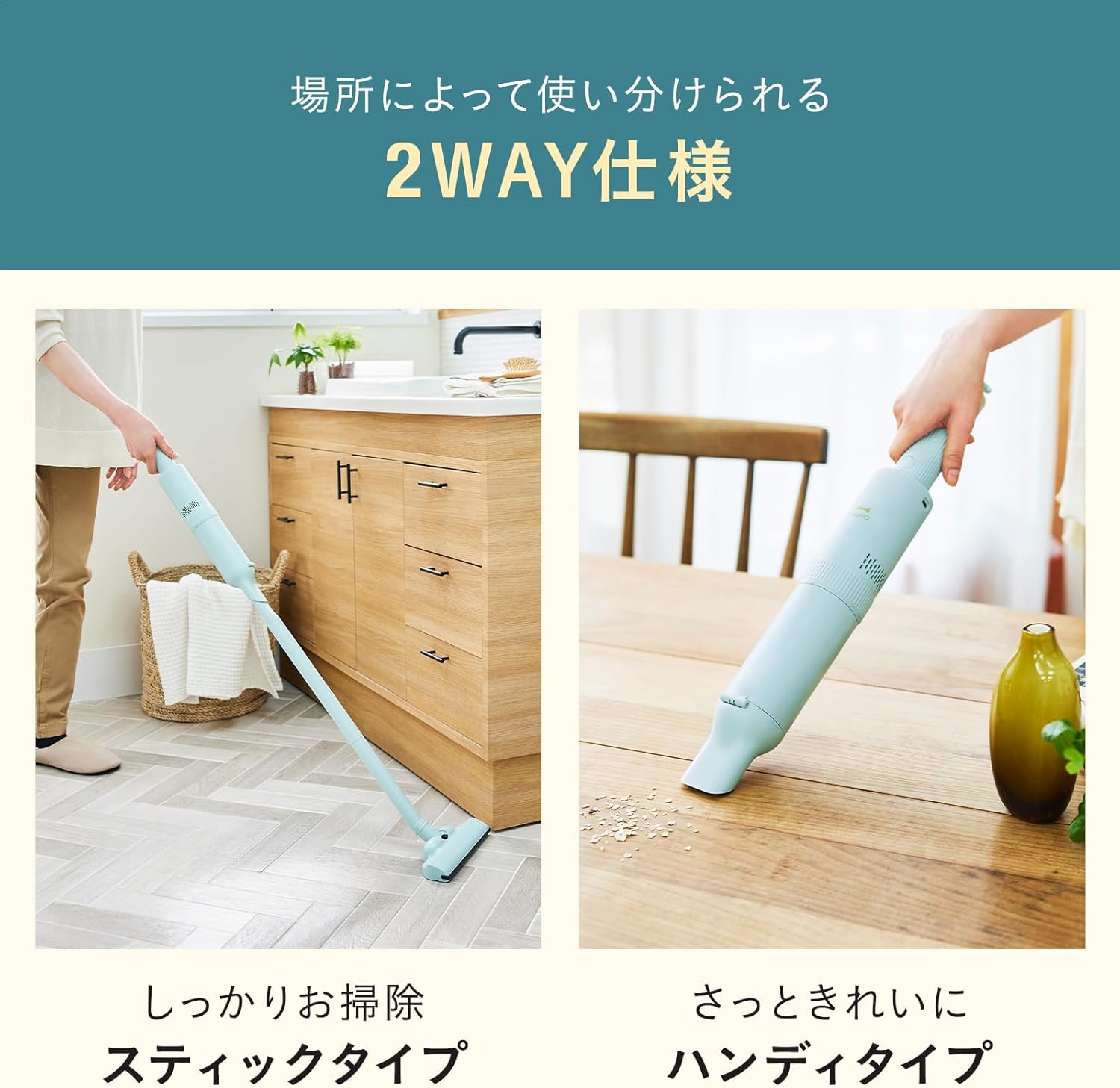
Image 4.2: The vacuum cleaner used as a stick type for floor cleaning and as a handheld type for quick clean-ups.
4.3 Continuous Use Time
The approximate continuous use times on a full charge are:
- Weak Mode: Approximately 24 minutes
- Strong Mode: Approximately 14 minutes

Image 4.3: The handheld vacuum cleaner being used to clean a sofa, highlighting its portability and ease of use.
4.4 Versatile Cleaning Applications
The various attachments allow for cleaning in diverse situations:
- Floor Head: Ideal for hard floors and low-pile carpets.
- Mini Head: Suitable for upholstery, pet hair on sofas, and car seats.
- Crevice Nozzle: Perfect for narrow gaps, window sills, and tight corners in cars or furniture.
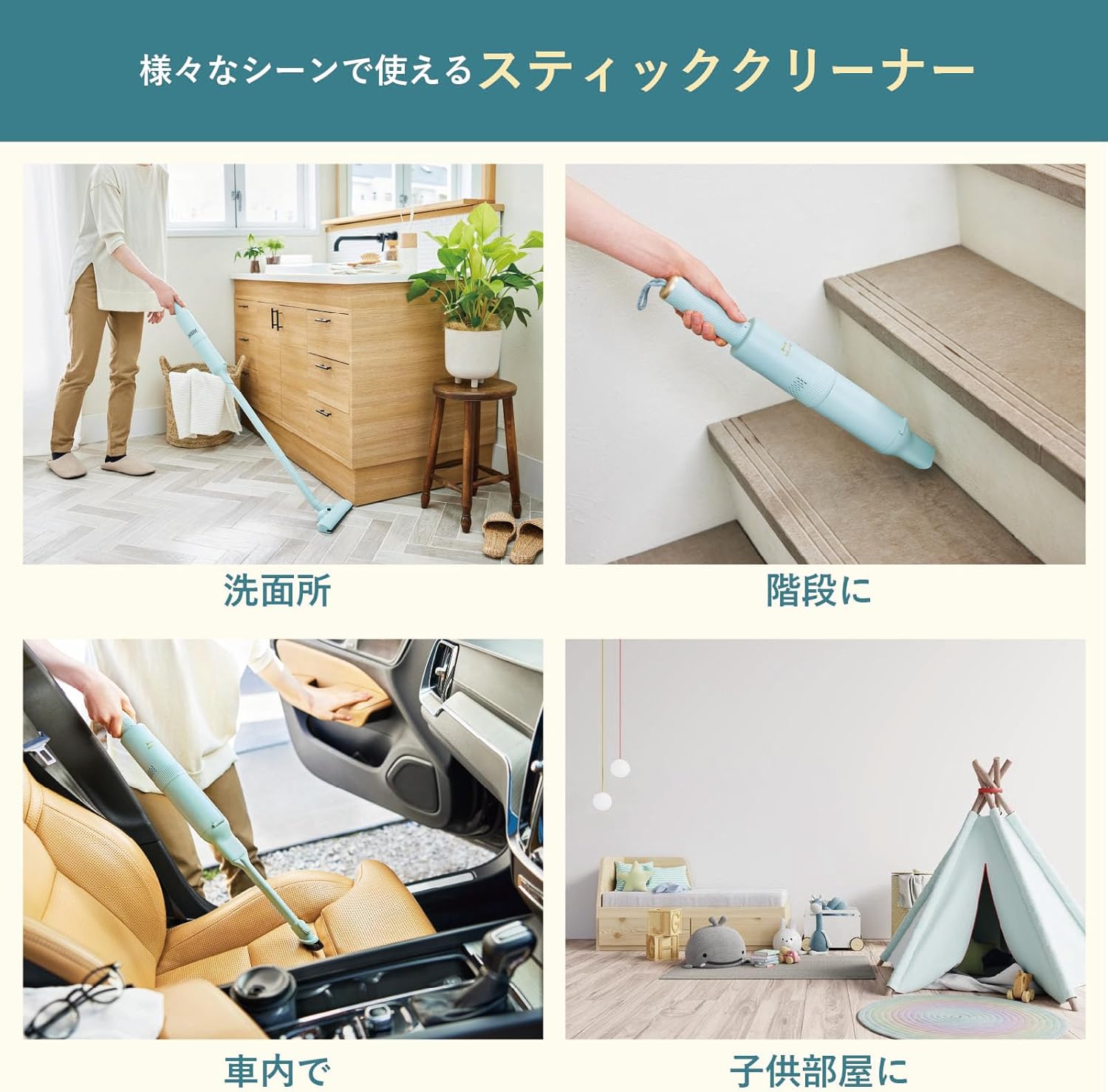
Image 4.4: Examples of the vacuum cleaner's versatility in different settings: washroom, stairs, car interior, and a child's room.
5. Maintenance
5.1 Emptying the Dust Cup
Empty the dust cup regularly to maintain optimal suction power. The dust cup capacity is 300ml.
- Ensure the vacuum cleaner is turned off.
- Press the dust cup release button and detach the dust cup from the main unit.
- Open the dust cup lid and dispose of the collected debris.
5.2 Cleaning the Filter and Dust Cup
The dust cup and filter are washable for hygienic maintenance.
- Remove the HEPA filter and filter cover from the dust cup.
- Rinse the dust cup, HEPA filter, and filter cover under running water until clean.
- Allow all parts to air dry completely before reassembling. Do not use the vacuum with wet filters.
- The HEPA filter captures over 99.5% of particles 0.3um or larger, ensuring clean exhaust air.
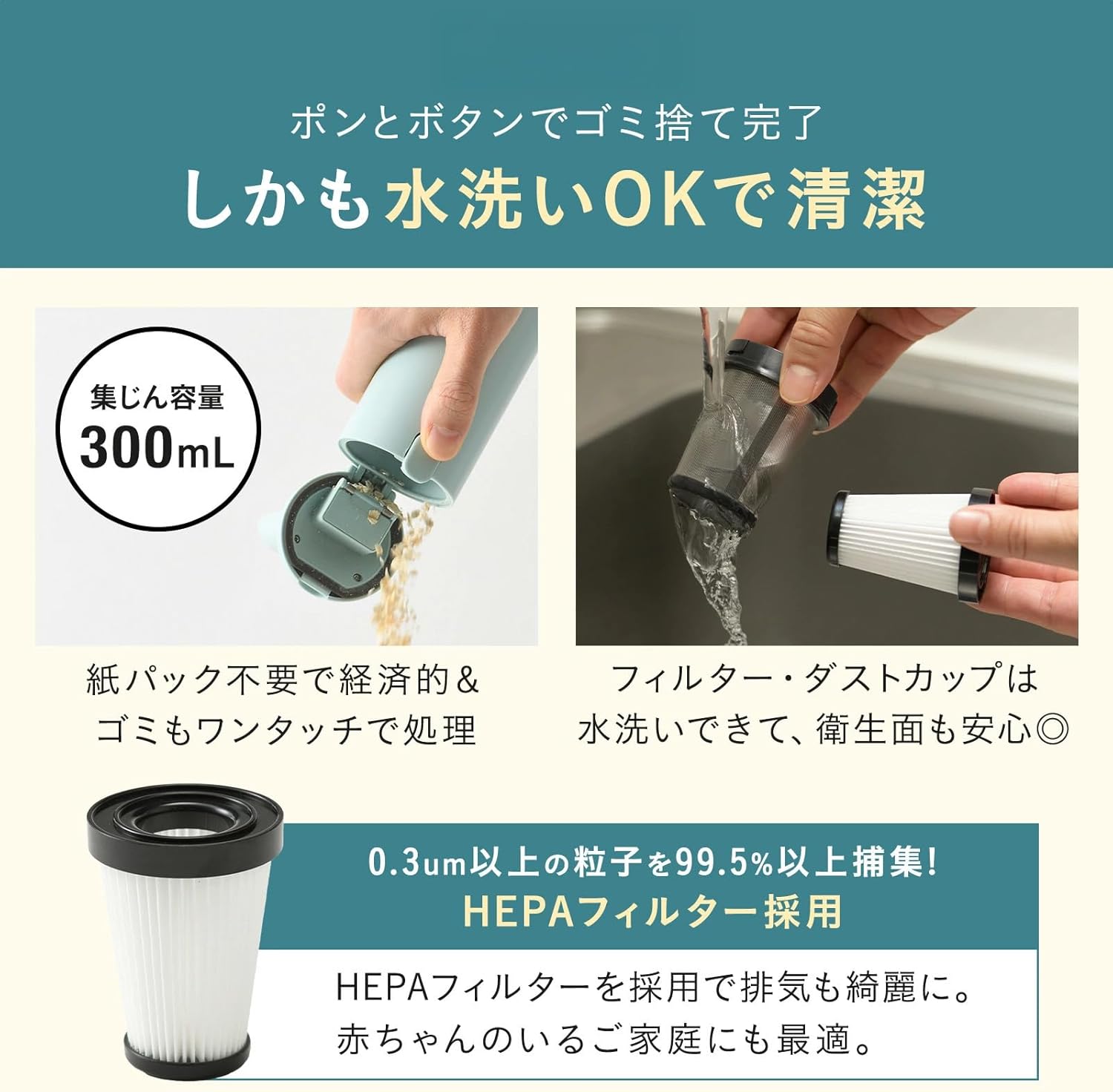
Image 5.1: Steps for emptying the dust cup and washing the filter and dust cup for cleanliness.
6. Troubleshooting
If you encounter issues with your BRUNO Slim 2-Way Cordless Stick Cleaner, please refer to the following common solutions:
- No Power: Ensure the battery is fully charged. Check the charging cable and adapter connection.
- Weak Suction: Empty the dust cup. Clean or replace the HEPA filter. Check for blockages in the nozzle or extension pipe.
- Unusual Noise: Turn off the unit and check for any foreign objects caught in the brush head or air pathways.
- Short Operating Time: The battery may not be fully charged, or its capacity may have decreased over time. Ensure a full 4-hour charge.
If the problem persists after attempting these solutions, please contact customer support.
7. Specifications
| Feature | Specification |
|---|---|
| Brand | BRUNO |
| Model Number | BOE124-IV |
| Origin | China |
| Dimensions (with floor head) | W220×H1025×D105mm |
| Weight (with floor head) | Approx. 840g (29.1 ounces) |
| Main Unit Dimensions | Approx. W63×H445×D63mm |
| Input | 5V2A (USB Charging) |
| Charging Time | Approx. 4 hours (using 5V2A power source) |
| Continuous Use (Weak Mode) | Approx. 24 minutes |
| Continuous Use (Strong Mode) | Approx. 14 minutes |
| Battery Type | Lithium Ion (Built-in) |
| Dust Cup Capacity | 300ml |
| Filter Type | HEPA Filter |
| Color | Ivory |
8. Warranty and Support
This product comes with a standard manufacturer's warranty. Please refer to the warranty card included in your package for specific terms and conditions, including warranty period and coverage details.
For technical support, troubleshooting assistance, or to inquire about replacement parts, please contact BRUNO customer service. Contact information can typically be found on the BRUNO official website or on the product packaging.
