
Introduction
Thank you for choosing the IRIS USA WOOZOO Air Circulator Fan. This manual provides important information for the safe and efficient operation of your new fan. Designed to maximize airflow and cooling, this compact yet powerful fan features 360° oscillation, multiple speeds, and a convenient timer function to enhance comfort in any room.

Figure 1: IRIS USA WOOZOO Air Circulator Fan and Remote
Important Safety Information
Please read all instructions carefully before using this appliance. Failure to follow these instructions may result in electric shock, fire, or serious injury.
- Always unplug the fan before cleaning or performing any maintenance.
- Do not operate the fan with a damaged cord or plug. If the cord or plug is damaged, contact qualified service personnel for repair.
- Do not place the fan in or near water or other liquids.
- Keep fingers and other objects away from the fan blades and openings during operation.
- Ensure the fan is placed on a stable, flat surface to prevent tipping.
- This appliance is for indoor use only.
Package Contents
Verify that all items are included in the package:
- IRIS USA WOOZOO Air Circulator Fan Unit
- Remote Control
- User Manual (this document)
Setup
The IRIS USA WOOZOO Air Circulator Fan is designed for easy setup. It can be used as a tabletop fan or with an extended stand for higher placement.
Assembling the Fan
- Unpack all components from the box.
- Place the fan base on a stable, flat surface.
- If using the extended stand, securely attach it between the fan head and the base. Ensure it clicks into place or is firmly screwed in, depending on the model's design.
- Plug the power cord into a standard 120V AC outlet.
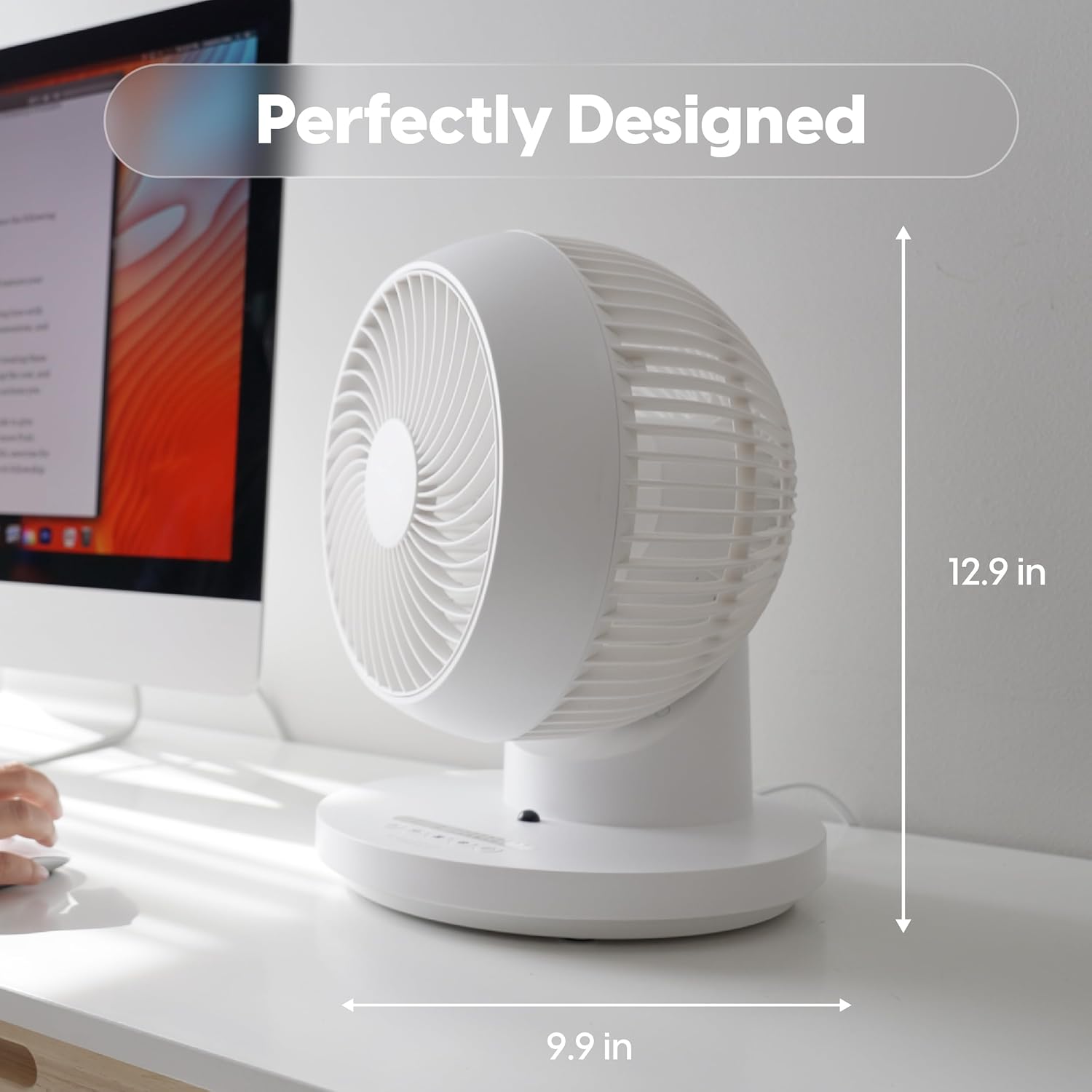
Figure 2: Fan dimensions for optimal placement (approx. 12.9 inches high, 9.9 inches wide).
Operating Instructions
Your WOOZOO fan can be controlled using the buttons on the unit's base or the included remote control.
Controls Overview

Figure 3: Remote Control Functions: Power, 360° Oscillation, Speed Settings, Timer Settings, 3 Mode Settings.
- Power Button: Turns the fan On/Off.
- Oscillation Button (360°): Activates or deactivates the 360-degree oscillation feature, allowing air to circulate throughout the entire room.
- Speed Settings (+/-): Adjusts the fan speed. The fan offers 5 power levels for precise airflow control.
- Timer Button: Sets the automatic shut-off timer for 1 to 7 hours.
- Mode Button: Cycles through the three available airflow modes:
- Manual: Provides a continuous, steady airflow at the selected speed.
- Rhythm: Alternates between low and high power to simulate a natural breeze.
- Sleep: Gradually decreases the airflow over a two-hour period before turning off, designed for quiet night-time operation.

Figure 4: Detailed explanation of the three airflow modes.
Air Circulation Benefits
The 360° oscillation and powerful airflow (up to 52 feet) ensure efficient air circulation, helping to equalize room temperature by distributing both cool and warm air. This can lead to improved comfort and potential energy savings.
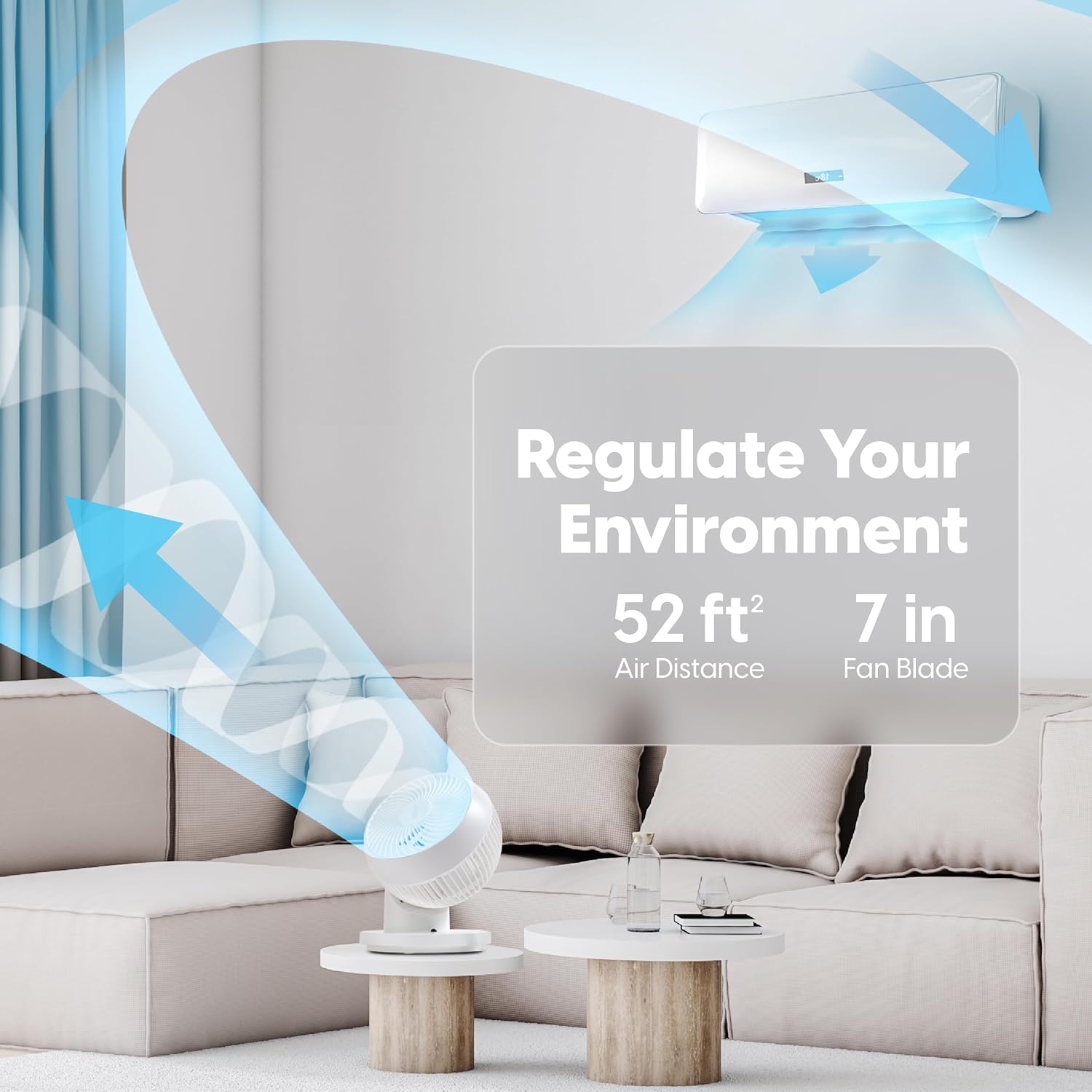
Figure 5: The fan's ability to regulate environment with 52ft air distance.
Official Product Video
Video 1: Official overview of the IRIS USA WOOZOO 360 Oscillating Fan with Remote, demonstrating its features and benefits.
Maintenance
Regular cleaning will help maintain the fan's performance and extend its lifespan.
- Cleaning the Exterior: Wipe the exterior surfaces with a soft, damp cloth. Do not use abrasive cleaners or solvents.
- Cleaning the Blades: For thorough cleaning, the front grille may be removable (refer to specific model instructions if applicable). Use a soft brush or vacuum cleaner to remove dust from the fan blades.
- Ensure the fan is completely dry before plugging it back in and operating.
Troubleshooting
If you experience issues with your WOOZOO fan, try the following solutions:
| Problem | Possible Cause | Solution |
|---|---|---|
| Fan does not turn on. | Not plugged in; power outlet not working; fuse blown in plug. | Ensure the power cord is securely plugged into a working outlet. Check the fuse in the plug and replace if necessary. |
| Weak or no airflow. | Fan speed set too low; fan blades are dirty. | Increase the fan speed. Clean the fan blades and grille as described in the Maintenance section. |
| Fan is making unusual noise. | Obstruction in fan blades; fan not on a stable surface. | Turn off and unplug the fan, then check for any obstructions. Ensure the fan is placed on a stable, level surface. |
| Remote control not working. | Batteries are dead or incorrectly inserted. | Replace the batteries in the remote control. Ensure batteries are inserted with correct polarity. |
Specifications
| Feature | Detail |
|---|---|
| Brand | IRIS |
| Model Name | PCF-360AC |
| Color | White |
| Electric Fan Design | Table Fan |
| Power Source | Corded Electric |
| Product Dimensions | 10"D x 9.92"W x 12.99"H |
| Special Feature | Remote Controlled, Oscillating |
| Noise Level | 26.5 dB |
| Number of Blades | 3 |
| Air Flow Capacity | 1409 Cubic Feet Per Minute |
| Speed Settings | 5 Power Levels |
| Voltage | 120 Volts |
| Item Weight | 4.17 Pounds |
| Included Components | Remote |
| Indoor/Outdoor Usage | Indoor |
| Control Method | Remote |
| Blade Material | Plastic |
| Country of Origin | China |
Warranty & Support
IRIS USA stands behind the quality of its products. For warranty information, technical support, or to inquire about replacement parts, please visit the official IRIS USA website or contact their customer service department. Keep your purchase receipt as proof of purchase for any warranty claims.
For more information, visit: IRIS USA Official Store


