
Soundcore A3134
Contents
Soundcore Boom 2 Plus Outdoor Speaker User Manual
Model: A3134 | Brand: Soundcore
Introduction
Thank you for choosing the Soundcore Boom 2 Plus Outdoor Speaker. This manual provides essential information for setting up, operating, and maintaining your speaker to ensure optimal performance and longevity. The Soundcore Boom 2 Plus is designed for powerful audio experiences outdoors, featuring 140W max booming bass, 2+2 stereo clarity, IPX7 waterproofing, and a built-in power bank.
What's in the Box
- Soundcore Boom 2 Plus Speaker
- USB-C to C Cable
- Safety Sheet
- Detachable Strap

Image: The Soundcore Boom 2 Plus speaker, showcasing its design and included accessories like the detachable strap and USB-C cable.
Setup
Charging Your Speaker
Before first use, fully charge your Soundcore Boom 2 Plus. Connect the provided USB-C to C cable to the speaker's charging port and a compatible 30W charger (not included). A full charge takes approximately 3 hours. The battery indicator lights will show charging progress.

Image: The Soundcore Boom 2 Plus speaker connected to a power source via its USB-C port for charging.
Powering On/Off
Press and hold the power button for 2 seconds to turn the speaker on or off.
Bluetooth Pairing
- Turn on the Soundcore Boom 2 Plus. It will automatically enter Bluetooth pairing mode, indicated by a flashing blue light.
- On your device (smartphone, tablet, etc.), enable Bluetooth and search for "Soundcore Boom 2 Plus" in the list of available devices.
- Select the speaker to connect. Once connected, the Bluetooth indicator light will turn solid blue.
Operating Instructions
Audio Playback
Control playback directly from your connected Bluetooth device or use the buttons on the speaker for volume adjustment, play/pause, and track skipping.
BassUp 2.0 Technology
The Soundcore Boom 2 Plus features BassUp 2.0 technology, boosting output from 100W to a staggering 140W max for deeper bass and 40Hz ultra-deep beats. This enhances basslines and drums for a more impactful audio experience.

Image: The Soundcore Boom 2 Plus delivering powerful bass, illustrated by people enjoying music outdoors.
Beat-Synced Colorful Light Show
Enhance your listening experience with the dynamic, beat-synced RGB lights. These lights are very bright and can be customized via the Soundcore app to match your mood or music. Choose from 8 unique light effects and customizable colors.
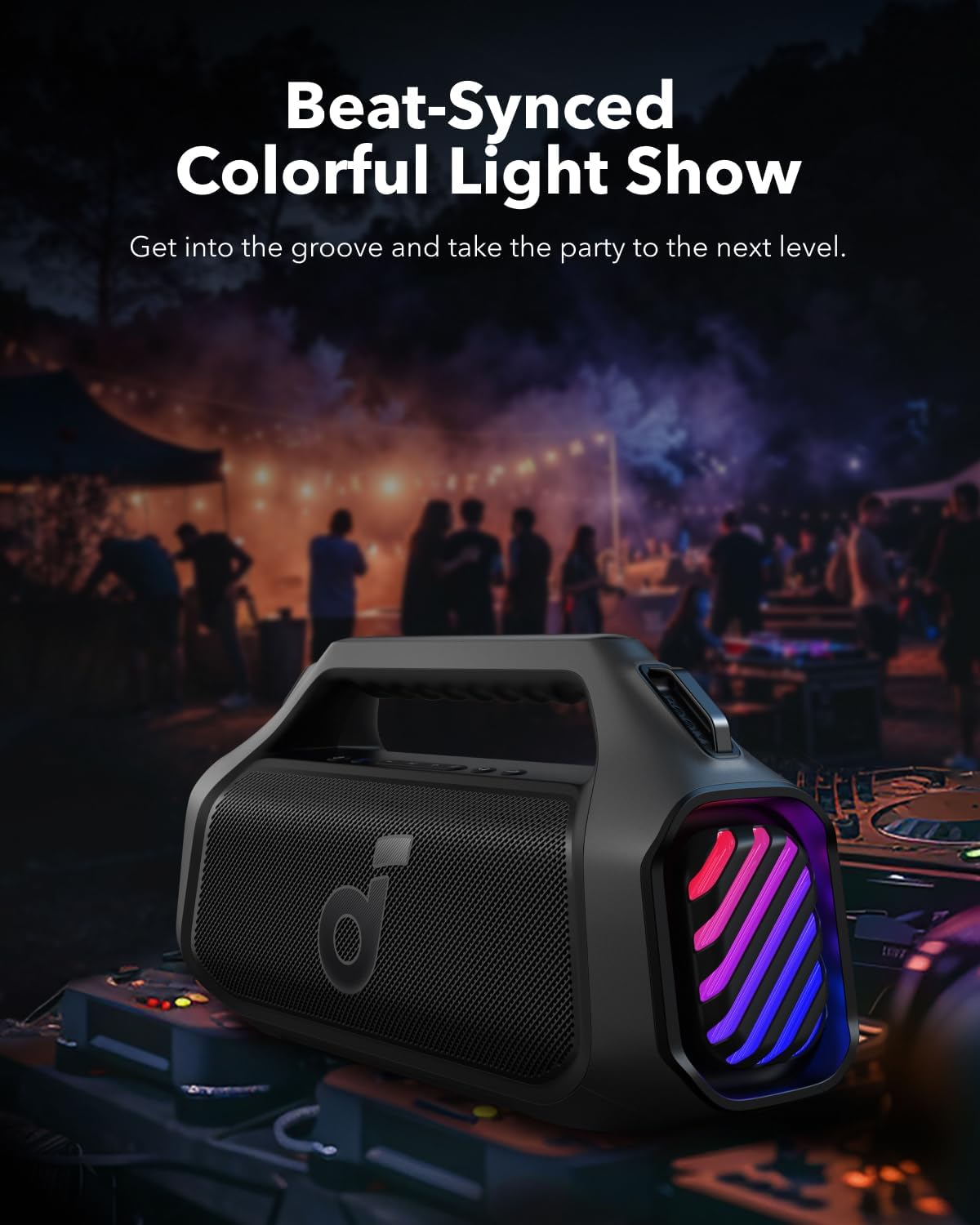
Image: The Soundcore Boom 2 Plus speaker displaying its vibrant, beat-synced light show in a party setting.
Soundcore App & Custom EQ
Download the Soundcore app to unlock the full potential of your speaker. The app allows you to customize the pro EQ settings, adjust light effects, and access other features for a personalized audio experience.

Image: A smartphone screen displaying the Soundcore app's custom equalizer interface, allowing users to fine-tune their audio.
PartyCast 2.0
Connect up to 100+ Soundcore speakers with PartyCast 2.0 for a synchronized audio experience across multiple devices, perfect for larger gatherings.

Image: Several Soundcore speakers wirelessly linked together, demonstrating the PartyCast 2.0 feature for expanded sound.
TWS Pairing (True Wireless Stereo)
For an expanded stereo sound experience, you can pair two Soundcore Boom 2 Plus speakers together via TWS. Refer to the Soundcore app or the quick start guide for detailed instructions on TWS pairing.

Image: Two Soundcore Boom 2 Plus speakers positioned to create a stereo sound field, with a couple enjoying music outdoors.
Built-in Power Bank
The speaker features a built-in power bank with a USB-C port that supports both input and output. You can use this to charge your phone or other essential devices on the go, providing a 10W charge.

Image: The Soundcore Boom 2 Plus speaker being used to charge a smartphone, highlighting its power bank functionality.
Auxiliary Input
The speaker includes an auxiliary input (3.5mm audio jack) for connecting devices that do not support Bluetooth. Simply connect your device using a 3.5mm audio cable (not included).
Waterproofing and Durability
The Soundcore Boom 2 Plus boasts an IPX7 waterproof rating, meaning it can be submerged in up to 1 meter of water for 30 minutes. It is also floatable, making it ideal for use at the beach, by the pool, or in rainy conditions. Ensure the rubber cover on the back of the speaker is securely sealed before exposure to water.

Image: The Soundcore Boom 2 Plus speaker floating in water, demonstrating its IPX7 waterproof and floatable design.
Maintenance
- Clean the speaker with a soft, damp cloth. Do not use abrasive cleaners or solvents.
- Ensure the charging port cover is closed when not in use to maintain waterproofing.
- Store the speaker in a cool, dry place away from extreme temperatures.
- Avoid dropping or subjecting the speaker to strong impacts.
Troubleshooting
| Problem | Solution |
|---|---|
| Speaker does not power on. | Ensure the battery is charged. Connect to a power source and try again. |
| Cannot pair with Bluetooth device. |
|
| No sound or distorted sound. |
|
| Lights are not working. | Check the Soundcore app for light settings and ensure they are enabled. |
Specifications
| Feature | Detail |
|---|---|
| Model Name | A3134 |
| Speaker Type | Outdoor |
| Speaker Maximum Output Power | 140 Watts |
| Audio Output Mode | Stereo |
| Connectivity Technology | Bluetooth 5.3 |
| Wireless Communication Range | Up to 100 Meters (328 feet) |
| Battery Life | 20 Hours (Playtime may vary based on volume level and playback content) |
| Charging Time | 3 Hours (with 30W charger) |
| Waterproof Rating | IPX7 |
| Product Dimensions | 17.4"D x 5.94"W x 8.98"H |
| Item Weight | 8.38 Pounds |
| Power Source | Battery Powered (1 D battery included) |
| Included Components | USB-C to C Cable, Detachable Strap, Soundcore Boom 2 Plus, Safety Sheet |

Image: Visual representation of the Soundcore Boom 2 Plus dimensions, including depth, width, and height, for reference.
Warranty and Support
The Soundcore Boom 2 Plus comes with a Limited Warranty. For detailed warranty information, product support, or to download the full user guide, please visit the official Soundcore website or refer to the Safety Sheet included in your package.
You can also access the User Manual (PDF) here.
Documents and downloads
Ask a question about this manual
Ask about setup, troubleshooting, compatibility, parts, safety, or missing instructions. Manuals+ will review the question and use this page’s manual context to help answer it.