
Important Safety Instructions
Please read all instructions carefully before using this appliance and retain them for future reference. Failure to follow these instructions may result in electric shock, fire, or serious injury.
- Ensure the voltage indicated on the rating label matches your mains supply voltage.
- Do not operate the fan with a damaged cord or plug. If the cord is damaged, it must be replaced by the manufacturer, its service agent, or similarly qualified persons to avoid a hazard.
- Unplug the fan from the power outlet when not in use, before cleaning, or before moving it.
- Do not insert fingers or any objects through the fan guards when the fan is operating.
- Keep the fan away from water or other liquids. Do not use it in damp environments like bathrooms.
- Place the fan on a stable, flat surface to prevent it from tipping over.
- Do not cover the fan or obstruct its airflow.
- This appliance is not intended for use by persons (including children) with reduced physical, sensory, or mental capabilities, or lack of experience and knowledge, unless they have been given supervision or instruction concerning use of the appliance by a person responsible for their safety.
- Children should be supervised to ensure that they do not play with the appliance.
- For indoor use only.
Product Overview
The Orbegozo SF 2140 is a versatile 2-in-1 fan designed for both pedestal and desk use. It features a 40 cm diameter, 60W motor, 3 speed settings, 3 operating modes (Normal, Nature, Sleep), oscillation, and a 15-hour timer, all controllable via a remote control or the integrated LED control panel.
Main Components
- Front Guard
- Fan Blades (5 blades)
- Rear Guard
- Motor Housing
- Control Panel with LED indicators
- Adjustable Stand Pole
- Base
- Remote Control
- Carrying Handle
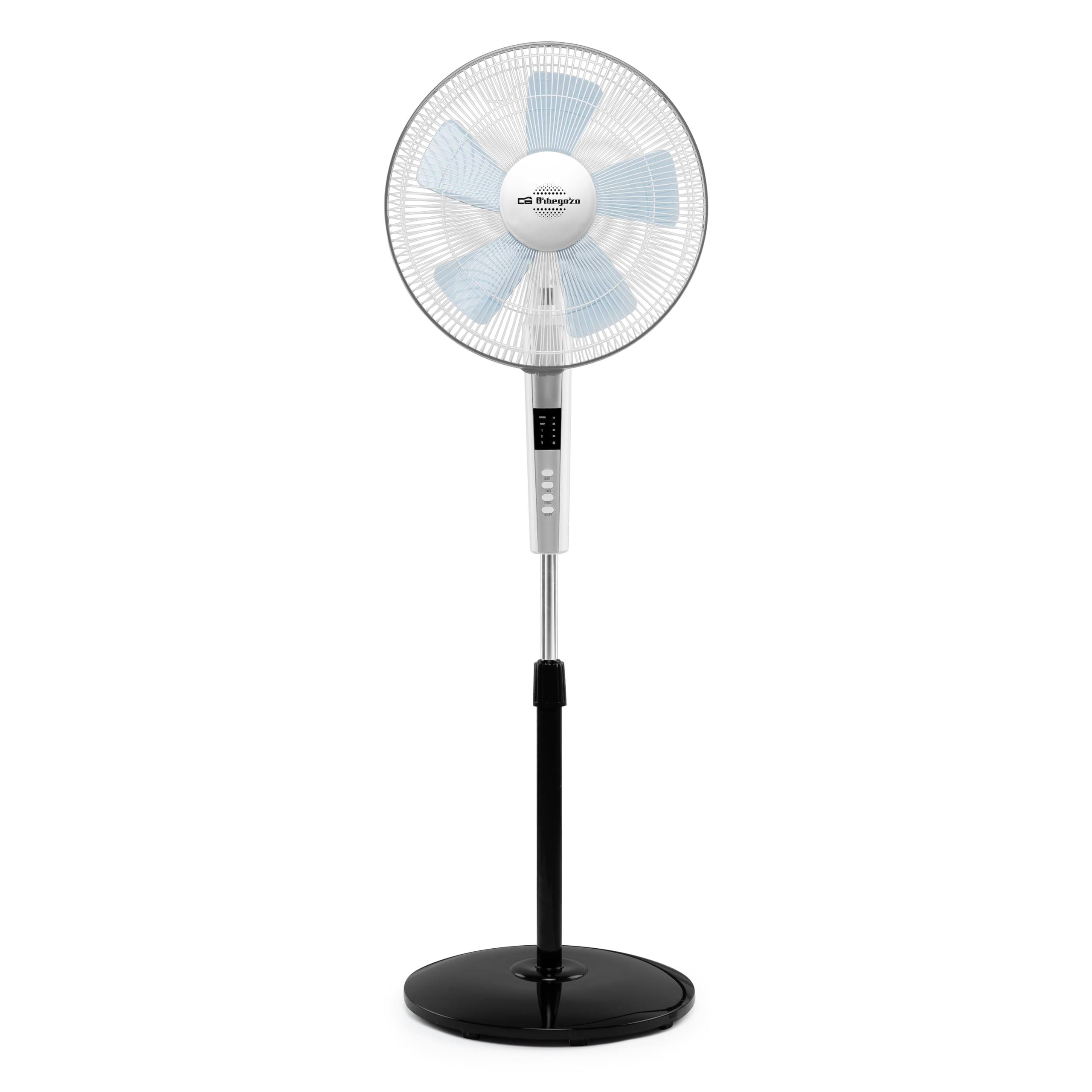
Figure 1: Front view of the Orbegozo SF 2140 fan in pedestal configuration, showing the fan head, control panel, and base.

Figure 2: Side view of the Orbegozo SF 2140 fan, illustrating the adjustable height pole and the fan head's tilt capability.

Figure 3: Close-up of the fan's motor housing and rear guard, showing the oscillation knob.

Figure 4: The remote control for the Orbegozo SF 2140 fan, featuring ON/OFF, Speed, Silent, and Timer buttons.
Assembly Instructions
The Orbegozo SF 2140 fan can be assembled as a pedestal fan or a desk fan. Follow these steps for initial assembly.
General Assembly Steps:
- Base Assembly: Attach the stand pole to the round base. Secure it firmly using the provided screw and washer from underneath the base.
- Adjustable Pole: Insert the adjustable upper pole into the lower stand pole. Adjust to desired height and secure with the height adjustment knob.
- Motor Housing Attachment: Mount the motor housing onto the top of the adjustable pole. Ensure it is securely fastened.
- Rear Guard Installation: Place the rear guard onto the motor housing, aligning the notches. Secure it with the plastic nut provided.
- Blade Installation: Slide the fan blades onto the motor shaft. Ensure the blades are correctly oriented and secured with the blade cap.
- Front Guard Installation: Attach the front guard to the rear guard, ensuring all clips are securely fastened around the rim. Use the small screw at the bottom to fully secure the guards together.
Note: For desk fan configuration, use only the motor housing and a shorter pole (if provided) or directly attach the motor housing to a smaller base (if applicable, check packaging for specific desk fan components). The SF 2140 is designed as a 2-in-1, implying the pole can be shortened or detached for desk use.
Operating Instructions
The Orbegozo SF 2140 fan can be operated using the control panel on the unit or the included remote control.
Control Panel Functions:
- ON/OFF Button: Press to turn the fan on or off.
- SPEED Button: Press repeatedly to cycle through the 3 fan speeds (Low, Medium, High). The current speed will be indicated by LED lights.
- MODE Button: Press to select between Normal, Nature, and Sleep modes.
- Normal Mode: Constant airflow at the selected speed.
- Nature Mode: Simulates natural breeze by varying fan speed.
- Sleep Mode: Gradually decreases fan speed over time for quiet operation during sleep.
- TIMER Button: Press to set the operating timer. Each press increases the timer by 1 hour, up to a maximum of 15 hours. The fan will automatically turn off when the set time expires.
- OSC (Oscillation) Button: Press to activate or deactivate the oscillating function, which sweeps the fan head from side to side.
Remote Control Functions:
The remote control duplicates most functions of the control panel for convenience. Ensure batteries are correctly inserted (not included).
- ON/OFF: Powers the fan on or off.
- SPEED: Adjusts fan speed.
- SILENT (Mode): Cycles through Normal, Nature, and Sleep modes.
- TIMER: Sets the automatic shut-off timer.
- Note: The remote control shown in Figure 4 has a "Silent" button which likely corresponds to the "Mode" function on the main unit, or activates a specific quiet mode. Refer to the main unit's LED indicators for confirmation of active mode.
Maintenance and Cleaning
Regular cleaning will help maintain the fan's performance and extend its lifespan. Always unplug the fan before cleaning.
- Exterior Cleaning: Wipe the exterior surfaces of the fan with a soft, damp cloth. Do not use abrasive cleaners or solvents.
- Guard and Blade Cleaning: To clean the fan blades and inside of the guards, carefully remove the front guard (and blades if necessary, following assembly steps in reverse). Wipe blades and guards with a damp cloth. Ensure all parts are completely dry before reassembling.
- Storage: When not in use for extended periods, store the fan in a cool, dry place, preferably in its original packaging, to protect it from dust.
Troubleshooting
If you encounter issues with your Orbegozo SF 2140 fan, please refer to the following common problems and solutions:
| Problem | Possible Cause | Solution |
|---|---|---|
| Fan does not turn on. | Not plugged in; power outlet not working; power button not pressed; remote control batteries depleted. | Ensure the fan is securely plugged into a working outlet. Press the ON/OFF button on the unit or remote. Replace remote control batteries if necessary. |
| Weak or no airflow. | Fan speed set too low; guards or blades obstructed by dust/debris. | Increase fan speed. Unplug the fan and clean the guards and blades as per maintenance instructions. |
| Fan is noisy. | Loose parts; fan not on a stable surface; debris caught in blades. | Check for any loose components and tighten them. Place the fan on a flat, stable surface. Unplug and inspect blades for debris. |
| Oscillation not working. | Oscillation function not activated. | Press the OSC button on the control panel or remote control to activate oscillation. |
If the problem persists after trying these solutions, please contact Orbegozo customer support or your retailer.
Technical Specifications
- Model: SF 2140
- Type: 2-in-1 Pedestal and Desk Fan
- Brand: Orbegozo
- Power: 60W
- Voltage: 220 Volts
- Number of Speeds: 3
- Operating Modes: Normal, Nature, Sleep
- Blade Diameter: 40 cm
- Number of Blades: 5
- Oscillation: Yes
- Timer: Up to 15 hours
- Control: Remote Control and LED Control Panel
- Adjustable Height: Up to 158 cm
- Dimensions (D x W x H): 158f. x 44an. x 44,5al. centímetros (approx. 158 x 44 x 44.5 cm)
- Noise Level: 10 Decibels
- Color: Black (Base and accents, main body white/silver)
- Indoor/Outdoor Use: Indoor
Warranty and Support
This product is covered by a manufacturer's warranty in accordance with local regulations. For specific warranty terms and conditions, please refer to the documentation provided with your purchase or contact your retailer.
For technical support, spare parts, or service inquiries, please contact Orbegozo customer service or visit their official website. You may also refer to the official PDF manual available online for additional details: Orbegozo SF 2140 User Manual (PDF).


