
Eseesmart YL-B3BF
Eseesmart Smart Lock Box YL-B3BF Instruction Manual
Model: YL-B3BF
Introduction
This manual provides detailed instructions for the setup, operation, and maintenance of your Eseesmart Smart Lock Box (Model YL-B3BF). Please read this manual thoroughly before using the device to ensure proper function and safety. Keep this manual for future reference.
What's in the Box
Verify that all components are present upon unboxing:
- Smart Lock Box ×1
- Shackle ×1
- Screw bag ×1
- User Manual ×1

Image: Contents of the Eseesmart Smart Lock Box package. Includes the smart lock box, a shackle, a bag of screws for mounting, and the user manual.
Setup and Installation
The Eseesmart Smart Lock Box offers flexible installation options. It can be mounted to a wall or hung on a doorknob using the adjustable shackle.
Battery Installation
The lock box requires three AAA alkaline batteries (not included). Locate the battery compartment on the back of the device, open it, and insert the batteries according to the polarity markings. Close the compartment securely.
Mounting Options
- Wall-Mounted: Use the provided screws and anchors to securely attach the lock box to a wall. Ensure the mounting surface is stable and can support the weight of the lock box and its contents.
- Door Hanging: Attach the adjustable shackle to the top of the lock box. The shackle height is adjustable between 1.6" and 2.0". Hang the lock box securely over a doorknob or similar fixture.

Image: The Eseesmart Smart Lock Box installed on a wooden pillar, demonstrating a wall-mounted setup. The keypad and fingerprint reader are visible.

Image: The Eseesmart Smart Lock Box hanging on a doorknob, illustrating the door-hanging installation method. The internal compartment is open, revealing keys stored inside.
Operating Instructions
The Eseesmart Smart Lock Box supports multiple unlocking methods for convenient access.
1. APP Unlocking and Control
Download the "esmartlock" app from your device's app store. Follow the in-app instructions to pair your smartphone with the lock box via Bluetooth. The app allows you to:
- Unlock the device remotely (within Bluetooth range).
- Manage up to 100 fingerprints.
- Manage up to 20 passwords (user-specified or system-generated).
- Share access permissions (permanent or temporary).
- View activity logs for access history.
- Monitor battery life.

Image: A smartphone showing the esmartlock application, which provides various controls and monitoring features for the smart lock box, including unlocking, password management, and battery status.
2. Fingerprint Unlock
Register your fingerprints through the esmartlock app. Once registered, simply place your finger on the fingerprint sensor on the lock box to unlock it. The device can store up to 100 unique fingerprints.
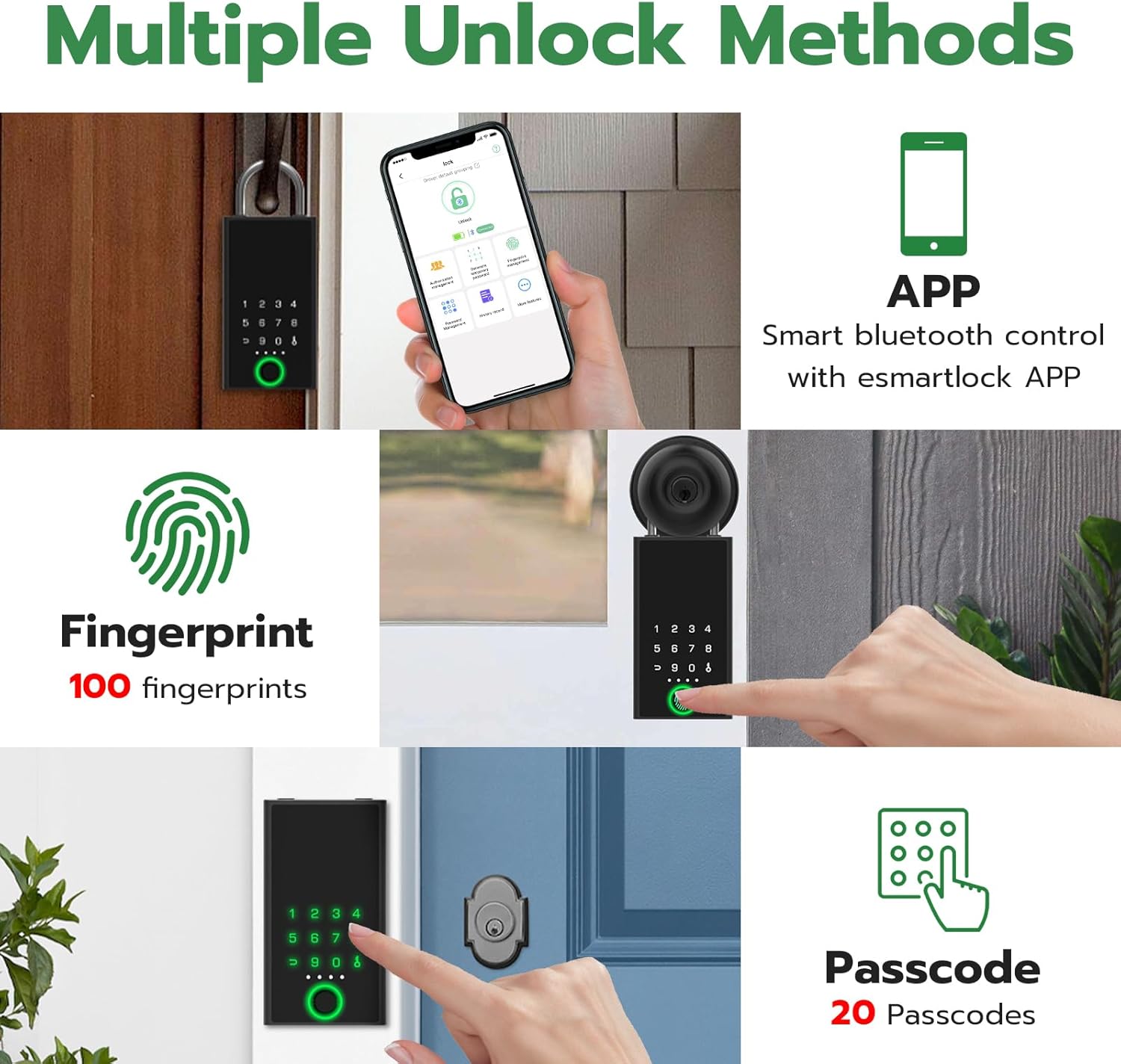
Image: A collage illustrating the multiple unlock methods for the Eseesmart Smart Lock Box: via the mobile app, fingerprint recognition, and a numerical passcode.
3. Passcode Unlock
Set up passcodes via the esmartlock app. You can create up to 20 different passcodes. To unlock, enter your chosen passcode on the keypad and press the unlock symbol. The app allows for both permanent and temporary passcodes.

Image: A person using a smartphone app to generate a temporary password for the Eseesmart Smart Lock Box, demonstrating convenient access sharing.
Features
- High Quality & Durable Construction: Made of premium zinc alloy material, ensuring robust protection for your valuables.
- Large Capacity: Spacious interior designed to accommodate multiple keys (10-20), wallets, passports, jewelry, car keys, and garage door openers.
- Weather Resistance: Designed to withstand various weather conditions, offering reliable outdoor use.

Image: Detailed view of the Eseesmart Smart Lock Box, highlighting its premium zinc alloy body, touchscreen keypad, USB-C charging port for emergency power, and a visual battery indicator.

Image: The Eseesmart Smart Lock Box with its lid open, demonstrating its large internal capacity suitable for storing multiple keys, access cards, and car keys.

Image: The Eseesmart Smart Lock Box being subjected to a hammer and a drill, illustrating its robust construction and resistance to physical tampering.
Maintenance
Battery Management
The lock box is powered by three AAA alkaline batteries. The esmartlock app displays the remaining battery life. The lock box also features a physical battery indicator light.
- Low Power Indication: When battery power is low, the app will notify you, and the indicator light on the lock box will signal low battery.
- Emergency Power: If the batteries completely drain, you can use a USB-C cable to provide emergency power for unlocking. This is for temporary power only; replace the batteries as soon as possible.

Image: Features related to low power consumption and battery management for the Eseesmart Smart Lock Box. This includes the AAA battery compartment, a visual battery indicator, and the USB-C port for emergency power.
Troubleshooting
- Lock Box Not Responding: Check battery levels in the app or via the indicator light. If low, replace batteries or use USB-C for emergency power.
- Fingerprint Not Recognized: Ensure your finger is clean and dry. Re-register your fingerprint if issues persist.
- Passcode Not Working: Verify the correct passcode is being entered. Check the app for active passcodes and their validity periods.
- App Connectivity Issues: Ensure Bluetooth is enabled on your smartphone and the lock box is within range. Restart the app or your phone if necessary.
- Resetting the Device: If experiencing persistent issues, a reset button is available (refer to the back of the device). Consult the app or full user manual for specific reset procedures, as this may erase stored data.
Specifications
| Brand | Eseesmart |
| Model Number | YL-B3BF |
| Lock Type | Biometric, Keypad |
| Special Features | One-Touch Lock, Passcode Unlock, Wall-Mounted or Door Hanging |
| Material | Premium Zinc Alloy Body |
| Item Dimensions (L x W x H) | 3 x 2 x 5.5 inches |
| Item Weight | 0.77 Kilograms |
| Power Source | 3 AAA Alkaline Batteries (not included) |
| Connectivity Protocol | Bluetooth |
| Control Method | App (Android, iOS) |
Warranty and Support
Eseesmart offers a 6-month free replacement and lifetime after-sales service for this product. For any questions or assistance, please contact Eseesmart customer service. They guarantee a response within 24 hours and a satisfactory solution.

Image: Eseesmart's commitment to customer satisfaction, detailing a 30-day no-reason return and exchange policy, a 180-day warranty, and lifetime maintenance support.
Official Product Video
Video: An official Eseesmart video demonstrating the portable smart lock box with its removable shackle, showcasing its features and versatility.
Ask a question about this manual
Ask about setup, troubleshooting, compatibility, parts, safety, or missing instructions. Manuals+ will review the question and use this page’s manual context to help answer it.