
Introduction
This manual provides essential instructions for the safe operation, setup, and maintenance of your DEERC 1/16 Glowing Spider Remote Control Car, model S626. Please read this manual thoroughly before using the product to ensure proper function and longevity.

Image: The DEERC S626 Glowing Spider RC Car, its remote control, and two rechargeable batteries.
Package Contents
Verify that all items listed below are included in your package:
- DEERC 1/16 Glowing Spider RC Car (Model S626)
- 2.4GHz Remote Control Transmitter
- 3.7V 1500mAh Lithium-Ion Rechargeable Batteries (x2)
- USB Charging Cable
- User Manual
Setup
1. Charging the RC Car Battery
- Connect the 3.7V 1500mAh Lithium-Ion battery to the provided USB charging cable.
- Plug the USB charging cable into a standard USB power adapter (e.g., phone charger, computer USB port).
- The indicator light on the USB cable will illuminate during charging and turn off when charging is complete.
- Charging typically takes approximately 2-3 hours. Do not overcharge the battery.

Image: The DEERC S626 RC Car with two rechargeable batteries, illustrating the extended play time.
2. Installing the RC Car Battery
- Ensure the RC car is turned off.
- Locate the battery compartment on the underside of the RC car.
- Open the battery compartment cover.
- Insert a fully charged 3.7V 1500mAh Lithium-Ion battery into the compartment, ensuring correct polarity.
- Connect the battery connector to the car's power port.
- Close the battery compartment cover securely.
3. Installing Remote Control Batteries
The remote control requires 2 AA batteries (not included).
- Locate the battery compartment on the back of the remote control.
- Open the battery compartment cover.
- Insert 2 new AA batteries, observing the correct polarity (+/-).
- Close the battery compartment cover securely.
Operating Instructions
1. Pairing the Remote Control
- Ensure the RC car battery is installed and the car is turned off.
- Turn on the remote control. The indicator light on the remote will flash.
- Turn on the RC car. The car's lights will flash.
- Within a few seconds, the remote control and car lights will become solid, indicating successful pairing.
- If pairing fails, turn off both the car and remote, then repeat the steps.

Image: Illustration of the powerful motor and 2.4GHz radio system for stable control up to 115 feet.
2. Driving Controls
- Trigger: Pull the trigger to move the car forward. Push the trigger to move the car backward (reverse).
- Steering Wheel: Turn the steering wheel left to turn the car left. Turn the steering wheel right to turn the car right.
- Trim Adjustment: Use the steering trim dial on the remote to fine-tune the steering if the car does not drive straight.
3. Tips for Optimal Performance
- Operate the RC car on various terrains such as sand, grass, mud, and rocks.
- Avoid driving in deep water or extremely wet conditions to prevent damage to electronic components.
- Ensure batteries are fully charged for maximum speed and runtime.
- Maintain a clear line of sight between the remote and the car for optimal signal range (up to 115 feet).
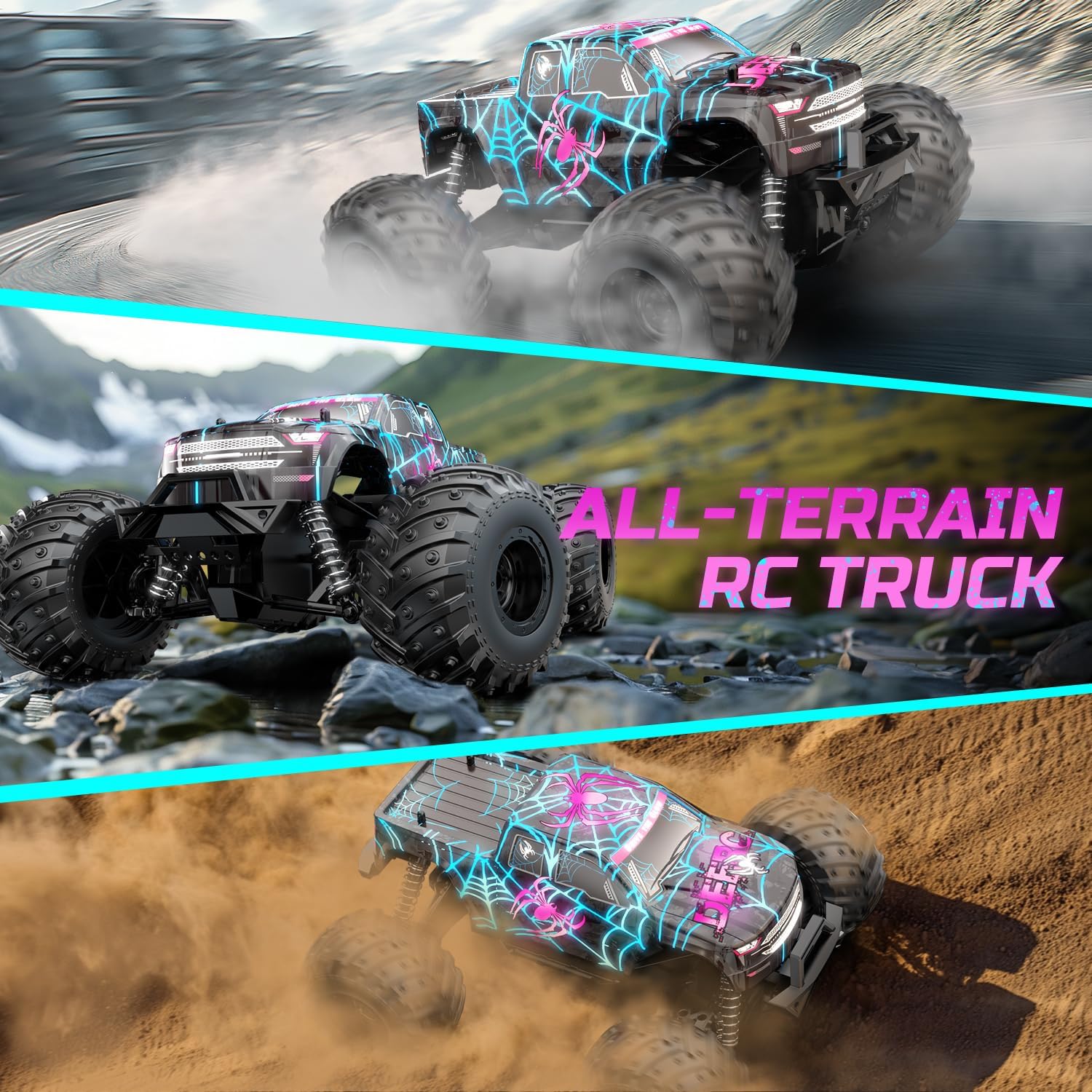
Image: The DEERC S626 RC Car demonstrating its all-terrain capabilities on dirt, rocks, and other surfaces.
Maintenance
1. Cleaning
- After each use, especially in dusty or muddy conditions, clean the car with a soft brush or cloth.
- Do not use water or chemical cleaners directly on electronic components.
- Remove any debris from the wheels and suspension system.
2. Storage
- Store the RC car and remote control in a cool, dry place away from direct sunlight.
- Remove all batteries from both the car and remote control if storing for extended periods to prevent leakage.
3. Battery Care
- Always use the original charging cable provided.
- Do not leave batteries charging unattended.
- If a battery becomes swollen or damaged, discontinue use immediately and dispose of it properly.
- Do not expose batteries to extreme temperatures.
Troubleshooting
| Problem | Possible Cause | Solution |
|---|---|---|
| Car does not respond to remote. |
|
|
| Short control range. |
|
|
| Car drives crooked. |
|
|
Specifications
- Model: S626
- Scale: 1:16
- Product Dimensions: 11.81 x 9.84 x 6.3 inches
- Item Weight: 1.76 pounds
- Control System: 2.4GHz Radio Control
- Control Range: Up to 115 feet (approximately 35 meters)
- Max Speed: Over 20 KM/H
- Car Battery: 3.7V 1500mAh Lithium-Ion (x2, included)
- Remote Control Battery: 2 x AA batteries (not included)
- Play Time: Up to 40 minutes (with two batteries)
- Charging Time: Approximately 2-3 hours per battery
- Recommended Age: 6 years and up

Image: The DEERC S626 RC Car illustrating its 1:16 scale and dimensions: 11.81 inches length, 9.84 inches width, 5.9 inches height.
Safety Information
- This product is not suitable for children under 3 years due to small parts.
- Adult supervision is recommended for all users, especially children.
- Do not operate the RC car near people, pets, or obstacles that could be damaged.
- Avoid operating in public streets or areas with vehicle traffic.
- Never touch moving parts of the car during operation.
- Always turn off the car and remote control after use.
Warranty and Support
DEERC products undergo rigorous testing and certification to ensure quality. For any questions, concerns, or support needs regarding your DEERC S626 RC Car, please contact DEERC customer service. Refer to the contact information provided on the product packaging or the official DEERC website for assistance.
Please retain your proof of purchase for warranty claims.