Introduction
This manual provides detailed instructions for the safe and efficient use of your Globe Electric LED Integrated Rechargeable Multicolor Portable Touch Lamp. Please read this manual thoroughly before operating the device and retain it for future reference.
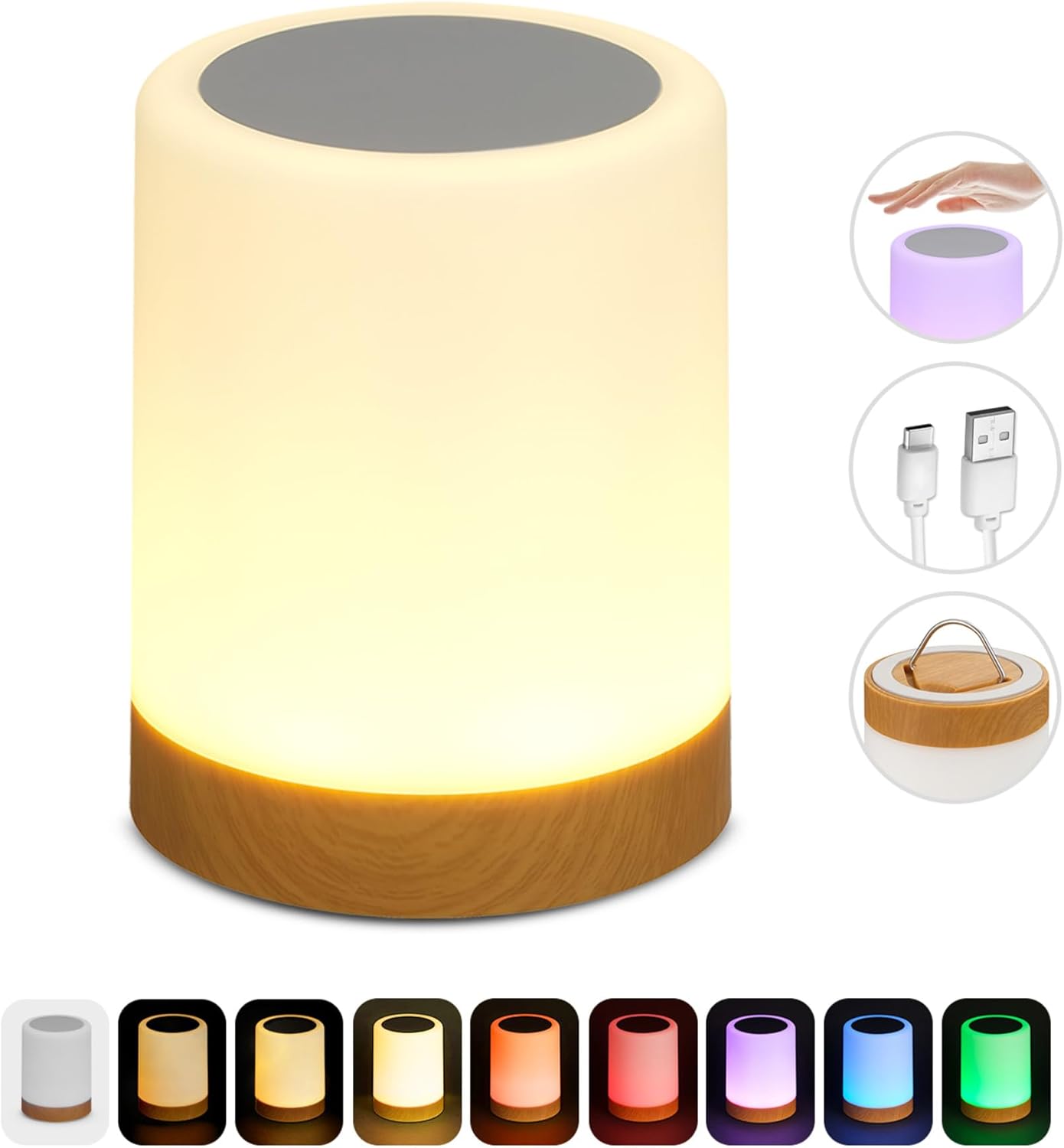
Image: The Globe Electric portable touch lamp, showing its cylindrical design and warm white illumination.
Safety Information
- Do not expose the lamp to water or excessive moisture. This product is not waterproof.
- Do not attempt to disassemble or modify the lamp. This may void the warranty and pose a safety risk.
- Use only the provided USB charging cable or a certified equivalent.
- Keep the lamp away from direct heat sources and flammable materials.
- This lamp contains a rechargeable battery. Do not dispose of the product in fire.
- Ensure the lamp is placed on a stable surface when in use.
Package Contents
Verify that all items are present in the package:
- 1 x Globe Electric LED Integrated Rechargeable Multicolor Portable Touch Lamp (Model 13607)
- 1 x USB Charging Cable (3.2 feet)
- 1 x Instruction Sheet (this manual)
Setup
- Initial Charge: Before first use, fully charge the lamp. Connect the included USB charging cable to the lamp's charging port and to a standard USB power adapter (not included) or a computer USB port. The charging indicator (if present) will show charging status. A full charge typically takes several hours.
- Placement: Place the lamp on a flat, stable surface. For hanging, extend the retractable hook located at the bottom of the lamp and secure it to a suitable fixture.

Image: A visual guide illustrating the lamp's touch-sensitive top for color changes, the retractable hook on the bottom, and a spectrum of available light colors.
Operating Instructions
- Power On/Off: Locate the manual on/off switch, typically on the base of the lamp. Flip the switch to the "ON" position to activate the lamp. Flip to "OFF" to power down.
- Changing Colors: With the lamp powered on, gently tap the top surface of the lamp to cycle through the available light colors. The lamp offers 6 distinct color settings.
- Adjusting Brightness (Dimmable): The lamp features 3 preset dimmable light options. Continue tapping the top surface after cycling through colors to adjust the brightness levels of the white light settings.
- Retractable Hook: To use the portable hanging feature, pull out the metal hook from the bottom of the lamp. Once extended, the lamp can be hung from various points. Push the hook back into the base when not in use.
Maintenance
- Cleaning: Disconnect the lamp from any power source before cleaning. Use a soft, dry cloth to wipe the exterior of the lamp. Do not use abrasive cleaners or solvents.
- Battery Care: To prolong battery life, avoid fully discharging the lamp frequently. Recharge the lamp when the light output diminishes. If storing for an extended period, charge the lamp every 3-6 months.
Troubleshooting
| Problem | Possible Cause | Solution |
|---|---|---|
| Lamp does not turn on. | Battery is depleted. Manual switch is off. | Charge the lamp using the USB cable. Ensure the manual on/off switch is in the "ON" position. |
| Lamp does not charge. | USB cable or power adapter is faulty. Charging port is obstructed. | Try a different USB cable or power adapter. Check the charging port for debris. |
| Colors do not change. | Incorrect tapping method. | Ensure you are gently tapping the top surface of the lamp. |
| Light is dim. | Battery is low. Dimmable setting is active. | Recharge the lamp. Tap the top surface to cycle through brightness levels. |
Specifications
| Feature | Detail |
|---|---|
| Model Number | 13607 |
| Brand | GLOBE |
| Product Dimensions | 3.74"D x 3.74"W x 4.72"H (9.5 cm D x 9.5 cm W x 12 cm H) |
| Item Weight | 0.33 Pounds (approx. 5.3 ounces) |
| Light Source Type | LED Integrated |
| Power Source | Battery Powered (Rechargeable via USB) |
| Control Method | Touch |
| Color Options | 6 Multicolor settings, 3 Dimmable white light options |
| Battery Life (Full Charge) | 9-12 hours |
| Included Components | USB Charging Cable, Instruction Sheet |
| Material | Plastic (Base Material: Plastic, Shade Material: Plastic) |
| Finish Type | Satin White |
| Indoor/Outdoor Usage | Indoor |
| Water Resistance Level | Not Water Resistant |
| Voltage | 120 Volts (for charging adapter, lamp operates on battery) |
| Color Temperature | 3000 Kelvin (for white light) |
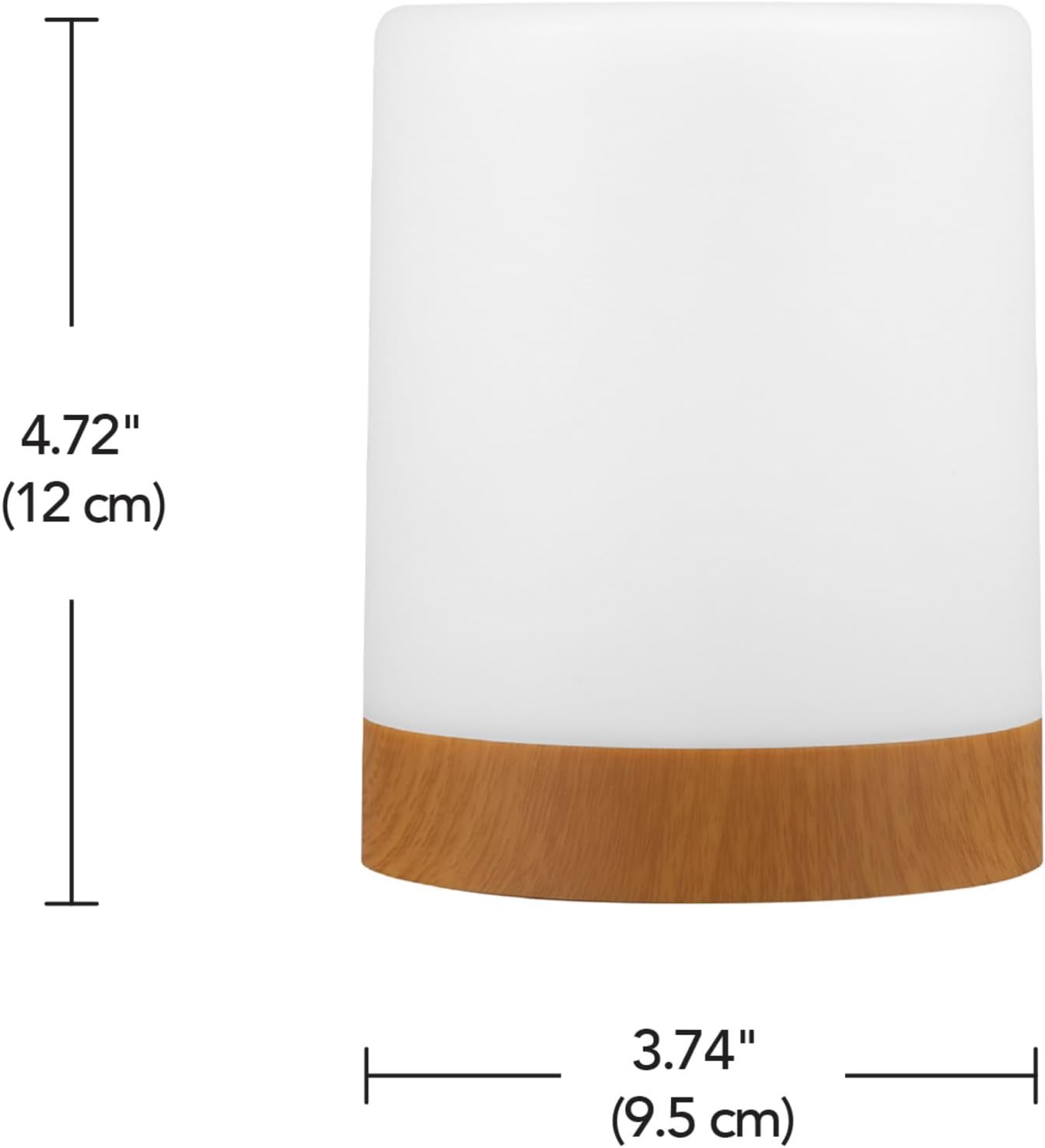
Image: Product dimensions diagram, indicating height and width measurements.
Warranty and Support
This product is sold without an explicit warranty as per manufacturer information. For any questions, technical assistance, or support regarding your Globe Electric LED Integrated Rechargeable Multicolor Portable Touch Lamp, please contact Globe Electric customer service directly.
You may find contact information on the manufacturer's official website or through the retailer where the product was purchased.


