
1. Introduction
The Anker Nano USB C Cable is a high-performance, flexible, and durable charging and data transfer cable designed for a wide range of USB-C compatible devices. This cable supports up to 240W of power delivery, enabling rapid charging for laptops, smartphones, and other electronics. Its braided exterior is crafted from 100% post-consumer recycled materials, combining eco-friendliness with robust construction.

Figure 1: Anker Nano USB C Cable (3ft, Black)
2. Key Features
- Super-Fast 240W Charging: This USB-IF certified cable can charge a 16-inch MacBook Pro (M3 Pro) to 50% in approximately 26 minutes or an iPhone 16 Pro Max to 50% in approximately 29 minutes. Note: This cable does not support screen mirroring.
- Soft and Flexible Design: The cable features a soft-touch, braided construction that prevents tangles and allows for easy storage.
- Ultra-Durable Construction: Engineered for longevity, the cable boasts a 30,000+ bend lifespan and can withstand up to 220 lbs of force, designed to last over 10 years under normal use.
- Sustainable Materials: The braided exterior is made from 100% post-consumer recycled materials, contributing to environmental sustainability.
- High-Speed Data Transfer: Supports data transfer rates of up to 480 Gigabits Per Second.
- Included Cable Organizer: Comes with a silicone cord organizer for neat storage and tangle-free use.

Figure 2: Illustrates 240W fast charging capabilities.

Figure 3: Highlights the cable's soft and flexible design.

Figure 4: Demonstrates the cable's extreme durability.
3. Setup
To set up your Anker Nano USB C Cable for charging or data transfer, follow these simple steps:
- Identify Ports: Ensure both your charging adapter/device and the device to be charged/connected have a USB-C port. This cable features USB-C connectors on both ends.
- Connect to Power Source: Plug one end of the Anker Nano USB C Cable into a compatible USB-C power adapter or a device with a USB-C output port (e.g., a laptop's USB-C port).
- Connect to Device: Plug the other end of the cable into the USB-C charging or data port of your target device (e.g., smartphone, tablet, laptop).
- Verify Connection: Confirm that your device indicates it is charging or that the data connection is established.
For optimal fast charging, use a power adapter that supports USB Power Delivery (USB-PD) and matches the wattage requirements of your device, up to 240W.

Figure 5: Proper connection for USB-IF certified safe charging.
4. Operating Instructions
The Anker Nano USB C Cable is designed for straightforward operation:
- Charging: Once connected to a compatible power source and device, the cable will automatically initiate charging. The 240W power delivery ensures efficient and fast charging for high-power devices.
- Data Transfer: When connected between two compatible devices (e.g., a smartphone and a computer), the cable facilitates data transfer. The cable supports data transfer speeds of up to 480 Gigabits Per Second.
- Compatibility: This cable is compatible with a wide range of USB-C devices, including iPhone 17/16/15 Series, USB-C MacBooks, iPad Pro (3rd-6th Gen), Samsung Galaxy S24/S23/S22/S21/S20, Google Pixel 3/4/5/6/7/8, Lenovo ThinkPad X1 Series, and HP Spectre Series.
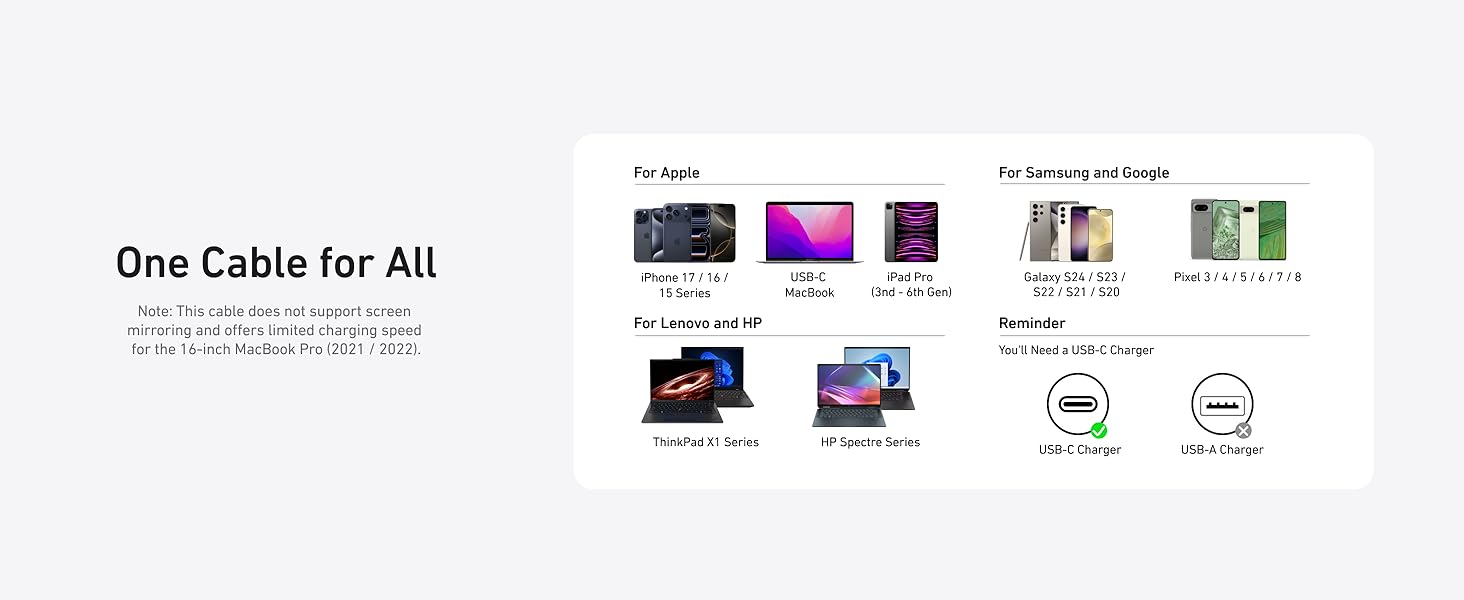
Figure 6: 'One Cable for All' - illustrating broad device compatibility.
Official Product Videos:
Video 1: Anker USB C Cable overview by AnkerDirect. This video provides a general look at the cable's features and design.
Video 2: Anker Prime Power Bank video by AnkerDirect. While focusing on a power bank, this video demonstrates the charging capabilities of Anker products, which is relevant to the cable's function.
5. Maintenance
To ensure the longevity and optimal performance of your Anker Nano USB C Cable, follow these maintenance guidelines:
- Storage: Use the included silicone cord organizer to keep the cable neatly coiled when not in use. Avoid tightly wrapping the cable around sharp objects or bending it at extreme angles.
- Cleaning: Gently wipe the cable and connectors with a dry, soft cloth to remove dust or debris. Avoid using harsh chemicals or abrasive materials.
- Handling: Always grasp the connector head when plugging or unplugging the cable, rather than pulling on the cable itself, to prevent damage to the internal wires.
- Environment: Store the cable in a cool, dry place. Avoid exposing it to extreme temperatures, direct sunlight, or moisture. This cable is designed for indoor usage.
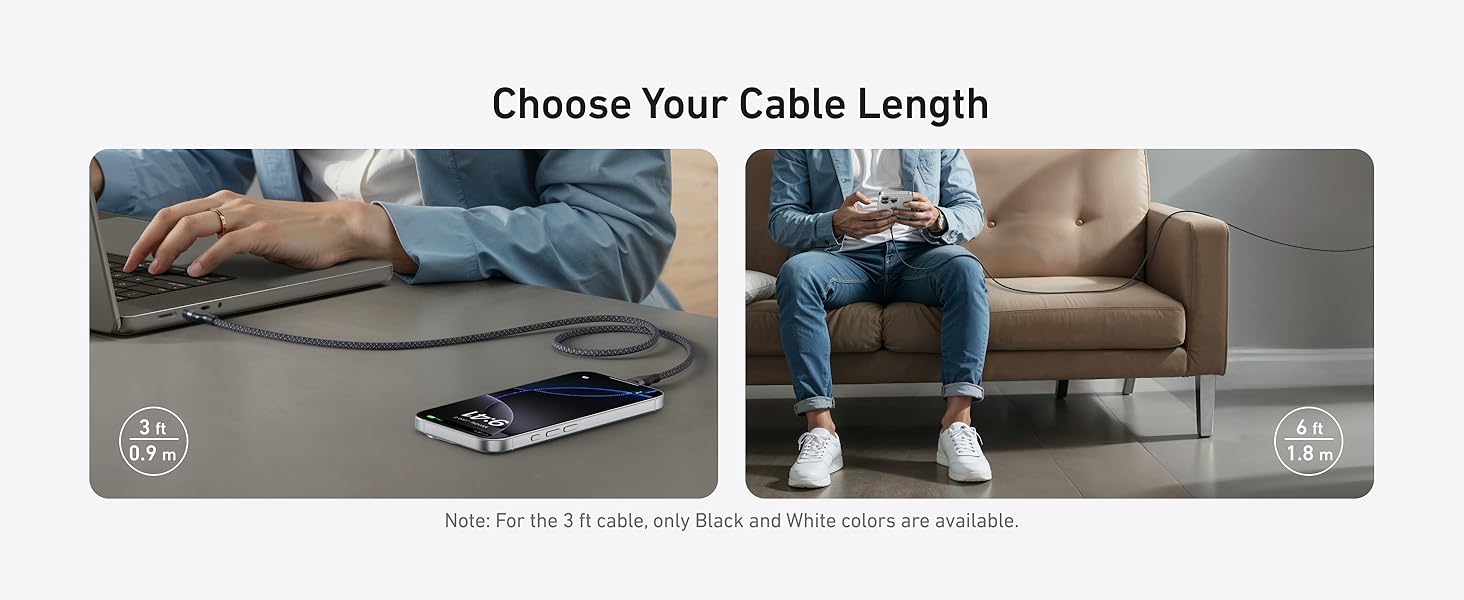
Figure 7: Using the silicone cord organizer for tidy storage.
6. Troubleshooting
If you encounter issues with your Anker Nano USB C Cable, consider the following:
- Not Charging:
- Ensure both ends of the cable are securely plugged into the devices.
- Verify that the power adapter is functioning correctly and is compatible with your device's charging requirements.
- Test the cable with a different device or power adapter to isolate the issue.
- Check for any visible damage to the cable or connectors.
- Slow Charging:
- Ensure your power adapter supports fast charging (e.g., USB-PD) and provides sufficient wattage for your device.
- Some devices may limit charging speed when in use or when the battery is nearly full.
- No Data Transfer:
- Confirm that both connected devices support data transfer via USB-C.
- Check device settings to ensure data transfer is enabled.
If problems persist, refer to the warranty and support section for further assistance.
7. Specifications
| Attribute | Value |
|---|---|
| Brand | Anker |
| Model Number | A82E2 |
| Connector Type | USB Type C (Male-to-Male) |
| Cable Type | USB |
| Wattage | 240 watts (Max) |
| Maximum Voltage | 20 Volts |
| Data Transfer Rate | 480 Gigabits Per Second |
| Outer Material | Braided (100% post-consumer recycled) |
| Durability | 30,000+ bend lifespan, withstands 220 lbs |
| Color | Black (variant shown in product data) |
| Available Lengths | 1ft, 3ft, 6ft, 10ft |
| Specification Met | USB-IF |
| Indoor/Outdoor Usage | Indoor |
| Item Weight | 2.11 ounces (for 3ft variant) |
8. Warranty and Support
The Anker Nano USB C Cable comes with a 24-month warranty, ensuring peace of mind regarding product quality and performance. For any inquiries, technical assistance, or warranty claims, please contact Anker customer service through their official website or the contact information provided in your product packaging.
You can also visit the Anker Store on Amazon for more information and support resources.
9. Safety Information
- Do not expose the cable to liquids, moisture, or extreme temperatures.
- Avoid disassembling or modifying the cable.
- Keep out of reach of children.
- Use only with compatible devices and power adapters.


