
Oclean Oclean Spark Sonic Electric Toothbrush (B0CZ17X3N9)
Oclean Spark Sonic Electric Toothbrush Instruction Manual
Model: B0CZ17X3N9
1. Introduction
Thank you for choosing the Oclean Spark Sonic Electric Toothbrush. This manual provides essential information for the safe and effective use of your new toothbrush. Please read it thoroughly before first use and keep it for future reference.
2. What's in the Box
Verify that all items are present in your package:
- 1 x Oclean Spark Sonic Electric Toothbrush (Purple)
- 6 x Toothbrush Replacement Heads
- 1 x Travel Case
- 1 x USB Charging Cable
- 1 x User Manual (this document)
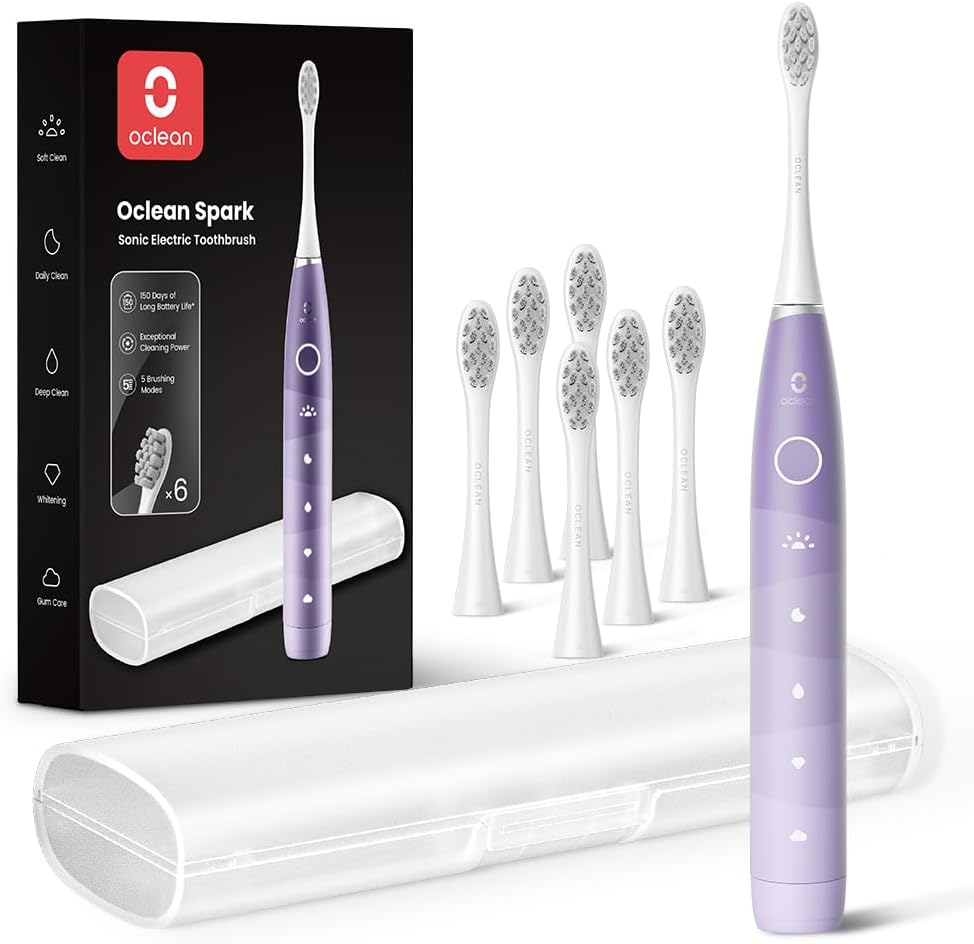
Image: Contents of the Oclean Spark Sonic Electric Toothbrush package, including the purple toothbrush, six brush heads, travel case, and charging cable.
3. Setup and First Use
3.1 Charging the Toothbrush
Before first use, fully charge the toothbrush. A 10-minute charge provides up to 2 weeks of daily use, while a full charge can last up to 150 days.
- Connect the USB charging cable to the charging port at the bottom of the toothbrush.
- Plug the other end of the USB cable into a compatible USB power adapter (not included) or a computer USB port.
- The indicator light on the toothbrush will show charging status.

Image: The Oclean Spark toothbrush being charged via its USB-C port, illustrating the connection to a power source.
3.2 Attaching the Brush Head
Align the brush head with the metal shaft on the toothbrush handle and push it down firmly until it clicks into place.
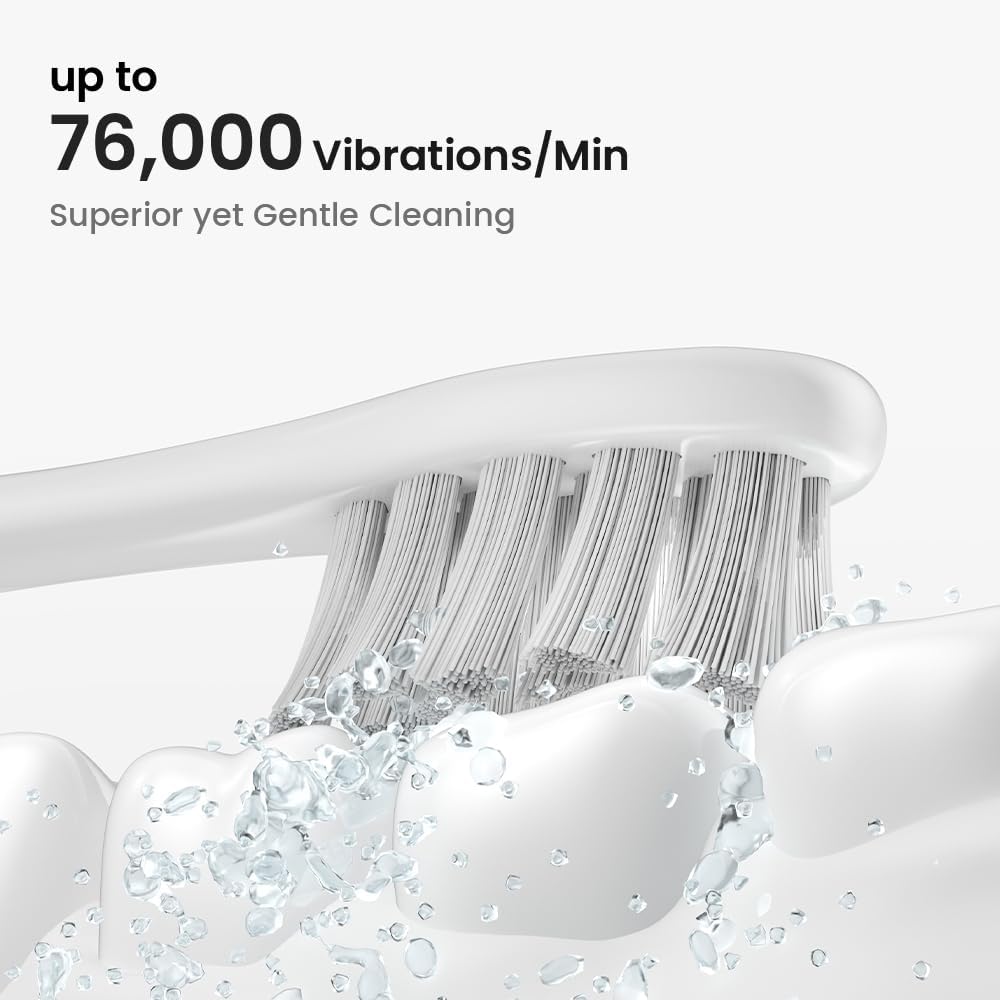
Image: A close-up view of the toothbrush head, highlighting the high-density DuPont bristles and the sonic vibration action.
4. Operating Instructions
4.1 Brushing Your Teeth
Wet the toothbrush bristles and apply a small amount of toothpaste. Place the toothbrush at a 45-degree angle to your gums. Press the power button to turn on the toothbrush. Gently move the toothbrush back and forth in short strokes, covering all surfaces of your teeth. The built-in smart timer will ensure you brush for the dentist-recommended 2 minutes, with a 30-second reminder to switch brushing areas.

Image: A user demonstrating proper brushing technique with the Oclean Spark toothbrush, accompanied by a graphic illustrating the 2-minute smart timer and 30-second quadrant reminders.
4.2 Brushing Modes
The Oclean Spark offers 5 distinct brushing modes to suit your oral care needs:
- Soft Clean: Gentle cleaning for sensitive teeth and gums.
- Daily Clean: Standard mode for everyday plaque removal.
- Deep Clean: Powerful cleaning for stubborn plaque and stains.
- Whitening: Designed to remove surface stains for brighter teeth.
- Gum Care: Massages and stimulates gums for improved gum health.
Press the mode button (usually the same as the power button, or a dedicated button if present) to cycle through the modes.

Image: A visual representation of the Oclean Spark toothbrush handle, indicating the five distinct brushing modes: Soft Clean, Daily Clean, Deep Clean, Whitening, and Gum Care.
5. Maintenance and Care
5.1 Cleaning the Toothbrush
After each use, rinse the brush head thoroughly under running water. Wipe the handle with a damp cloth. Do not immerse the handle in water for extended periods.
5.2 Replacing Brush Heads
For optimal cleaning performance and hygiene, replace the brush head every 3 months, or sooner if the bristles become frayed.
- Grip the brush head firmly and pull it straight off the handle.
- Align the new brush head with the metal shaft and push it down until it clicks into place.

Image: The Oclean Spark toothbrush displayed alongside its six replacement brush heads, emphasizing the long-term value and ease of maintenance.
6. Troubleshooting
| Problem | Possible Cause | Solution |
|---|---|---|
| Toothbrush does not turn on. | Battery is depleted. | Charge the toothbrush fully. |
| Weak vibration or poor cleaning. | Low battery; Worn brush head. | Recharge the toothbrush; Replace the brush head. |
| Brush head does not fit properly. | Incorrect alignment; Not pushed firmly enough. | Ensure correct alignment and push firmly until it clicks. |
7. Specifications
- Brand: Oclean
- Model: B0CZ17X3N9
- Motor Speed: Up to 76,000 vibrations/minute
- Battery Life: Up to 150 days on a full charge
- Charging: USB-C Fast Charging (10 mins charge for 2 weeks use)
- Brushing Modes: 5 (Soft Clean, Daily Clean, Deep Clean, Whitening, Gum Care)
- Bristles: High-Density DuPont™ Tynex® bristles, W-shape
- Special Features: Smart Timer (2 mins), 30s QuadPacer, Customizable
- Waterproof Rating: IPX7
- Dimensions: 9.06 x 5.51 x 1.61 inches
- Weight: 11.68 ounces
8. Safety Information
- For oral use only. Do not chew or bite on the brush head.
- Rinse thoroughly after use.
- Replace brush head every 3 months.
- Keep out of reach of children.
- Do not attempt to disassemble or repair the device yourself.
- Statements regarding dietary supplements have not been evaluated by the FDA and are not intended to diagnose, treat, cure, or prevent any disease or health condition.
9. Warranty and Support
Oclean products are manufactured with high-quality standards. For warranty information and customer support, please refer to the warranty card included in your package or visit the official Oclean website. Keep your purchase receipt as proof of purchase.
Manufacturer: Shenzhen Yunding Information Technology Co.,Ltd.
Contact: For support, please visit the Oclean Store on Amazon or their official website.
Ask a question about this manual
Ask about setup, troubleshooting, compatibility, parts, safety, or missing instructions. Manuals+ will review the question and use this page’s manual context to help answer it.