
UPBRIGHT Arcade1Up WOF-N-301119 Power Supply
UpBright 12V AC/DC Adapter User Manual
Model: Arcade1Up WOF-N-301119 Power Supply
1. Setup and Installation
This section provides instructions for the proper setup and initial connection of your UpBright 12V AC/DC Adapter.
1.1 Package Contents
- 1 x UpBright 12V AC/DC Adapter
- 1 x AC Power Cord (suitable for your region)

Image: The UpBright 12V AC/DC Adapter shown with its detachable AC power cord. The adapter is black with product information labels, and the power cord is also black.

Image: A selection of AC power cords with different plug types (US, EU, UK, AU) to fit various country/area electrical outlets. This illustrates that the product comes with a suitable cord for the user's region.
1.2 Compatibility Check
This adapter is specifically designed for 12V systems. It is NOT compatible with 5V versions of Arcade1Up machines. Please verify your device's voltage requirements before connecting.
Compatible with the following Arcade1Up models:
- Arcade1Up Model: WOF-N-301119 Wheel of Fortune Casinocade Deluxe AT Home Arcade Video Game Gaming Cabinet Machine
- Arcade1Up Model: ATR-A-200210 Atari Legacy Arcade Game Centipede Edition Arcade
- Arcade1Up Model: ATR-A-305127 Atari 50th Anniversary 17" Deluxe Arcade Machine
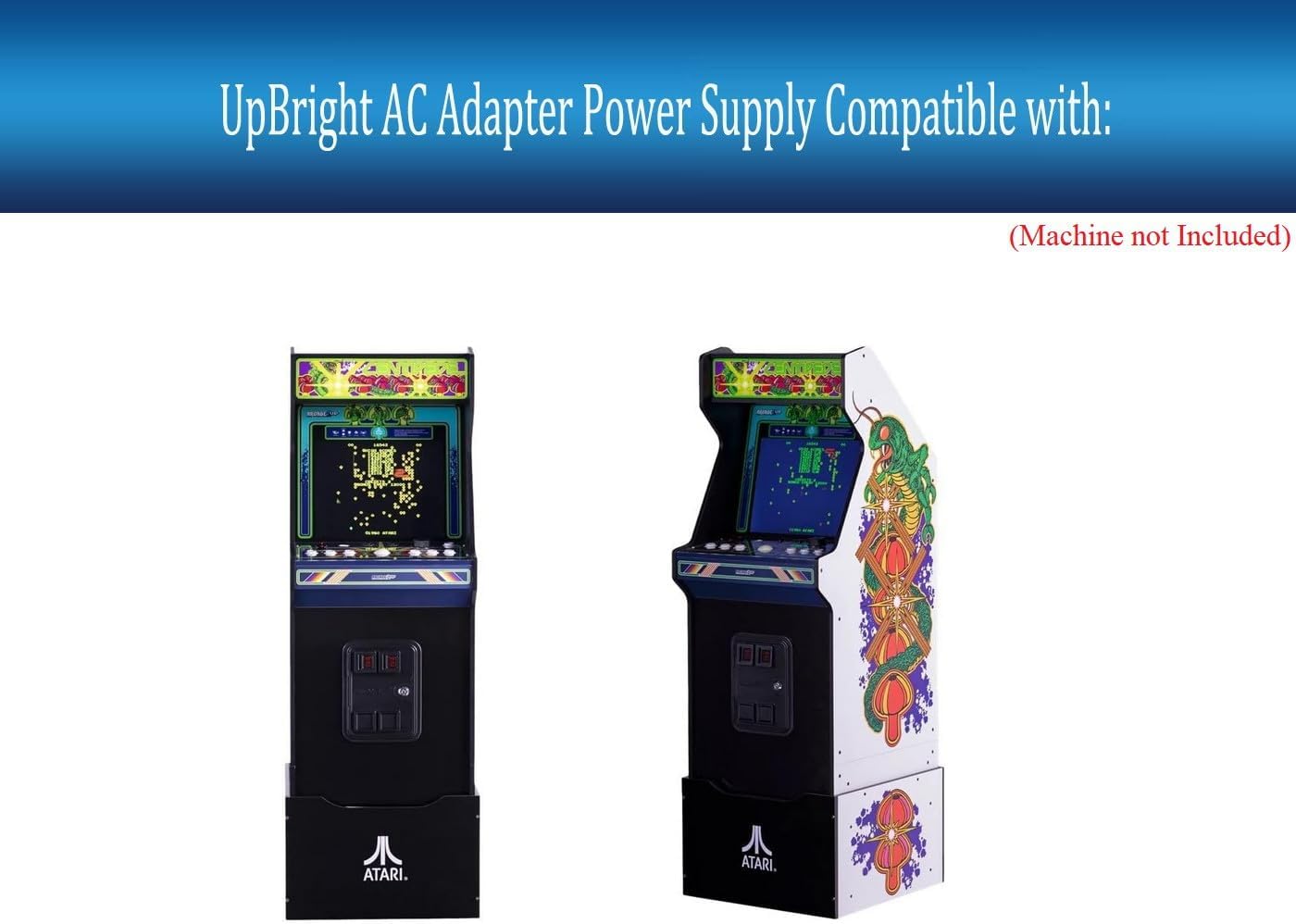
Image: An Arcade1Up Wheel of Fortune Casinocade Deluxe arcade machine, illustrating one of the compatible devices for the power adapter. The machine features a lit marquee and riser.

Image: An Arcade1Up Atari Legacy Arcade Game Centipede Edition machine, another compatible device for the power adapter. The image shows the front and side view of the arcade cabinet.

Image: An Arcade1Up Atari 50th Anniversary Deluxe Arcade Machine, demonstrating compatibility with the power adapter. The machine is black and yellow with Atari 50th branding.
1.3 Connection Steps
- Ensure your Arcade1Up machine is powered off.
- Connect the barrel round connector of the UpBright 12V AC/DC Adapter to the DC input port on your Arcade1Up machine.
- Connect the AC power cord to the adapter's input socket.
- Plug the AC power cord into a standard wall outlet (100-240VAC, 50/60Hz).
- You may now power on your Arcade1Up machine.
Important Safety Note: Always ensure the adapter is securely connected before plugging into a power source. Do not force connections.
2. Operating Instructions
The UpBright 12V AC/DC Adapter is designed for straightforward operation, providing stable power to your compatible Arcade1Up devices.
2.1 General Use
- Once connected as per the Setup section, the adapter will supply the necessary 12V DC power to your Arcade1Up machine.
- The adapter is a Class 2 Switching Power Supply, designed for efficient and reliable power delivery.
- It is intended for indoor use only.
2.2 Safety Precautions
- Do not expose the adapter to water, moisture, or extreme temperatures.
- Avoid dropping or subjecting the adapter to strong impacts.
- Do not attempt to open or modify the adapter. This will void the warranty and could be dangerous.
- Ensure proper ventilation around the adapter during operation to prevent overheating.
- Unplug the adapter from the wall outlet when not in use for extended periods.
- Keep out of reach of children.
3. Maintenance
Proper care and maintenance will extend the lifespan of your UpBright AC/DC Adapter.
3.1 Cleaning
- Before cleaning, always unplug the adapter from both the wall outlet and your device.
- Wipe the exterior of the adapter with a soft, dry cloth.
- Do not use liquid cleaners, aerosols, or harsh chemicals.
3.2 Storage
- Store the adapter in a cool, dry place when not in use.
- Avoid tightly coiling the cables to prevent damage.
- Keep the adapter away from direct sunlight and heat sources.
4. Troubleshooting
If you encounter issues with your UpBright 12V AC/DC Adapter, please refer to the following common problems and solutions.
| Problem | Possible Cause | Solution |
|---|---|---|
| Device not powering on. |
|
|
| Adapter feels hot. |
|
|
| Intermittent power. |
|
|
If the problem persists after trying these solutions, please contact UpBright customer support for further assistance.
5. Product Specifications
| Brand | UPBRIGHT |
| Model Number | Arcade1Up WOF-N-301119 Power Supply |
| Input Voltage | 100-240VAC, 50/60Hz (World Wide Input Voltage) |
| Output Voltage | 12V DC (12.0V, 12 Volt, 12VDC) |
| Connector Type | Barrel Round Connector |
| Product Dimensions | 6 x 4 x 2 inches |
| Item Weight | 9 ounces |
| Color | Black |
| Special Feature | Power Supply, OVP, OCP, SCP Protection |
| Manufacturer | UpBright |
| Date First Available | April 15, 2022 |
6. Warranty and Support
6.1 Warranty Information
Your UpBright 12V AC/DC Adapter comes with the following warranty:
- 30 Days Refund: If you are not satisfied with the product, you may be eligible for a refund within 30 days of purchase.
- 24 Months Exchange: The product is covered by a 24-month exchange warranty for defects in materials and workmanship.
This product includes Over Voltage Output Protection (OVP), Over Current Output Protection (OCP), and Short Circuit Output Protection (SCP) for enhanced safety and reliability.
Image: A visual representation of the UpBright Limited Warranty Certificate, indicating the product's warranty coverage.
6.2 Customer Support
For technical assistance, warranty claims, or any other inquiries, please contact UpBright customer support.
Visit the official UpBright store on Amazon for more information: UPBRIGHT Store
Related documentsArcade1Up WOF-N-301119 Power Supply

Ask a question about this manual
Ask about setup, troubleshooting, compatibility, parts, safety, or missing instructions. Manuals+ will review the question and use this page’s manual context to help answer it.