
1. Introduction
Thank you for choosing the TECHBREY Angistri 132 cm DC Motor Silent Ceiling Fan. This manual provides essential information for the safe installation, operation, and maintenance of your new ceiling fan. Please read these instructions thoroughly before installation and keep them for future reference.
This ceiling fan features a silent DC motor, 3 durable blades, and a remote control for convenient operation. It is designed for indoor use and offers both summer and winter modes to optimize air circulation throughout the year.
2. Safety Instructions
WARNING: To reduce the risk of fire, electric shock, or personal injury, always follow these basic precautions:
- Read all instructions before installing and operating the fan.
- Ensure the installation site is structurally sound and can support the fan's weight (approximately 6.47 kg).
- All electrical connections must be performed by a qualified electrician and comply with local codes and regulations.
- Disconnect power at the main circuit breaker before installation or servicing.
- Do not operate the fan with a damaged power cord or plug.
- Keep hands, clothing, and other objects away from the fan blades when the fan is in operation.
- Do not use the fan in areas with high humidity or where it may be exposed to water.
- This appliance is not intended for use by persons (including children) with reduced physical, sensory, or mental capabilities, or lack of experience and knowledge, unless they have been given supervision or instruction concerning use of the appliance by a person responsible for their safety.
3. Package Contents
Carefully unpack your ceiling fan and ensure all items are present and undamaged. If any parts are missing or damaged, contact customer support immediately.
- Ceiling Fan Motor Housing
- Fan Blades (3)
- Mounting Bracket
- Downrod (if applicable)
- Remote Control
- Hardware Pack (screws, washers, wire nuts)
- Instruction Manual
4. Setup and Installation
Note: Installation should be performed by a qualified electrician.
4.1 Pre-Installation Check
- Turn off power at the circuit breaker.
- Ensure the ceiling joist or support structure can hold the fan's weight.
- Verify that the electrical box is suitable for fan support.
4.2 Mounting the Bracket
Attach the mounting bracket securely to the ceiling electrical box and/or ceiling joist using the provided hardware. Ensure it is firmly fixed to prevent the fan from falling.

Figure 1: Close-up view of the fan's motor housing and mounting plate.
4.3 Wiring Connections
Connect the fan's electrical wires to the household wiring according to the wiring diagram provided in the full installation guide (not included here). Typically, this involves connecting live, neutral, and ground wires. Use wire nuts to secure connections.
4.4 Assembling the Fan
- Carefully attach the fan motor housing to the mounting bracket.
- Secure each fan blade to the motor housing using the provided screws. Ensure all blades are tightly fastened.
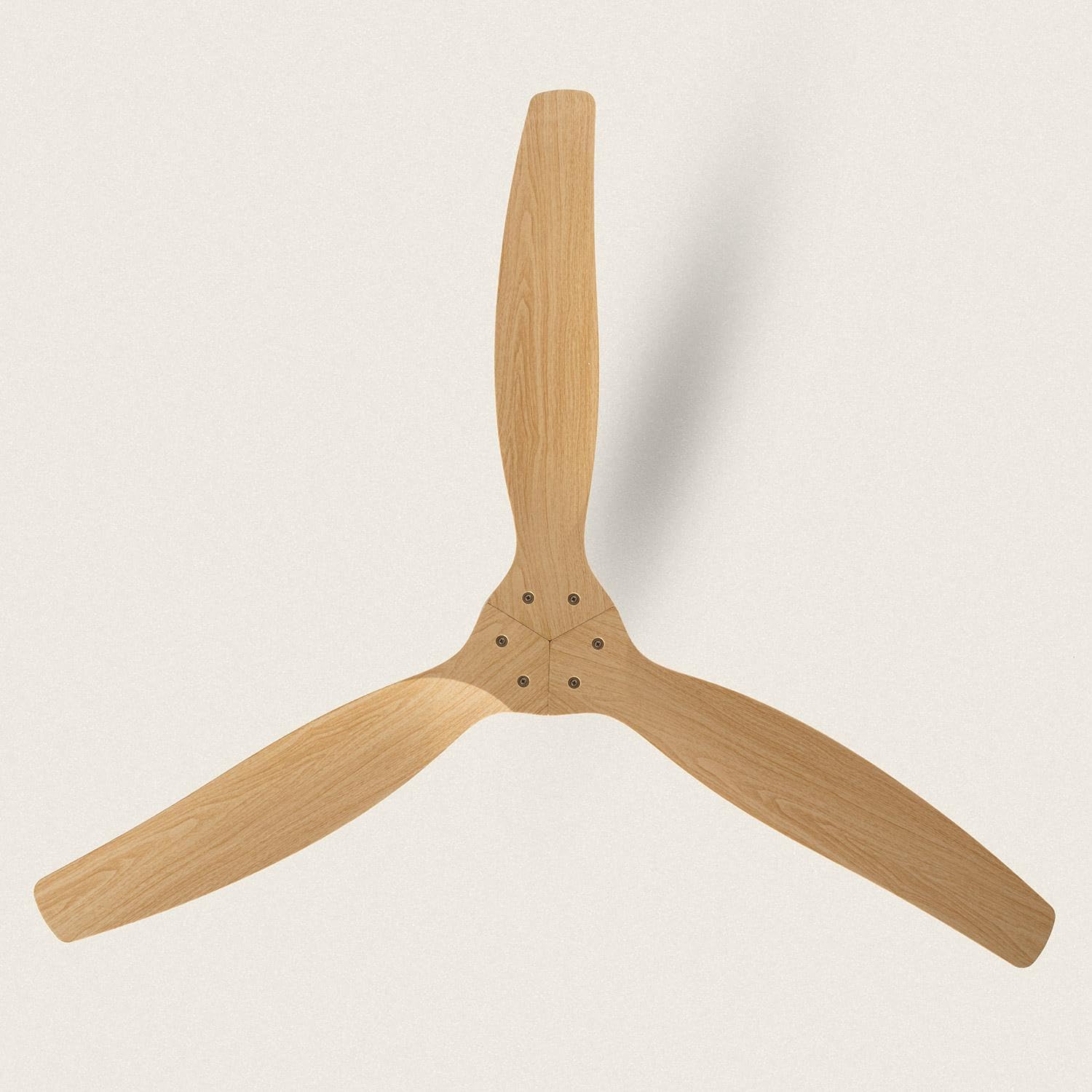
Figure 2: Overhead view of the fan blades assembly.
4.5 Final Checks
Before restoring power, double-check all connections and ensure the fan is securely mounted and all screws are tightened. The fan dimensions are approximately 1320 mm in diameter and 294 mm in height.

Figure 3: Technical drawing with fan dimensions.
5. Operating Instructions
Your TECHBREY Angistri ceiling fan is operated using the included remote control.

Figure 4: Ceiling fan with remote control.
5.1 Remote Control Functions
Insert 2 AAA batteries (not included) into the remote control. The remote allows you to control the fan's power, speed, and direction.

Figure 5: Remote control layout.
- Power On/Off: Press the power button to turn the fan on or off.
- Fan Speed: The fan offers 6 selectable speeds. Use the speed buttons (usually indicated by fan icons or numbers) to adjust the airflow.
- Summer/Winter Mode: Press the direction button (often depicted as a circular arrow) to change the blade rotation direction. In summer, blades rotate counter-clockwise to create a cooling breeze. In winter, blades rotate clockwise at a low speed to circulate warm air trapped near the ceiling.
- Timer Function: Some remotes may include timer buttons (e.g., 1h, 2h, 4h) to set the fan to turn off automatically after a specified period.
6. Maintenance
Regular maintenance ensures optimal performance and extends the life of your ceiling fan.
- Cleaning: Turn off power before cleaning. Use a soft, damp cloth to wipe down the fan blades and motor housing. Do not use abrasive cleaners or solvents.
- Blade Inspection: Periodically check that all blade screws are tight. Loose blades can cause wobbling and noise.
- Dust Removal: Use a soft brush or vacuum cleaner with a brush attachment to remove dust from the fan's surfaces.
- No Lubrication Needed: The DC motor is permanently lubricated and does not require additional oiling.
7. Troubleshooting
If you experience issues with your fan, refer to the following common problems and solutions:
| Problem | Possible Cause | Solution |
|---|---|---|
| Fan does not start | No power to the fan Remote control batteries are dead Incorrect wiring | Check circuit breaker and wall switch Replace remote control batteries Consult a qualified electrician to check wiring |
| Fan wobbles | Loose blade screws Unbalanced blades Loose mounting bracket | Tighten all blade screws Ensure blades are installed correctly and evenly Check and tighten mounting bracket screws |
| Noisy operation | Loose screws Motor housing rubbing against ceiling Incorrect installation | Check and tighten all screws Ensure proper clearance from the ceiling Review installation steps or consult an electrician |
| Remote control not working | Dead batteries Obstruction between remote and receiver Remote not paired (if applicable) | Replace batteries Ensure clear line of sight Refer to specific pairing instructions (if provided with fan) |
8. Specifications
| Feature | Specification |
|---|---|
| Brand | TECHBREY |
| Model Number | 117585_246216 |
| Product Dimensions (L x W x H) | 132 x 132 x 29.4 cm |
| Weight | 6.47 kilograms |
| Color | White (motor housing), Light Wood (blades) |
| Electric Fan Design | Ceiling Fan |
| Power Source | Electric |
| Style | Without light |
| Room Type | Bedroom, Kitchen, Living Room, Dining Room |
| Special Feature | Remote Control |
| Recommended Product Uses | Indoor |
| Mounting Type | Ceiling Mount |
| Controller Type | Remote Control |
| Number of Speeds | 6 |
| Wattage | 38 Watts |
| Voltage | 220 Volts (AC) |
| Switch Type | Remote Control |
| Control Method | Remote |
| Motor Type | DC Motor |
| Material | Metal (housing), ABS (blades) |
| Blade Material | Metal, ABS |
| Included Components | Remote Control |
| Manufacturing Year | 2023 |
9. Warranty and Support
TECHBREY products are designed for reliable and durable performance. For warranty information, please refer to the documentation included with your purchase or contact your retailer. For technical support or further assistance, please visit the official TECHBREY website or contact their customer service department.

Figure 6: TECHBREY Brand Logo.