
Introduction
The MOMAX 1-Charge Flow+ 80W USB Wall Charger provides efficient power delivery for your portable devices. This versatile adapter features a triple USB port configuration, supporting simultaneous charging for multiple devices, making it suitable for both home and office environments. Its lightweight, wall-mountable design offers convenience and portability. The sleek build integrates seamlessly into any setting, delivering reliable charging performance. With three USB ports, this charger provides a stable 4.0 Amp output current. The secure connector design ensures a consistent power connection. It supports various portable devices with a 240V input capacity, offering convenient wall access and easy transport.
Safety Information
Please read and follow these safety instructions carefully to prevent injury or damage to the product and connected devices.
- Do not expose the charger to liquids, moisture, or extreme temperatures.
- Avoid dropping or subjecting the charger to strong impacts.
- Do not attempt to disassemble, repair, or modify the charger. This will void the warranty and may cause electric shock or fire.
- Ensure the charger is plugged into a compatible power outlet (240V input).
- Unplug the charger during lightning storms or when unused for extended periods.
- Keep out of reach of children.
- Do not use if the charger or cable is damaged.
Package Contents
Verify that all items are present in the package:
- MOMAX 1-Charge Flow+ 80W 3-Port USB Wall Charger (Model: UM52UKW)
- Instruction Manual
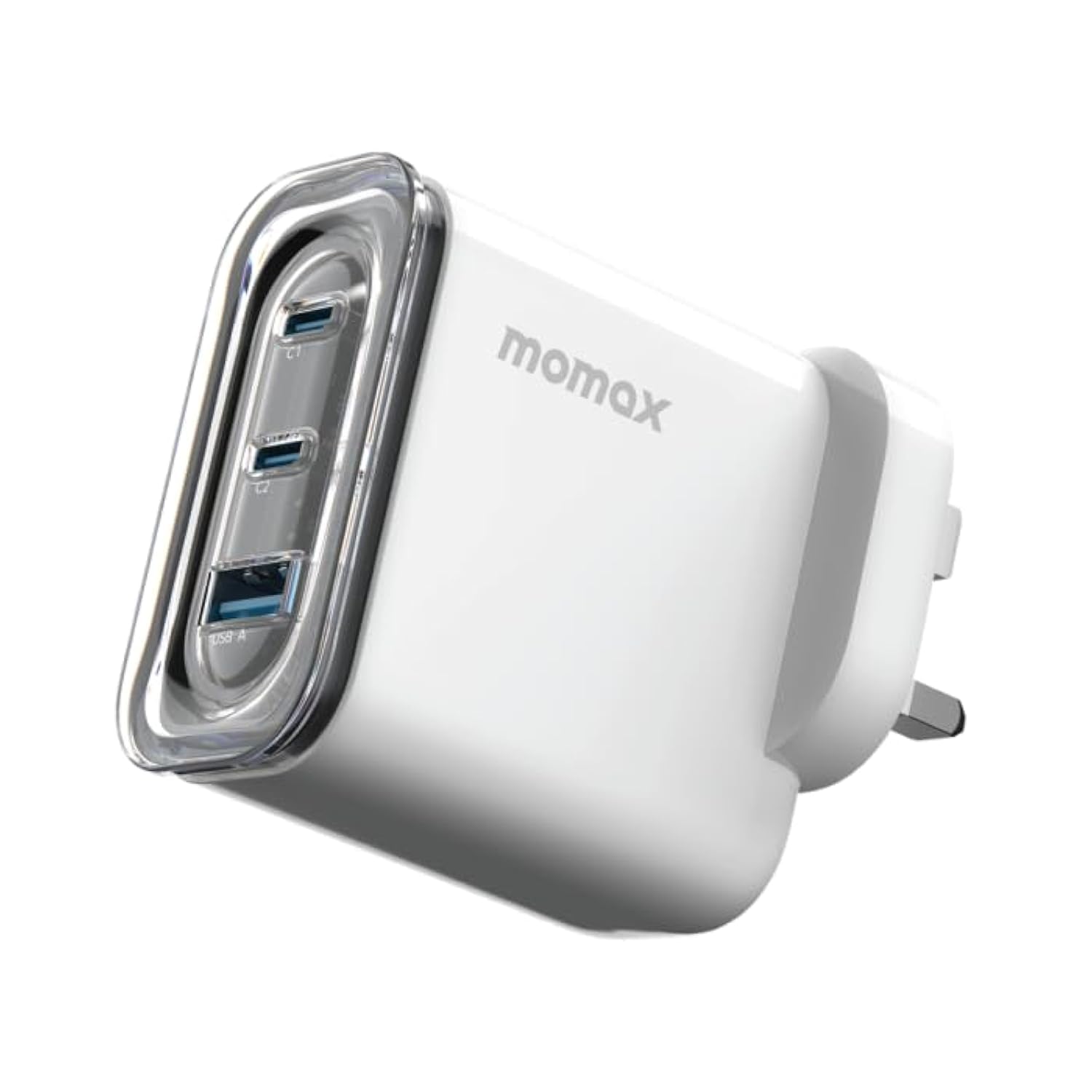
Image: The MOMAX 1-Charge Flow+ 80W 3-Port USB Wall Charger, showing its compact design and multiple ports.
Setup
- Unpack the Charger: Carefully remove the charger from its packaging.
- Inspect for Damage: Before use, check the charger for any visible signs of damage. Do not use if damaged.
- Plug into Power Outlet: Insert the charger's 2-pin plug into a standard wall power outlet. Ensure the outlet provides 240V input.
- Connect Devices: Use appropriate USB cables (not included) to connect your devices to the available USB ports on the charger.
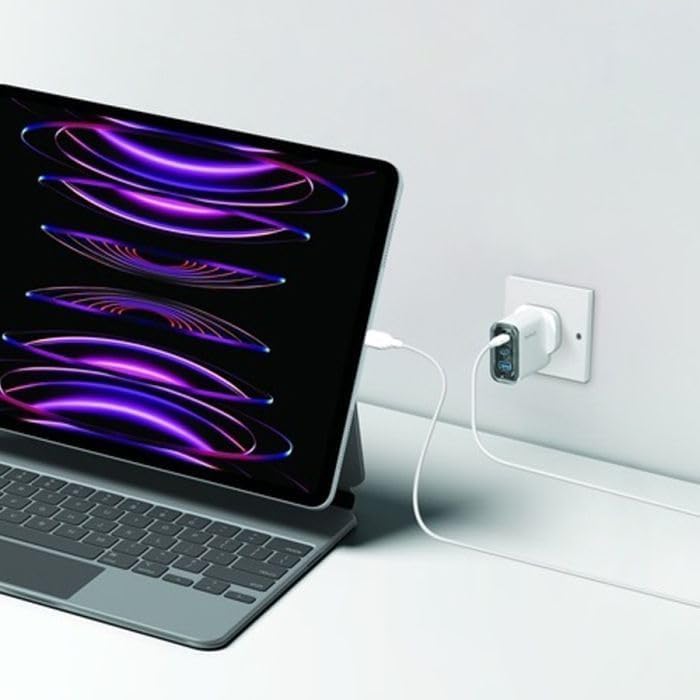
Image: The MOMAX charger connected to a wall outlet, actively charging a laptop, demonstrating its in-use setup.
Operating Instructions
The MOMAX 1-Charge Flow+ charger is designed for simple and efficient operation.
- Single Device Charging: Connect your device to any of the three USB ports using a compatible charging cable. The charger will automatically detect the device and deliver optimal charging power up to 80W.
- Multiple Device Charging: You can charge up to three devices simultaneously. The charger intelligently distributes the 80W total output across the connected devices. For best performance, ensure your devices support fast charging protocols.
- Charging Indication: (Assume there's an LED indicator, common for chargers) A small LED indicator on the charger will illuminate when it is receiving power and ready to charge.
- Disconnecting Devices: Always disconnect your devices by pulling the cable from the device first, then from the charger. When finished charging, unplug the charger from the wall outlet.
Maintenance
Proper maintenance ensures the longevity and optimal performance of your charger.
- Cleaning: Disconnect the charger from the power outlet before cleaning. Use a soft, dry cloth to wipe the surface. Do not use liquid cleaners or aerosols.
- Storage: Store the charger in a cool, dry place away from direct sunlight and extreme temperatures when not in use.
- Cable Care: Avoid bending or twisting charging cables excessively, as this can damage them.
Troubleshooting
If you encounter issues with your MOMAX charger, refer to the following common problems and solutions:
| Problem | Possible Cause | Solution |
|---|---|---|
| Device not charging. | Charger not plugged in correctly. Faulty cable. Device not compatible. | Ensure the charger is securely plugged into a live power outlet. Try a different USB cable. Verify device compatibility with USB charging standards. |
| Slow charging. | Cable not supporting fast charging. Multiple devices connected. Device's charging input limit. | Use a high-quality cable designed for fast charging. Disconnect other devices to allocate more power to one device. Check your device's specifications for its maximum charging input. |
| Charger feels warm. | Normal operation under load. Overload or poor ventilation. | A slight warmth is normal during charging. If it becomes excessively hot, unplug immediately. Ensure adequate ventilation and avoid covering the charger. |
If the problem persists after trying these solutions, please contact MOMAX customer support.
Specifications
| Feature | Detail |
|---|---|
| Brand | MOMAX |
| Model Number | UM52UKW |
| Connectivity Technology | USB |
| Total USB Ports | 3 |
| Wattage | 80 Watts |
| Input Voltage | 240 Volts |
| Output Current | 4 Amps |
| Output Voltage | 240 Volts |
| Compatible Devices | Laptops, Tablets, iPhone, Samsung Galaxy, OnePlus |
| Special Features | Lightweight Design, Fast Charging, Wall Mount |
| Power Source | Plug-in Electric (2-Pin Connector) |
| Compliant Standards | CE |
| GTIN (UPC) | 04894222073524 |
| Included Components | Charger |
Warranty and Support
Your MOMAX 1-Charge Flow+ 80W 3-Port USB Wall Charger comes with a manufacturer's warranty.
- Warranty Period: This product is covered by a 2-year manufacturer's warranty from the date of purchase.
- Warranty Claims: For warranty service or technical support, please visit the official MOMAX website or contact their customer service department. Keep your proof of purchase for warranty validation.
- Online Support: For additional resources, FAQs, and support, please visit www.momax.net.


