
1. Introduction
Thank you for choosing the Zetunlo 21000 Lumen 3-Head LED Work Light with Stand. This manual provides essential information for the safe and efficient use of your new work light. This product is designed to provide powerful and flexible illumination for various indoor and outdoor tasks, featuring a high brightness of 21000 lumens, three adjustable LED heads, and an IP66 waterproof rating.
2. Safety Information
Please read and understand all safety instructions before operating the work light. Failure to follow these instructions may result in electric shock, fire, or serious injury.
- Electrical Safety: Ensure the power cord and plug are in good condition. Do not operate the light with a damaged cord or plug. Always connect to a grounded outlet.
- Heat Warning: The LED light heads can become hot during prolonged operation. Avoid direct contact with the light heads when in use or immediately after turning off. Allow adequate cooling time before handling.
- Stable Placement: Always place the tripod on a stable, level surface to prevent tipping. Ensure the legs are fully extended and locked.
- Outdoor Use: While the product is IP66 waterproof, ensure the power connection is protected from direct water exposure. Do not submerge the light in water.
- Eye Protection: Avoid staring directly into the illuminated LED lights, as the high brightness can cause eye strain or temporary vision impairment.
3. Package Contents
Verify that all components are present in the package:
- 3 x LED Light Heads
- 1 x Tripod Stand Assembly
- 1 x Light Bar with Wiring Harness
- 1 x 16 ft Power Cord with Safety Three-Hole Plug
- Mounting Hardware (knobs, screws, washers)

Image: Overview of the Zetunlo 3-Head LED Work Light, displaying the fully assembled unit alongside its individual components, including the three light heads, tripod, and connecting bar.
4. Setup Instructions
Follow these steps to assemble your work light:
- Assemble the Tripod: Extend the tripod legs fully and ensure they are locked into position for maximum stability.
- Attach the Light Bar: Secure the light bar to the top of the tripod stand using the provided mounting hardware (knobs, screws). Ensure it is firmly tightened.
- Mount Light Heads: Attach each of the three LED light heads to the light bar. The light heads are designed for easy dismantling and can be removed from the tripod for separate use.
- Connect Wiring: Connect the wiring from each light head to the central harness on the light bar. Ensure all connections are secure.
- Adjust Height: The telescoping tripod allows for height adjustment from approximately 38.6 inches to 78.7 inches. Loosen the locking collars, adjust to the desired height, and then securely tighten the collars.
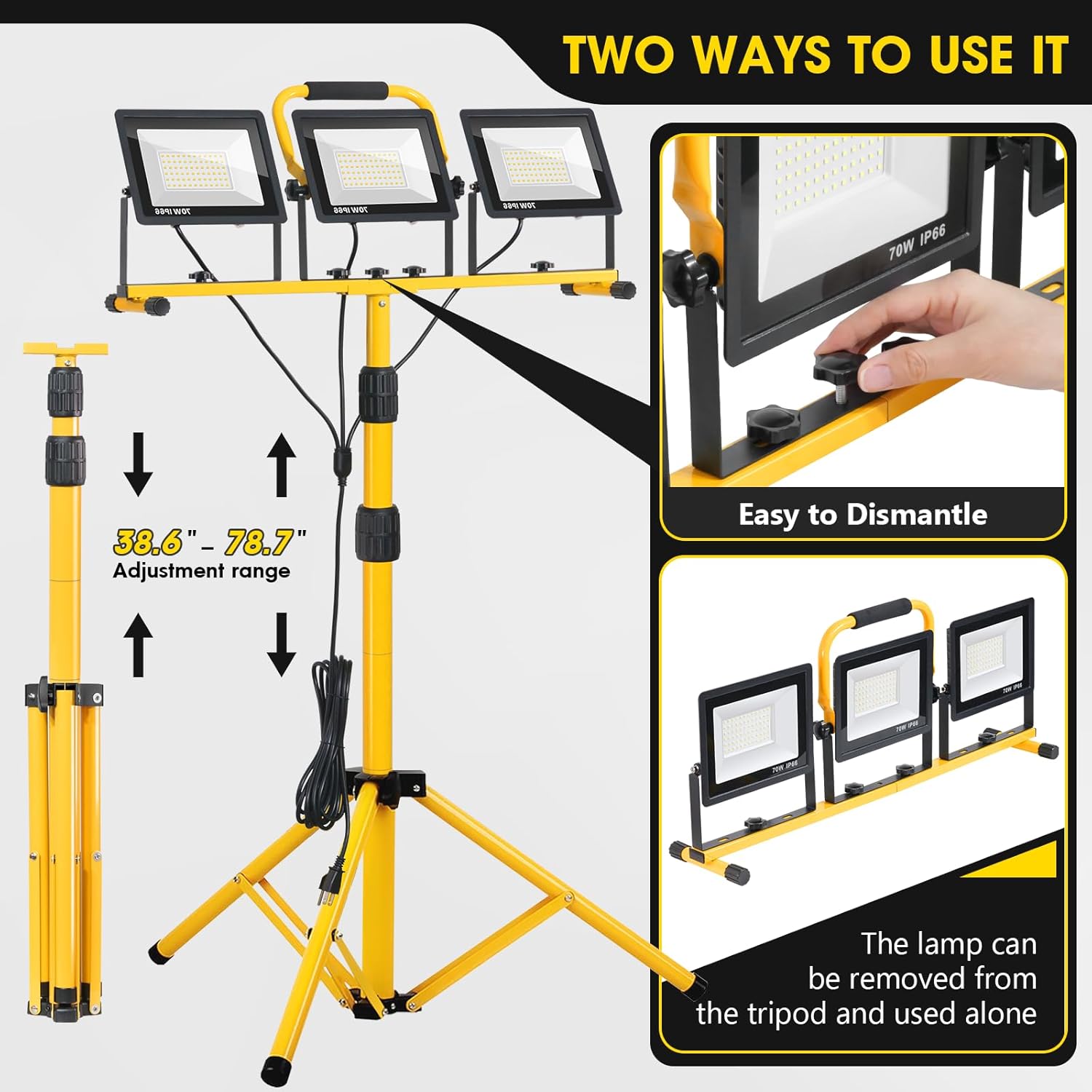
Image: Illustration demonstrating the adjustable height range of the tripod stand (38.6" to 78.7") and the feature allowing light heads to be detached for individual use.

Image: A detailed view showing how a single light head can be easily detached from the main bar, highlighting the quick-release mechanism.
5. Operating Instructions
Operating your Zetunlo work light is straightforward:
- Power Connection: Plug the 16 ft power cord into a standard 110V grounded electrical outlet. The extended cord provides flexibility for placement.
- Individual Light Control: Each LED light head features its own power button. Press the button on each light head to turn it on or off independently.
- Adjusting Light Angle: The light heads can be rotated 360° horizontally and tilted 180° vertically. Loosen the adjustment knobs on the sides of each light head, position the light as desired, and then tighten the knobs to secure.
- Detachable Use: For specific tasks or smaller areas, individual light heads can be detached from the tripod and used separately. Ensure they are placed on a stable surface or hung securely.
- Outdoor Use: The IP66 waterproof rating ensures the light heads are protected against dust and powerful water jets, making them suitable for use in humid or outdoor environments.
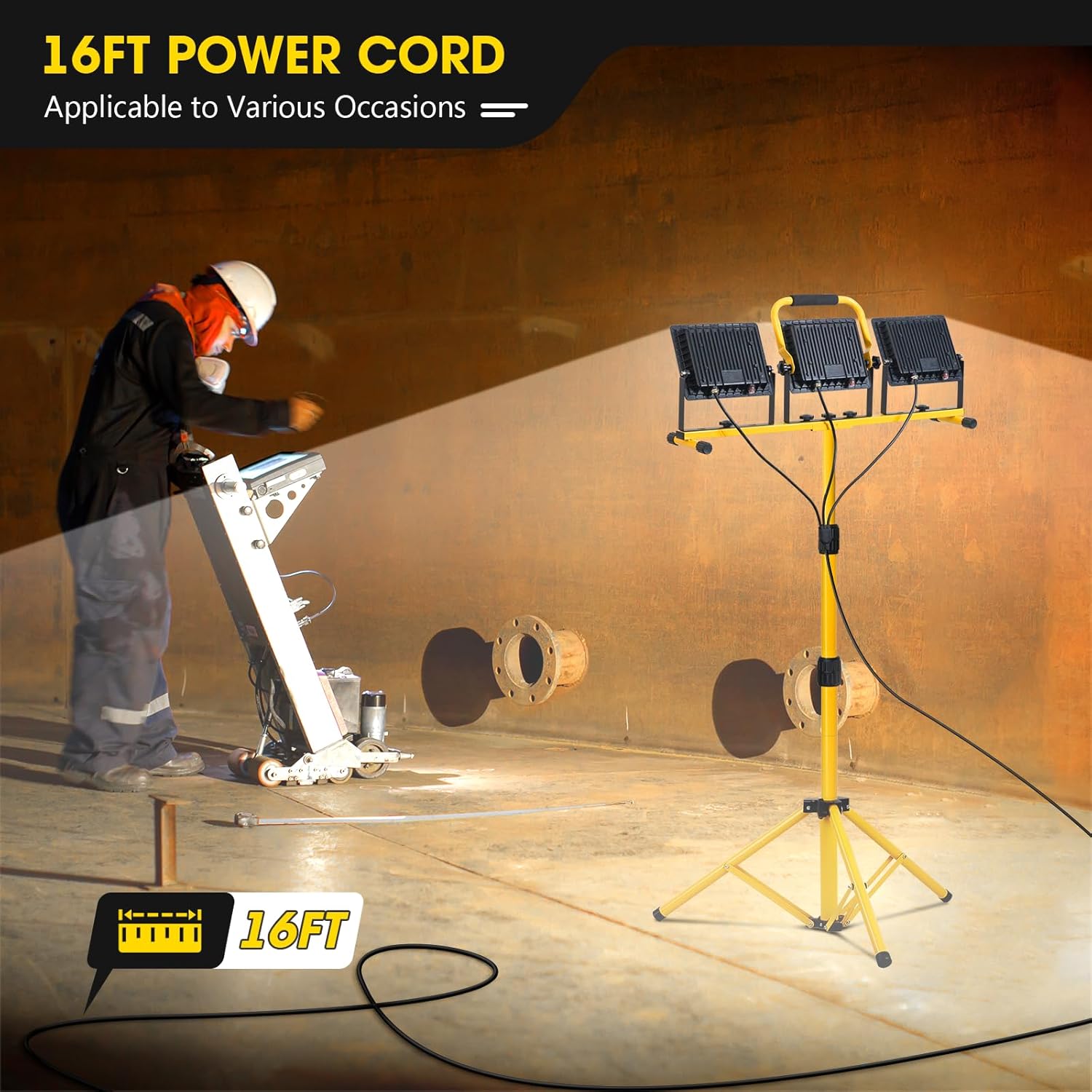
Image: The 16-foot power cord, providing ample reach for various applications.
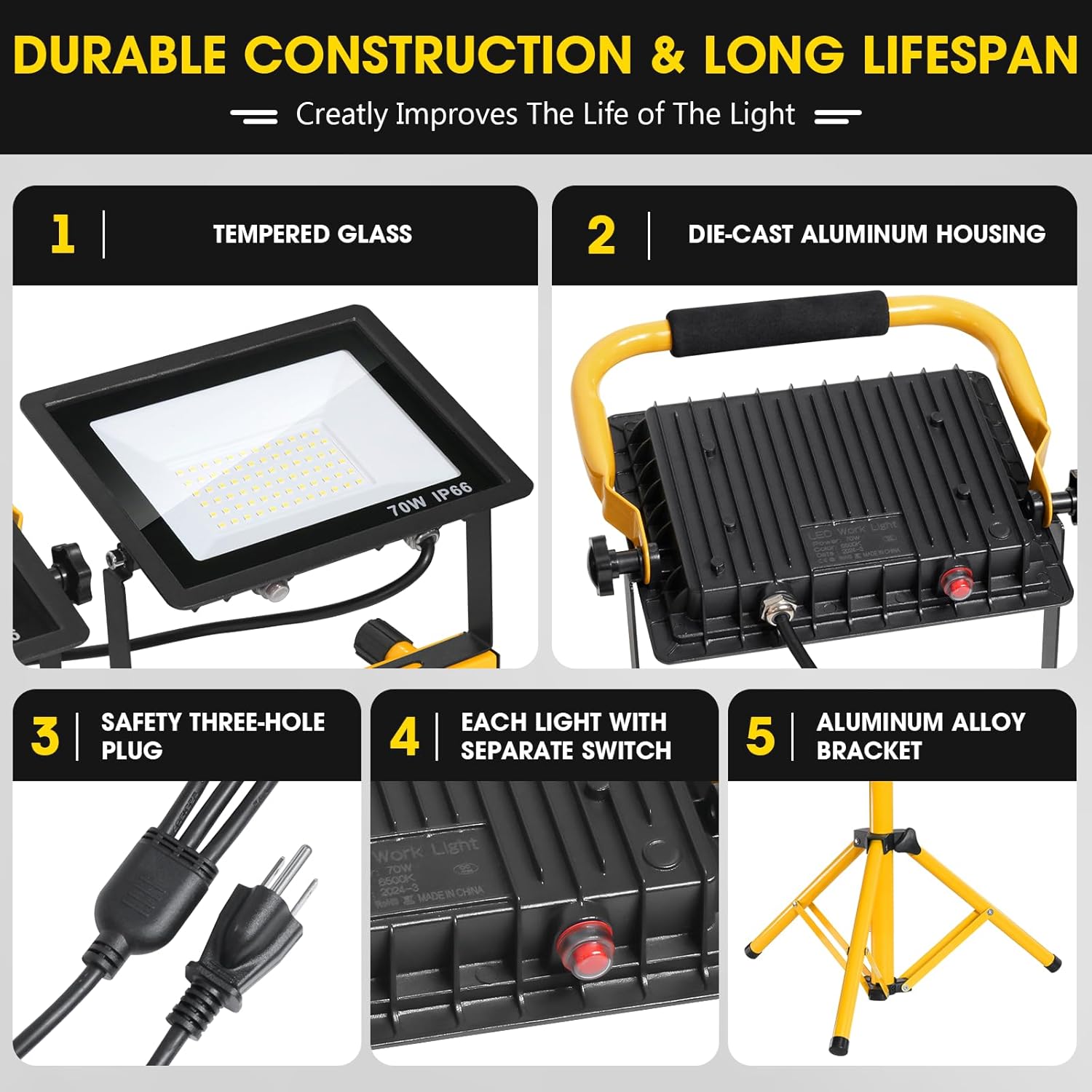
Image: A detailed view of a single light head, highlighting its independent power switch and the robust safety three-hole plug.

Image: Visual representation of the extensive adjustability of the light heads, allowing for 360-degree horizontal rotation and 180-degree vertical tilting.
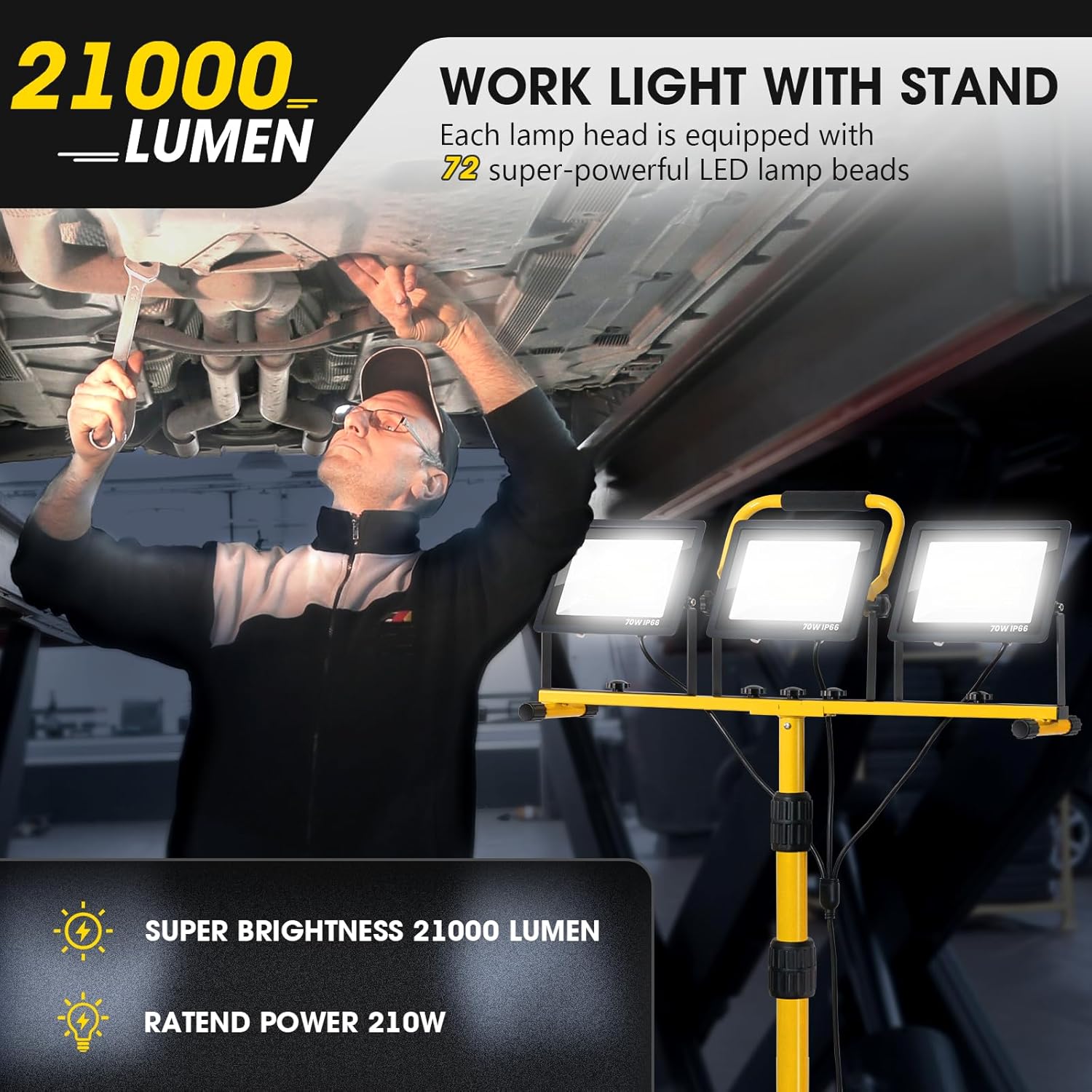
Image: The work light functioning effectively in rainy outdoor conditions, showcasing its IP66 waterproof design.
6. Maintenance
Proper maintenance ensures the longevity and optimal performance of your work light:
- Cleaning: Wipe the tempered glass lenses and aluminum housing with a soft, damp cloth. Avoid abrasive cleaners or solvents that could damage the finish or seals.
- Storage: When not in use, fold the tripod stand for compact storage. Store the light in a dry, cool place away from direct sunlight and extreme temperatures.
- Inspection: Periodically inspect the power cord, plug, and all connections for any signs of wear or damage. Replace any damaged parts immediately.
- Durability Features: The die-cast aluminum housing aids in heat dissipation, contributing to a longer lifespan. Tempered glass lenses offer resistance against dust and water ingress.
7. Troubleshooting
If you encounter issues with your work light, refer to the following common solutions:
- Light Not Turning On:
- Ensure the power cord is securely plugged into a functional electrical outlet.
- Verify that the individual power button on each light head is pressed to the 'ON' position.
- Check for any tripped circuit breakers or blown fuses in your electrical supply.
- Insufficient Brightness:
- Confirm all three light heads are powered on.
- Adjust the angle and position of the light heads to optimize illumination for your workspace.
- Unstable Tripod:
- Ensure the tripod legs are fully extended and the locking mechanisms are securely tightened.
- Place the tripod on a firm, level surface.
8. Specifications
| Feature | Specification |
|---|---|
| Brand | Zetunlo |
| Model Number | LS-RV-A-024-210w |
| Brightness | 21000 Lumen |
| Wattage | 210 Watts |
| Number of Light Heads | 3 |
| Light Source Type | LED (Light Emitting Diode) |
| Color Temperature | 6500 Kelvin |
| Voltage | 110 Volts |
| Power Source | Corded Electric |
| Cord Length | 16 ft |
| Mounting Type | Tripod |
| Material | Aluminum (Die-cast) |
| Shade Material | Glass (Tempered) |
| Finish Type | Powder Coated |
| IP Rating | IP66 Waterproof |
| Item Weight | 11.02 Pounds |
| Product Dimensions (L x W x H) | 17.32" x 12.18" x 4.33" |
| Tripod Height Adjustment | 38.6" - 78.7" |
| Bulb Features | 3-way switching (individual light head control) |
| Color Rendering Index (CRI) | 70 |
| UPC | 797430538103 |
9. Warranty and Support
Zetunlo is committed to providing high-quality products. While specific warranty details are not provided in this manual, we offer 7/24 hours customer service to assist you with any issues or questions that may arise.
For support, please refer to the contact information provided at your point of purchase or visit the official Zetunlo website.