
1. Introduction
Thank you for choosing the BODEGACOOLER 64 Quart Dual Zone Portable Refrigerator. This appliance is designed to provide reliable cooling and freezing for your food and beverages during travel, camping, RV trips, and other outdoor activities. It features a powerful compressor, dual-zone temperature control, and convenient app connectivity. Please read this manual thoroughly before use to ensure proper operation and maintenance.
2. Safety Instructions
To reduce the risk of fire, electric shock, or injury, always follow these basic safety precautions:
- Read all instructions before using the appliance.
- Do not operate the refrigerator if the power cord is damaged. Contact customer support for assistance.
- Ensure proper ventilation around the unit. Do not block air vents.
- Avoid placing the unit in direct sunlight or near heat sources.
- Do not immerse the unit in water or expose it to heavy rain.
- Keep children away from the appliance.
- Disconnect power before cleaning or performing any maintenance.
- Use only the provided power adapters (12/24V DC and 100-240V AC).
- Do not store explosive substances such as aerosol cans with a flammable propellant in this appliance.
3. Package Contents
Verify that all items are included in your package:
- BODEGACOOLER Portable Car Refrigerator (64 Quart / 60L)
- Cigarette Lighter Connector (12/24V DC)
- Wall Plug (100-240V AC)
- Wall Plug Adapter
- User Manual
4. Product Features
- Dual Zone Cooling: Independent temperature control for two compartments (34L/36 Quart left zone, 26L/28 Quart right zone).
- Wide Temperature Range: Capable of cooling from -4℉ (-20℃) to 68℉ (20℃).
- Fast Cooling: Reaches 32℉ (0℃) in approximately 15 minutes (left zone, Max mode).
- App Control: Manage settings and monitor temperature via a mobile application (Android and iOS).
- Multiple Power Options: Operates on 12V/24V DC (car cigarette lighter) and 100-240V AC (home outlet).
- Battery Protection System: Three levels (H/M/L) to prevent vehicle battery drain.
- Portable Design: Equipped with wheels and a retractable handle for easy transport.
- Convenience Features: Includes a USB charging port and interior LED light.
- Low Noise Operation: Designed for quiet performance.
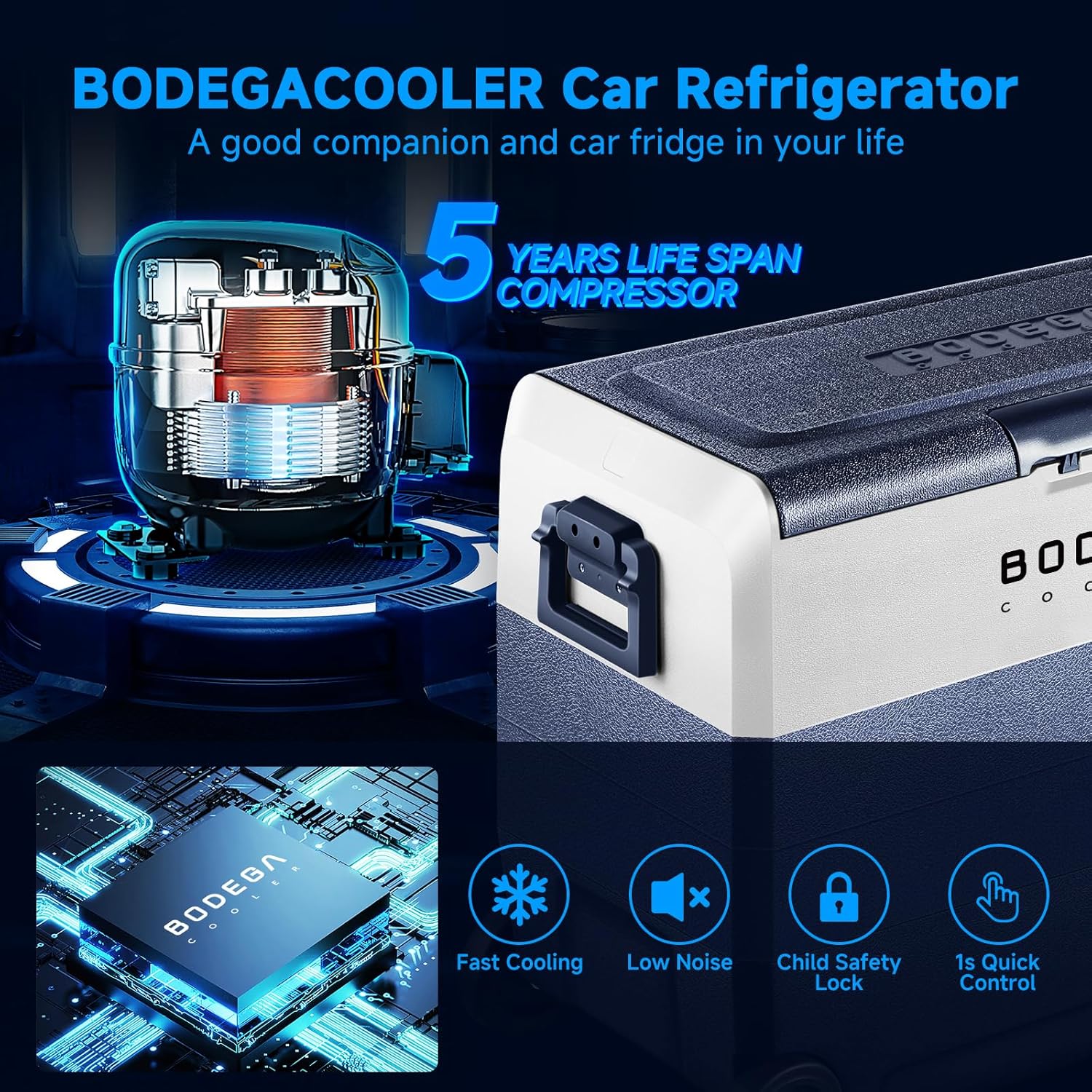
Image: Key features of the BODEGACOOLER portable refrigerator, including fast cooling, low noise, child safety lock, and quick control.
5. Setup
5.1 Unpacking and Placement
- Carefully remove the refrigerator from its packaging.
- Place the unit on a flat, stable surface. Ensure there is at least 6 inches (15 cm) of space around all sides for proper ventilation.
- Avoid placing the unit on soft surfaces like carpets that might block the vents.
5.2 Power Connection
The BODEGACOOLER can be powered by either DC (12V/24V) or AC (100-240V) power sources.
- DC Power (Car/Vehicle): Connect the cigarette lighter connector to the refrigerator's DC input port and then to your vehicle's 12V/24V cigarette lighter socket.
- AC Power (Home/Wall Outlet): Connect the wall plug to the refrigerator's AC input port, then attach the wall plug adapter, and finally plug it into a standard 100-240V AC wall outlet.
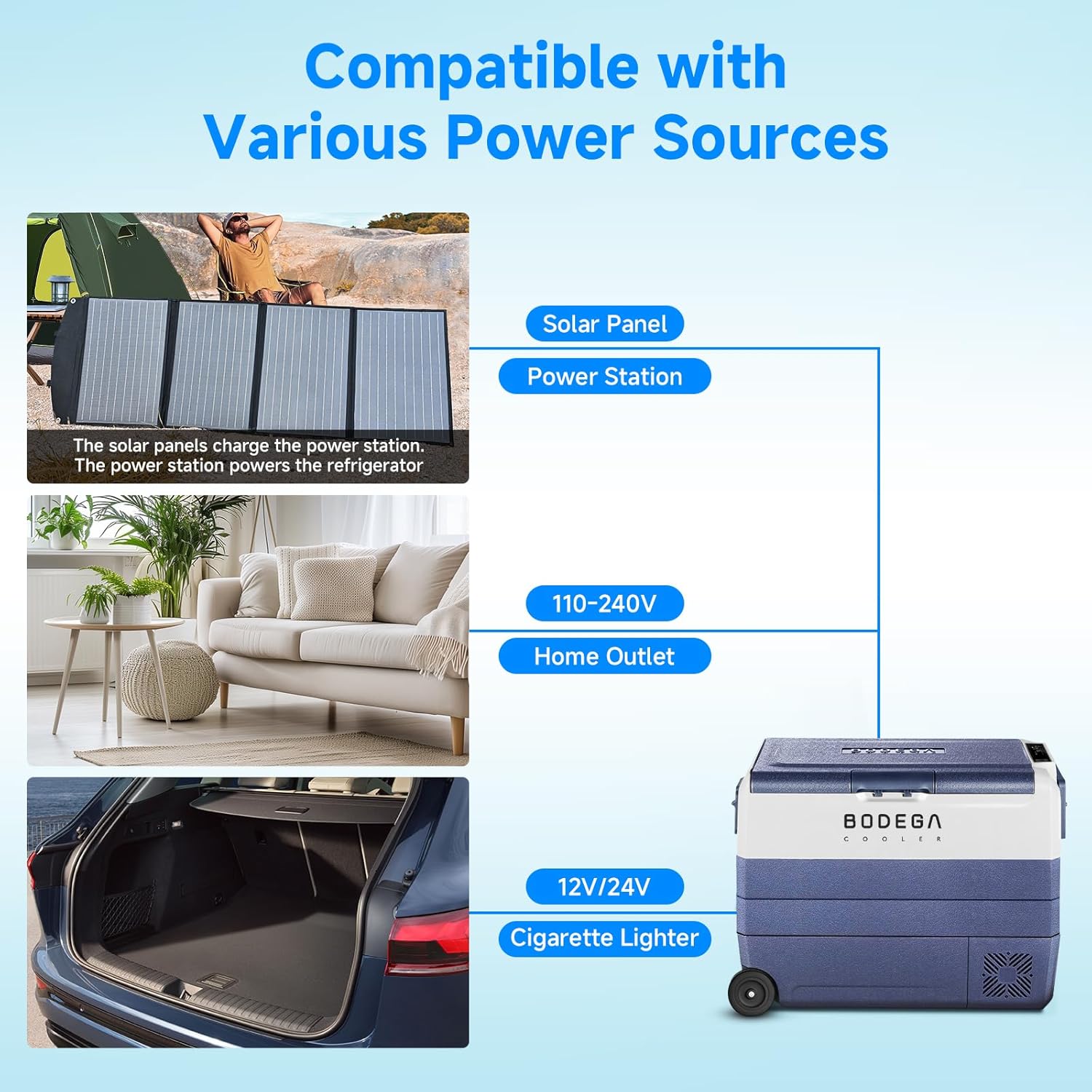
Image: Illustration of various power sources compatible with the BODEGACOOLER, including solar panels, power stations, home outlets, and car cigarette lighters.
Video: Demonstrates how to connect and use the BODEGACOOLER portable refrigerator with various power sources, including a power station and car battery.
5.3 Initial Power-On
After connecting to a power source, press and hold the power button for 3 seconds to turn on the unit. The display will illuminate, and the compressor will begin operation.
6. Operating Instructions
6.1 Control Panel Overview
The control panel is located on the top of the unit and features a digital display and several buttons for operation.
Video: A quick demonstration of the control panel and its functions on the BODEGACOOLER car fridge.
6.2 Temperature Setting (Dual Zone)
This model features two independent cooling zones. To adjust the temperature:
- Press the 'Set' button to select the zone you wish to adjust (left or right). The selected zone's temperature display will flash.
- Use the '+' or '-' buttons to increase or decrease the desired temperature.
- The temperature will automatically set after a few seconds of inactivity.

Image: The dual zone interior of the BODEGACOOLER, illustrating how different items can be stored at refrigerator (vegetables, drinks) and freezer (meat, ice cream) temperatures.
6.3 Cooling Modes (MAX/ECO)
The refrigerator offers two cooling modes:
- MAX Mode: Provides maximum cooling power for rapid temperature reduction.
- ECO Mode: Optimizes energy consumption for extended battery life.
To switch between modes, press the 'Settings' button (often represented by a gear icon) until the desired mode is displayed.
6.4 Battery Protection Settings (H/M/L)
The unit includes a battery protection system to prevent your vehicle's battery from draining completely. There are three settings:
- H (High): Highest protection, shuts off at a higher voltage. Recommended for vehicle starter batteries.
- M (Medium): Moderate protection.
- L (Low): Lowest protection, allows the unit to run longer before shutting off. Recommended for deep cycle auxiliary batteries.
To adjust the battery protection level, press and hold the 'Settings' button for 3 seconds, then press it again to cycle through H, M, and L. Release the button to select.
6.5 USB Charging Port
A USB port is integrated into the control panel for charging small electronic devices.
6.6 Interior LED Light
The interior LED light automatically illuminates when the lid is opened, providing visibility in low-light conditions.
7. App Control
The BODEGACOOLER can be controlled remotely via a smartphone app.
- Download the App: Scan the QR code provided in the user manual or search for "BODEGACOOLER" in your device's app store (Android or iOS).
- Enable Bluetooth: Ensure Bluetooth is enabled on your smartphone.
- Connect to Refrigerator: Open the app and follow the on-screen instructions to connect to your BODEGACOOLER. The app will typically detect the refrigerator via Bluetooth.
- Control Settings: Once connected, you can adjust temperatures for both zones, switch cooling modes, and monitor the unit's status directly from your phone.

Image: A smartphone screen showing the BODEGACOOLER app, which allows users to control the refrigerator's settings.
8. Maintenance
8.1 Cleaning
Regular cleaning helps maintain efficiency and hygiene.
- Always disconnect the power supply before cleaning.
- Wipe the interior and exterior surfaces with a damp cloth and a mild detergent.
- Do not use abrasive cleaners or harsh chemicals.
- Ensure all surfaces are dry before reconnecting power.
- Clean the ventilation openings regularly to ensure proper airflow.
8.2 Defrosting
Frost may accumulate on the interior surfaces, especially in the freezer zone. Defrost the unit when the frost layer is about 0.2 inches (5 mm) thick.
- Turn off the refrigerator and disconnect it from the power supply.
- Remove all contents.
- Leave the lid open to allow the frost to melt naturally.
- Wipe away melted water with a clean cloth.
- Do not use sharp objects to remove frost, as this can damage the cooling system.
8.3 Storage
If storing the unit for an extended period:
- Clean and dry the unit thoroughly.
- Leave the lid slightly ajar to prevent odors and mold growth.
- Store in a dry, well-ventilated area, away from direct sunlight and extreme temperatures.
9. Troubleshooting
If you encounter issues, refer to the following common problems and solutions:
| Problem | Possible Cause | Solution |
|---|---|---|
| Unit does not turn on | No power supply; Power cord loose; Power button not held long enough. | Check power connection; Ensure power button is held for 3 seconds. |
| Unit not cooling effectively | Vents blocked; Temperature set too high; Door not closed properly; Ambient temperature too high. | Clear vents; Lower temperature setting; Ensure lid is sealed; Move unit to cooler area if possible. |
| Error code displayed | Internal fault. | Note the error code and contact customer support. |
| App not connecting | Bluetooth off; App not updated; Refrigerator not powered on. | Ensure Bluetooth is on; Update app; Power on refrigerator. |
If the problem persists after attempting these solutions, please contact BODEGACOOLER customer support.
10. Specifications
| Feature | Detail |
|---|---|
| Model Name | T60-RB |
| Capacity | 60 Liters (64 Quarts) |
| Fresh Food Capacity (Left Zone) | 34 Quarts (34L) |
| Freezer Capacity (Right Zone) | 28 Quarts (26L) |
| Temperature Range | -4℉ to 68℉ (-20℃ to 20℃) |
| Product Dimensions (D x W x H) | 14.1" x 28.5" x 21.6" |
| Power Input | 12V/24V DC, 100-240V AC |
| Cooling Method | Compressor |
| Defrost System | Automatic |
| Special Features | App Control, Wheels, Retractable Handle, USB Socket, Interior LED Light, Adjustable Shelves |

Image: Detailed external and internal dimensions of the BODEGACOOLER 64 Quart portable refrigerator, showing the capacity of each zone.
11. Warranty and Support
BODEGACOOLER provides the following warranty for this product:
- 1-Year Warranty: For the 12V car fridge unit.
- 5-Year Warranty: For the compressor.
Our professional technical support team is available to assist with any issues. For support, please contact us, and we will respond within 24 hours to provide a satisfactory solution.


