
1. Introduction
This manual provides essential information for the safe and efficient operation, assembly, and maintenance of your SENIX X6 60V Max Cordless String Trimmer. The trimmer features a 16-inch cutting diameter, a 0.095-inch cutting line, an aluminum shaft, and a brushless motor for powerful performance. It includes a 3.0 Ah Lithium-ion battery and charger. Please read this manual thoroughly before first use.
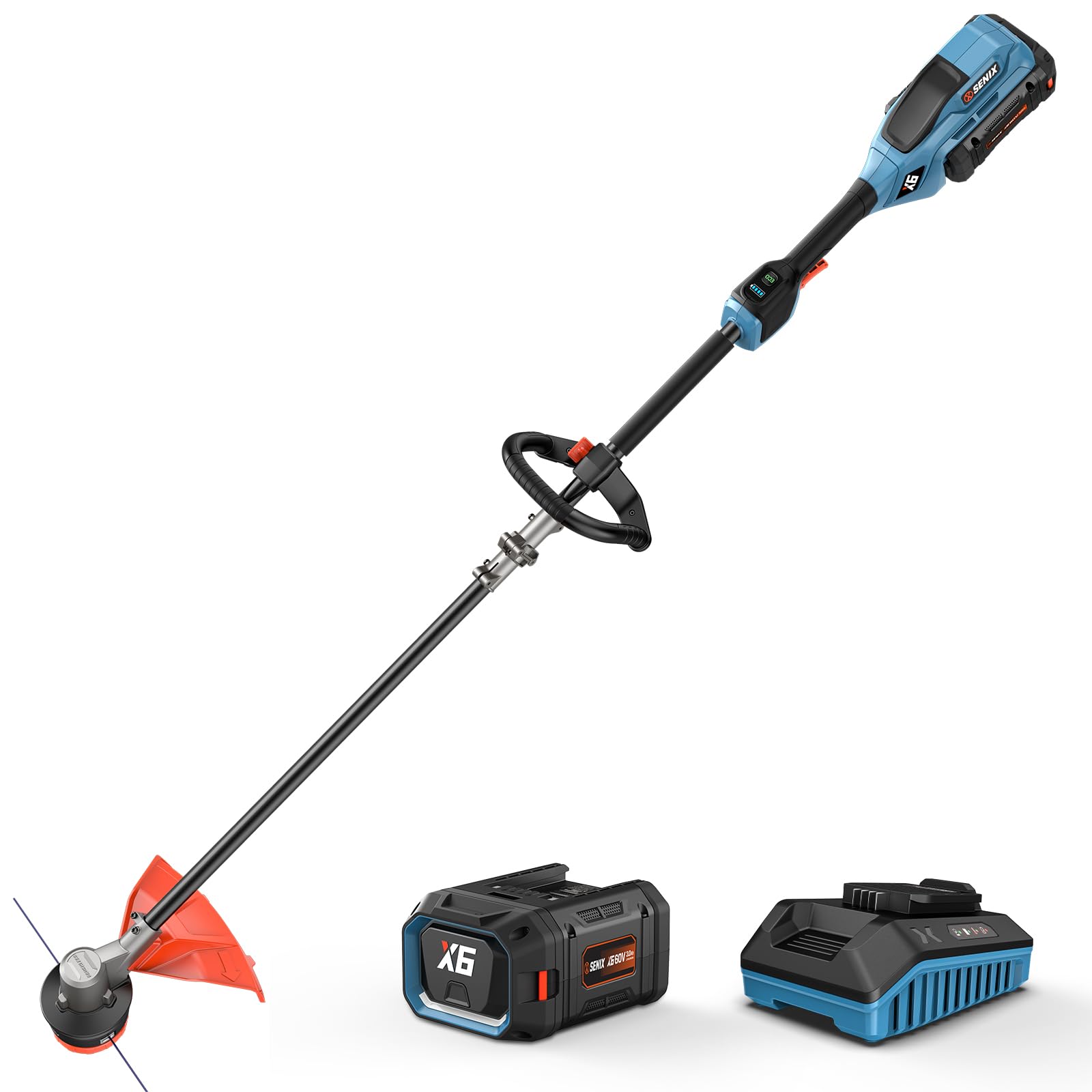
Image: The SENIX X6 60V Max Cordless String Trimmer, ready for use.
2. Safety Information
WARNING: To reduce the risk of injury, the user must read the entire instruction manual before operating this product. Do NOT connect any power before making any adjustments or performing maintenance.
- Always wear appropriate personal protective equipment (PPE), including safety glasses, gloves, and earplugs, during operation and maintenance.
- Ensure the battery is fully charged before use, but disconnect it before any assembly or maintenance.
- Keep bystanders, especially children and pets, at a safe distance from the operating area.
- Inspect the work area for debris, rocks, or other objects that could be thrown by the trimmer line.
- Operate the trimmer only in good visibility and dry conditions.

Image: A user demonstrating proper safety attire, including protective glasses and gloves, before operating the string trimmer.
3. Package Contents
Verify that all items are present upon opening the package. If any parts are missing or damaged, contact SENIX customer service.

Image: The complete package contents, including the string trimmer, 60V Max 3.0Ah battery, 3A charger, and spooled trimmer line.
- Cordless String Trimmer (Main Unit)
- Front-Assist Handle
- Guard
- 60V Max 3.0 Ah Lithium-ion Battery
- 3A Charger
- Spooled Trimmer Line (0.095" dual twist line)
- Instruction Manual
- Installation Tools (Hexagon wrench, screw)
4. Assembly
Follow these steps to assemble your SENIX X6 60V Max Cordless String Trimmer. Ensure the battery is removed before starting assembly.
- Prepare the Coupler:
Remove the screw on the coupler located on the main shaft. This will allow you to adjust and secure the handle.
Video: Quick Start Guide for the SENIX Cordless String Trimmer, demonstrating assembly and initial use. This video shows how to remove and fix the coupler screw, install the handle, guard, and battery, and start the trimmer.
Once the handle is in place, fix the coupler securely with the screw. Ensure it is tightened to prevent movement during operation.
- Install the Front-Assist Handle:
Attach the Front-Assist Handle to the main shaft. Position it for comfortable use and optimal balance.

Image: Close-up view of the 360-degree adjustable front-assist handle, designed for maximum control and user comfort during trimming and edging.
Install the clamping block and then secure it with the hexagon screw. Ensure the handle is firmly attached.
Secure the handle further using the fixed knob, ensuring it is tight and the handle does not wobble.
- Attach the Guard:
First, remove the anti-loss screw from the guard. This screw is designed to prevent loss during shipping but needs to be removed for installation.
Install the guard over the trimmer head. The guard protects the user from flying debris during operation.

Image: The grass shield installed on the trimmer head, designed to prevent messy dirt and debris from scattering.
Tighten the screw to secure the guard in place. Ensure it is firmly attached and does not interfere with the trimmer line.
Tear off the blade paper from the guard. This paper protects the blade during transit.
- Install the Battery:
Align the 60V Max 3.0 Ah Lithium-ion battery with the battery slot on the trimmer and slide it in until it clicks into place. Ensure it is fully seated.

Image: The SENIX X6 60V Max battery being securely installed into the cordless string trimmer.
To remove the battery, press the release button and slide the battery out.
5. Operation
Before operating, ensure all safety precautions are followed and the trimmer is fully assembled.
- Starting the Trimmer:
To start the trimmer, press the safety lock-off button and then squeeze the trigger simultaneously. Release the safety button once the trimmer starts.
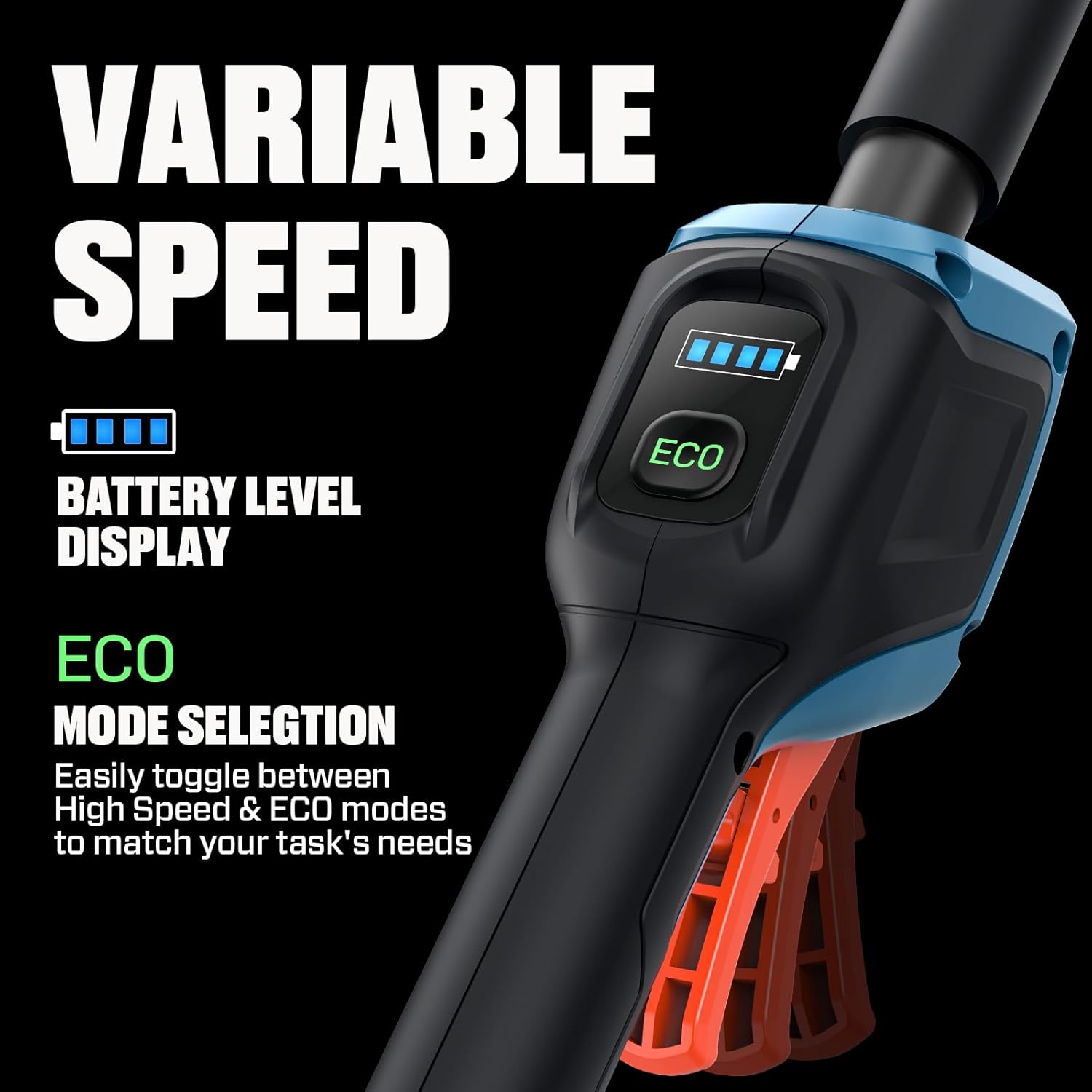
Image: The handle showing the variable speed control, ECO mode selection button, and battery level display.
- Variable Speed Control:
The trimmer features ECO and standard modes. Press the ECO button to switch between modes. ECO mode (No-load speed 5000rpm) conserves battery life for lighter tasks, while standard mode (No-load speed 6000rpm) provides full power for tougher conditions.
- Battery Level Display:
Monitor the battery charge level using the integrated display on the handle. This helps you manage your work time effectively.
- Quick Line Load:
To load new cutting line, align the arrows on the trimmer head, insert the line, and twist. This bump feed system allows for quick and easy line advancement during operation.
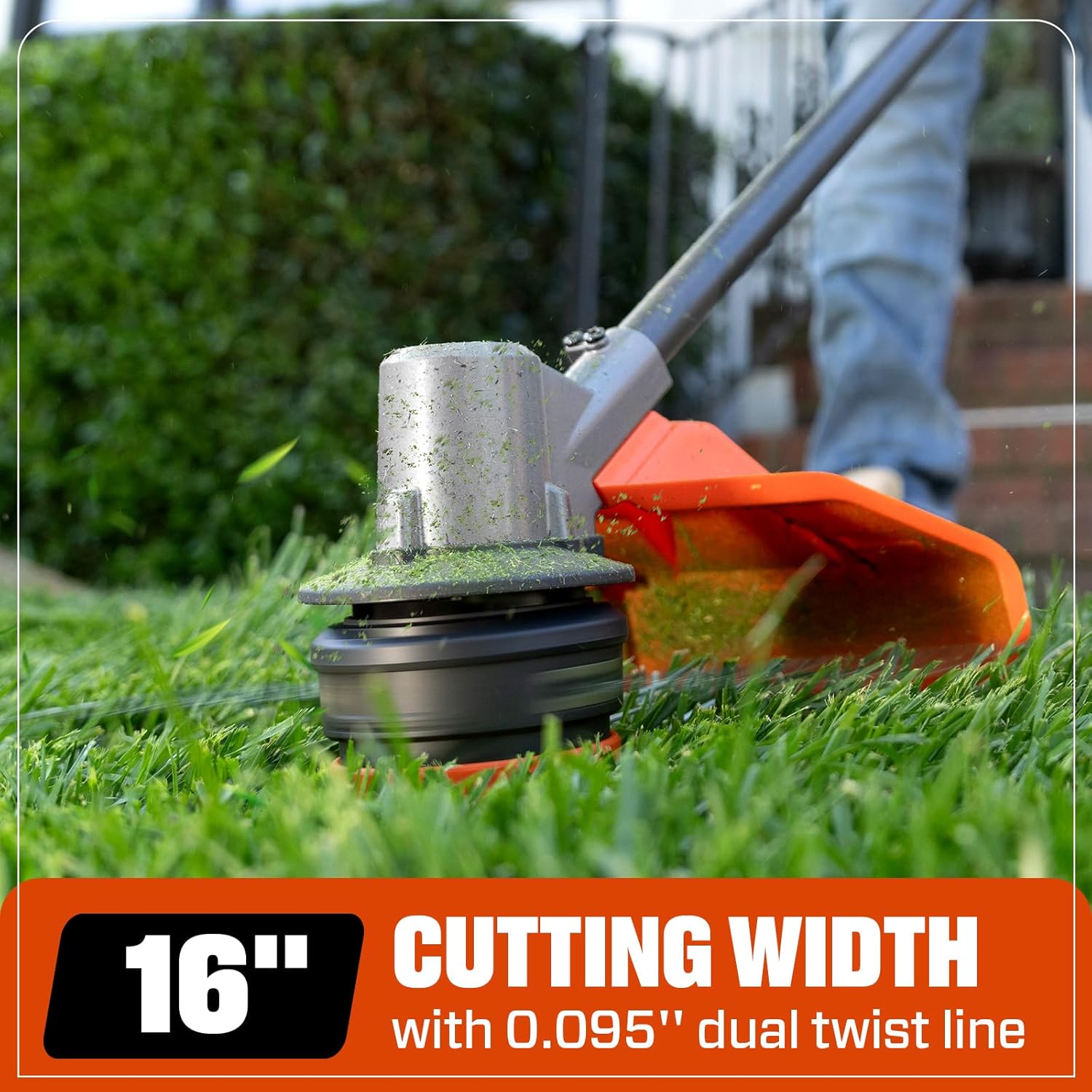
Image: The trimmer head demonstrating the 16-inch cutting width and 0.095-inch dual twist line for efficient trimming.
6. Maintenance
Regular maintenance ensures the longevity and optimal performance of your string trimmer. Always disconnect the battery before performing any maintenance.
- Cleaning: After each use, clean the trimmer head, guard, and shaft to remove grass clippings and debris. Use a damp cloth and mild soap if necessary.
- Trimmer Line Replacement: Replace the trimmer line as needed. Refer to the "Quick Line Load" section for instructions on how to easily load new line. Use only 0.095" dual twist line.
- Battery Care: Store the battery in a cool, dry place. Do not expose it to extreme temperatures. Fully charge the battery before long-term storage.
- Inspection: Periodically inspect the trimmer for any loose screws, damaged parts, or excessive wear. Tighten loose fasteners and replace damaged components immediately.
7. Troubleshooting
If you encounter issues with your SENIX X6 60V Max Cordless String Trimmer, refer to the following common troubleshooting steps:
| Problem | Possible Cause | Solution |
|---|---|---|
| Trimmer does not start or stops unexpectedly. |
|
|
| Trimmer line does not advance. |
|
|
| Reduced runtime or power. |
|
|
For issues not covered here, please contact SENIX customer support.
8. Specifications
| Feature | Detail |
|---|---|
| Brand | SENIX |
| Model Number | GTX6-M |
| Power Source | Battery Powered (60V Max) |
| Motor Type | Brushless |
| Cutting Width | 16 Inches |
| Trimmer Line Diameter | 0.095 Inches (Dual Twist Line) |
| Feed Type | Bump Feed |
| Shaft Material | Aluminum |
| Battery Included | 3.0 Ah Lithium-ion Battery |
| Charger Included | Yes |
| Item Weight | 10 Pounds |
| Operation Modes | ECO (5000rpm) & Standard (6000rpm) |
| UPC | 843212100423 |
9. Warranty and Support
For warranty information, please refer to the documentation included with your product or visit the official SENIX website. SENIX offers various protection plans for extended coverage.
If you require technical assistance, replacement parts, or have questions regarding your SENIX X6 60V Max Cordless String Trimmer, please contact SENIX customer service. They are available to provide support and guidance.
- Customer Service: Refer to your product packaging or the SENIX website for contact details.
- Online Resources: Visit the SENIX Store on Amazon for additional product information and accessories.