TCL 501 Mobile Phone User Manual
Model: TCL 501
1. Introduction
This user manual provides essential information for the safe and efficient operation of your TCL 501 Mobile Phone. Please read this manual thoroughly before using your device to ensure proper functionality and to prevent damage.
The TCL 501 is an unlocked Android mobile phone designed for everyday communication and basic multimedia tasks. It features a 6-inch display, 32GB of internal storage, 2GB RAM, a 5MP camera, and a 3000mAh battery.
2. Safety Information
Always follow basic safety precautions when using your mobile phone to reduce the risk of fire, electric shock, and injury to persons.
- Do not use the phone while driving.
- Avoid exposing the phone to extreme temperatures, direct sunlight, or high humidity.
- Use only manufacturer-approved chargers and accessories.
- Do not disassemble or attempt to repair the phone yourself.
- Keep the phone away from medical devices, as it may interfere with their operation.
- Dispose of the phone and its battery responsibly according to local regulations.
3. Package Contents
Ensure all items are present in the package:
- TCL 501 Mobile Phone
- USB Cable
- Quick Start Guide (if applicable, not included in this manual)
- Safety and Warranty Information (if applicable, not included in this manual)
4. Device Layout

Image: Front and back view of the TCL 501 mobile phone, showcasing its blue color and camera module.
- Front Camera: Located at the top center of the display.
- Display: 6-inch screen for interaction and viewing.
- Volume Buttons: On the right side, for adjusting audio levels.
- Power Button: Below the volume buttons, for turning the device on/off and locking/unlocking the screen.
- USB Port: At the bottom, for charging and data transfer.
- Speaker: Located at the bottom or rear for audio output.
- Rear Camera: 5MP camera module on the back of the phone.
- Flash: Next to the rear camera for low-light photography.
- SIM/microSD Card Slot: Typically on the side, for inserting SIM and memory cards.
5. Setup
5.1. Inserting SIM and microSD Cards
Your TCL 501 supports one Nano-SIM card and one microSD card for expandable storage.
- Locate the SIM/microSD card tray on the side of the phone.
- Insert the SIM ejector tool (if provided) or a small paperclip into the small hole next to the tray to eject it.
- Place the Nano-SIM card into the SIM slot with the gold contacts facing down.
- If using, place the microSD card into the designated microSD slot.
- Carefully push the tray back into the phone until it is flush with the side.
5.2. Charging the Battery
Before first use, fully charge the phone's battery.
- Connect the USB cable to the phone's USB port.
- Connect the other end of the USB cable to a compatible USB power adapter (not included) or a computer's USB port.
- The charging indicator will appear on the screen. Disconnect the charger once the battery is full.
5.3. Powering On/Off
- To Power On: Press and hold the Power button until the TCL logo appears.
- To Power Off: Press and hold the Power button until the power options appear, then tap "Power off".
6. Operating Your Phone
6.1. Basic Navigation
The TCL 501 uses Android Go Edition, optimized for smooth performance on devices with 2GB RAM. Navigation is primarily touch-based.
- Tap: To select an item or open an app.
- Swipe: To scroll through screens or lists.
- Pinch: To zoom in or out on photos or web pages.
- Long Press: To access contextual menus or move icons.
6.2. Making Calls
- Open the "Phone" app.
- Enter the phone number using the dial pad or select a contact.
- Tap the call icon to initiate the call.
6.3. Sending Messages
- Open the "Messages" app.
- Tap the "Start chat" or "New message" icon.
- Enter the recipient's number or select from contacts.
- Type your message and tap the send icon.
6.4. Connecting to Wi-Fi
- Go to "Settings" > "Network & internet" > "Wi-Fi".
- Turn on Wi-Fi.
- Select your desired Wi-Fi network from the list.
- Enter the password if prompted and tap "Connect".
6.5. Using the Camera
The 5MP rear camera is suitable for capturing everyday moments.
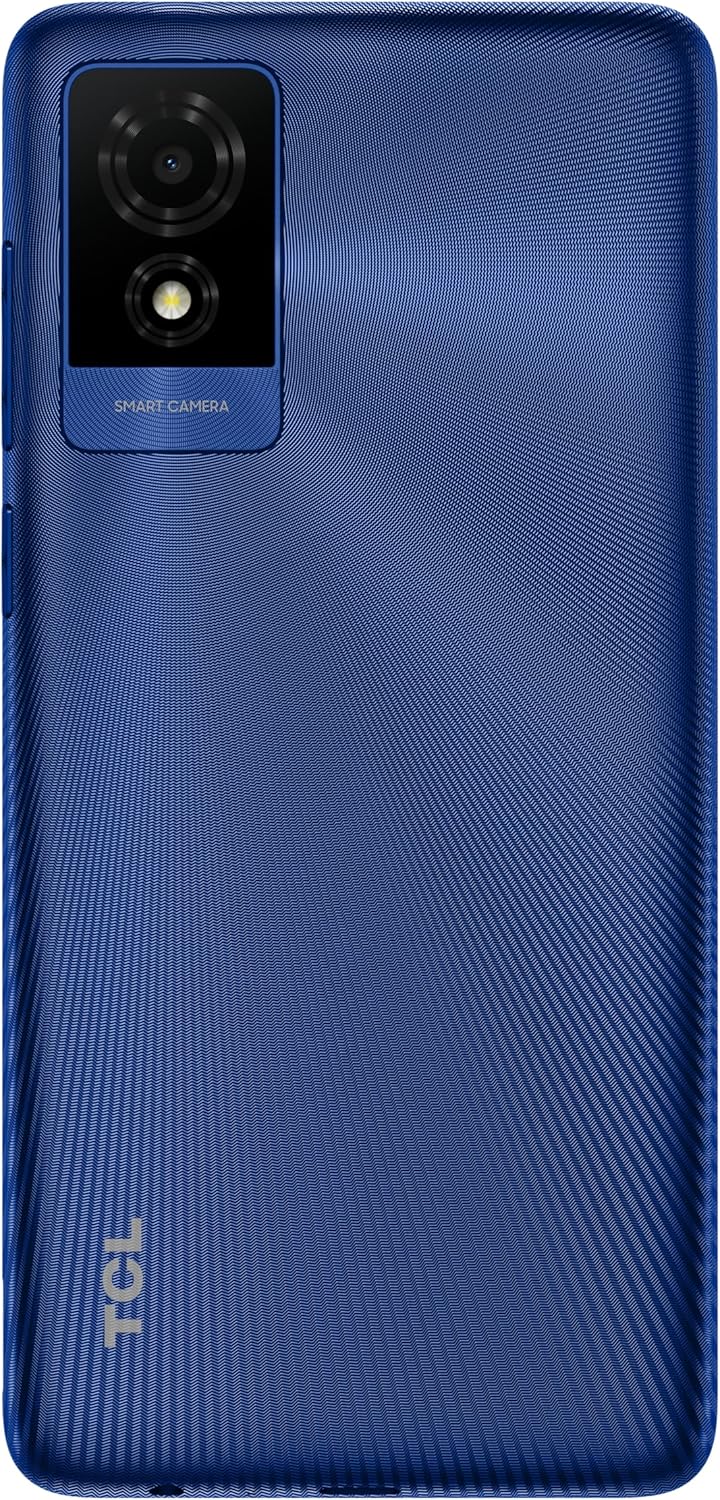
Image: Close-up of the TCL 501's rear camera module and flash.
- Open the "Camera" app.
- Frame your shot.
- Tap the shutter button to take a photo.
- Switch to video mode by tapping the video icon.
7. Maintenance
7.1. Cleaning Your Phone
Use a soft, lint-free cloth to clean the screen and body of your phone. Avoid using harsh chemicals or abrasive materials.
7.2. Software Updates
Regularly check for and install software updates to ensure optimal performance and security. Go to "Settings" > "System" > "System update".
7.3. Battery Care
- Avoid fully discharging the battery frequently.
- Do not expose the battery to extreme heat or cold.
- If the battery is removable (check product specifications), ensure it is properly seated.
8. Troubleshooting
| Problem | Solution |
|---|---|
| Phone does not turn on. | Ensure the battery is charged. Connect to a charger and wait a few minutes before attempting to power on. |
| Apps are slow or freezing. | Close unused apps. Clear app cache in Settings > Apps. Restart the phone. Consider freeing up storage space. |
| Cannot connect to Wi-Fi. | Ensure Wi-Fi is enabled. Restart your router. Forget the network and reconnect. |
| Poor battery life. | Reduce screen brightness. Close background apps. Turn off Wi-Fi/Bluetooth when not in use. Limit location services. |
| Cannot make or receive calls. | Check SIM card insertion. Ensure you have network signal. Contact your network provider. |
9. Specifications
| Feature | Detail |
|---|---|
| Model Name | TCL 501 |
| Display | 6 Inches, 540 x 1092 Resolution |
| Operating System | Android 14.0 Go |
| RAM | 2 GB |
| Internal Storage | 32 GB (expandable via microSD) |
| Rear Camera | 5 MP |
| Battery | 3000 mAh Lithium Ion (included) |
| CPU Model | Snapdragon |
| CPU Speed | 2.2E+3 MHz |
| Wireless Carrier | Unlocked |
| Package Dimensions | 17.4 x 9.3 x 5.9 cm |
| Weight | 310 g |
10. Warranty and Support
For warranty information and customer support, please refer to the warranty card included with your product or visit the official TCL support website. Keep your proof of purchase for warranty claims.
TCL Official Website: www.tcl.com
For further assistance, you may also contact the retailer where you purchased the device.


