
1. Setup and Assembly
Before beginning assembly, ensure all components are present and undamaged. Refer to the parts list provided in your packaging. Assembly typically requires a Phillips head screwdriver and an Allen wrench (often included). It is recommended to assemble the unit on a soft, clean surface to prevent scratches.
Assembly Steps:
- Attach the side frames to the base board using the provided screws and fasteners.
- Secure the middle vertical board to the base board.
- Connect the crossbars to the middle vertical board.
- Attach the bottom shelf to the assembled frame.
- Connect the second base board to the remaining side frame.
- Assemble the top horizontal bars using screws and connectors.
- Connect the assembled top horizontal bars to form the top frame.
- Attach the completed top frame to the vertical frames.
- Attach the remaining top horizontal bars to the remaining vertical frames.
- Install the adjustable feet to the bottom of the unit.
- Install the anti-tilt brackets to the top rear of the unit using screws and a wrench.
- Place the top wooden panels onto the frame. Install the power outlet into the designated slot and secure it.
- Install the drawer slides onto the metal frame.
- Insert the plastic caps into the remaining holes on the metal frame.
- Insert the wooden shelf into the open compartment.
- Assemble the fabric drawers by inserting the bottom board and attaching the handles. Repeat for all 8 drawers.
- Attach the cord organizer to the back of the table to manage cables neatly.
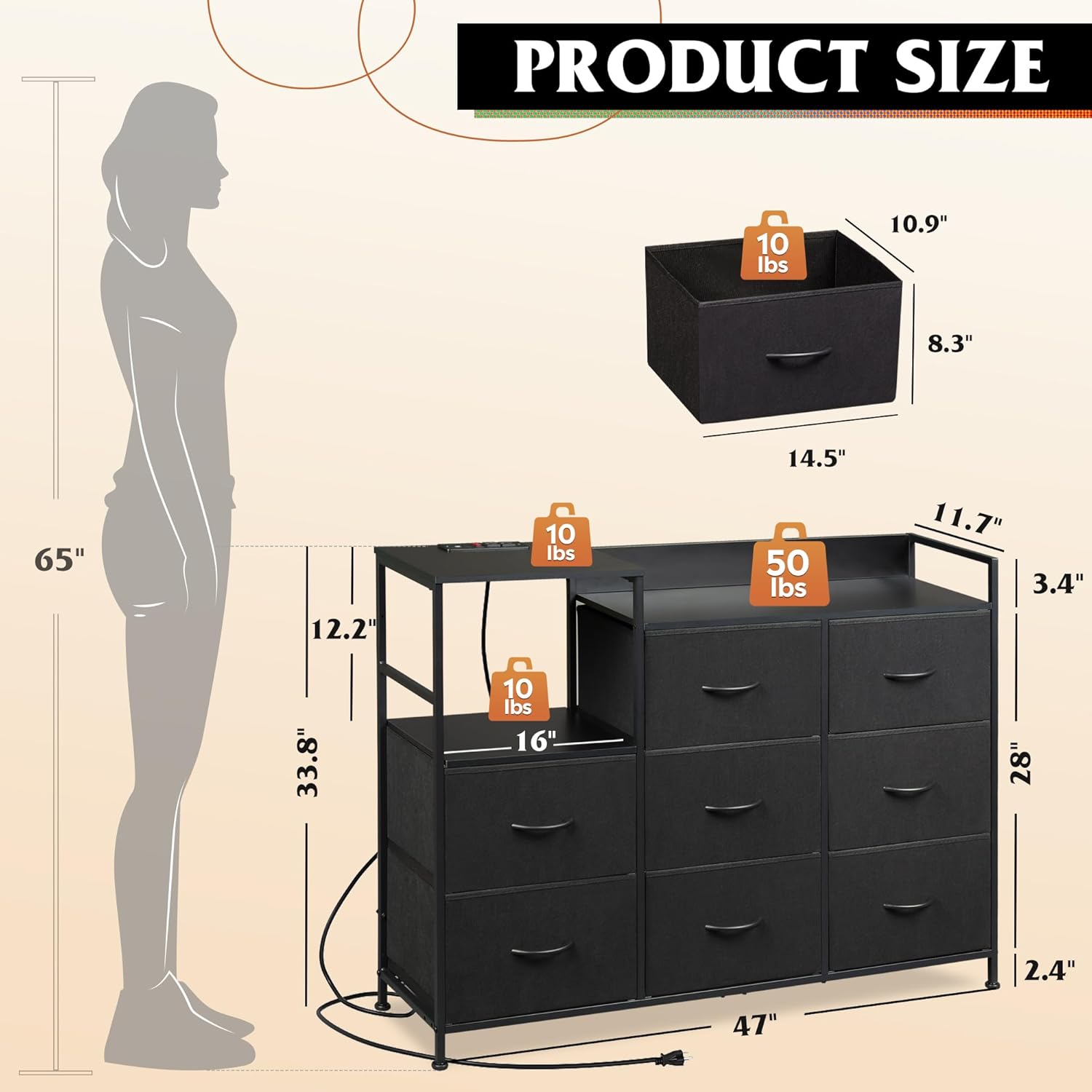
Figure 1: Product dimensions and weight capacities for various sections.
Video 1: Detailed assembly instructions for the WLIVE TV Stand.
2. Operating Instructions
Charging Station:
The TV stand is equipped with a built-in charging station featuring 2 AC sockets and 2 USB ports. Connect the power cord to a wall outlet. Use the AC sockets for devices requiring standard power and the USB ports for charging compatible electronic devices such as smartphones and tablets. The charging station is UL/ETL certified for safety.
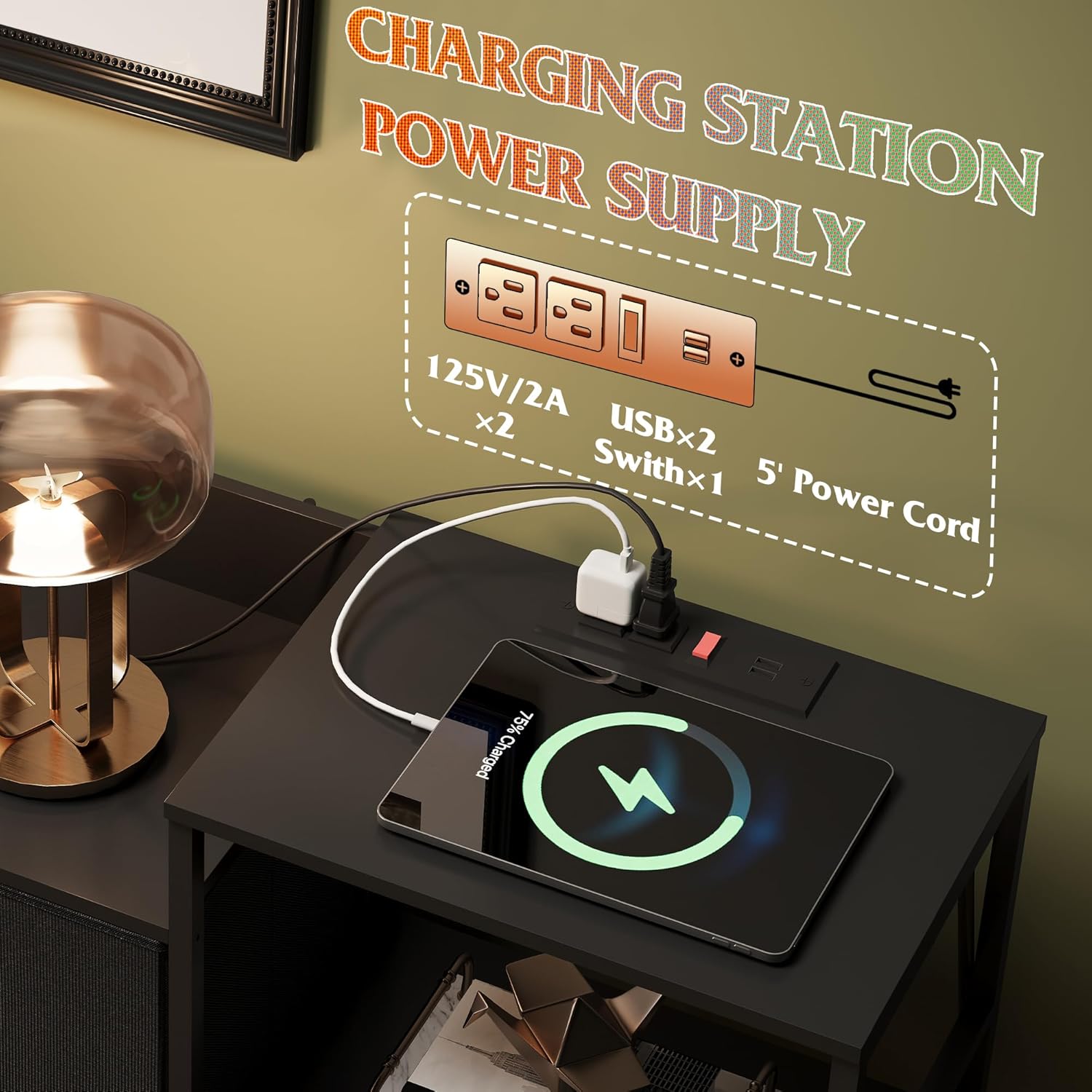
Figure 2: Close-up view of the integrated charging station.
Storage Features:
The unit includes 8 detachable fabric drawers and open storage shelves. The spacious wood top can accommodate a TV up to 35 inches and provides display space for decorative items. The fabric drawers are suitable for organizing various household items, including entertainment equipment, clothing, and accessories.

Figure 3: The TV stand integrated into a living room, highlighting its storage and display functions.
3. Maintenance
Cleaning:
To clean the wooden surfaces, wipe with a dry cloth. Avoid using abrasive cleaners or harsh chemicals that may damage the finish. For the fabric drawers, spot clean with a damp cloth and mild detergent if necessary, then air dry completely.
Structural Integrity:
Periodically check all screws and fasteners to ensure they remain tight. The unit is designed with a 15mm thickened metal steel frame and cross support rods for durability. An anti-tilt device is included to secure the cabinet to the wall, enhancing safety. Ensure this device is properly installed and maintained, especially in households with children or pets.
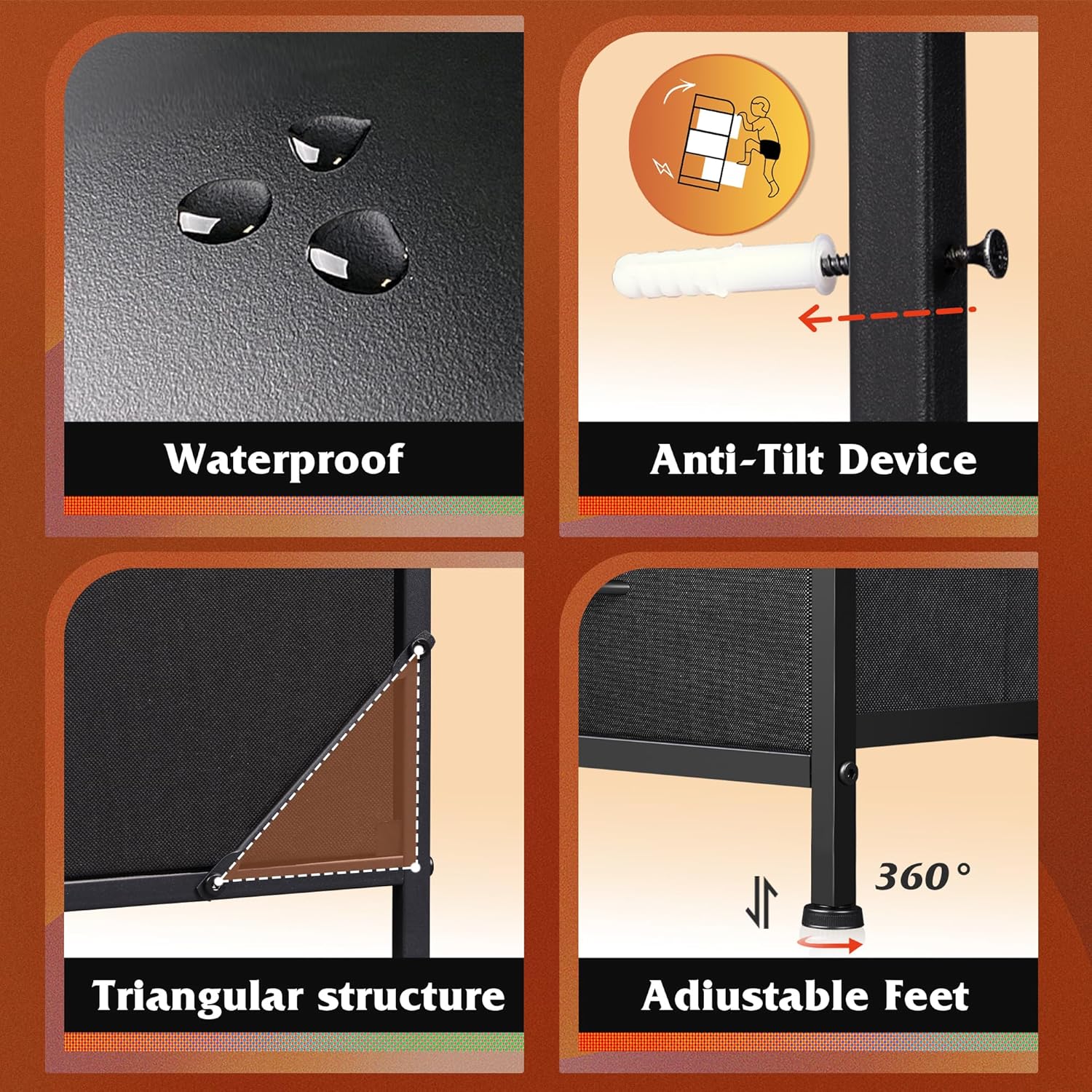
Figure 4: Key structural and safety features of the TV stand.
4. Troubleshooting
- Charging Station Not Working:
Ensure the power cord is securely plugged into both the unit and a functional wall outlet. Check if the power switch on the charging station is in the 'on' position. If issues persist, try plugging another device into the outlet to confirm the outlet is working. - Drawers Not Sliding Smoothly:
Check for any items obstructing the drawer slides. Ensure the fabric drawers are properly assembled and the bottom board is fully inserted. Verify that the drawer slides (L and R parts) were installed correctly during assembly, following the instructions in Section 1. - Unit Feels Unstable:
Confirm that all assembly screws are tightened securely. Ensure the adjustable feet are properly adjusted to compensate for uneven flooring. Verify that the anti-tilt device is correctly installed and anchored to the wall.
5. Specifications
| Attribute | Detail |
|---|---|
| Brand | WLIVE |
| Product Dimensions | 11.7"D x 47.1"W x 33.9"H |
| Color | Black |
| Mounting Type | Floor Mount |
| Room Type | Hallway, Living Room, Nursery, Office |
| Special Feature | Multifunction, Removable, Sturdy, Adjustable Feet, Easy assembly |
| Product Care Instructions | Wipe with Dry Cloth |
| Assembly Required | Yes |
| Model Name | ASNG104 Storage Cabinet/BL |
| Item Weight | 29.5 Pounds |
| Size | 8 Drawer |
| Number of Pieces | 1 |
| Manufacturer | WLIVE |
| Charging Station | 2 AC sockets + 2 USB ports, 1.5m flexible cable length, UL/ETL certified |
6. Warranty and Support
For product support, inquiries, or assistance with your WLIVE TV Stand, please refer to the contact information provided with your purchase documentation or visit the official WLIVE brand store. While specific warranty details are not provided in this manual, additional protection plans may be available for purchase separately to extend coverage for your product.
For more information, visit the WLIVE Store.