
1. Introduction
This manual provides essential instructions for the safe and effective use of your BBAUER AC Adapter. Please read this manual thoroughly before using the product to ensure proper operation and to prevent damage.
This AC adapter is designed to provide power and charge compatible devices, specifically the Altec Lansing LifeJacket XL IMW789-CB-WM and IMW789CBWM speakers.
2. Important Safety Instructions
- Do not expose the adapter to rain, moisture, or extreme temperatures.
- Ensure the adapter is connected to a power outlet with the correct voltage (AC 100-240V).
- Avoid dropping or subjecting the adapter to strong impacts.
- Do not disassemble or attempt to repair the adapter yourself. Refer servicing to qualified personnel.
- Keep the adapter away from children.
- Unplug the adapter from the power outlet when not in use for extended periods.
3. Product Overview
The BBAUER AC Adapter is a compact power supply unit designed for reliable charging. It features a standard AC input and a Micro USB output connector.
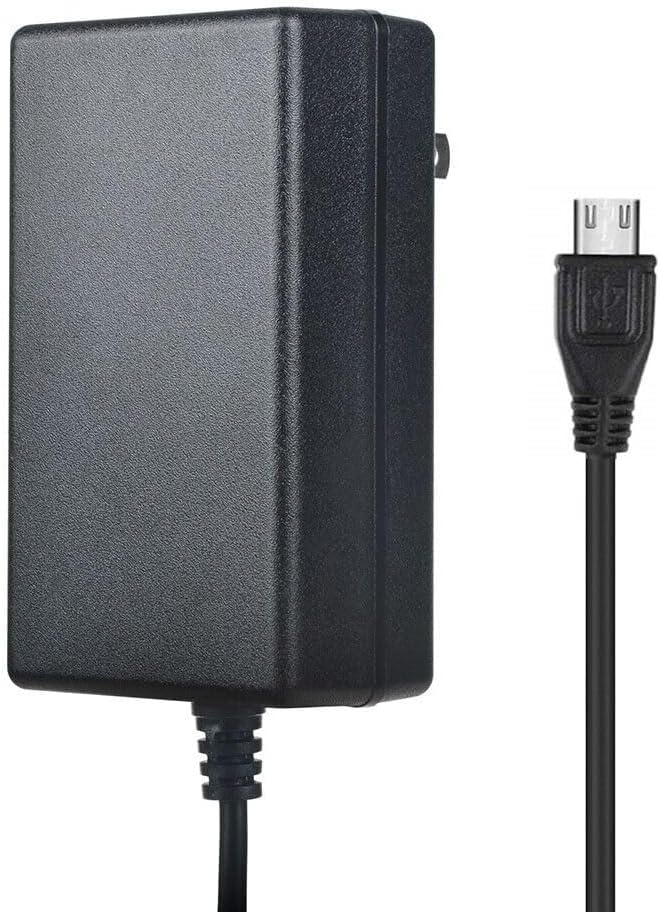
Image 1: BBAUER AC Adapter with Micro USB cable. This image displays the BBAUER AC Adapter, a black rectangular power brick, connected to a black Micro USB cable. The Micro USB connector is visible on the right side of the image, ready for connection to a compatible device.
4. Setup
Follow these steps to set up your AC adapter:
- Verify Compatibility: Ensure your device (e.g., Altec Lansing LifeJacket XL speaker) requires a 5V DC input and uses a Micro USB connector.
- Connect to Device: Insert the Micro USB connector of the adapter cable firmly into the charging port of your Altec Lansing speaker.
- Connect to Power Outlet: Plug the AC adapter into a standard wall power outlet (AC 100-240V).
- Confirm Charging: Check your device's indicator light or display to confirm that it is receiving power or charging.
5. Operating Instructions
Once connected, the adapter will automatically begin supplying power to your device. For charging, ensure your device is powered off or in a charging-compatible mode for optimal results. The adapter is designed for continuous use within its specified voltage and current limits.
6. Maintenance
- Cleaning: Use a soft, dry cloth to clean the adapter. Do not use liquid cleaners or solvents.
- Storage: Store the adapter in a cool, dry place when not in use. Avoid wrapping the cable too tightly around the adapter body.
- Inspection: Periodically inspect the cable and adapter housing for any signs of damage. If damage is found, discontinue use immediately.
7. Troubleshooting
| Problem | Possible Cause | Solution |
|---|---|---|
| Device not charging/powering on. | Adapter not properly plugged in. Device charging port issue. Adapter malfunction. | Ensure adapter is fully plugged into wall and device. Test with another compatible device/adapter. |
| Adapter feels hot during use. | Normal operation (slight warmth). Overload or malfunction. | A slight warmth is normal. If excessively hot, unplug immediately and discontinue use. Ensure proper ventilation. |
| Cable or connector damage. | Physical stress or wear. | Discontinue use immediately to prevent electrical hazard. Replace the adapter. |
8. Specifications
- Input Voltage: AC 100-240V, 50/60Hz
- Output: DC 5V
- Connector Size: Micro USB
- Cable Length: 6.6ft / 2m
- Safety Certifications: FCC, CE
- Protection Features: Over Voltage Protection, Over Heat Protection
9. Warranty and Support
This BBAUER product comes with a standard manufacturer's warranty. For specific warranty details, return policies, or technical support, please refer to the documentation provided at the time of purchase or contact your retailer. Please have your product model number and purchase date available when contacting support.