
1. Introduction
Thank you for choosing the WSDCAM Wireless Bike Alarm. This device is designed to provide enhanced security for your bicycle, e-bike, motorcycle, or scooter. Featuring a 113dB loud alarm, adjustable sensitivity, and a remote control, it offers reliable protection against theft. This manual provides detailed instructions for setup, operation, and maintenance to ensure optimal performance and longevity of your alarm system.
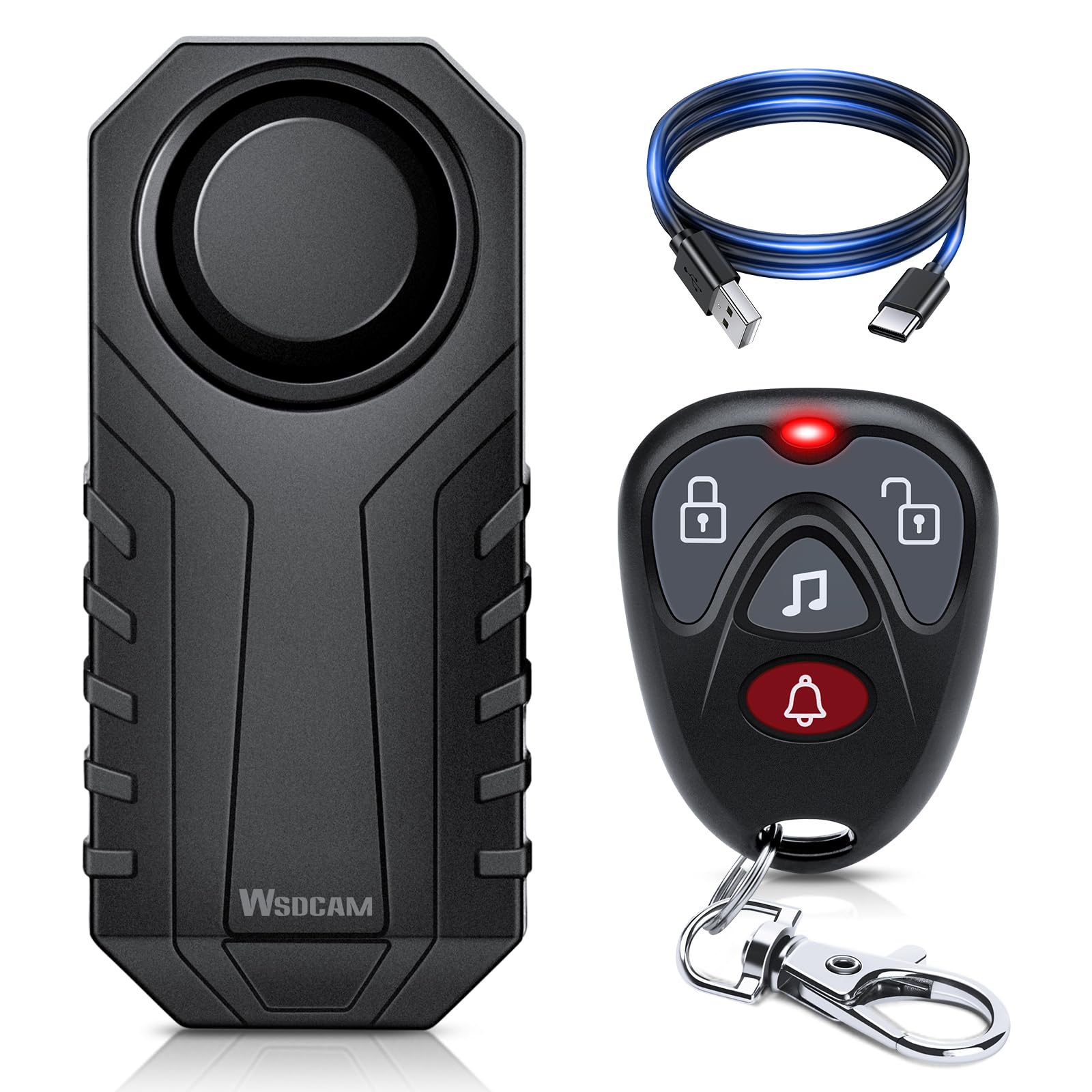
Figure 1: WSDCAM Wireless Bike Alarm with Remote.
2. Product Features
- Rugged and Versatile Design: Built-in vibration recognition chip with 7 adjustable sensitivities. IP65 waterproof and sunlight resistant housing for various outdoor environments.
- Type-C Rechargeable Battery: Equipped with a 700mAh rechargeable lithium battery and a Type-C charging port. Offers up to 3 months of daily use and 6-11 months standby time.
- Intelligent Algorithm and Fall Alarm: Recognizes vehicle falls (deviations over 45°) through intelligent algorithms, emitting an alarm sound with 3 adjustable volume levels.
- Remote Control: Wireless remote control with a range of 20M/66FT, allowing for easy arming, disarming, vehicle location, and ringtone selection (3 types).
- Easy Installation and Concealment: Simple installation using double-sided stickers or straps, requiring no screws or wiring. Compact design allows for discreet placement.
3. Package Contents
- WSDCAM Wireless Bike Alarm Unit
- Wireless Remote Control
- Type-C Charging Cable
- Mounting Accessories (Double-sided stickers, zip ties/straps)
- User Manual
4. Setup and Installation
Follow these steps to install your WSDCAM Wireless Bike Alarm:
- Choose a Location: Select a discreet and secure location on your bike, e-bike, motorcycle, or scooter. Common places include under the seat, on the frame, or within a storage compartment.
- Clean the Surface: Ensure the chosen surface is clean and dry for optimal adhesion if using double-sided stickers.
- Apply Adhesives or Straps: Attach the provided double-sided stickers to the back of the alarm unit, or use the included straps/zip ties to secure it firmly to the frame.
- Secure the Alarm: Press the alarm firmly onto the surface if using stickers, or tighten the straps/zip ties until the alarm is stable and cannot be easily removed.

Figure 2: Installation steps for the WSDCAM bike alarm.

Figure 3: Examples of discreet installation locations.
5. Operating Instructions
The WSDCAM bike alarm is operated using the provided wireless remote control.

Figure 4: WSDCAM Remote Control.
5.1. Arming and Disarming
- Arm: Press the Lock button (
 ) on the remote. The alarm will emit a confirmation sound, indicating it is armed. Any vibration will trigger a warning sound, followed by the full alarm if disturbance continues.
 - Disarm: Press the Unlock button (
 ) on the remote. The alarm will emit a disarming sound.
5.2. Adjusting Sensitivity
The alarm has 7 adjustable sensitivity levels. Higher sensitivity means the alarm will trigger with less movement.
- While the alarm is disarmed, press and hold the Unlock button until you hear a series of beeps.
- Each beep corresponds to a sensitivity level (1 beep for lowest, 7 beeps for highest). Release the button at your desired level.

Figure 5: Adjustable Sensitivity Levels.
5.3. Adjusting Volume
The alarm offers 3 adjustable volume levels, up to 113dB.
- While the alarm is disarmed, press the Ringtone button (
 ) to cycle through the volume levels.
 - The alarm will sound at each level, allowing you to select your preferred volume.
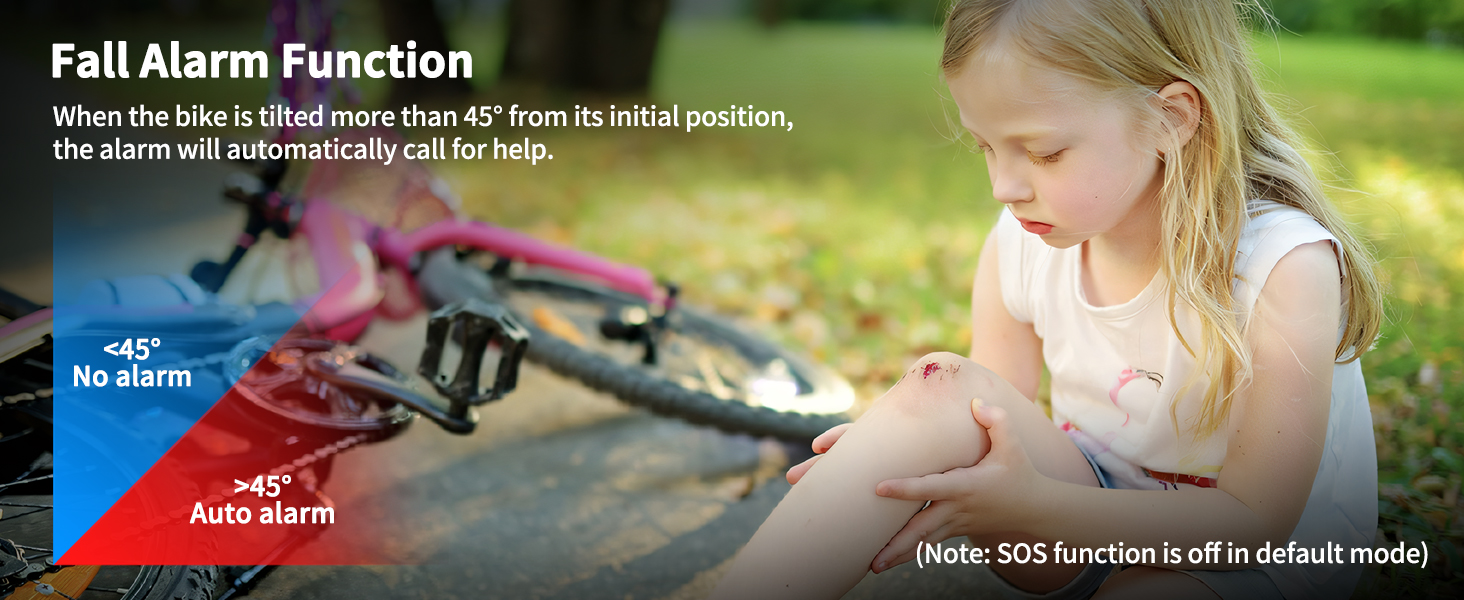
Figure 6: Adjustable Volume Levels.
5.4. Search Function
To locate your vehicle in a crowded area, press the Bell button () on the remote. The alarm will sound, helping you find your vehicle.

Figure 7: Using the Search Function.
5.5. Fall Alarm Function (SOS)
The alarm features an intelligent fall detection system. If your vehicle is tilted more than 45° from its initial position, the alarm will automatically activate to alert others. This function is off by default and can be enabled or disabled as needed.

Figure 8: Fall Alarm Function in action.
6. Charging and Battery Maintenance
The WSDCAM bike alarm is equipped with a built-in 700mAh lithium-ion rechargeable battery.
- Charging: Use the provided Type-C USB cable to charge the alarm. Connect it to a standard USB power source (e.g., wall adapter, power bank, computer USB port).
- Charging Indicator: The indicator light on the alarm will show its charging status (e.g., red for charging, green for fully charged).
- Battery Life: A full charge provides approximately 3 months of daily use and up to 6-11 months of standby time, depending on usage and environmental factors.
- Charging Time: Approximately 2 hours for a full charge.

Figure 9: WSDCAM Bike Alarm Charging.

Figure 10: Multiple Charging Options.
7. Durability and Environmental Resistance
The WSDCAM bike alarm is designed for outdoor use with robust features:
- IP65 Waterproof: Provides protection against dust ingress and low-pressure water jets from any direction. This ensures functionality in rain or dusty conditions.
- Sunlight Resistant: The housing material is designed to withstand exposure to sunlight without significant degradation.

Figure 11: IP65 Waterproof and Sunlight Resistant Design.
8. Troubleshooting
If you encounter issues with your WSDCAM Wireless Bike Alarm, refer to the following common solutions:
- Alarm not responding to remote:
- Check the remote control battery.
- Ensure you are within the 20M/66FT wireless range.
- Obstructions like thick walls can reduce range. Try moving closer.
- Alarm not triggering or too sensitive:
- Adjust the sensitivity level as described in Section 5.2.
- Ensure the alarm is securely mounted and not loose.
- Alarm sound is too low:
- Adjust the volume level as described in Section 5.3.
- Ensure the speaker on the alarm unit is not obstructed.
- Battery not holding charge:
- Ensure the Type-C charging cable and power source are functioning correctly.
- Allow the alarm to charge for the full 2 hours.
- If the issue persists, contact customer support.
9. Specifications
| Feature | Detail |
|---|---|
| Model Number | B0CYT3W27W |
| Item Weight | 4.2 ounces |
| Package Dimensions | 4.02 x 3.9 x 1.73 inches |
| Batteries | 1 Lithium Ion battery (included) |
| Wireless Remote | Yes |
| Compatible Devices | Various Vehicles |
| Maximum Range | 66 Feet (20 meters) |
| Noise Level | Up to 113 Decibels |
| Waterproof Rating | IP65 |
| Battery Capacity | 700mAh |
| Charging Port | Type-C USB |
10. Warranty Information
The WSDCAM Wireless Bike Alarm comes with a 1-year warranty from the date of purchase. This warranty covers manufacturing defects and malfunctions under normal use. It does not cover damage caused by misuse, accidents, unauthorized modifications, or improper installation.
Please retain your proof of purchase for warranty claims.
11. Customer Support
For further assistance, technical support, or warranty inquiries, please contact WSDCAM customer service through the retailer where you purchased the product or visit the official WSDCAM store online.
WSDCAM Store: https://www.amazon.com/stores/wsdcam/page/2E215B6B-4C83-43C9-9754-4ED763BFD17C


