
1. Introduction and Overview
Thank you for choosing the Deepn Solar Lights Outdoor 9000W, Model LA078W. This commercial-grade solar street light is designed to provide powerful, energy-efficient illumination for various outdoor spaces such as parking lots, streets, lawns, parks, and courtyards. Featuring a high-efficiency solar panel, motion sensor, and remote control, this light operates from dusk to dawn without requiring external power, offering a sustainable and cost-effective lighting solution.
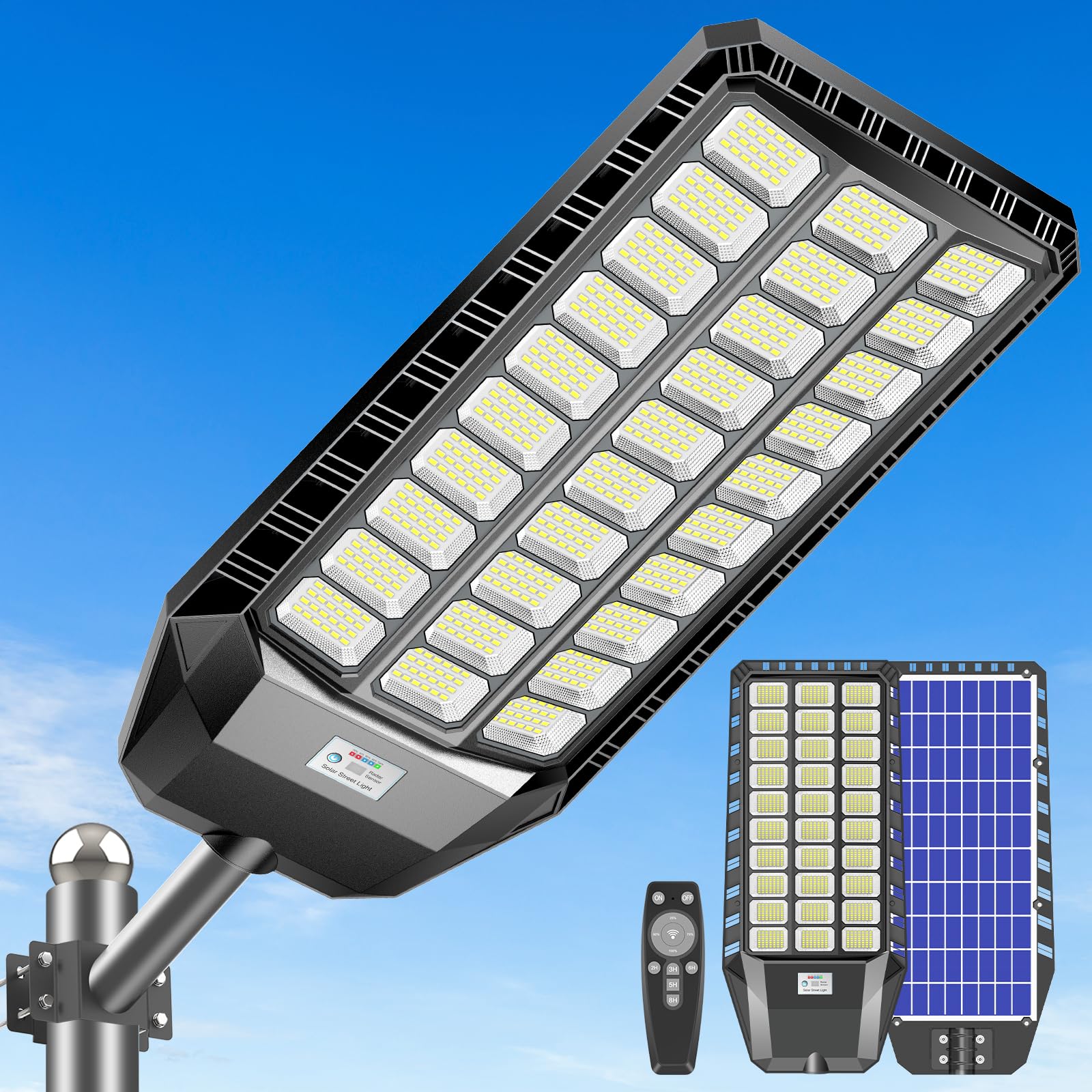
Image: Deepn Solar Lights Outdoor 9000W, Model LA078W. This image shows the overall design of the solar street light.
2. Safety Information
- Read all instructions carefully before installation and use.
- Ensure the installation location receives adequate direct sunlight for optimal charging.
- Do not attempt to disassemble or modify the product, as this may void the warranty and pose safety risks.
- Keep the product away from fire or extreme heat sources.
- Handle the solar panel with care to avoid damage.
- Ensure all mounting accessories are securely fastened to prevent the light from falling.
- This product is designed for outdoor use and is IP66 waterproof; however, avoid submerging it in water.
3. Package Contents
Verify that all components are present in the package:
- 1 x Solar Street Light
- 1 x Remote Control
- 1 x Mounting Accessories Set (bolts, nuts, brackets)
- 1 x Instruction Manual (this document)

Image: Package contents and dimensions. This image illustrates the main components included and the product dimensions.
4. Product Features
The Deepn Solar Lights Outdoor 9000W offers advanced features for reliable and efficient outdoor lighting:
- High Brightness: Equipped with 1680 high-efficiency 5730 SMD lamp beads, providing 480,000 lumens and 6500K color temperature for extensive illumination up to 5200 square feet.
- Energy Efficient: Operates entirely on solar power, eliminating electricity costs. Features a large capacity battery for 12-14 hours of continuous light (after full charge) or up to 36 hours in low-light mode.
- Intelligent Control: Includes a motion sensor for adaptive brightness (30% when no motion, 100% with motion) and timed lighting options (2/3/5/6/8 hours at 100% brightness). An "Always Lighting" mode allows brightness adjustment from 25% to 100% via remote control.
- Durable and Weatherproof: Constructed with a high-quality ABS frame and die-cast aluminum bracket, rated IP66 waterproof and lightning-protected. Designed to withstand temperatures from -5°F to 149°F (-20°C to 65°C).
- Easy Installation: Wireless design with all necessary assembly accessories for wall, pole, tree, or balcony mounting. Suitable for lighting poles with a diameter of 1.5 to 4 inches.

Image: Dusk to Dawn Operation. The light charges during the day and illuminates automatically at night.
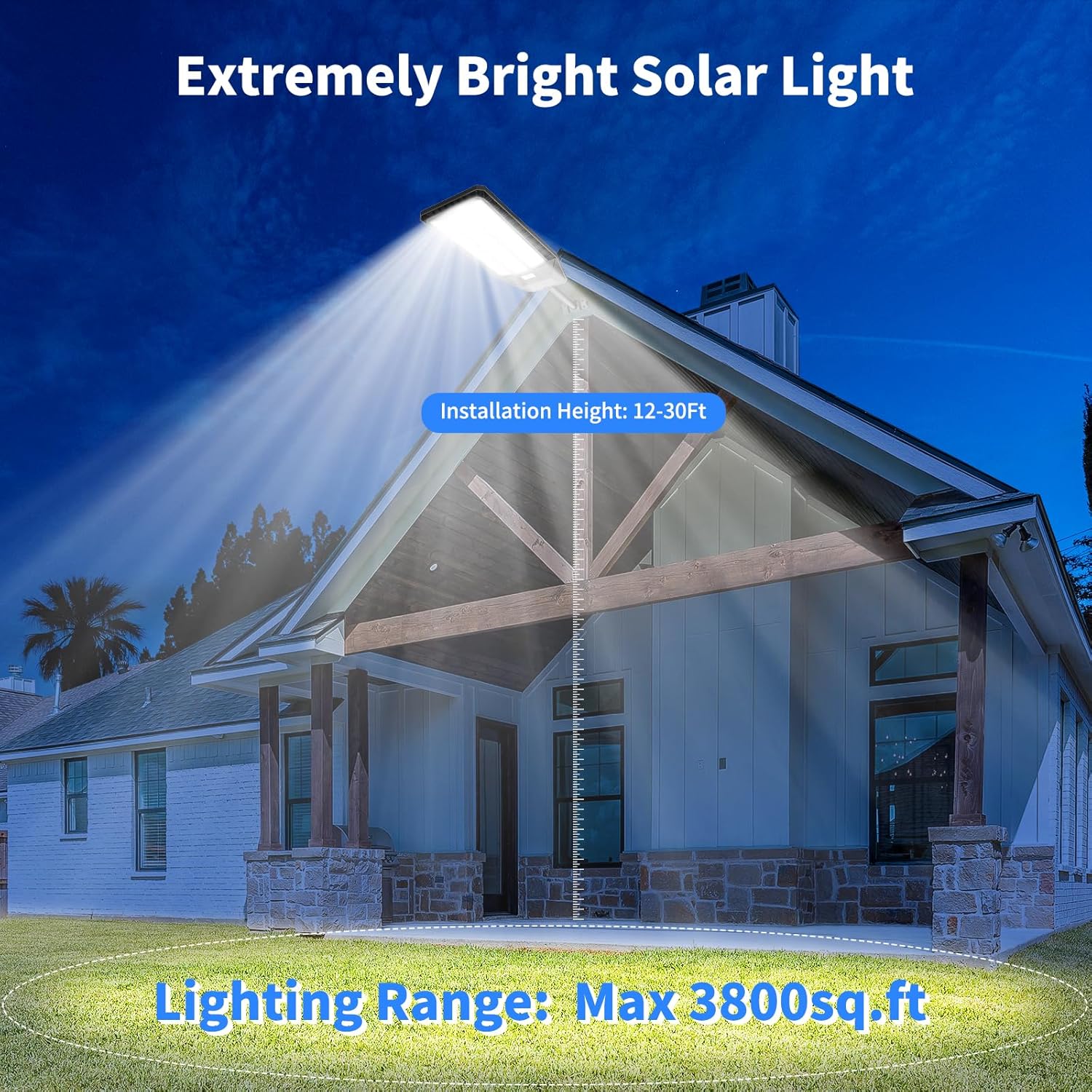
Image: Brightness and Coverage. Illustrates the wide lighting range and recommended installation height.

Image: IP66 Waterproof Rating. Shows the light's resistance to rain, heat, and cold.
5. Setup and Installation
The Deepn Solar Light is designed for straightforward installation. No wiring is required. Choose a location that receives ample direct sunlight throughout the day for optimal charging.
Installation Steps:
- Choose Location: Select an outdoor area free from obstructions that might shade the solar panel, such as trees or buildings. Ensure the chosen pole or wall can support the weight of the light fixture.
- Assemble Bracket: Attach the mounting bracket to the solar light fixture using the provided screws and tools.
- Mounting Options:
- Pole Mount: If mounting on a pole (diameter 1.5-4 inches), secure the bracket to the pole using the U-shaped bolts and nuts. Ensure the light is positioned to maximize sun exposure.
- Wall Mount: If mounting on a wall, mark the drilling points using the bracket as a template. Drill holes, insert wall anchors, and then secure the bracket to the wall with screws.
- Adjust Angle: Once mounted, adjust the angle of the solar panel to face the sun directly for maximum charging efficiency. The light fixture itself can also be angled for optimal illumination coverage.
- Initial Charge: Allow the solar light to charge for at least 6-8 hours in direct sunlight before its first use to ensure the battery is fully charged.

Image: Pole Mount Installation. This image demonstrates the solar light installed on a pole.

Image: Wall Mount Installation. This image demonstrates the solar light installed on a wall.
6. Operating Instructions
The Deepn Solar Light is controlled using the included remote control. Ensure the remote control batteries (2 x 1.5V AAA type) are correctly inserted with positive and negative ends facing the correct direction. The remote control has a range of up to 35 feet.
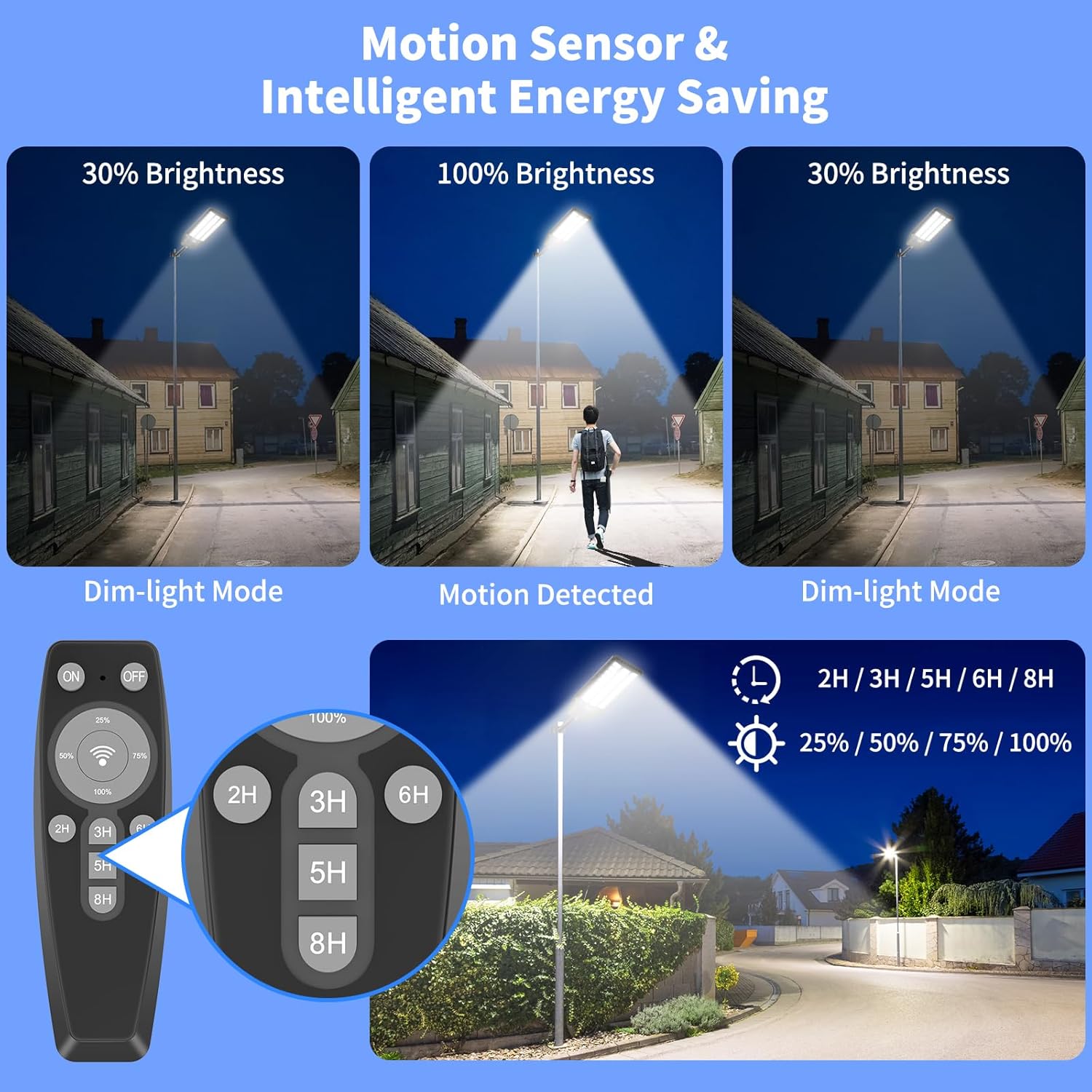
Image: Remote Control Functions. This image displays the remote control and its various buttons for light settings.
Remote Control Buttons:
- ON: Turns on the solar street light at 100% brightness.
- OFF: Turns off the solar street light. The light will automatically turn on at dusk the next day if not manually turned off again.
- Radar Motion Sensor (WiFi icon): Activates motion sensing mode. The light will illuminate at 100% brightness when motion is detected nearby and dim to 30% brightness when no motion is detected. The light will not turn off completely in this mode.
- Brightness Level (25%, 50%, 75%, 100%): Sets a fixed brightness level for the light. This function is typically used in "Always Lighting" mode.
- Timed Lighting (2H, 3H, 5H, 6H, 8H): Sets the light to operate at 100% brightness for a specified duration (2, 3, 5, 6, or 8 hours) after dusk. This mode operates without the Radar Motion Sensor function.
The light will automatically turn on at dusk and turn off at dawn, provided it is not manually turned off or set to a timed mode that expires before dawn.
7. Maintenance
Regular maintenance ensures the longevity and optimal performance of your Deepn Solar Light.
- Clean Solar Panel: Periodically wipe the solar panel with a soft, damp cloth to remove dust, dirt, leaves, or snow. A clean panel ensures maximum sunlight absorption and charging efficiency.
- Inspect Fixture: Regularly check the light fixture and mounting hardware for any signs of damage, corrosion, or looseness. Tighten any loose screws or bolts as needed.
- Clear Obstructions: Ensure no new obstructions (e.g., growing tree branches) are shading the solar panel.
- Battery Care: The internal battery is designed for long life. Avoid prolonged storage of the light in a completely discharged state. If storing, ensure it is fully charged first.
8. Troubleshooting
If you encounter issues with your solar light, refer to the following common problems and solutions:
| Problem | Possible Cause | Solution |
|---|---|---|
| Light does not turn on at night. |
|
|
| Light is dim or runs for a short duration. |
|
|
| Motion sensor is not working correctly. |
|
|
| Remote control is unresponsive. |
|
|
9. Specifications
| Feature | Detail |
|---|---|
| Brand | Deepn |
| Model Number | TW030 (LA078W) |
| Power Source | Solar Powered |
| Wattage | 9000 Watts |
| Brightness | 480,000 Lumens |
| Color Temperature | 6500K (White Light) |
| Light Source | LED (1680 SMD lamp beads) |
| Material | Aluminum, Plastic |
| Water Resistance Level | IP66 Waterproof |
| Operating Temperature | -5°F to 149°F (-20°C to 65°C) |
| Control Method | Remote Control, Motion Sensor |
| Item Dimensions (L x W x H) | 29.8"L x 13.5"W x 2.6"H |
| Item Weight | 9.5 Pounds |
| Suitable Pole Diameter | 1.5 IN ~ 4 IN |
10. Warranty Information
The Deepn Solar Lights Outdoor 9000W (Model LA078W) comes with a 2-year limited manufacturer's warranty. This warranty covers defects in materials and workmanship under normal use. Please retain your proof of purchase for warranty claims. For specific terms and conditions, or to initiate a warranty claim, please contact Deepn customer support.
11. Customer Support
For any questions, technical assistance, or support regarding your Deepn Solar Light, please contact our customer service team. You can typically find contact information on the product packaging or through the retailer where you purchased the product.
Online Support: Visit the official Deepn brand store on Amazon for FAQs and additional product information: Deepn Store