
PMOPDSNNE M11
PMOPDSNNE Wireless Earbuds Instruction Manual
Model: M11
Bluetooth 5.3 Headphones
1. Introduction
Thank you for choosing PMOPDSNNE Wireless Earbuds. This manual provides detailed instructions for setting up, operating, and maintaining your new earbuds to ensure optimal performance and longevity. Please read this manual thoroughly before use.

Image: PMOPDSNNE Wireless Earbuds in their charging case, displaying battery levels.
2. What's in the Box
Verify that all components are present in your package:
- 1 x Pair of Wireless Earbuds
- 1 x Charging Case
- 1 x Charging Cable
- 1 x User Manual (this document)
- Ear Cushions (various sizes)

Image: The complete package contents, including earbuds, charging case, and accessories.
3. Key Features
- Bluetooth 5.3 Connectivity: Ensures fast, stable, and seamless connections up to 10 meters.
- One-Step Pairing Technology: Automatic pairing with your device upon opening the charging case.
- LED Battery Display: Digital display on the charging case shows the charge level of the case and individual earbuds.
- Stunning Stereo Sound Performance: Delivers crystal clarity and deep, resonant bass for an immersive audio experience.
- Noise Reduction Technology (CVC8.0 & DSP): Provides clear calls by filtering out ambient noise.
- All-day Battery Life: Earbuds provide 15 hours of playtime with the portable charging case.
- IPX7 Waterproof: Protects earbuds from sweat, splashes, and sudden rain, ideal for various activities.
- Comfortable Wearing: Ultra-lightweight and ergonomic in-ear design for a secure and comfortable fit.
- Touch Control: Intuitive touch controls for managing music playback, calls, and voice assistants.
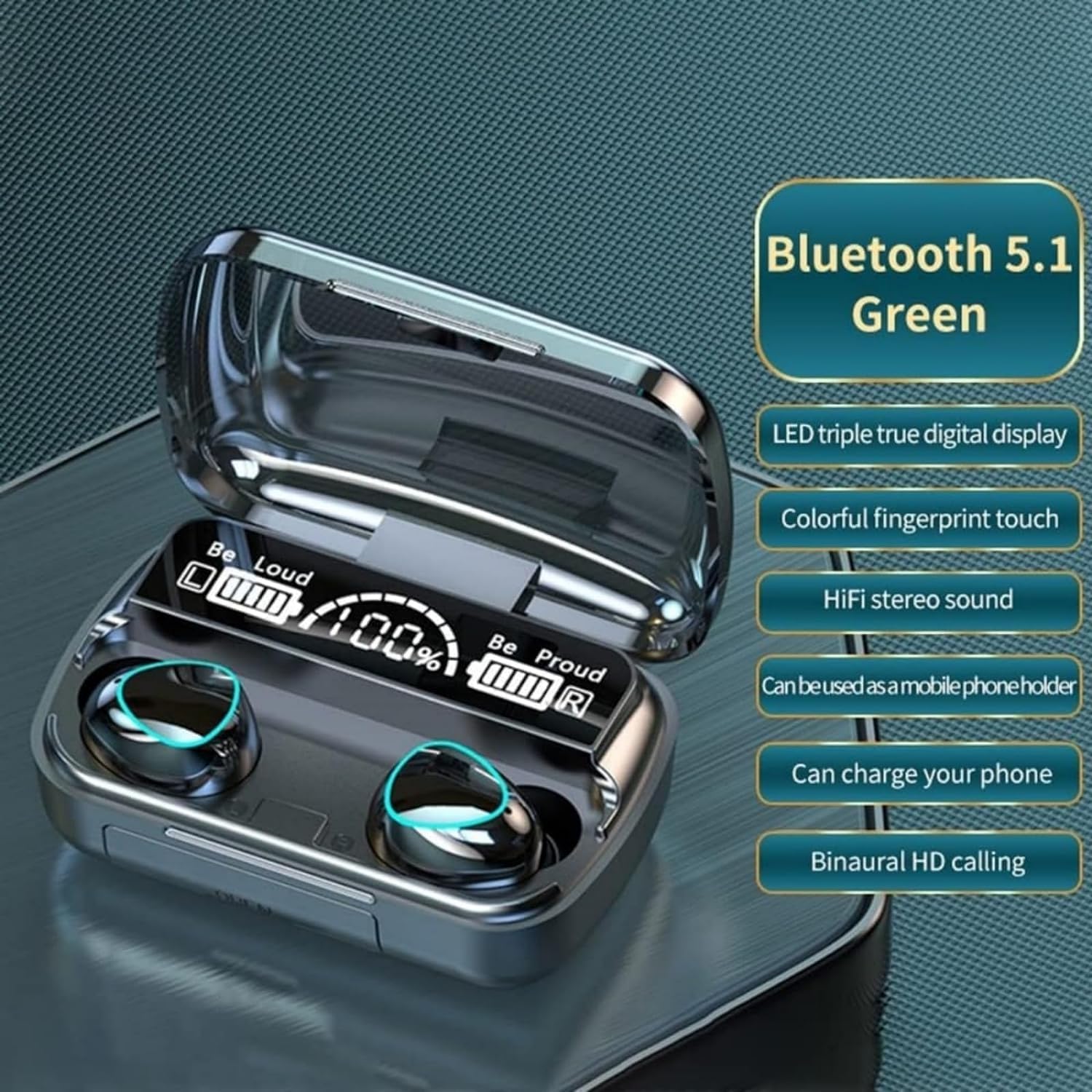
Image: The charging case with an LED display highlighting Bluetooth 5.1 and various features.

Image: The earbuds and charging case, emphasizing the new three-screen display and 9D noise reduction.
4. Setup
4.1 Initial Charging
Before first use, fully charge the earbuds and the charging case. Connect the charging cable to the case and a power source. The LED display on the case will indicate the charging progress. Ensure both earbuds are properly seated in their respective slots within the charging case.
4.2 Pairing with Your Device
- Open the charging case. The earbuds will automatically power on and enter pairing mode.
- On your smartphone or Bluetooth-compatible device, go to Bluetooth settings.
- Search for "PMOPDSNNE Earbuds" (or similar name) in the list of available devices.
- Select the earbuds to connect. Once connected, a voice prompt will confirm successful pairing.
4.3 Comfortable Wearing
Select the ear cushions that provide the most comfortable and secure fit for your ears. A proper fit is essential for optimal sound quality and noise isolation. Gently insert the earbuds into your ear canal and twist slightly to secure them.

Image: A woman demonstrating the comfortable fit of a single earbud, highlighting clear call quality.
5. Operating
5.1 Touch Controls
The earbuds feature intuitive touch controls on their outer surface:
- Song Switching: Touch the earphone twice.
- Answer/Hang Up Call: Touch the earphone once.
- Summon Voice Assistant (Siri/Google Assistant): Touch the earphone for two seconds.
- Turn On/Off: Touch the earphone for 5 seconds.
- Play/Pause: Touch the earphone once.
- Volume Adjustment: Touch the earphone three times.
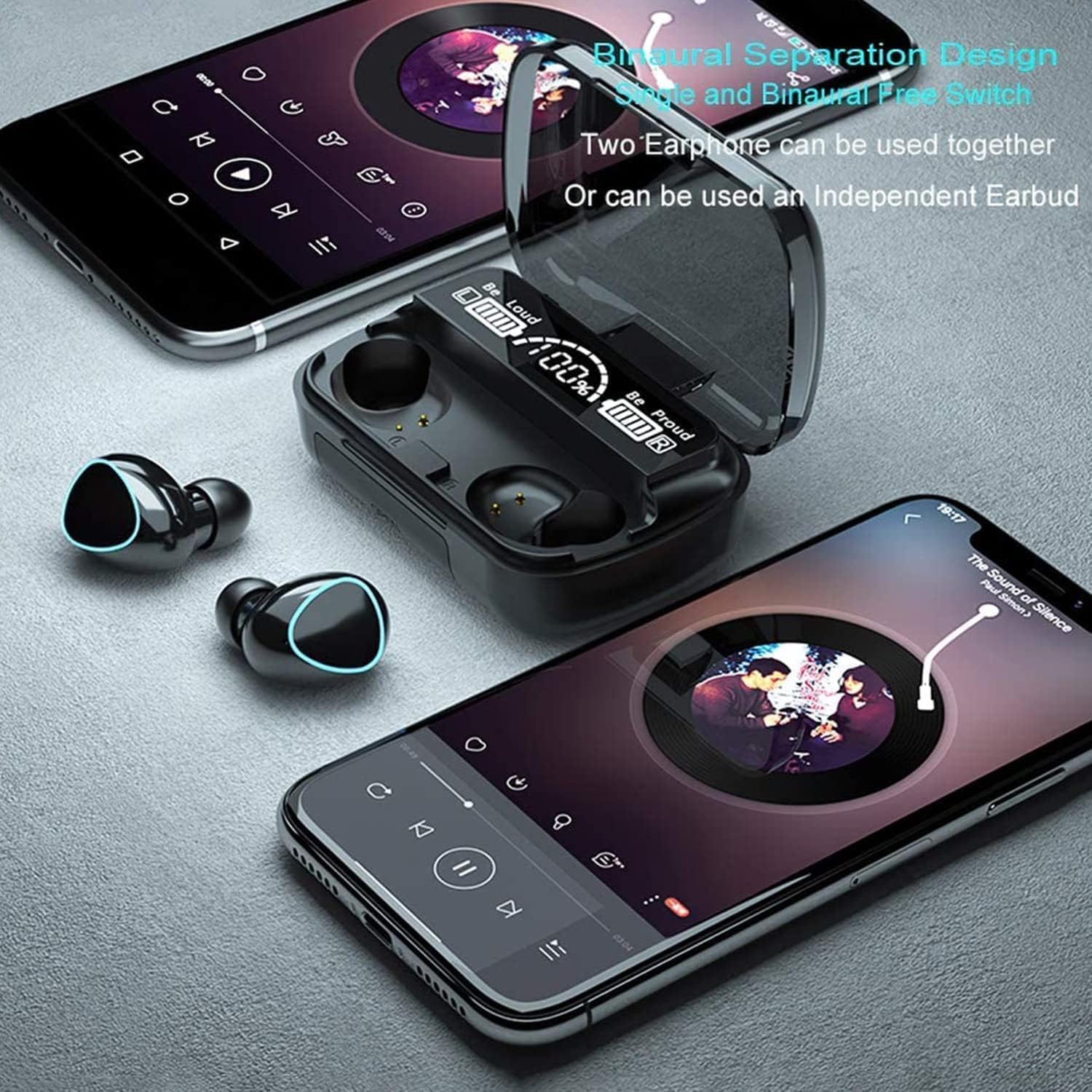
Image: A visual guide to the touch control functions on the earbuds.
5.2 Binaural Separation Design
The earbuds support both stereo (using both earbuds) and mono (using a single earbud) modes. You can use both earphones together for an immersive stereo experience or use either the left or right earbud independently for calls or single-ear listening.

Image: The earbuds and charging case displayed with two smartphones, demonstrating the flexibility of using one or both earbuds.
5.3 Sound Quality and Noise Reduction
These earbuds are designed to deliver high-fidelity audio with clear vocals and rich bass. The integrated CVC8.0 and DSP dual noise reduction technology actively minimizes background noise, ensuring your calls are clear and your music is undisturbed.

Image: The earbuds and charging case positioned next to a smartphone displaying a music player, highlighting the 9D Cinematic Sound feature.
5.4 Official Product Video
Video: An official product video showcasing the PMOPDSNNE Bluetooth Wireless Earbuds, demonstrating their features and design.
6. Maintenance
6.1 Cleaning
Regularly clean your earbuds and charging case to ensure optimal performance and hygiene. Use a soft, dry, lint-free cloth to wipe down the surfaces. For the ear tips, remove them and clean with a mild soap solution if necessary, ensuring they are completely dry before reattaching. Do not use abrasive cleaners or submerge the charging case in water.
6.2 IPX7 Waterproof Rating
The earbuds are rated IPX7 waterproof, meaning they can withstand submersion in up to 1 meter of water for 30 minutes. This makes them suitable for workouts and light rain. However, the charging case is not waterproof. Always ensure the earbuds are dry before placing them back into the charging case to prevent damage.
7. Troubleshooting
If you encounter issues with your earbuds, please refer to the following common solutions:
- Earbuds Not Charging: Ensure the charging cable is securely connected to both the case and a power source. Verify that the earbuds are correctly seated in their charging slots within the case. The LED display should show charging progress. If one earbud is not charging, try cleaning the charging contacts on both the earbud and the case with a dry cotton swab.
- No Sound from One Earbud: Try placing both earbuds back into the charging case, closing the lid, and then reopening it to reset the connection. Re-pair the earbuds with your device.
- Cannot Pair Earbuds: Ensure Bluetooth is enabled on your device and the earbuds are within range. Turn off and on your device's Bluetooth. If issues persist, try forgetting the device in your Bluetooth settings and re-pairing.
- Poor Sound Quality: Check the earbud fit and try different sized ear cushions. Ensure the earbuds are clean and free of debris. Move closer to your connected device to avoid interference.
- Touch Controls Unresponsive: Ensure your fingers are clean and dry. Try restarting the earbuds by placing them in the case and then taking them out.
8. Specifications
| Feature | Specification |
|---|---|
| Brand | PMOPDSNNE |
| Model Name | Bluetooth Earbuds (M11) |
| Connectivity Technology | Wireless (Bluetooth 5.3) |
| Wireless Range | 10 Meters |
| Battery Life (with case) | 15 Hours |
| Water Resistance Level | IPX7 Waterproof |
| Noise Control | Active Noise Cancellation (CVC8.0 & DSP) |
| Control Method | Touch |
| Ear Placement | In Ear |
| Material | Silicone, Plastic |
| Item Weight | 3.63 ounces (103 Grams) |
| Product Dimensions | 2.76 x 1.57 x 1.18 inches |
| Compatible Devices | Bluetooth-enabled devices including iOS and Android smartphones, tablets, laptops. |
9. Warranty & Support
For warranty information and customer support, please refer to the product packaging or contact the retailer where you purchased the earbuds. Keep your proof of purchase for any warranty claims.
Ask a question about this manual
Ask about setup, troubleshooting, compatibility, parts, safety, or missing instructions. Manuals+ will review the question and use this page’s manual context to help answer it.