
1. Introduction
This manual provides detailed instructions for the installation, operation, maintenance, and troubleshooting of your MaxiViz Wireless Outdoor Security Camera. Please read this manual thoroughly before using the product to ensure proper function and safety. Keep this manual for future reference.
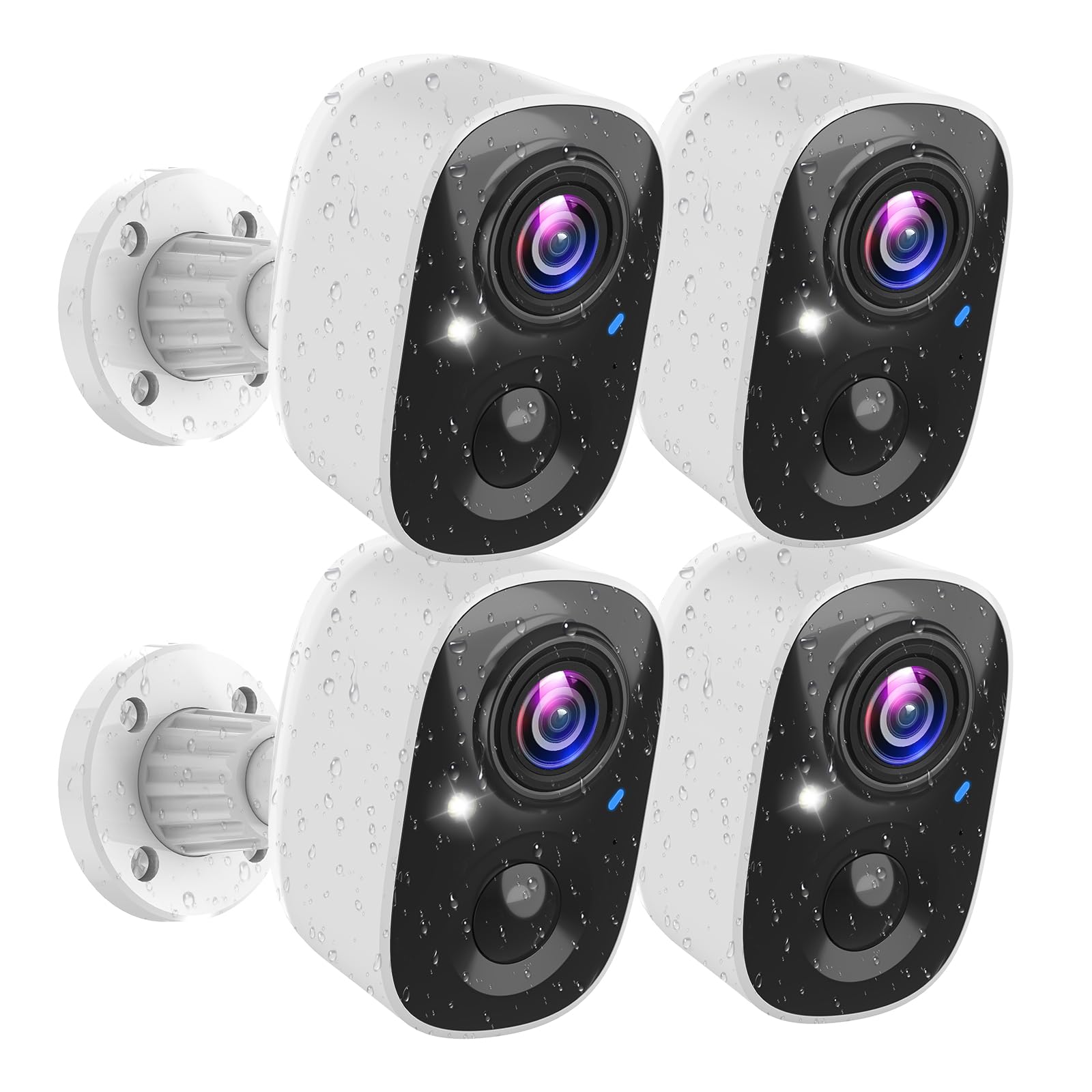
Figure 1: MaxiViz Wireless Outdoor Security Camera (4 Pack) main product image.
2. Package Contents
Verify that all items listed below are included in your package. If any items are missing or damaged, please contact customer support.
- 4 x MaxiViz Wireless Outdoor Security Camera
- 4 x Mounting Bracket
- 4 x Mounting Kit (screws and anchors)
- 4 x USB Charging Cable
- 1 x Instruction Manual
3. Setup and Installation
3.1 Initial Charging
Before initial use, fully charge the camera batteries using the provided USB charging cable. Connect the cable to the camera's charging port and a standard 5V USB power adapter (not included).
3.2 App Download and Account Creation
Download the Vicohome App from your smartphone's app store (available on iOS and Android). Follow the in-app instructions to create an account and log in.
3.3 Camera Pairing
- Open the Vicohome App and tap 'Add Device'.
- Power on the camera. The camera will enter pairing mode, indicated by a flashing LED light.
- Follow the on-screen prompts in the app to connect the camera to your 2.4GHz Wi-Fi network. Ensure your Wi-Fi signal is strong at the installation location.
- Scan the QR code displayed on your phone with the camera lens.
- Once connected, the camera's LED will turn solid blue, and you will hear a confirmation sound.
3.4 Mounting the Camera
The MaxiViz camera is designed for both indoor and outdoor use and is IP66 weatherproof. Choose a mounting location that provides the desired viewing angle and has a stable Wi-Fi signal.

Figure 2: IP66 Weatherproof design for outdoor installation.
Use the provided mounting bracket and screws to securely attach the camera to a wall or ceiling. Adjust the camera angle for optimal coverage.
Video 1: Official MaxiViz video demonstrating the easy installation process and night vision capabilities of the wireless security camera.
4. Operating Instructions
4.1 Live View and Two-Way Audio
Access the live feed of your camera through the Vicohome App. Use the two-way audio feature to communicate with visitors or deter intruders.
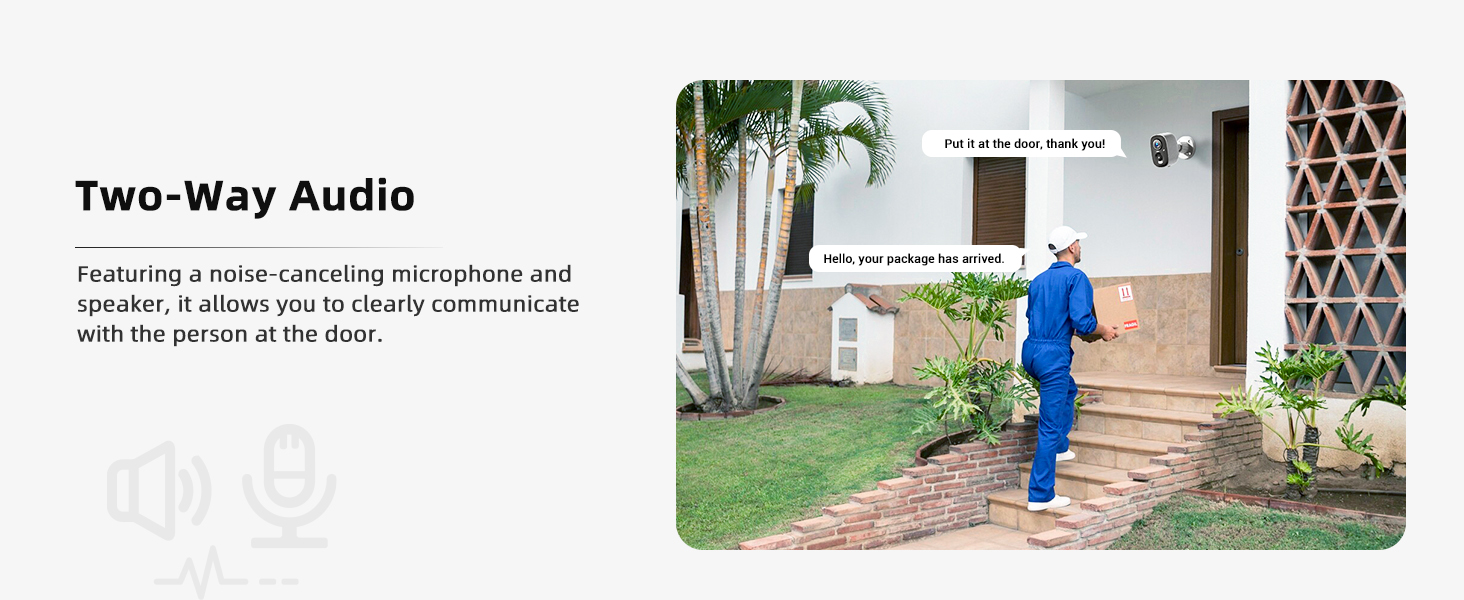
Figure 3: Two-Way Audio functionality.
4.2 Motion Detection and Alerts
The camera features PIR motion detection and advanced AI analytics to distinguish between people, pets, vehicles, and packages. You will receive real-time notifications on your smartphone when motion is detected.

Figure 4: PIR Motion Detection and real-time alerts.
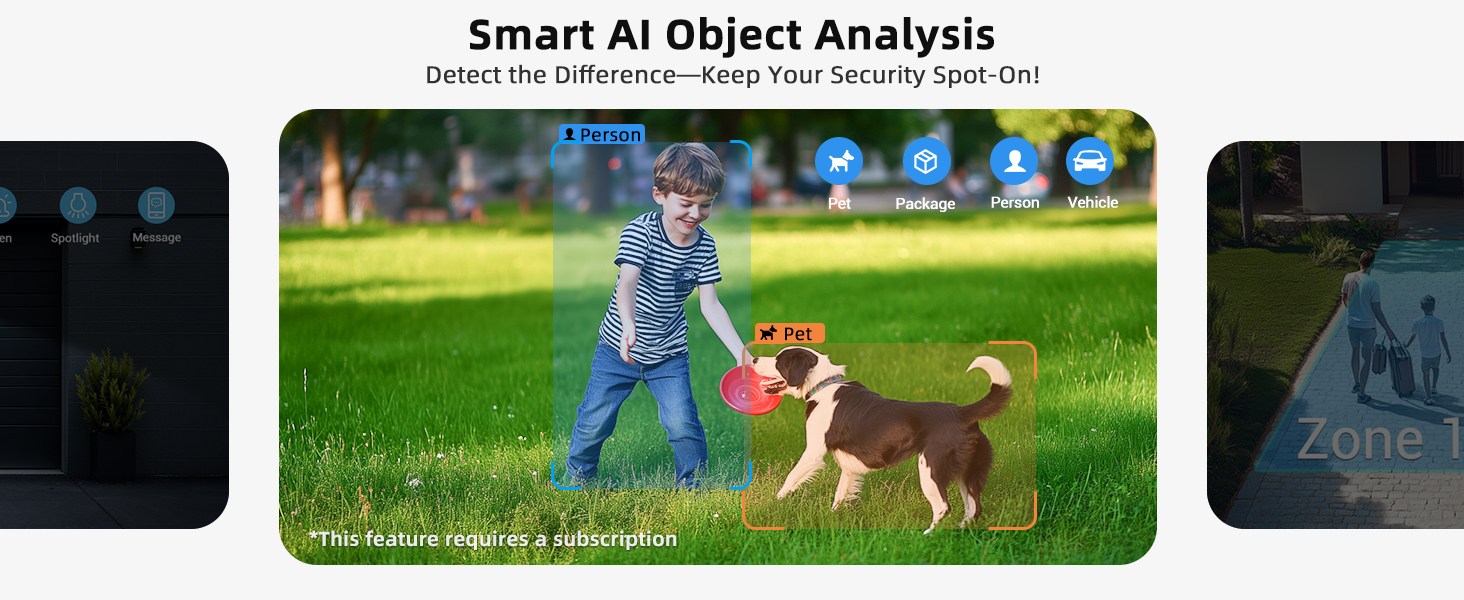
Figure 5: Smart AI Object Analysis for reduced false alarms.
4.3 Night Vision Modes
The camera offers two night vision modes:
- Full-Color Night Vision: Activated by the built-in LED floodlight, providing vivid, colorful images up to 33ft.
- Infrared Night Vision: Provides clear black-and-white images in low-light conditions without the floodlight.
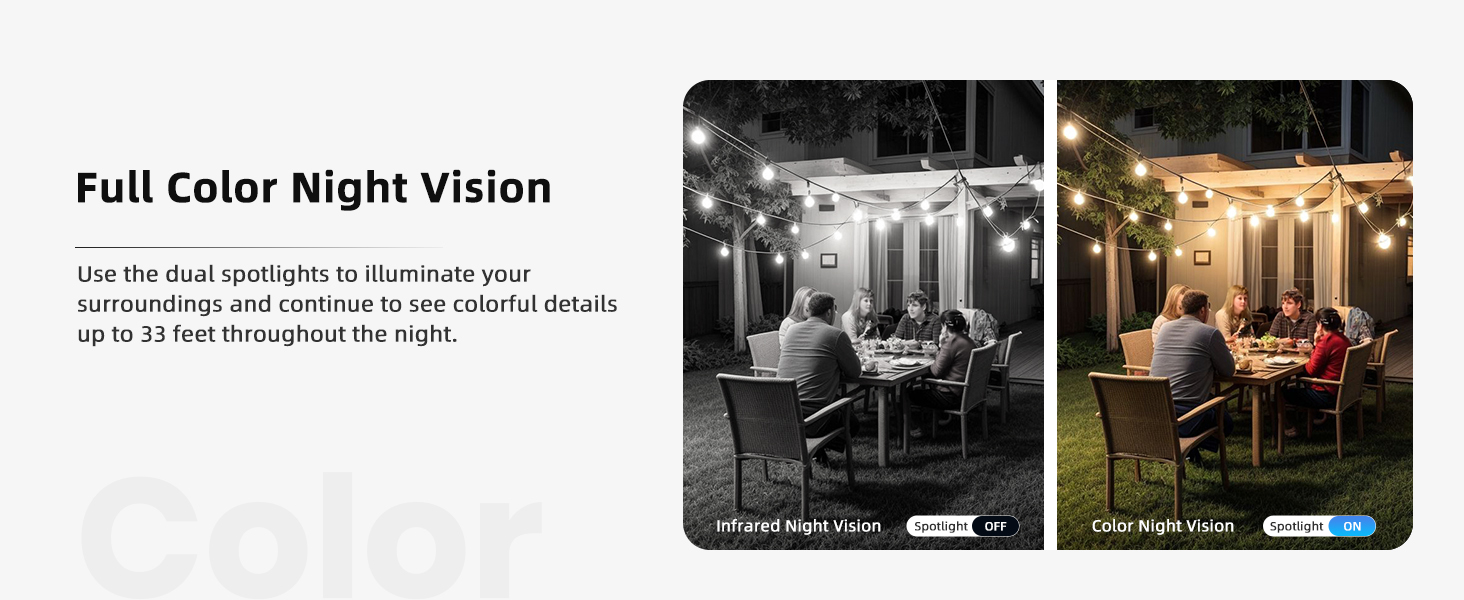
Figure 6: Full-Color Night Vision vs. Infrared Night Vision.
4.4 Storage Options
Your footage can be stored in two ways:
- Local Storage: Insert a Micro SD card (up to 128GB, not included) into the camera's SD card slot.
- Cloud Storage: Enjoy free 3-day loop cloud backups (valid for 2 years). Optional premium cloud plans are available for extended storage.
All data is secured with bank-level encryption to ensure privacy.

Figure 7: SD Card and Cloud Storage options.
4.5 App Settings and Features
The Vicohome App allows you to customize various settings:
- Adjust motion detection sensitivity.
- Set custom motion detection zones.
- Schedule camera sleep periods.
- Manage multiple cameras within a single app interface.
- Share camera access with family members.
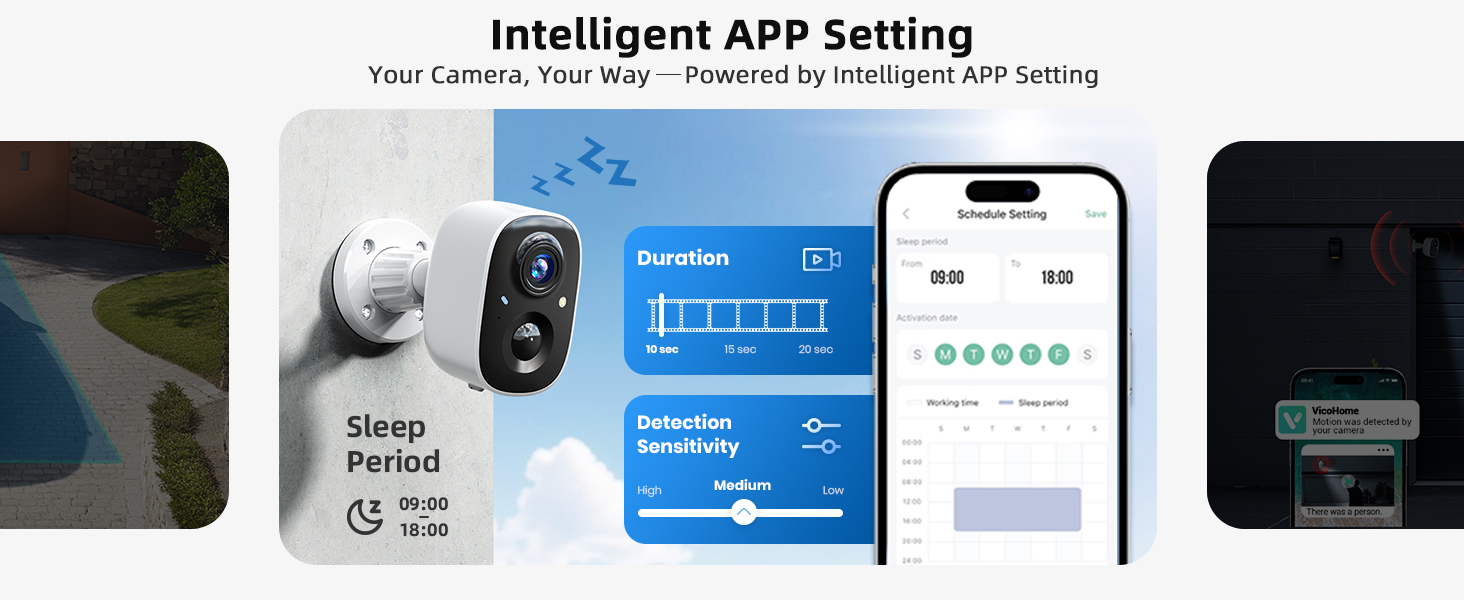
Figure 8: Intelligent App Settings for customization.
Video 2: Official MaxiViz overview video highlighting key features and functions of the CG6 wireless outdoor security camera.
5. Maintenance
5.1 Battery Management
The camera is powered by a rechargeable battery designed for long life, typically lasting 1-3 months per charge depending on usage and settings. Recharge the battery using the provided USB cable when the battery level is low, as indicated in the app.
5.2 Cleaning
Wipe the camera lens and body with a soft, dry cloth to remove dust and dirt. Avoid using harsh chemicals or abrasive cleaners, which can damage the camera's finish or lens.
5.3 Weather Protection
The camera has an IP66 weatherproof rating, meaning it is protected against dust and powerful water jets. It is designed to operate in temperatures ranging from -4°F (-20°C) to 122°F (50°C).
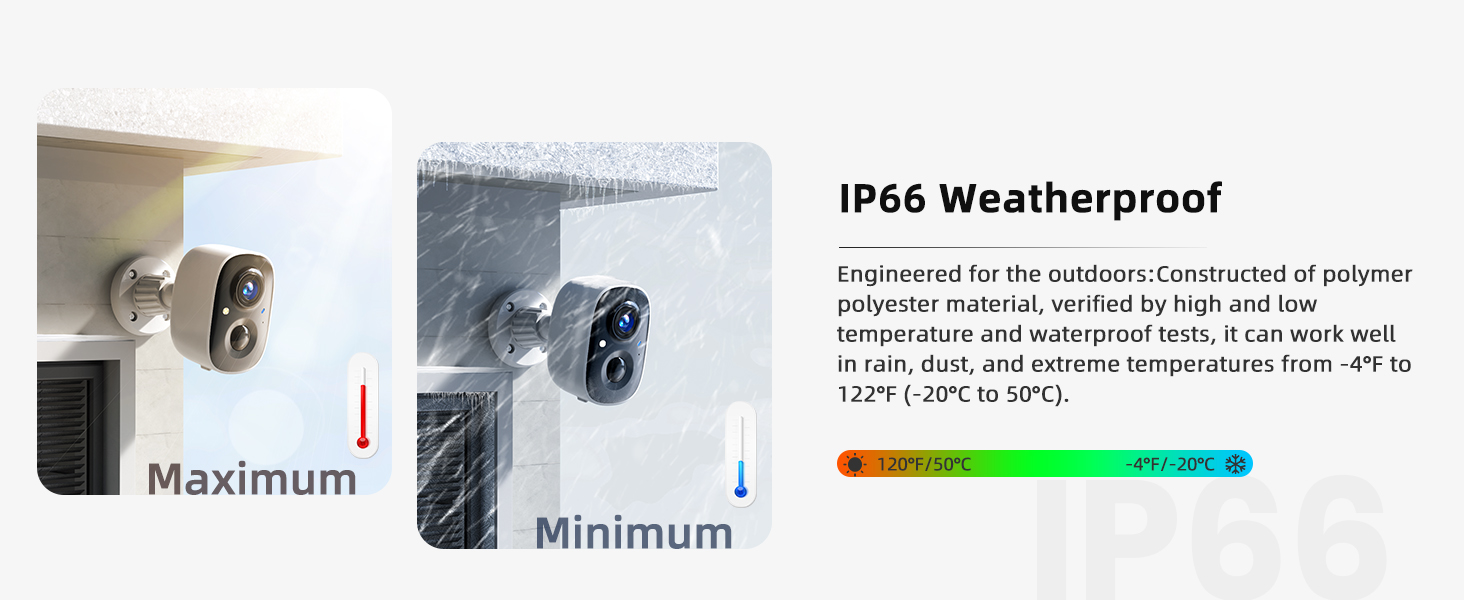
Figure 9: IP66 Weatherproof rating details.
6. Troubleshooting
6.1 Camera Not Connecting to Wi-Fi
- Ensure your Wi-Fi network is 2.4GHz. The camera does not support 5GHz Wi-Fi.
- Check the Wi-Fi signal strength at the camera's location using your smartphone.
- Make sure the camera is within range of your Wi-Fi router.
- Restart your router and the camera, then attempt pairing again.
- Verify that the Wi-Fi password entered in the app is correct.
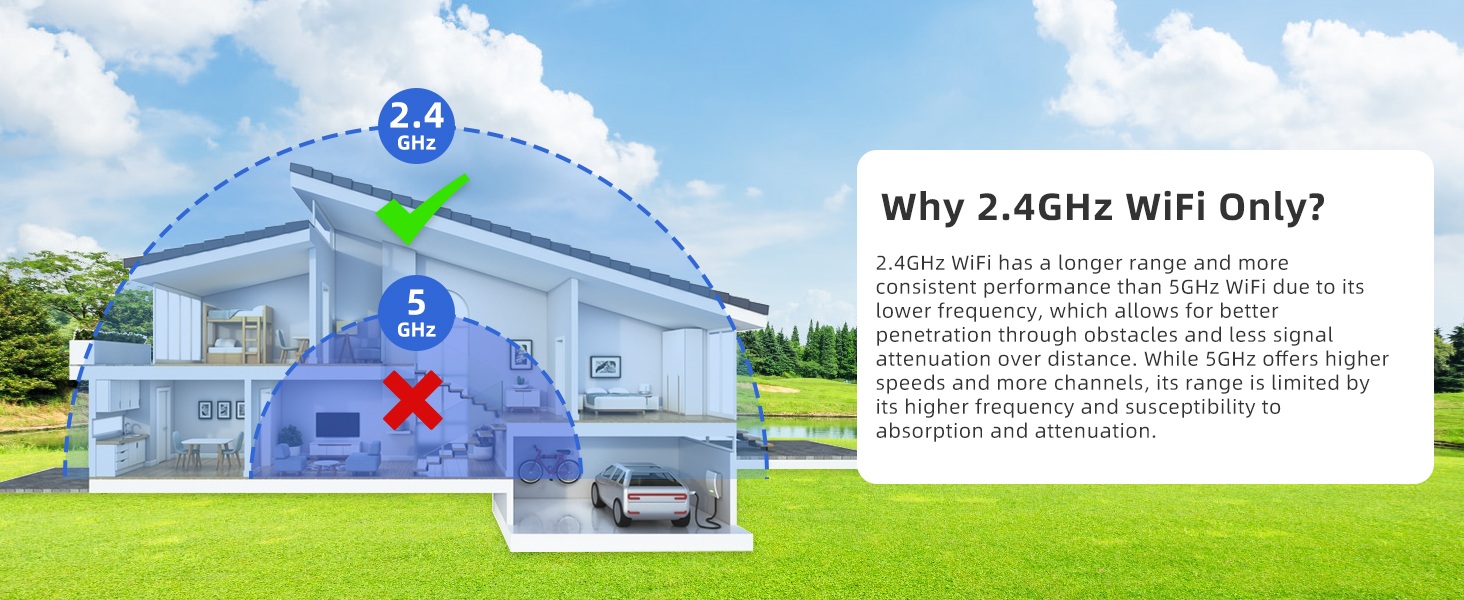
Figure 10: Explanation for 2.4 GHz Wi-Fi support.
6.2 Frequent False Alarms
- Adjust the motion detection sensitivity in the Vicohome App.
- Utilize the AI object analysis feature to filter out unwanted detections (e.g., pets, vehicles if not needed).
- Set up custom motion detection zones to monitor only specific areas.
6.3 Poor Video Quality
- Ensure the camera lens is clean and free from obstructions.
- Check your Wi-Fi connection speed. A stable and strong connection is crucial for 2K resolution streaming.
- Verify that the camera is set to 2K resolution in the app settings.
7. Specifications
| Feature | Specification |
|---|---|
| Model Name | GJ-CG6-20W |
| Connectivity Technology | Wireless (2.4GHz Wi-Fi) |
| Video Capture Resolution | 2K (2304x1296) |
| Effective Still Resolution | 3 MP |
| Frame Rate | 15 frames per second |
| Night Vision Range | 33 Feet (Color Night Vision) |
| Special Features | 2-Way Audio, AI Analysis Recognition, Night Vision (Color/IR), Rechargeable Battery, Spotlights, Sound Alarms |
| Indoor/Outdoor Usage | Indoor, Outdoor |
| Weatherproof Rating | IP66 |
| Power Source | Battery Powered (5V DC) |
| Storage Options | Micro SD (up to 128GB), Cloud Storage |
| Compatible Devices | Cell Phone, Smartphone (via Vicohome App) |
| Dimensions | 6 x 6 x 5.5 inches |
8. Warranty and Support
MaxiViz is committed to providing high-quality products and excellent customer service.
- Full 1-Year Warranty: Your MaxiViz camera is covered by a one-year warranty from the date of purchase.
- 30-Day Returns: We offer a 30-day return policy for your peace of mind.
- Lifetime Technical Help: Access to lifetime technical support for any product-related inquiries.
- 24-Hour Response: Our support team aims to reply to all inquiries within 24 hours.
For support, please visit the MaxiViz official website or contact our customer service team directly through the contact information provided on our website or in the Vicohome App.

