
Introduction
The CIGMAN CD-60G Laser Measurement Tool is an advanced device designed for precise distance measurement. It features bilateral green light technology, offering enhanced visibility and efficiency for various measurement tasks. This tool integrates multiple measurement modes, high accuracy, and convenient data storage, making it suitable for professionals and DIY enthusiasts alike.

Figure 1: CIGMAN CD-60G Laser Measurement Tool
Included Components
Your CIGMAN CD-60G package includes the following items:
- 1x Bilateral Green Laser Measurement Tool
- 1x Type-C Charge Cable
- 1x Reflector
- 1x Hand Strap
- 1x Carrying Bag

Figure 2: Package Contents
Setup
Before first use, ensure the device is fully charged using the provided Type-C cable. The built-in 850mAh rechargeable battery provides approximately 4 hours of continuous use or 8000 measurements on a full charge.
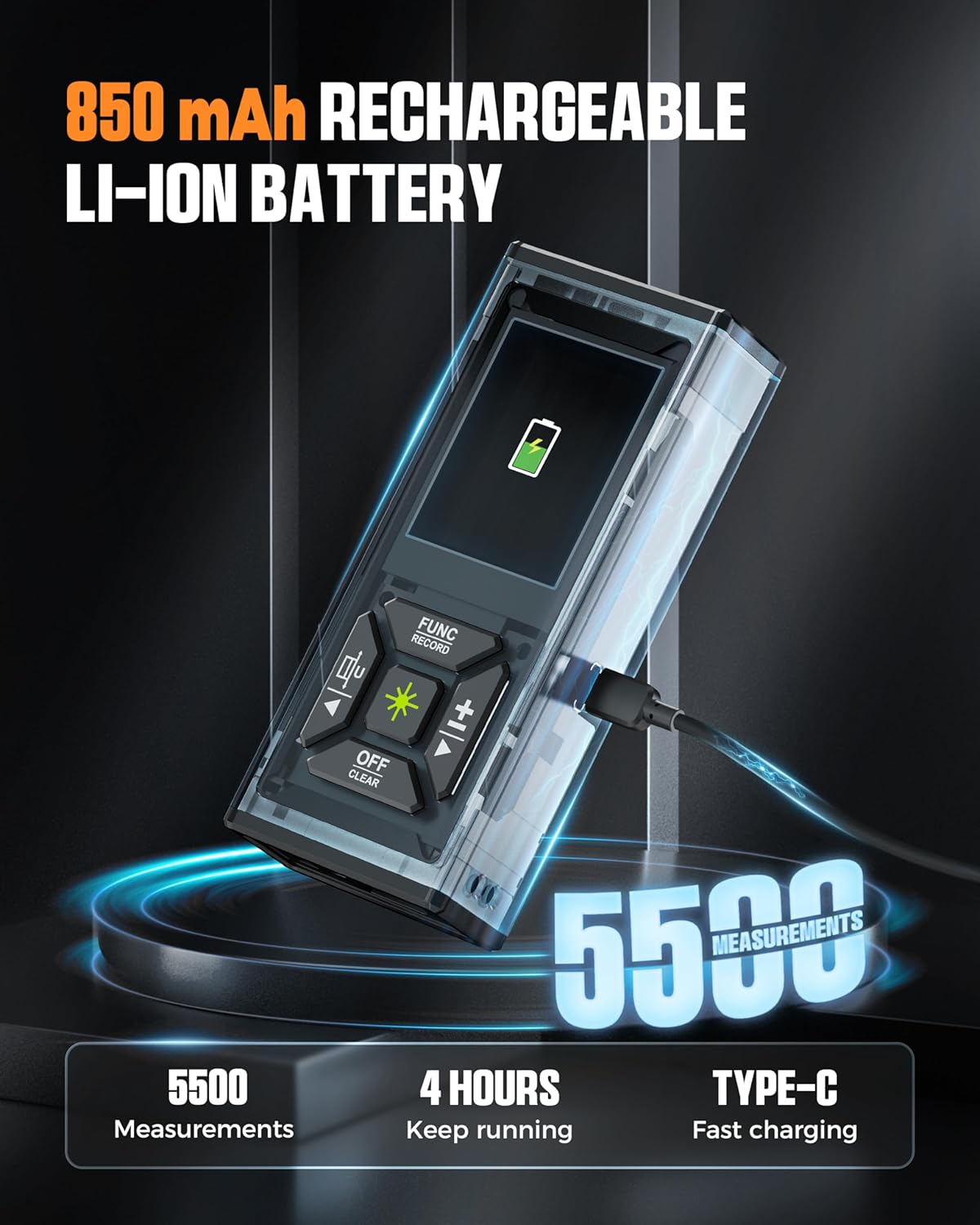
Figure 3: Charging the Device
Operating Instructions
Basic Operation
To power on the device, press the Measurement Button. The 2.4-inch color display will activate, showing the current measurement mode and battery status. The screen features a 60-second long backlight for clear visibility in various lighting conditions.
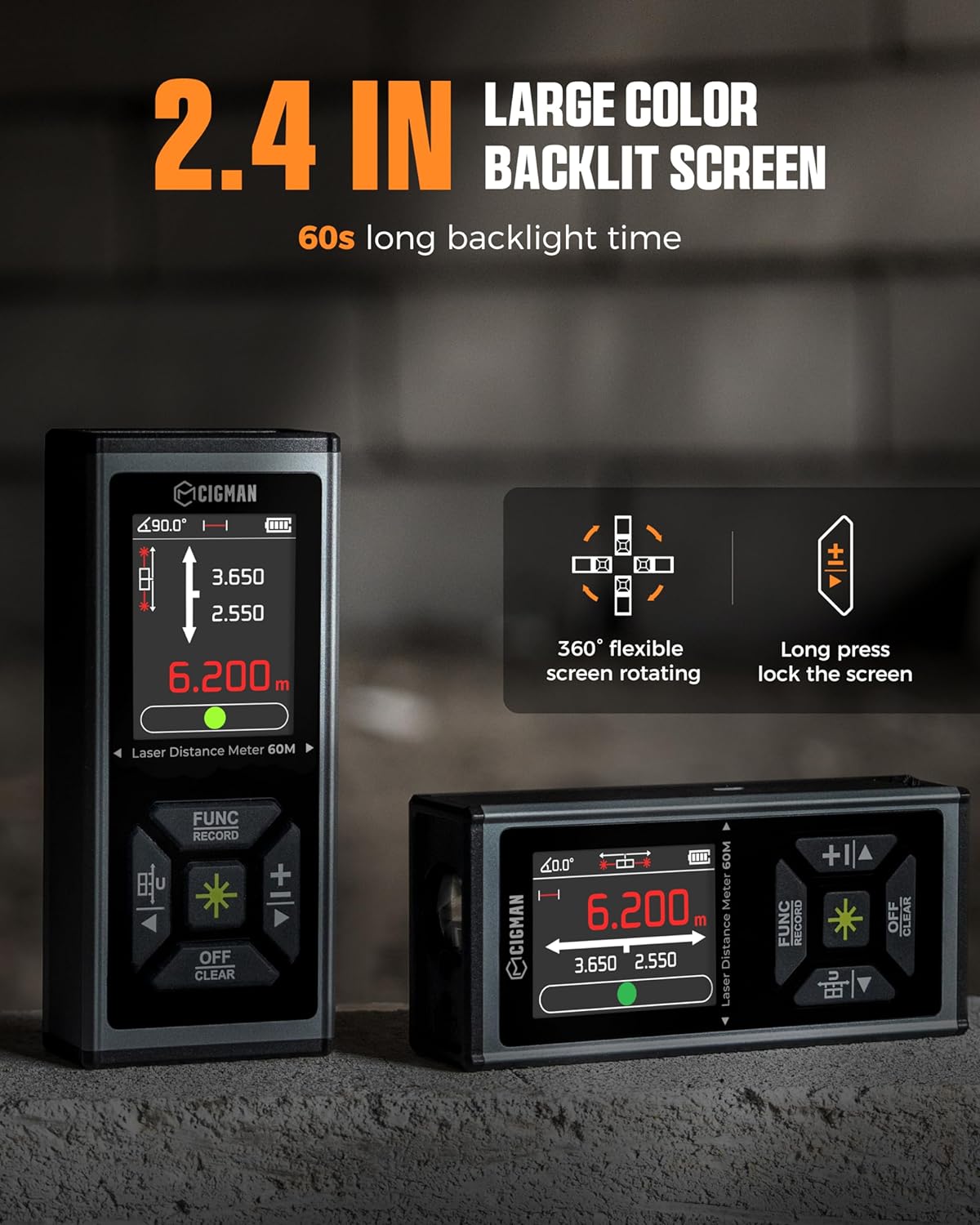
Figure 4: Device Display
Measurement Modes
The CD-60G offers 11 measurement modes, including length, area, volume, angle, wall area, indirect Pythagorean, and auxiliary Pythagorean. Use the "FUNC RECORD" button to cycle through the available modes. Units can be switched between Meters (M), Inches (In), and Feet (Ft) for convenience.
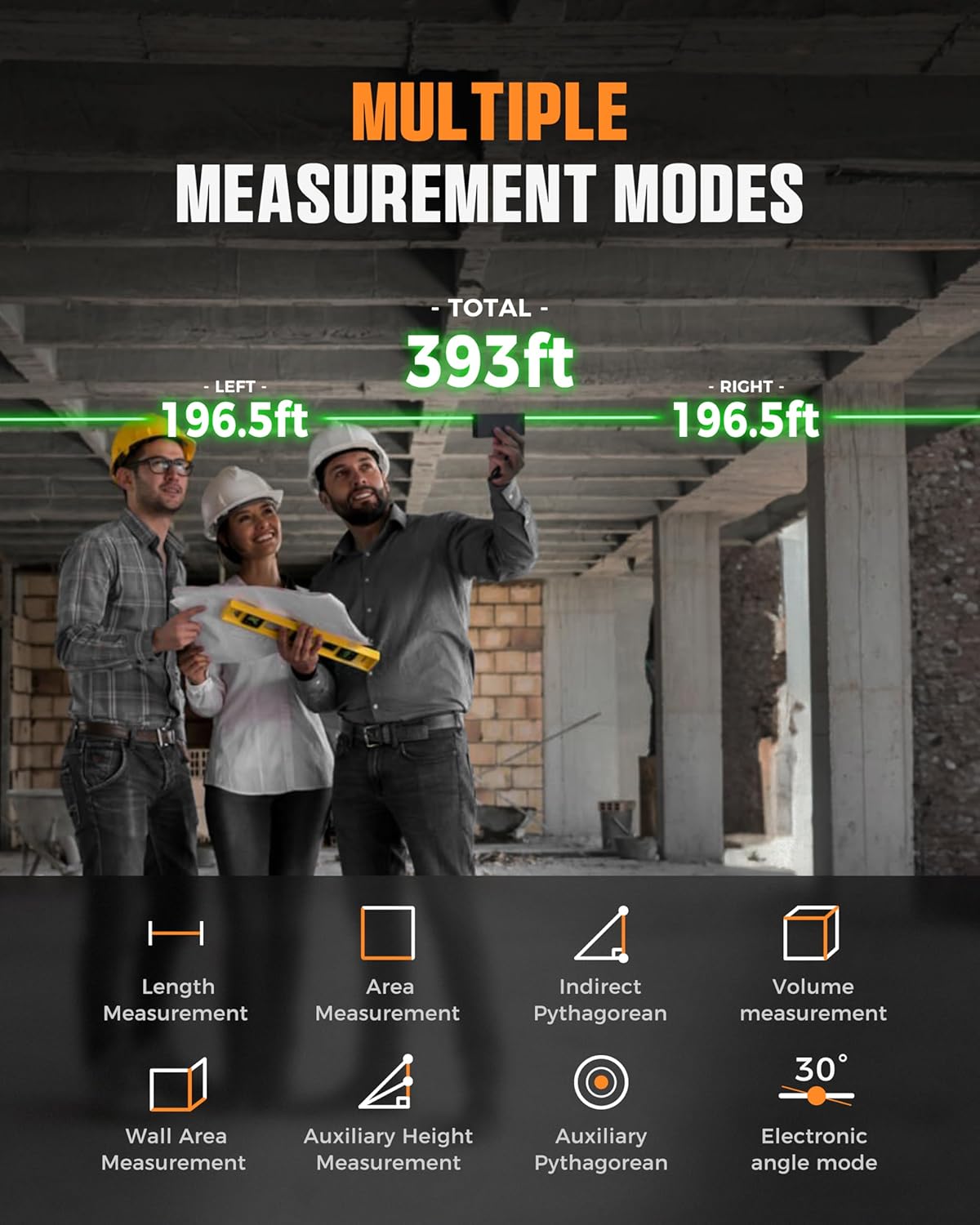
Figure 5: Multiple Measurement Modes
Bilateral Green Laser Technology
This tool utilizes advanced two-way green light technology, allowing measurements in two directions simultaneously. This minimizes repositioning and enhances efficiency. Green lasers offer four times greater visibility than red lasers, shining brighter and farther. The device has a total maximum measurement distance of up to 393ft/120M. Safety level is Class II, with <1mW power output.
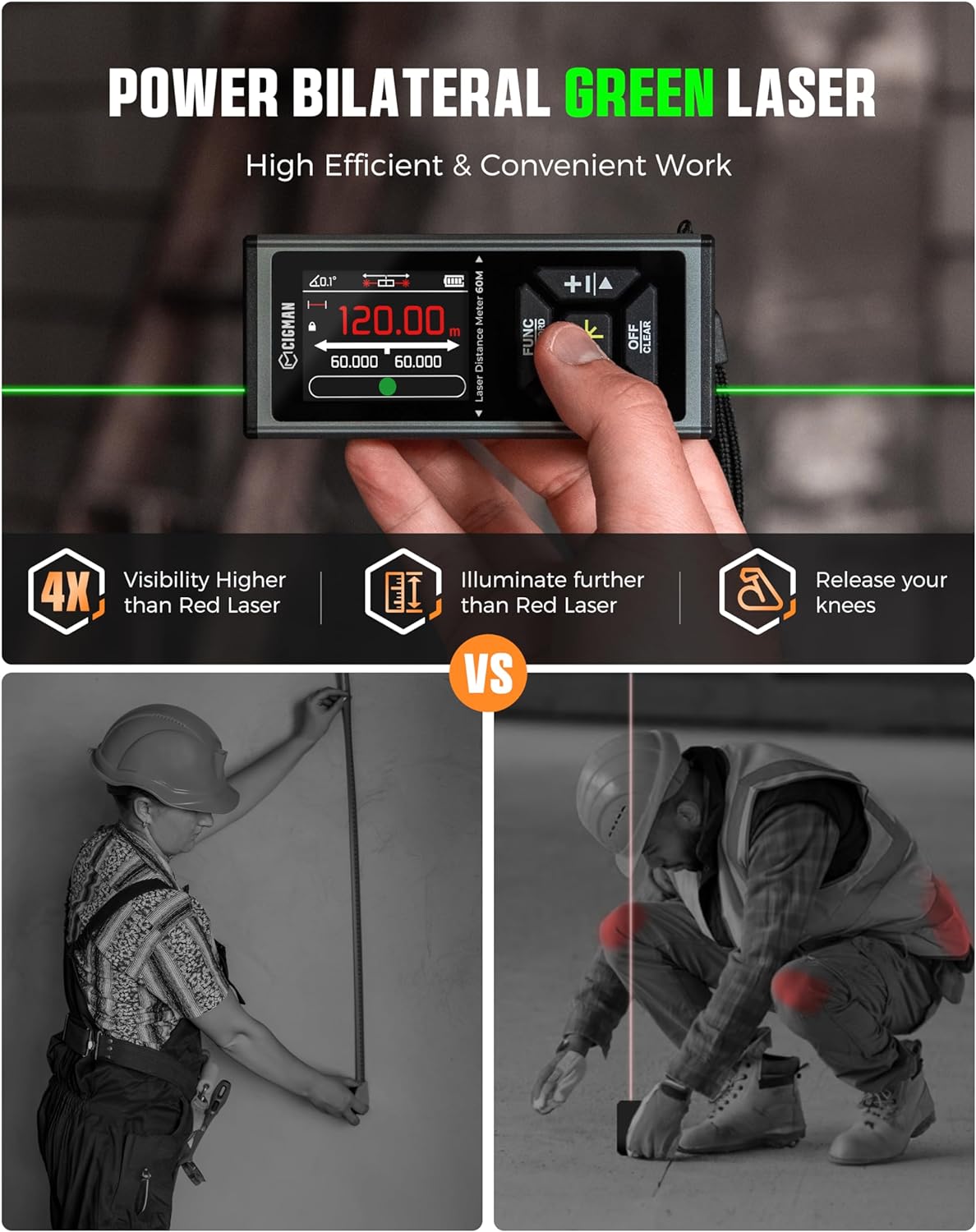
Figure 6: Bilateral Green Laser in Use
Angle Sensing and Electronic Level
The CD-60G features advanced angle sensing with angle mode, horizontal bubble mode, and electronic level bubble mode. This simulates a real bubble level, allowing measurement of tilt angles both horizontally and vertically, ensuring precise alignment.
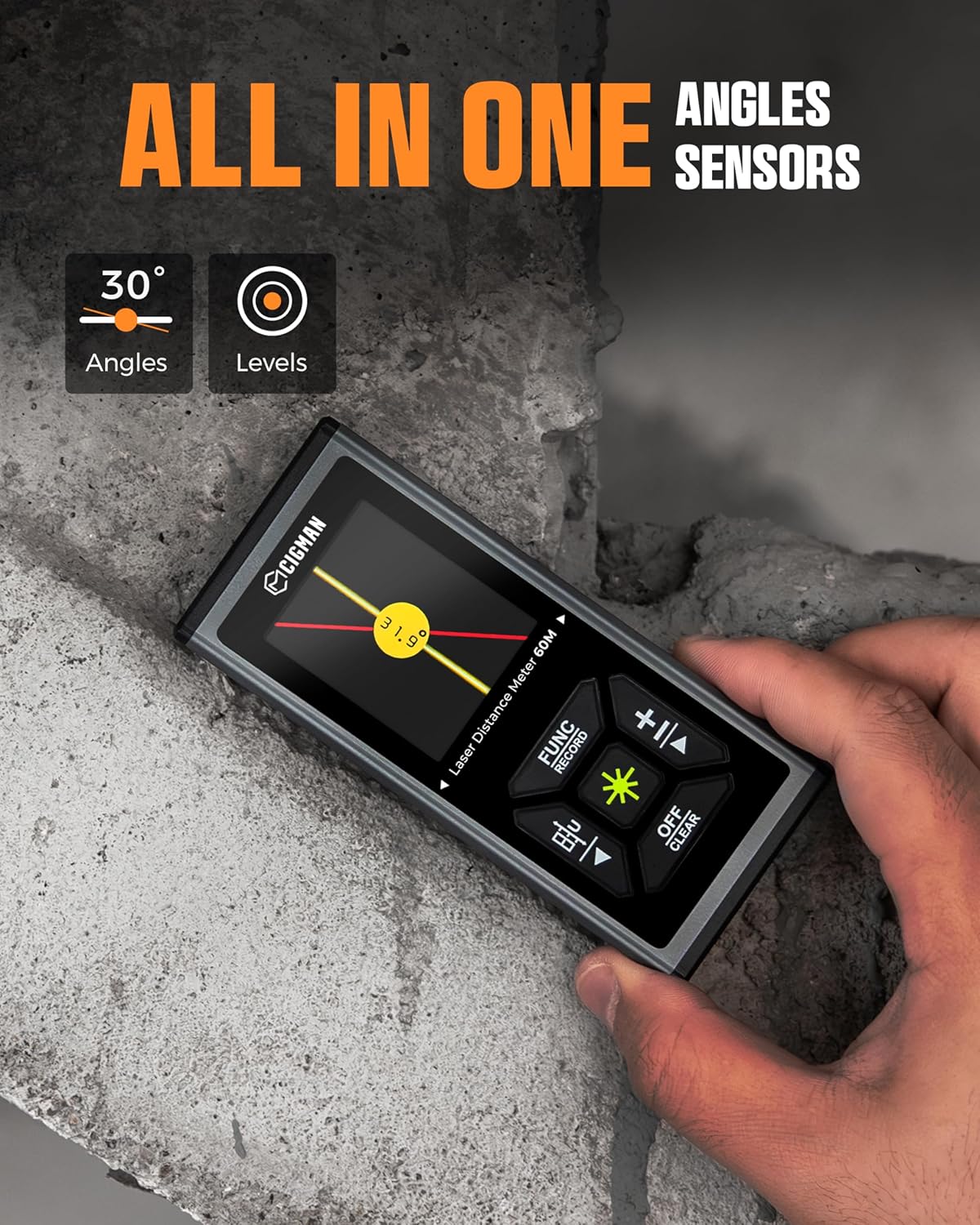
Figure 7: Angle Sensing and Electronic Level
Data Storage
The device can store up to 100 sets of measurement data, allowing you to conveniently save and recall measurements for later use. This feature simplifies complex tasks requiring multiple readings.
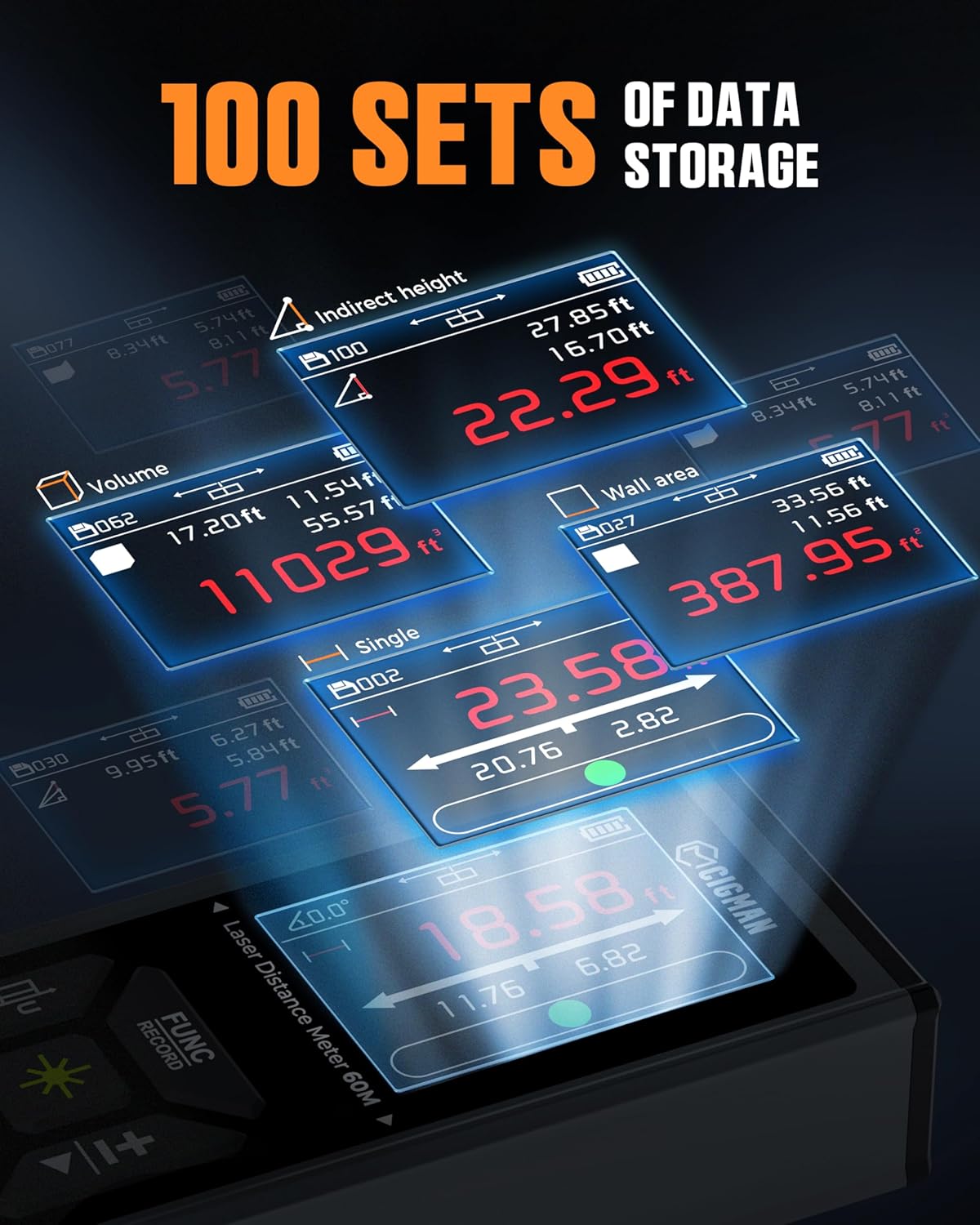
Figure 8: 100 Sets of Data Storage
Official Product Video
Video 1: CIGMAN Bilateral Green Laser Distance Meter Measurement Tool. This video demonstrates the key features and operation of the CIGMAN CD-60G, including its dual laser functionality and various measurement modes.
Maintenance
- Cleaning: Use a soft, damp cloth to clean the device. Avoid abrasive cleaners or solvents.
- Storage: Store the device in its carrying bag in a cool, dry place when not in use.
- Battery Care: Recharge the battery regularly, even if the device is not frequently used, to maintain battery health.
Troubleshooting
| Problem | Possible Cause | Solution |
|---|---|---|
| Device does not turn on | Low battery | Charge the device using the Type-C cable. |
| Inaccurate measurements | Obstructed laser path, unstable surface, extreme temperatures | Ensure clear laser path. Place device on a stable surface. Operate within recommended temperature range. |
| Screen not visible | Excessive ambient light, backlight off | Move to a shaded area or adjust screen brightness if available. Backlight automatically turns off after 60 seconds. |
Specifications
| Feature | Detail |
|---|---|
| Brand | CIGMAN |
| Model Number | CD-60G |
| Color | Bilateral Green Laser |
| Measuring Range | 393 feet / 120 meters |
| Accuracy | +/-1/16 inches |
| Laser Class | Class II, <1mW |
| Battery | 850mAh Rechargeable Lithium-Ion |
| Charging Interface | Type-C |
| Display | 2.4-inch Color IPS Backlit |
| Data Storage | Up to 100 sets |
| Material | Rubber (body) |
| Item Weight | 12.3 ounces (0.35 Kilograms) |
| Product Dimensions | 5.98 x 4.69 x 2.05 inches |
| IP Rating | IP54 |
Warranty and Support
The CIGMAN CD-60G Laser Measurement Tool comes with a 3-year warranty. For technical support or any concerns, please refer to the contact information provided in the included user manual or visit the official CIGMAN website.
We provide a 36-Month after-sale service and technical support. Please feel free to contact us if you have any concerns.
