
1. Introduction
Thank you for choosing the MUNFROST Nash Gaming Chair. This manual provides essential information for the assembly, operation, maintenance, and troubleshooting of your new chair. Please read these instructions carefully before use to ensure proper function and safety.
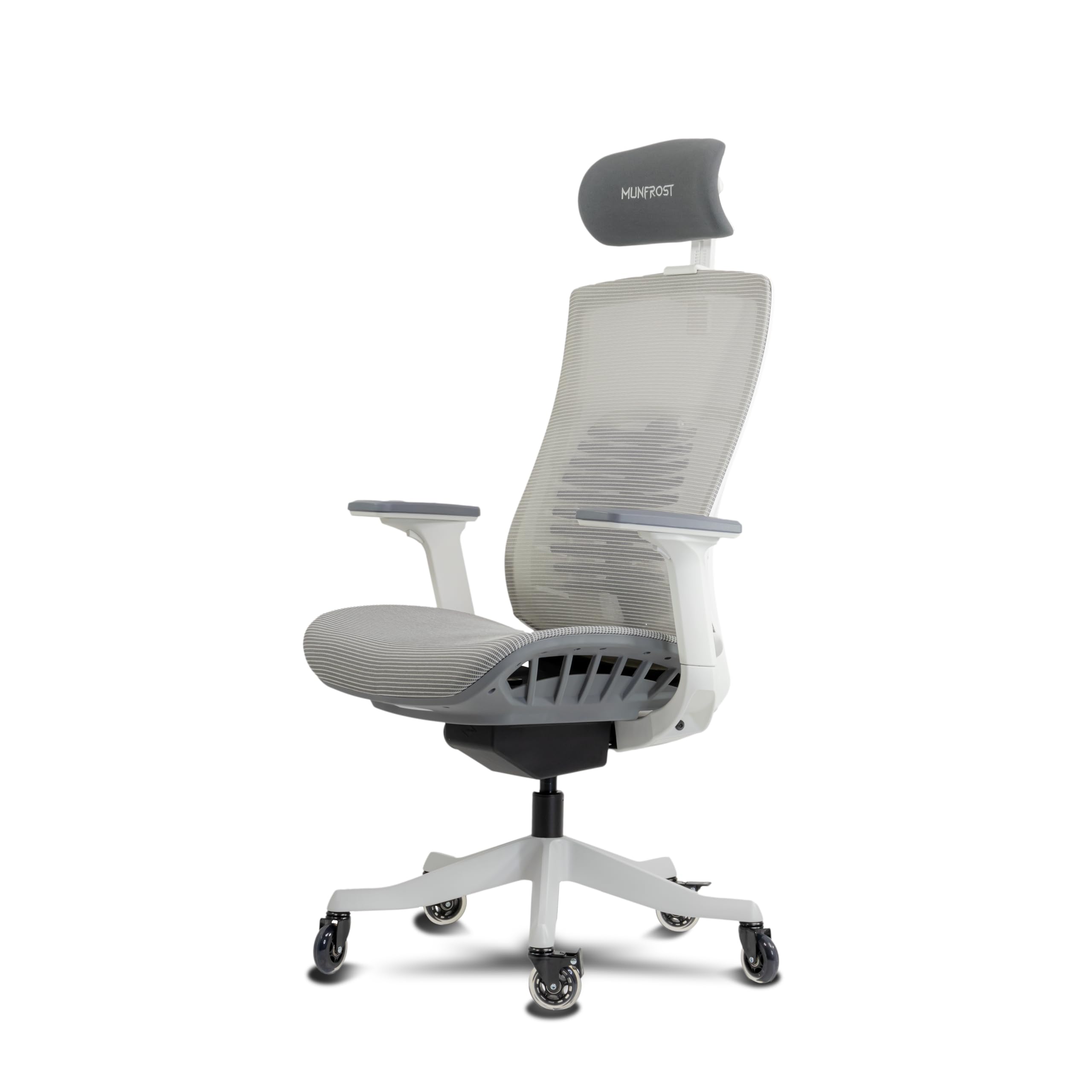
Figure 1: Front view of the MUNFROST Nash Gaming Chair.
2. Safety Information
Observe the following safety guidelines to prevent injury or damage to the product:
- Do not exceed the maximum recommended weight capacity of 180 kg (396 lbs).
- Ensure all screws and bolts are securely tightened before and during use.
- Do not stand on the chair.
- Avoid using the chair on unstable or uneven surfaces.
- Keep hands and fingers clear of moving parts during adjustment.
- Do not expose the chair to direct sunlight or extreme temperatures for prolonged periods.
- Keep children and pets away from the chair during assembly.
3. Package Contents
Verify that all components are present before beginning assembly. If any parts are missing or damaged, please contact customer support.
- Backrest with Mesh
- Seat Base
- Headrest (FOAM)
- 3D Adjustable Armrests (2)
- Star Base (Metal)
- Munfrost Silence Pro Rollerblade-style Wheels (5)
- Class 4 Gas Lift Piston
- Gas Lift Cover
- Mechanism Plate
- Lumbar Support Mechanism (Integrated)
- Assembly Hardware (Screws, Allen Key)
4. Assembly Instructions
Follow these steps carefully for proper assembly. It is recommended to assemble the chair on a soft, clean surface to prevent damage.
- Attach Wheels to Base: Insert the five Munfrost Silence Pro rollerblade-style wheels into the holes at the end of each leg of the metal star base. Push firmly until they click into place.

Figure 2: Munfrost Silence Pro Rollerblade-style Wheels.
- Install Gas Lift: Place the gas lift piston into the center hole of the assembled star base. Cover the gas lift with the telescopic plastic cover.

Figure 3: Class 4 Gas Lift Piston.
- Attach Mechanism Plate to Seat: Secure the mechanism plate to the underside of the seat base using the provided screws. Ensure the front of the mechanism faces the front of the seat.
- Attach Armrests to Seat: Fasten the 3D adjustable armrests to the sides of the seat base using the designated screws.
- Connect Backrest to Seat: Align the backrest with the seat base and secure it using the remaining screws. Ensure a firm connection.
- Place Assembled Top onto Gas Lift: Carefully place the assembled seat and backrest onto the gas lift piston. Apply gentle downward pressure to ensure it is seated properly.
- Install Headrest: Insert the FOAM headrest into the designated slot at the top of the backrest. Adjust to your preferred height.
5. Operating Instructions & Adjustments
The MUNFROST Nash Gaming Chair offers several adjustment features for personalized comfort.
5.1. Seat Height Adjustment
To adjust the seat height (range: 35cm - 50cm), locate the lever on the right side beneath the seat. Pull the lever upwards while seated to lower the chair, or stand up and pull the lever upwards to raise the chair. Release the lever at the desired height.
5.2. Backrest Recline
The backrest can recline up to 145 degrees. Use the lever on the left side beneath the seat to unlock the recline mechanism. Lean back to the desired angle and push the lever downwards to lock it in place. To return to an upright position, pull the lever upwards and allow the backrest to return while applying slight forward pressure.
5.3. Lumbar Support Adjustment
The 'Munfrost Vertebral Arch Pro' lumbar support is adjustable. Locate the knob or lever on the back of the chair (as shown in Figure 4) to adjust the height and depth of the lumbar support to fit the curve of your lower back.
Figure 4: Rear view showing the adjustable lumbar support mechanism.
6. Maintenance
Regular maintenance ensures the longevity and optimal performance of your chair.
- Cleaning: For the mesh backrest and seat, use a soft cloth dampened with mild soap and water. Avoid harsh chemicals or abrasive cleaners. For the metal components, wipe with a dry cloth.
- Inspection: Periodically check all screws and bolts to ensure they are tight. Re-tighten if necessary.
- Wheel Care: Keep the rollerblade-style wheels clean from dust and debris to ensure smooth movement.
7. Troubleshooting
If you encounter any issues with your MUNFROST Nash Gaming Chair, refer to the table below for common problems and solutions.
| Problem | Possible Cause | Solution |
|---|---|---|
| Chair does not adjust height | Gas lift not engaged or faulty. | Ensure the height adjustment lever is fully pulled. If the issue persists, the gas lift may need replacement. |
| Backrest does not recline or lock | Recline mechanism locked or faulty. | Ensure the recline lever is pulled to unlock. Check for obstructions. |
| Chair wobbles | Loose screws or uneven floor. | Check and tighten all assembly screws. Move the chair to a level surface. |
| Wheels do not roll smoothly | Debris in wheels or loose connection. | Clean any hair or debris from the wheels. Ensure wheels are fully inserted into the base. |
8. Specifications
Detailed technical specifications for the MUNFROST Nash Gaming Chair.

Figure 5: MUNFROST Nash Gaming Chair with key dimensions.
| Feature | Detail |
|---|---|
| Brand | MUNFROST |
| Model Name | NASH Blanca |
| Model Number | MFMSIN1W |
| Color | White |
| Material | Metal (Frame), Mesh (Seat/Backrest), Foam (Headrest) |
| Product Dimensions (D x W x H) | 51 cm x 74 cm x 138 cm (20.1 in x 29.1 in x 54.3 in) |
| Product Weight | 25 Kilograms (55.1 lbs) |
| Maximum Recommended Weight | 180 Kilograms (396 lbs) |
| Seat Depth | 46 cm (18.1 in) |
| Reclining Positions | Up to 145 degrees |
| Armrest Style | 3D Adjustable |
| Wheel Type | Rollerblade-style (Munfrost Silence Pro) |
| Assembly Required | Yes |
9. Warranty and Support
MUNFROST is committed to providing quality products and customer satisfaction.
9.1. Return Policy
This product is eligible for a 30-day free return from the date of purchase. Please refer to your retailer's return policy for specific conditions and procedures.
9.2. Extended Warranty Options
Extended warranty plans are available through Assurant for 2, 3, or 4 years, covering furniture and including the manufacturer's warranty. These plans can be purchased separately.
9.3. Customer Support
For any questions, assistance with assembly, or troubleshooting not covered in this manual, please contact MUNFROST customer support through the retailer's platform or the official MUNFROST website.