
Introduction
The Movo WireL Mini DI-Duo Wireless Microphone System is designed to provide high-quality audio recording for iPhone users engaged in podcasting, interviews, and general content creation. This comprehensive bundle includes two wireless clip-on transmitters, a compact Lightning receiver, two WMX-HM handheld microphone adapters, and two HMT-2 desktop microphone stands, offering versatile recording solutions.
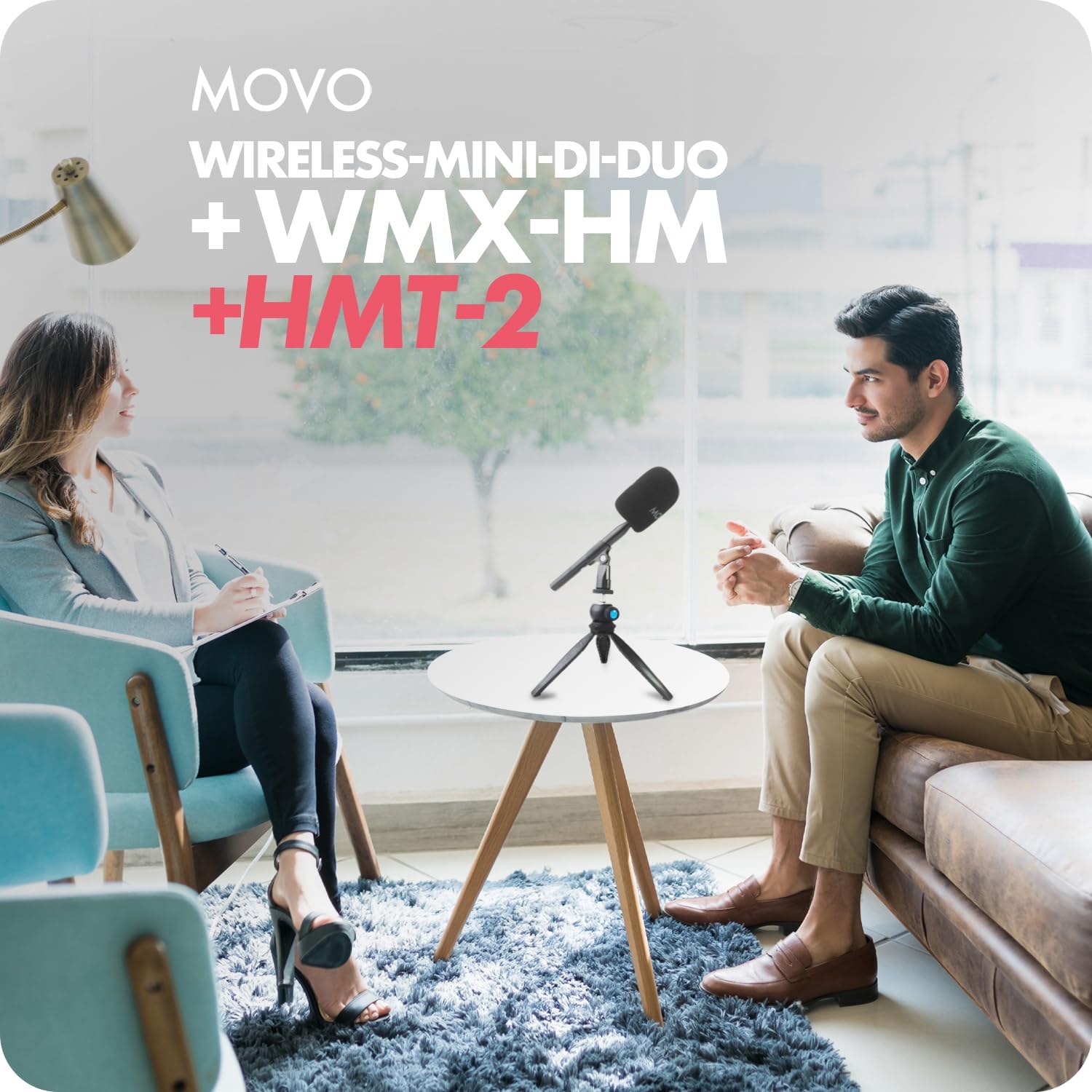
Image: The Movo Wireless Mini DI-Duo system set up for an interview, demonstrating its use in a professional setting.
What's Included
Your Movo WireL Mini DI-Duo Wireless Microphone System bundle contains the following components:
- 2 x Wireless-Mini-Di-DUO Transmitters
- 1 x Wireless-Mini-Di-DUO Lightning Receiver
- 2 x Handheld Mic Handles (WMX-HM)
- 2 x Desktop Mic Stands (HMT-2)
- 2 x Foam Windscreens (for transmitters)
- 2 x Foam Windscreens (for handheld adapters)
- 1 x Carrying Pouch
- 1 x USB-C to USB-A Charging Cable

Image: A detailed view of all items included in the Movo Wireless Mini DI-Duo package, neatly arranged on a surface.
Setup Instructions
Follow these steps to set up your Movo WireL Mini DI-Duo Wireless Microphone System:
- Charge Transmitters: Before first use, ensure both wireless transmitters are fully charged using the provided USB-C to USB-A cable. The indicator light will show charging status.
- Connect Receiver: Plug the Lightning receiver directly into the Lightning port of your iPhone. The receiver's indicator light will illuminate to confirm connection.
- Power On Transmitters: Press and hold the power button on each transmitter until the indicator light flashes, indicating they are searching for the receiver. Once paired, the light will turn solid.
- Attach Windscreens: For optimal audio quality and to reduce wind noise, slide the foam windscreens over the microphone heads of the transmitters.
- Choose Your Setup:
- Lavalier Style: Clip the transmitters directly onto clothing for hands-free recording.
- Handheld: Insert the transmitters into the WMX-HM handheld adapters. Attach the larger foam windscreens to the adapters.
- Desktop: Mount the WMX-HM handheld adapters (with transmitters inserted) onto the HMT-2 desktop stands. Adjust the stand's angle as needed.
- Start Recording: Open your preferred audio or video recording application on your iPhone. The system should be automatically recognized as an external audio input. Begin recording.

Image: An overview of the Movo Wireless Mini DI-Duo system, showing the wireless microphone units, receiver, and desktop tripod stand.

Image: Close-up of a Movo wireless microphone, highlighting its compact size and the button for built-in noise cancellation.
Operating Instructions
The Movo WireL Mini DI-Duo system is designed for ease of use, providing clear audio for various applications.
- Power On/Off: Press and hold the power button on each transmitter to turn it on or off. A short press can activate/deactivate noise cancellation (refer to indicator light for status).
- Automatic Pairing: The transmitters and receiver are designed to pair automatically upon powering on. If pairing fails, ensure both units are charged and within range, then restart them.
- Monitoring Audio: Some iPhone recording apps allow for real-time audio monitoring through connected headphones. Consult your app's settings for this feature.
- Pass-Through Charging: The Lightning receiver features a pass-through charging port, allowing you to charge your iPhone while the microphone system is in use.
- Range: Maintain a distance of up to 164 feet (50 meters) between the transmitters and receiver for stable 2.4GHz transmission. Obstacles may reduce this range.
- Versatile Use: The WMX-HM handheld adapters and HMT-2 desktop stands provide flexibility for interviews, vlogging, and other content creation scenarios, allowing for both stationary and mobile recording.

Image: An infographic detailing the key features of the Movo Wireless Mini DI-Duo, emphasizing its compact design and ease of use.

Image: A detailed view of the collapsible tripod, showcasing its adjustable legs and compact design for easy transport.

Image: A usage example showing two people recording in a kitchen, illustrating the system's portability and ability to capture clear audio in various environments.
Maintenance
To ensure the longevity and optimal performance of your Movo WireL Mini DI-Duo Wireless Microphone System, follow these maintenance guidelines:
- Cleaning: Use a soft, dry cloth to wipe down the transmitters, receiver, and accessories. Avoid using liquid cleaners or solvents.
- Storage: Store all components in the provided carrying pouch when not in use to protect them from dust, moisture, and physical damage.
- Battery Care: For optimal battery life, avoid fully discharging the transmitters frequently. Recharge them regularly, even if not in constant use.
- Windscreens: The foam windscreens can be gently hand-washed with mild soap and water, then air-dried completely before reattaching.
Troubleshooting
If you encounter issues with your Movo WireL Mini DI-Duo system, refer to the following table for common problems and solutions:
| Problem | Possible Cause | Solution |
|---|---|---|
| No audio recording | Transmitters not paired or powered on; Receiver not connected; Low battery; App settings. | Ensure transmitters are on and paired (solid indicator light). Verify receiver is securely plugged into iPhone. Charge all components. Check recording app's audio input settings. |
| Poor audio quality/Interference | Out of range; Obstructions; Environmental interference; Noisy environment. | Move closer to the receiver. Remove obstructions. Avoid areas with strong Wi-Fi or other 2.4GHz devices. Activate noise cancellation on transmitters. Use windscreens. |
| Transmitter not charging | Faulty cable; Improper connection; Power source issue. | Try a different USB-C cable and power adapter. Ensure cable is securely connected to both transmitter and power source. |
| iPhone not charging via pass-through | Charging cable not connected to receiver; Power source issue. | Ensure a charging cable is connected to the receiver's pass-through port and a working power source. |
Specifications
| Feature | Detail |
|---|---|
| Model Name | Wireless-Mini-DI-DUO+WMXHMx2+HMT2x2 |
| Brand | Movo |
| Microphone Form Factor | Handheld, Mini |
| Connectivity Technology | 2.4GHz |
| Connector Type | Lightning |
| Compatible Devices | iPhone 14 and Below |
| Power Source | Battery Powered (Lithium Ion) |
| Number of Channels | 1 |
| Polar Pattern | Unidirectional |
| Item Weight | 1.96 pounds (0.89 Kilograms) |
| Material | Plastic |
| Package Dimensions | 19.88 x 10.43 x 4.8 inches |
Warranty and Support
For warranty information and customer support, please refer to the documentation included in your product packaging or visit the official Movo website. Movo is committed to providing quality products and assistance to its customers.