
Candy CO4474TWM6/1-S
Candy Smart Pro Inverter CO4474TWM6/1-S Washing Machine User Manual
Model: CO4474TWM6/1-S | Brand: Candy
Introduction
This user manual provides essential information for the safe and efficient operation of your Candy Smart Pro Inverter washing machine. Please read this manual carefully before using the appliance and keep it for future reference.
The Candy Smart Pro Inverter washing machine, model CO4474TWM6/1-S, is a front-loading appliance designed for household use. It features a 7 kg capacity, 1400 RPM spin speed, and advanced technologies like the Speed-Drive Inverter motor and Quick&Clean system for optimal washing performance and energy efficiency.
Important Safety Instructions
Always follow basic safety precautions when using electrical appliances to reduce the risk of fire, electric shock, and injury to persons.
- Ensure the appliance is properly grounded.
- Do not allow children to play on or in the appliance.
- Unplug the appliance before performing any maintenance or cleaning.
- Do not install or store the appliance where it will be exposed to the weather or to freezing temperatures.
- Do not repair or replace any part of the appliance or attempt any servicing unless specifically recommended in this manual or in published user-repair instructions that you understand and have the skills to carry out.
Setup and Installation
Unpacking
Carefully remove all packaging materials. Ensure all transit bolts are removed from the rear of the machine before use. Failure to do so will cause severe vibration and damage during operation.
Location
Place the washing machine on a firm, level floor. Adjust the feet to ensure stability and prevent vibration. The appliance dimensions are approximately 85 cm (H) x 60 cm (W) x 45.4 cm (D).

Figure 1: Front view of the Candy Smart Pro Inverter washing machine, showing the control panel, detergent drawer, and drum door.
Water Connection
Connect the water inlet hose to a cold water tap with a 3/4" thread. Ensure all connections are tight to prevent leaks. The appliance requires a water pressure between 0.05 MPa and 0.8 MPa.
Drainage
Position the drain hose into a standpipe or over the edge of a sink, ensuring it is securely fixed to prevent displacement during draining. The drain hose should be at a height between 60 cm and 100 cm from the floor.
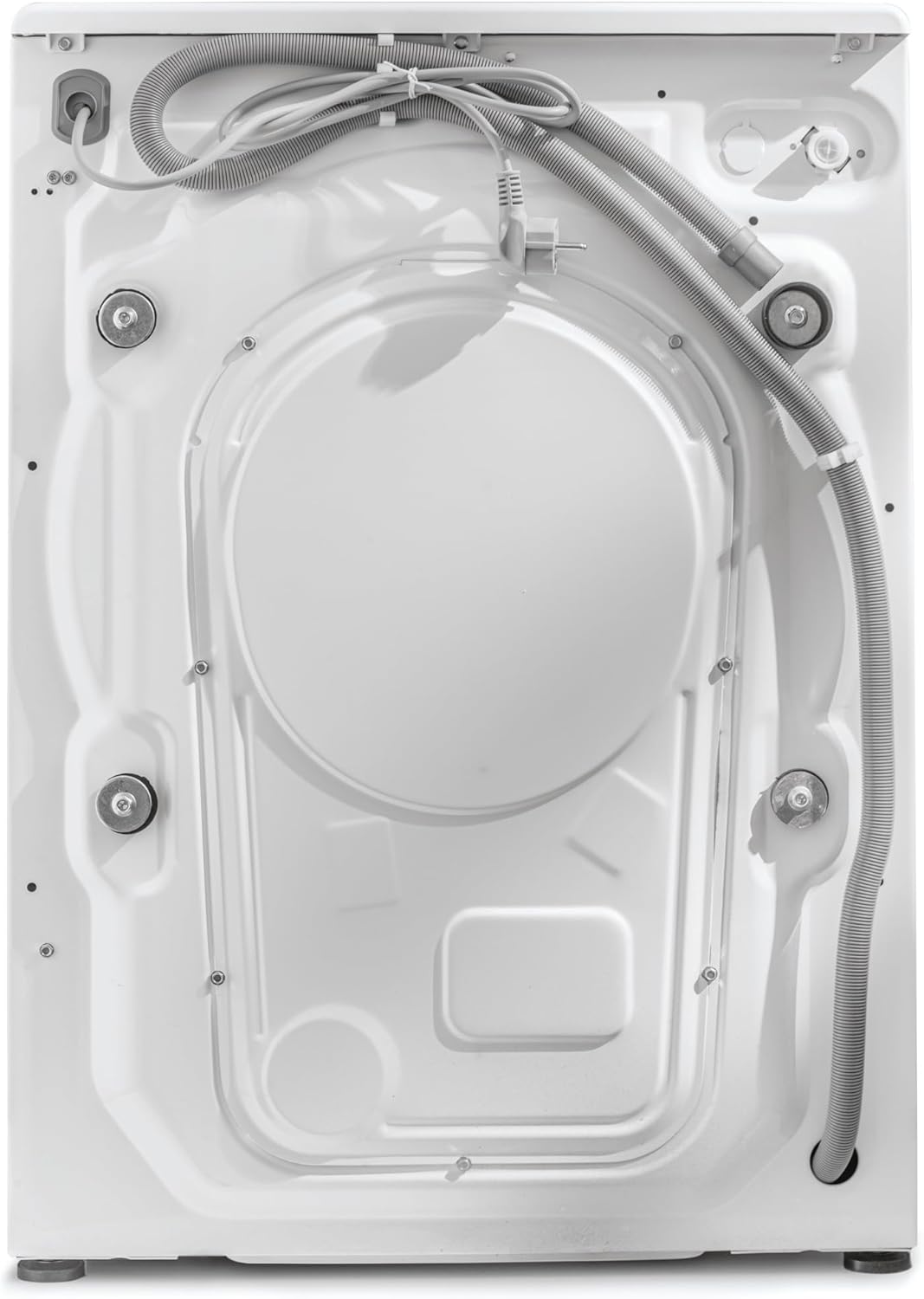
Figure 2: Rear view of the Candy Smart Pro Inverter washing machine, illustrating the water inlet and drain hose connections.
Electrical Connection
Plug the power cord into a grounded electrical outlet. The appliance operates on 2.2E+2 Volts (AC). Do not use extension cords or adapters.
Operating Instructions
Control Panel Overview
The control panel consists of a program selector dial, function buttons, and a digital display. Refer to the diagram below for specific button functions.
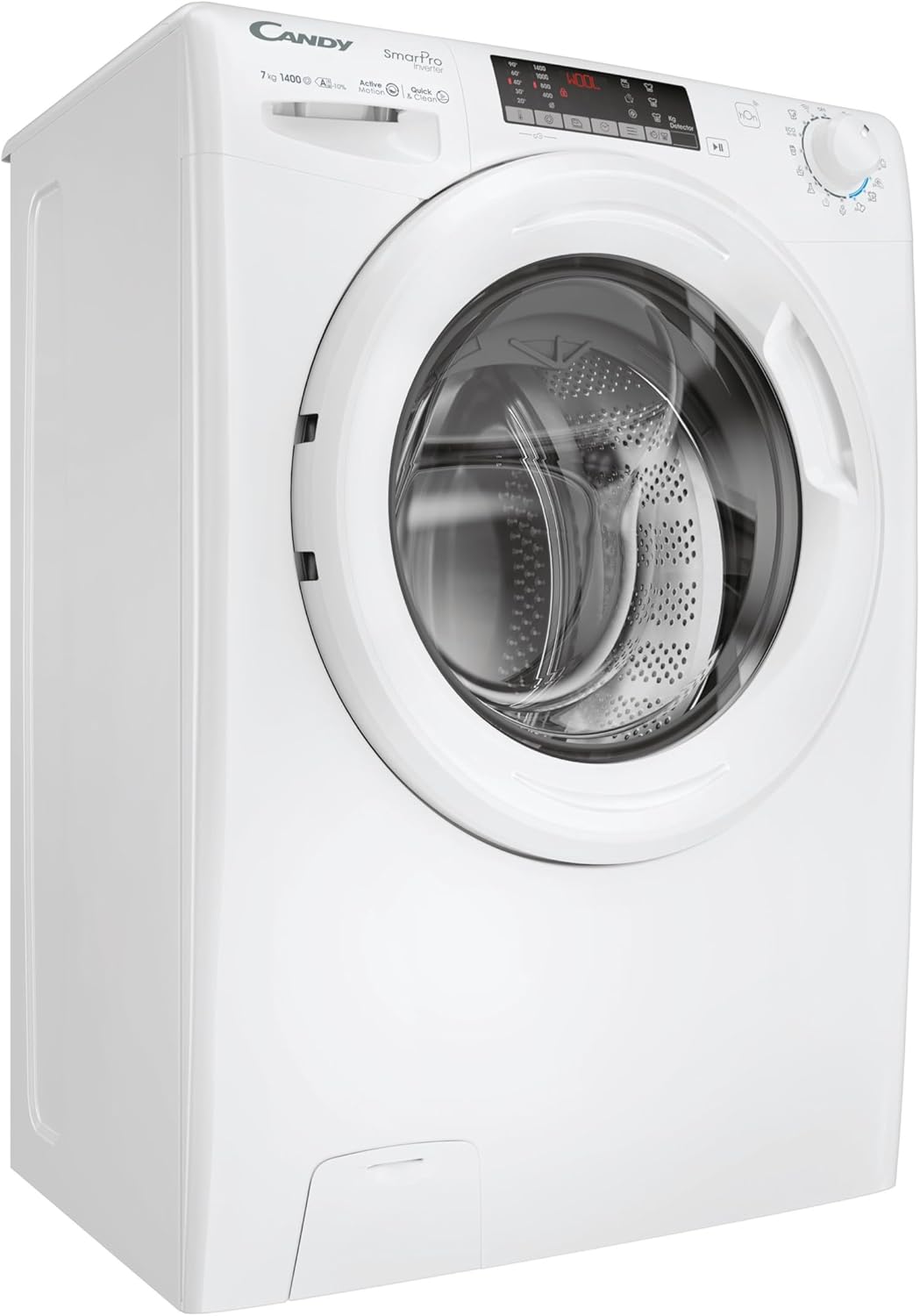
Figure 3: Angled view of the Candy Smart Pro Inverter washing machine, highlighting the user-friendly control panel and detergent drawer.
Loading Laundry
Open the door and load laundry into the drum. Do not overload the machine; the maximum capacity is 7 kg. Close the door firmly until it clicks.

Figure 4: View of the Candy Smart Pro Inverter washing machine with the door open, showing the stainless steel drum ready for loading laundry.
Adding Detergent and Additives
Pull out the detergent drawer. Add appropriate amounts of detergent to the main wash compartment and fabric softener to the designated compartment. Close the drawer gently.
Program Selection
Turn the program selector dial to choose one of the 16 available programs. Common programs include Cotton, Synthetics, Delicates, Wool, and Quick Wash. The display will show the estimated cycle time.
Special Functions
- Quick&Clean Technology: This feature enhances stain removal by creating a concentrated mixture of water and detergent that is sprayed directly onto the clothes.
- Inverter-Technology: The Speed-Drive Inverter motor ensures optimal washing results with reduced energy consumption and vibrations, even during fast cycles.
- hOn App Connectivity: Manage your washing machine remotely using the hOn app. Access over 60 additional cycles, monitor energy consumption, and check appliance maintenance status.
Starting a Wash Cycle
Press the Start/Pause button to begin the selected wash cycle. The machine will automatically proceed through the wash, rinse, and spin phases.
End of Cycle
Once the cycle is complete, the machine will signal with an audible alert (if enabled) and the display will show "End". Open the door and remove your laundry.
Maintenance and Care
Cleaning the Detergent Drawer
Regularly remove and clean the detergent drawer to prevent detergent residue buildup. Rinse it under running water and reinsert it.
Cleaning the Drum
Run a maintenance wash cycle (e.g., a hot wash with no laundry and a descaling agent) periodically to clean the drum and remove any odors or residue.
Cleaning the Filter
The pump filter should be cleaned regularly to prevent blockages. Refer to the specific instructions in your full product manual for accessing and cleaning the filter.
Exterior Cleaning
Wipe the exterior of the washing machine with a soft, damp cloth. Do not use abrasive cleaners or solvents.
Troubleshooting
This section provides solutions to common issues you might encounter. If the problem persists, contact customer support.
| Problem | Possible Cause | Solution |
|---|---|---|
| Machine does not start | Power cord not plugged in; door not closed properly; program not selected. | Check power connection; ensure door is latched; select a program and press Start. |
| Excessive vibration during spin | Transit bolts not removed; machine not level; uneven load. | Remove transit bolts; adjust leveling feet; redistribute laundry inside the drum. |
| Water leakage | Hose connections loose; detergent drawer overflowing; drain hose blocked. | Tighten hose connections; do not overfill detergent drawer; check and clear drain hose. |
| Detergent residue on clothes | Too much detergent; low water pressure; detergent drawer blocked. | Reduce detergent amount; check water supply; clean detergent drawer. |
Technical Specifications
| Feature | Specification |
|---|---|
| Brand | Candy |
| Model Identifier | CO4474TWM6/1-S |
| Product Dimensions (HxWxD) | 85 x 60 x 45.4 cm |
| Weight | 59 Kilograms |
| Capacity | 7 Kilograms |
| Maximum Spin Speed | 1400 RPM |
| Installation Type | Freestanding |
| Number of Standard Programs | 16 |
| Special Features | Inverter Technology, Mix Power System Technology, Connectivity (hOn App) |
| Color | White |
| Control Type | Remote Control (via app) / Dial |
| Door Opening | Front Load |
| Voltage | 2.2E+2 Volts (AC) |
| Material | Stainless Steel (drum) |
| Energy Efficiency Rating | A (10% better than standard A-class) |
Warranty and Support
For warranty information and terms, please refer to the warranty card included with your appliance or visit the official Candy website. Keep your proof of purchase for warranty claims.
For technical assistance, troubleshooting beyond this manual, or spare parts, please contact Candy customer service. Contact details can typically be found on the manufacturer's website or in your product documentation.
Online Resources:
Related documentsCO4474TWM6/1-S


Ask a question about this manual
Ask about setup, troubleshooting, compatibility, parts, safety, or missing instructions. Manuals+ will review the question and use this page’s manual context to help answer it.