
1. Introduction
Thank you for choosing the PROSONIC 127cm (50 Inch) 4K Ultra HD Smart Android LED TV, model PRO-AS-5035. This manual provides essential information for the safe and efficient operation of your new television. Please read it thoroughly before use and retain it for future reference.
2. What's in the Box
Carefully unpack your PROSONIC TV and check that all items listed below are present and undamaged.
- 1 x PROSONIC 127cm (50 Inch) 4K Ultra HD Smart Android LED Television
- 1 x Remote Controller
- 1 x User Manual (this document)
- 1 x Warranty Card
- 2 x Table Top Stand (for base installation)

Image: The PROSONIC 50-inch Smart Android LED TV displaying various streaming application logos on its screen, illustrating its smart capabilities.
3. Setup
3.1 Installing the Table Top Stand
- Place the TV screen-down on a soft, flat surface to prevent damage.
- Align the stand bases with the corresponding screw holes on the bottom of the TV.
- Secure each stand with the provided screws. Ensure they are tightened firmly.
3.2 Connecting Power
After installing the stand or wall-mounting the TV, connect the power cord to the TV's power input, then plug the other end into a suitable AC power outlet.
3.3 Initial Setup Wizard
Upon first power-on, the TV will guide you through an initial setup process. This includes language selection, network connection, and channel scanning. Follow the on-screen instructions.

Image: The PROSONIC 50-inch Smart Android LED TV displayed alongside various feature icons, including Wi-Fi, USB, 4K resolution, and Dolby Audio, highlighting its connectivity and display capabilities.
4. Operating Instructions
4.1 Remote Control Overview
The provided remote control allows you to access all functions of your PROSONIC TV. Insert two AAA batteries (not included) into the remote control, ensuring correct polarity.
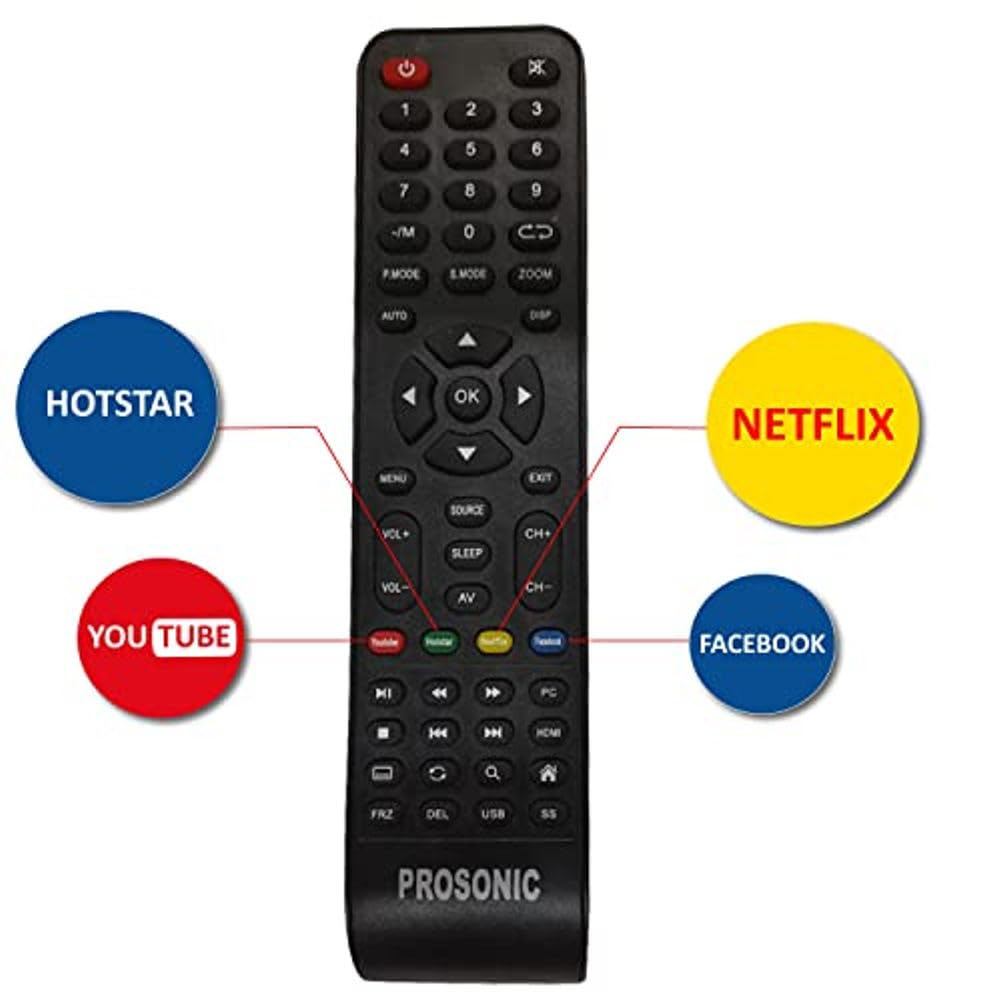
Image: The PROSONIC TV remote control, featuring dedicated quick-access buttons for popular streaming services like Hotstar, YouTube, Netflix, and Facebook, alongside standard navigation and control keys.
4.2 Basic TV Functions
- Power On/Off: Press the Power button on the remote.
- Volume Control: Use the VOL+ and VOL- buttons.
- Channel Selection: Use the CH+ and CH- buttons or the number pad.
- Source Selection: Press the SOURCE button to switch between input sources (HDMI, USB, AV, etc.).
- Navigation: Use the directional arrows and OK button to navigate menus.
- Home/Smart TV: Press the Home button to access the Android TV interface.
5. Connectivity
Your PROSONIC TV offers a variety of connectivity options for external devices.
5.1 HDMI Ports
The TV features 3 HDMI ports for connecting devices such as set-top boxes, Blu-ray players, gaming consoles, and soundbars. Use high-quality HDMI cables for optimal performance.
5.2 USB Ports
Two USB ports are available for connecting USB storage devices (e.g., flash drives, external hard drives) to play media files or for software updates.
5.3 Wi-Fi Connectivity
Connect your TV to your home network wirelessly using the built-in Wi-Fi. Navigate to Settings > Network & Internet to configure your Wi-Fi connection.
5.4 Bluetooth 5.0
Utilize Bluetooth 5.0 to connect compatible wireless headphones, speakers, or other Bluetooth accessories to your TV.

Image: A rear and side view of the PROSONIC TV, clearly indicating the locations of various input ports such as HDMI, USB, and AV connections for external devices.
6. Smart TV Features
Your PROSONIC TV runs on Official Android 9, providing a smart and interactive viewing experience.
- Google Play Store: Download and install a wide range of applications, games, and content directly to your TV.
- ActiVoice Remote Control: Use voice commands to search for content, control playback, and access features.
- Google Eco-system: Access Google Movies, TV, Music, and Games directly from your TV.
- Chromecast Built-in: Cast content from your smartphone, tablet, or computer directly to your TV screen.
- Pre-installed Apps: Enjoy popular streaming services like Netflix, Prime Video, YouTube, and Hotstar.
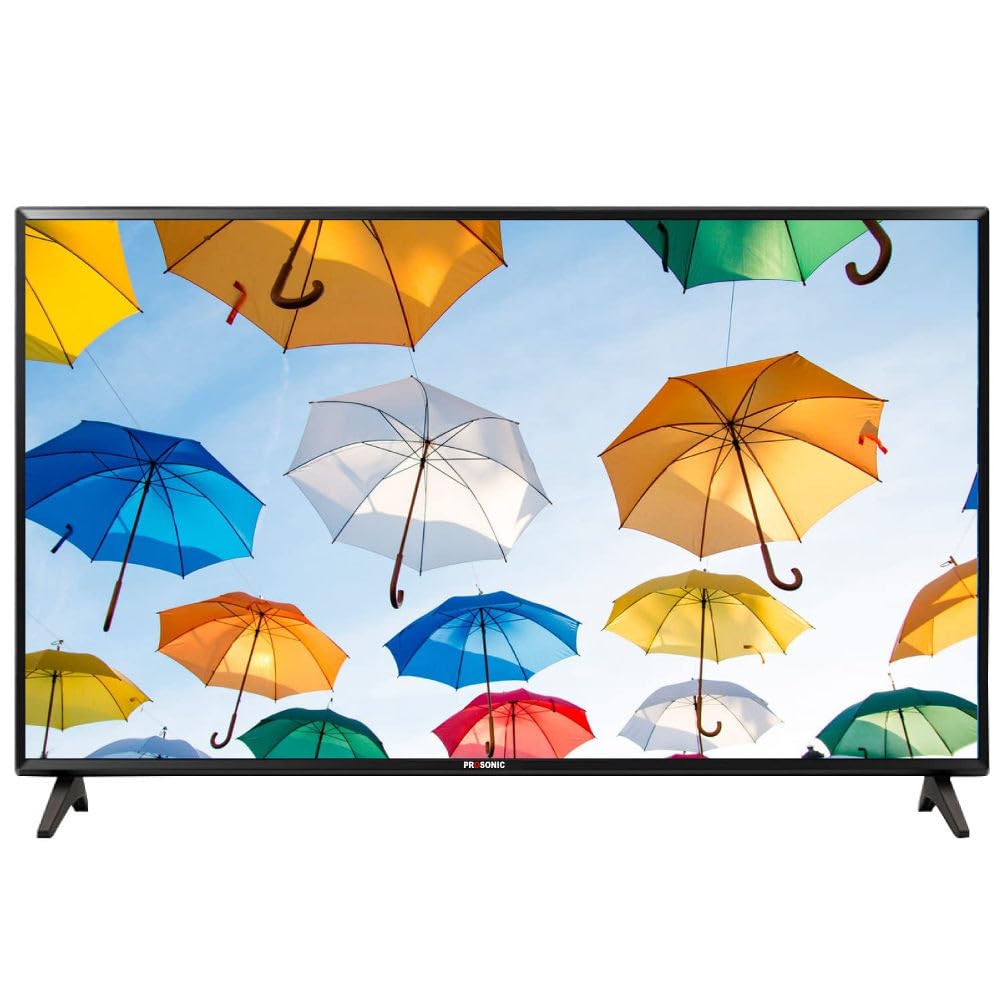
Image: The PROSONIC 50-inch Smart Android LED TV showcasing its home screen interface, populated with icons for popular streaming applications such as Netflix, YouTube, Disney+ Hotstar, and ZEE5, demonstrating its smart capabilities.
7. Display Features
Experience stunning visuals with the advanced display technology of your PROSONIC TV.
- 4K Ultra HD (3840x2160): Delivers four times the resolution of Full HD for incredible detail and clarity.
- 60 Hertz Refresh Rate: Ensures smooth motion for fast-paced content.
- 178 Degree Wide Viewing Angle: Provides consistent picture quality from almost any position in the room.
- Premium 4K Display with 40% Enhanced Brightness: Offers vibrant colors and improved visibility.
- AI Picture Booster: Optimizes image quality in real-time for enhanced viewing.
- Dolby Vision, HDR10, HLG: Supports multiple HDR formats for superior contrast and color reproduction.
- VOD Upscaling: Enhances lower-resolution content to near 4K quality.
- Cricket/Movie Mode: Picture presets optimized for specific content types.
- PC and Game Mode: Reduces input lag for a more responsive gaming and computing experience.
- Anti-Glare Screen: Minimizes reflections for comfortable viewing in various lighting conditions.
- Panoramic Viewing: Provides an immersive visual experience.
8. Sound Features
Immerse yourself in rich and clear audio with the integrated sound system.
- 30 Watts Output: Delivers powerful and clear audio.
- Dolby Audio: Provides enhanced sound quality for movies, shows, and music.
- DTS Virtual-X Surround Sound: Creates an immersive, three-dimensional audio experience without additional speakers.
- TruBass HDX: Enhances bass response for deeper, richer low frequencies.
- TruSurround X: Delivers virtual surround sound from stereo sources.
- Dialog Clarity: Ensures clear and understandable speech in all content.
9. Maintenance
Proper maintenance ensures the longevity and optimal performance of your TV.
9.1 Cleaning the Screen
- Turn off the TV and unplug it from the power outlet.
- Gently wipe the screen with a soft, dry, lint-free cloth.
- For stubborn marks, lightly dampen the cloth with water or a specialized screen cleaner (do not spray directly onto the screen).
- Avoid using harsh chemicals, abrasives, or alcohol-based cleaners.
9.2 Cleaning the TV Body and Remote
Wipe the TV frame and remote control with a soft, dry cloth. Do not allow liquids to enter the TV or remote.
9.3 Software Updates
Your Android TV may receive periodic software updates. Ensure your TV is connected to the internet to receive these updates, which can improve performance and add new features. You can check for updates in Settings > Device Preferences > About > System update.
10. Troubleshooting
If you encounter issues with your TV, refer to the following common problems and solutions before contacting support.
- No Power:
Solution: Check if the power cord is securely plugged into both the TV and the wall outlet. Ensure the outlet is functional by testing it with another device. - No Picture, But Sound:
Solution: Check the input source. Ensure the connected device (e.g., set-top box) is powered on and functioning correctly. Try a different HDMI cable. - No Sound, But Picture:
Solution: Check the volume level and ensure the TV is not muted. Verify audio output settings in the TV menu. If using external speakers, check their connections and power. - Remote Control Not Working:
Solution: Replace the batteries. Ensure there are no obstructions between the remote and the TV's IR sensor. - Wi-Fi Connection Issues:
Solution: Restart your Wi-Fi router. Go to Settings > Network & Internet on the TV and try reconnecting to your network. Ensure the Wi-Fi password is entered correctly. - Apps Not Loading/Crashing:
Solution: Ensure the TV has a stable internet connection. Try clearing the cache for the problematic app (Settings > Apps > [App Name] > Clear cache). Restart the TV.
11. Specifications
| Feature | Specification |
|---|---|
| Screen Size | 127cm (50 Inches) |
| Resolution | 4K Ultra HD (3840x2160) |
| Refresh Rate | 60 Hertz |
| Display Technology | LED |
| Viewing Angle | 178 Degrees |
| Operating System | Official Android 9 |
| Sound Output | 30 Watts |
| Audio Technology | Dolby Audio, DTS Virtual-X Surround Sound |
| HDMI Ports | 3 |
| USB Ports | 2 |
| Wireless Connectivity | Wi-Fi, Bluetooth 5.0 |
| Product Dimensions (D x W x H) | 110.5D x 15W x 64.8H Centimeters |
| Item Weight | 7.1 Kilograms |
| Model Year | 2023 |
12. Warranty and Support
12.1 Warranty Information
Your PROSONIC TV comes with a 1 Year Comprehensive Warranty provided by Prosonic from the date of purchase. Please retain your invoice as proof of purchase for warranty claims.
12.2 Customer Support
For assistance, technical support, or warranty service, please contact the PROSONIC customer service team:
- Toll-Free Number: [202-4539-914]
- When contacting support, please provide the product's model name (PRO-AS-5035) and the seller's details mentioned on your invoice. The service center will schedule a convenient slot for service.
Manufacturer: PROSONIC Technologies Pvt. Ltd., 721, 1 Davabindu, Prashant Nagar, Lokamanya Nagar, Navi Peth, Sadashiv Peth, Pune, Maharashtra 411030.